Infinite Marquee with Scroll Speed
Two bands of huge serif words, one filled and one outlined, loop endlessly in opposite directions; scroll velocity speeds them up and flips them, hovering a band eases it to a stop.
- Text
- gsap
- scrolltrigger
- intermediate
- light perf
- mobile: full
- reduced-motion ✓
AI prompt
Recreate this effect with any AI tool
Paste into Claude, Cursor, v0, Lovable or Bolt. 1302 words of exact values — rewritten live as you tune the Playground.
### EFFECT: Infinite Marquee with Scroll Speed
**What it does (visual):** After a full-height intro ("Scroll to drive the tape"), the page reaches a band section with two stacked rows of very large light serif words separated by small `#d4ff3a` dots and framed by 1px hairlines. The top row is filled type and glides to the left; the bottom row is outlined italic type (transparent fill, 1px stroke) and glides to the right. Both move at a calm idle pace (90px per second) and never show a seam — the content loops forever. The moment the user scrolls, the rows accelerate in proportion to the scroll velocity (every 600px/s of scroll adds 1×, capped at 4× idle speed) and, if the user scrolls *up*, both rows flip direction. About 150ms after scrolling stops the speed eases back to 1× over 0.6s (keeping whichever direction was last scrolled). Hover pause (true): hovering a row eases that row to a standstill over 0.5s and releases it over 0.6s on leave. A tiny mono readout in the corner shows the live multiplier ("speed ×1.00" → "×3.40"). A normal outro section follows.

**Tech stack:**
- GSAP 3.13+ and ScrollTrigger (only used for `getVelocity()` / `direction`; nothing is pinned or scrubbed).
- CDN: `<script src="https://cdn.jsdelivr.net/npm/gsap@3/dist/gsap.min.js"></script>` + `<script src="https://cdn.jsdelivr.net/npm/gsap@3/dist/ScrollTrigger.min.js"></script>`
- npm: `import gsap from "gsap"; import { ScrollTrigger } from "gsap/ScrollTrigger"; gsap.registerPlugin(ScrollTrigger);`
- Fonts: a variable serif with an italic (demo uses Fraunces 300 + Fraunces Italic), a mono for the readout.

**HTML structure:**
```html
<section class="mq-intro"><p class="mq-intro__label">Text · Marquee</p><h1 class="mq-intro__title">Scroll to drive the tape</h1><p class="mq-intro__copy">…</p></section>
<section class="mq" aria-label="Marquee">
  <p class="mq__meter" aria-hidden="true">speed <span class="mq__meter-value">×1.00</span></p>
  <div class="mq__row mq__row--fill" data-direction="1">
    <div class="mq__track">
      <div class="mq__set">
        <span class="mq__word">Motion</span><span class="mq__dot" aria-hidden="true"></span>
        <span class="mq__word">Rhythm</span><span class="mq__dot" aria-hidden="true"></span>
        <!-- 4 more word + dot pairs -->
      </div>
    </div>
  </div>
  <div class="mq__row mq__row--outline" data-direction="-1"><div class="mq__track"><div class="mq__set"><!-- 6 word + dot pairs --></div></div></div>
</section>
<section class="mq-outro"><p class="mq-outro__text">…</p></section>
```
JS clones each `.mq__set` once (`aria-hidden="true"` on the clone) and appends it to its `.mq__track`, so every track contains exactly two identical sets. Author the words once; the duplication is runtime.

**CSS requirements:**
- `.mq-intro`, `.mq-outro`: `min-height: 100vh; display: grid; place-content: center; padding: 6vw;` so the page actually scrolls.
- `.mq`: `position: relative; padding: 12vh 0; overflow: hidden;`
- `.mq__row`: `position: relative; border-top: 1px solid var(--line); padding: .12em 0;` last row also gets `border-bottom`. Type on the row: `font-family: var(--font-display); font-weight: 300; font-size: clamp(3.25rem, 11vw, 11rem); line-height: 1; letter-spacing: -0.04em; white-space: nowrap;`
- `.mq__track`: `display: flex; width: max-content; will-change: transform;`
- `.mq__set`: `display: flex; align-items: center; flex: 0 0 auto; padding-right: .35em;` (the padding keeps the gap between the last dot of set 1 and the first word of set 2 equal to every other gap — this is what makes the seam invisible).
- `.mq__word`: `display: inline-block; padding: .04em 0;`
- `.mq__dot`: `display: inline-block; width: .16em; height: .16em; border-radius: 50%; background: var(--accent, #d4ff3a); margin: 0 .38em; flex: 0 0 auto;`
- `.mq__row--outline .mq__word`: `color: transparent; -webkit-text-stroke: 1px color-mix(in srgb, var(--text) 70%, transparent); font-style: italic;` (0.75px stroke under 768px).
- `.mq__meter`: `position: absolute; top: 2.5rem; right: 6vw;` mono 11px uppercase, letter-spacing .14em, muted; `.mq__meter-value { min-width: 5ch; color: var(--accent, #d4ff3a); font-variant-numeric: tabular-nums; }`
- Light theme works automatically through `--bg/--text/--line/--accent`.

**Animation spec (exact values):**
1. Constants: `IDLE_SPEED = 90` (px/s), `MAX_SCALE = 4`, `SETTLE_DELAY = 0.15`, `SETTLE_DURATION = 0.6`, `velocityDivisor = 600` on desktop / two-thirds of that under 768px, `HOVER_PAUSE = true`.
2. Intro: `gsap.from('.mq-intro__title', { y: 40, opacity: 0, duration: 1, ease: 'power3.out', delay: 0.1 })`, `gsap.from('.mq-intro__copy', { y: 24, opacity: 0, duration: 1, ease: 'power3.out', delay: 0.3 })`.
3. After `document.fonts.ready`, for each `.mq__row`: `setWidth = track.firstElementChild.getBoundingClientRect().width`; `dir = Number(row.dataset.direction)`;
   ```js
   const tween = gsap.fromTo(track, { xPercent: 0 }, {
     xPercent: -50, duration: setWidth / IDLE_SPEED, ease: 'none', repeat: -1,
     onReverseComplete() { this.totalTime(this.rawTime() + this.duration() * 100); }
   });
   tween.totalTime(tween.duration() * 100); // headroom so negative timeScale can run backwards indefinitely
   loops.push({ row, tween, dir, hover: 1 });
   ```
   Target `.mq__track`, property `xPercent` `0 → -50`, ease `none`, infinite repeat. Direction is NOT baked into the tween; it comes from `timeScale` sign.
4. Shared state `state = { scale: 1 }`. A `gsap.ticker` callback runs every frame: `loops.forEach(l => l.tween.timeScale(state.scale * l.dir * l.hover))` and writes `'×' + Math.abs(state.scale).toFixed(2)` into `.mq__meter-value`.
5. Scroll coupling — one `ScrollTrigger.create({ onUpdate(self) { … } })` with no trigger (whole page):
   - `v = self.getVelocity()` (px/s), `dir = self.direction || 1` (1 down, −1 up).
   - `target = gsap.utils.clamp(-4, 4, dir * (1 + Math.abs(v) / 600))`
   - `gsap.to(state, { scale: target, duration: 0.25, ease: 'power2.out', overwrite: true })`
   - kill the previous settle call, then `settle = gsap.delayedCall(0.15, () => gsap.to(state, { scale: dir, duration: 0.6, ease: 'power3.out', overwrite: true }))` — so 150ms after the last scroll event the multiplier returns to ±1 over 0.6s.
6. Hover pause (only when `HOVER_PAUSE` is `true` → true and `(hover: hover)` matches): `pointerenter` → `gsap.to(loop, { hover: 0, duration: 0.5, ease: 'power2.out', overwrite: true })`; `pointerleave` → `gsap.to(loop, { hover: 1, duration: 0.6, ease: 'power2.out', overwrite: true })`. The ticker multiplies this factor in, so the row glides to a stop instead of freezing.

**Interaction:** Scrolling is the primary input — scrolling down speeds the rows up in their native directions, scrolling up reverses both and speeds them up; a hard flick hits the 4× ceiling. The tapes never stop while idle. Hovering either row pauses only that row. The mono readout mirrors `|timeScale|` live.

**Responsive behavior:** Font size is fluid via `clamp(3.25rem, 11vw, 11rem)`, so six words plus dots always exceed the viewport width on phones (≥ 2 sets guarantee coverage). Under 768px (`gsap.matchMedia`) the velocity divisor drops to two-thirds of 600 so touch flicks feel as responsive as wheel scrolling, section padding drops to 10vh and the outline stroke to 0.75px. Hover-pause is only bound when `(hover: hover)` matches, so touch devices never get a stuck-paused row.

**Accessibility:** With `prefers-reduced-motion: reduce`, do not create the loops or the ScrollTrigger: both rows render static, the outlined row offset by `xPercent: -25` so the two bands interleave like a poster, and the readout is hidden. The cloned set is `aria-hidden="true"` so screen readers hear each word once; dots are decorative (`aria-hidden`). Section is labelled `aria-label="Marquee"`. The text remains real, selectable text.

**Performance rules:** Only `transform` (`xPercent`) is animated; `will-change: transform` lives on `.mq__track` only. The ticker callback is removed on the `ml:pause` window event (and when the tab is hidden) and re-added on `ml:resume`; GSAP's global timeline pause already freezes the loops. Everything is created inside `gsap.context()` and reverted on unmount (`ctx.revert()` + remove the cloned sets + `ScrollTrigger` kill). Measure widths after `document.fonts.ready` so the duration matches the real glyph widths.

**Customization knobs:**
- `IDLE_SPEED` (90 px/s) — resting pace. 60 feels sleepy, 140 feels busy.
- `MAX_SCALE` (4) and `velocityDivisor` (600, two-thirds under 768px) — how violently scroll affects speed.
- `SETTLE_DELAY` (0.15s) / `SETTLE_DURATION` (0.6s) — how fast the tape relaxes.
- `HOVER_PAUSE` (true) — ease a hovered row to a stop.
- Dot / readout colour (`#d4ff3a`).
- `data-direction` per row (1 / −1) — add a third row with `1` for a three-band tape.
- Font size clamp and `.mq__dot` size — dots scale with the type since they use `em`.

**Acceptance criteria:**
- [ ] Both rows move at idle on load with no visible seam after a full cycle.
- [ ] Scrolling down accelerates both rows; scrolling up reverses both; neither ever exceeds 4× idle.
- [ ] ~0.75s after scrolling stops the speed is back at 1× (meter shows ×1.00).
- [ ] Hovering one row stops only that row; the other continues.
- [ ] Reduced motion: static interleaved rows, no readout, no console errors.
- [ ] Nothing jumps on resize; no horizontal scrollbar on the page (`overflow: hidden` on `.mq`).Add this effect to my existing site/section: **Infinite Marquee with Scroll Speed**. Turn my existing banner text into one or two `.mq__row` bands: wrap the words in a `.mq__track > .mq__set` (words separated by `.mq__dot` dots coloured `#d4ff3a`), clone the set once at runtime so the track holds two copies, and tween each track with GSAP `fromTo({ xPercent: 0 }, { xPercent: -50, duration: setWidth / 90, ease: 'none', repeat: -1 })`, pushing `totalTime` forward 100 iterations so a negative `timeScale` can run backwards. Create one `ScrollTrigger` with `onUpdate` that reads `getVelocity()` and `direction`, tweens a shared `scale` to `clamp(-4, 4, direction * (1 + |velocity| / 600))` over 0.25s `power2.out`, and 0.15s after the last update eases it back to `±1` over 0.6s `power3.out`; a `gsap.ticker` applies `scale * rowDirection * hoverFactor` as each tween's `timeScale`. If hover pause is enabled (true), ease the hover factor to 0 on `pointerenter` (0.5s) and back to 1 on leave (0.6s) when `(hover: hover)` matches. Respect `prefers-reduced-motion` by rendering static rows. Wrap in `gsap.context()` and revert on unmount. Keep my fonts, colours and copy.### EFFECT (React / Next.js): Infinite Marquee with Scroll Speed
Build **Infinite Marquee with Scroll Speed** as a self-contained React component for a Next.js App Router project (also valid in Vite + React). Follow the specification below exactly; the vanilla reference implementation at the end is the source of truth for values and structure.
**Setup**
- `npm i gsap @gsap/react`
- File: `components/InfiniteMarqueeWithScrollSpeed.tsx`, first line `"use client";` (GSAP touches the DOM).
- Imports:
```tsx
"use client";
import { useRef } from "react";
import gsap from "gsap";
import { ScrollTrigger } from "gsap/ScrollTrigger";
import { useGSAP } from "@gsap/react";
gsap.registerPlugin(useGSAP, ScrollTrigger);
export default function InfiniteMarqueeWithScrollSpeed() {
const scope = useRef<HTMLDivElement>(null);
useGSAP(() => {
// 1. query elements inside `scope.current` (never document-wide)
// 2. wait for document.fonts.ready before any SplitText
// 3. build the timeline / ScrollTriggers exactly as in the specification
// 4. return nothing — useGSAP reverts everything automatically on unmount
}, { scope });
return (
<div ref={scope} className="mq-intro">
{/* markup from the HTML structure section, class → className */}
</div>
);
}
```
**React-specific rules**
- Everything GSAP-related lives inside `useGSAP(() => {...}, { scope })`; it handles cleanup (`ctx.revert()`) on unmount and in React Strict Mode double-invocation.
- Use refs or `gsap.utils.selector(scope)` instead of `document.querySelector`.
- Event listeners added inside useGSAP must use `contextSafe` (`const { contextSafe } = useGSAP({ scope })`) so their tweens are reverted too.
- ScrollTrigger: call `ScrollTrigger.refresh()` after images/fonts load; if the page uses Lenis, sync it once at the app root (`lenis.on('scroll', ScrollTrigger.update)`).
- Styles: copy the CSS requirements into a CSS Module (`InfiniteMarqueeWithScrollSpeed.module.css`) or Tailwind; keep the class names so the spec maps 1:1.
- Respect `prefers-reduced-motion` with `gsap.matchMedia()` as in the spec.
---
### EFFECT: Infinite Marquee with Scroll Speed
**What it does (visual):** After a full-height intro ("Scroll to drive the tape"), the page reaches a band section with two stacked rows of very large light serif words separated by small `#d4ff3a` dots and framed by 1px hairlines. The top row is filled type and glides to the left; the bottom row is outlined italic type (transparent fill, 1px stroke) and glides to the right. Both move at a calm idle pace (90px per second) and never show a seam — the content loops forever. The moment the user scrolls, the rows accelerate in proportion to the scroll velocity (every 600px/s of scroll adds 1×, capped at 4× idle speed) and, if the user scrolls *up*, both rows flip direction. About 150ms after scrolling stops the speed eases back to 1× over 0.6s (keeping whichever direction was last scrolled). Hover pause (true): hovering a row eases that row to a standstill over 0.5s and releases it over 0.6s on leave. A tiny mono readout in the corner shows the live multiplier ("speed ×1.00" → "×3.40"). A normal outro section follows.
**Tech stack:**
- GSAP 3.13+ and ScrollTrigger (only used for `getVelocity()` / `direction`; nothing is pinned or scrubbed).
- CDN: `<script src="https://cdn.jsdelivr.net/npm/gsap@3/dist/gsap.min.js"></script>` + `<script src="https://cdn.jsdelivr.net/npm/gsap@3/dist/ScrollTrigger.min.js"></script>`
- npm: `import gsap from "gsap"; import { ScrollTrigger } from "gsap/ScrollTrigger"; gsap.registerPlugin(ScrollTrigger);`
- Fonts: a variable serif with an italic (demo uses Fraunces 300 + Fraunces Italic), a mono for the readout.
**HTML structure:**
```html
<section class="mq-intro"><p class="mq-intro__label">Text · Marquee</p><h1 class="mq-intro__title">Scroll to drive the tape</h1><p class="mq-intro__copy">…</p></section>
<section class="mq" aria-label="Marquee">
<p class="mq__meter" aria-hidden="true">speed <span class="mq__meter-value">×1.00</span></p>
<div class="mq__row mq__row--fill" data-direction="1">
<div class="mq__track">
<div class="mq__set">
<span class="mq__word">Motion</span><span class="mq__dot" aria-hidden="true"></span>
<span class="mq__word">Rhythm</span><span class="mq__dot" aria-hidden="true"></span>
<!-- 4 more word + dot pairs -->
</div>
</div>
</div>
<div class="mq__row mq__row--outline" data-direction="-1"><div class="mq__track"><div class="mq__set"><!-- 6 word + dot pairs --></div></div></div>
</section>
<section class="mq-outro"><p class="mq-outro__text">…</p></section>
```
JS clones each `.mq__set` once (`aria-hidden="true"` on the clone) and appends it to its `.mq__track`, so every track contains exactly two identical sets. Author the words once; the duplication is runtime.
**CSS requirements:**
- `.mq-intro`, `.mq-outro`: `min-height: 100vh; display: grid; place-content: center; padding: 6vw;` so the page actually scrolls.
- `.mq`: `position: relative; padding: 12vh 0; overflow: hidden;`
- `.mq__row`: `position: relative; border-top: 1px solid var(--line); padding: .12em 0;` last row also gets `border-bottom`. Type on the row: `font-family: var(--font-display); font-weight: 300; font-size: clamp(3.25rem, 11vw, 11rem); line-height: 1; letter-spacing: -0.04em; white-space: nowrap;`
- `.mq__track`: `display: flex; width: max-content; will-change: transform;`
- `.mq__set`: `display: flex; align-items: center; flex: 0 0 auto; padding-right: .35em;` (the padding keeps the gap between the last dot of set 1 and the first word of set 2 equal to every other gap — this is what makes the seam invisible).
- `.mq__word`: `display: inline-block; padding: .04em 0;`
- `.mq__dot`: `display: inline-block; width: .16em; height: .16em; border-radius: 50%; background: var(--accent, #d4ff3a); margin: 0 .38em; flex: 0 0 auto;`
- `.mq__row--outline .mq__word`: `color: transparent; -webkit-text-stroke: 1px color-mix(in srgb, var(--text) 70%, transparent); font-style: italic;` (0.75px stroke under 768px).
- `.mq__meter`: `position: absolute; top: 2.5rem; right: 6vw;` mono 11px uppercase, letter-spacing .14em, muted; `.mq__meter-value { min-width: 5ch; color: var(--accent, #d4ff3a); font-variant-numeric: tabular-nums; }`
- Light theme works automatically through `--bg/--text/--line/--accent`.
**Animation spec (exact values):**
1. Constants: `IDLE_SPEED = 90` (px/s), `MAX_SCALE = 4`, `SETTLE_DELAY = 0.15`, `SETTLE_DURATION = 0.6`, `velocityDivisor = 600` on desktop / two-thirds of that under 768px, `HOVER_PAUSE = true`.
2. Intro: `gsap.from('.mq-intro__title', { y: 40, opacity: 0, duration: 1, ease: 'power3.out', delay: 0.1 })`, `gsap.from('.mq-intro__copy', { y: 24, opacity: 0, duration: 1, ease: 'power3.out', delay: 0.3 })`.
3. After `document.fonts.ready`, for each `.mq__row`: `setWidth = track.firstElementChild.getBoundingClientRect().width`; `dir = Number(row.dataset.direction)`;
```js
const tween = gsap.fromTo(track, { xPercent: 0 }, {
xPercent: -50, duration: setWidth / IDLE_SPEED, ease: 'none', repeat: -1,
onReverseComplete() { this.totalTime(this.rawTime() + this.duration() * 100); }
});
tween.totalTime(tween.duration() * 100); // headroom so negative timeScale can run backwards indefinitely
loops.push({ row, tween, dir, hover: 1 });
```
Target `.mq__track`, property `xPercent` `0 → -50`, ease `none`, infinite repeat. Direction is NOT baked into the tween; it comes from `timeScale` sign.
4. Shared state `state = { scale: 1 }`. A `gsap.ticker` callback runs every frame: `loops.forEach(l => l.tween.timeScale(state.scale * l.dir * l.hover))` and writes `'×' + Math.abs(state.scale).toFixed(2)` into `.mq__meter-value`.
5. Scroll coupling — one `ScrollTrigger.create({ onUpdate(self) { … } })` with no trigger (whole page):
- `v = self.getVelocity()` (px/s), `dir = self.direction || 1` (1 down, −1 up).
- `target = gsap.utils.clamp(-4, 4, dir * (1 + Math.abs(v) / 600))`
- `gsap.to(state, { scale: target, duration: 0.25, ease: 'power2.out', overwrite: true })`
- kill the previous settle call, then `settle = gsap.delayedCall(0.15, () => gsap.to(state, { scale: dir, duration: 0.6, ease: 'power3.out', overwrite: true }))` — so 150ms after the last scroll event the multiplier returns to ±1 over 0.6s.
6. Hover pause (only when `HOVER_PAUSE` is `true` → true and `(hover: hover)` matches): `pointerenter` → `gsap.to(loop, { hover: 0, duration: 0.5, ease: 'power2.out', overwrite: true })`; `pointerleave` → `gsap.to(loop, { hover: 1, duration: 0.6, ease: 'power2.out', overwrite: true })`. The ticker multiplies this factor in, so the row glides to a stop instead of freezing.
**Interaction:** Scrolling is the primary input — scrolling down speeds the rows up in their native directions, scrolling up reverses both and speeds them up; a hard flick hits the 4× ceiling. The tapes never stop while idle. Hovering either row pauses only that row. The mono readout mirrors `|timeScale|` live.
**Responsive behavior:** Font size is fluid via `clamp(3.25rem, 11vw, 11rem)`, so six words plus dots always exceed the viewport width on phones (≥ 2 sets guarantee coverage). Under 768px (`gsap.matchMedia`) the velocity divisor drops to two-thirds of 600 so touch flicks feel as responsive as wheel scrolling, section padding drops to 10vh and the outline stroke to 0.75px. Hover-pause is only bound when `(hover: hover)` matches, so touch devices never get a stuck-paused row.
**Accessibility:** With `prefers-reduced-motion: reduce`, do not create the loops or the ScrollTrigger: both rows render static, the outlined row offset by `xPercent: -25` so the two bands interleave like a poster, and the readout is hidden. The cloned set is `aria-hidden="true"` so screen readers hear each word once; dots are decorative (`aria-hidden`). Section is labelled `aria-label="Marquee"`. The text remains real, selectable text.
**Performance rules:** Only `transform` (`xPercent`) is animated; `will-change: transform` lives on `.mq__track` only. The ticker callback is removed on the `ml:pause` window event (and when the tab is hidden) and re-added on `ml:resume`; GSAP's global timeline pause already freezes the loops. Everything is created inside `gsap.context()` and reverted on unmount (`ctx.revert()` + remove the cloned sets + `ScrollTrigger` kill). Measure widths after `document.fonts.ready` so the duration matches the real glyph widths.
**Customization knobs:**
- `IDLE_SPEED` (90 px/s) — resting pace. 60 feels sleepy, 140 feels busy.
- `MAX_SCALE` (4) and `velocityDivisor` (600, two-thirds under 768px) — how violently scroll affects speed.
- `SETTLE_DELAY` (0.15s) / `SETTLE_DURATION` (0.6s) — how fast the tape relaxes.
- `HOVER_PAUSE` (true) — ease a hovered row to a stop.
- Dot / readout colour (`#d4ff3a`).
- `data-direction` per row (1 / −1) — add a third row with `1` for a three-band tape.
- Font size clamp and `.mq__dot` size — dots scale with the type since they use `em`.
**Acceptance criteria:**
- [ ] Both rows move at idle on load with no visible seam after a full cycle.
- [ ] Scrolling down accelerates both rows; scrolling up reverses both; neither ever exceeds 4× idle.
- [ ] ~0.75s after scrolling stops the speed is back at 1× (meter shows ×1.00).
- [ ] Hovering one row stops only that row; the other continues.
- [ ] Reduced motion: static interleaved rows, no readout, no console errors.
- [ ] Nothing jumps on resize; no horizontal scrollbar on the page (`overflow: hidden` on `.mq`).
---
**Reference implementation (vanilla, converts 1:1 — same class names, same values):**
```html
<section class="mq-intro">
<p class="mq-intro__label">Text · Marquee</p>
<h1 class="mq-intro__title">Scroll to drive the tape</h1>
<p class="mq-intro__copy">Two bands run in opposite directions at an idle pace. Flick the page and they race, scroll back up and they reverse, then they settle again.</p>
</section>
<section class="mq" aria-label="Marquee">
<p class="mq__meter" aria-hidden="true">speed <span class="mq__meter-value">×1.00</span></p>
<div class="mq__row mq__row--fill" data-direction="1">
<div class="mq__track">
<div class="mq__set">
<span class="mq__word">Motion</span><span class="mq__dot" aria-hidden="true"></span>
<span class="mq__word">Rhythm</span><span class="mq__dot" aria-hidden="true"></span>
<span class="mq__word">Weight</span><span class="mq__dot" aria-hidden="true"></span>
<span class="mq__word">Tempo</span><span class="mq__dot" aria-hidden="true"></span>
<span class="mq__word">Craft</span><span class="mq__dot" aria-hidden="true"></span>
<span class="mq__word">Detail</span><span class="mq__dot" aria-hidden="true"></span>
</div>
</div>
</div>
<div class="mq__row mq__row--outline" data-direction="-1">
<div class="mq__track">
<div class="mq__set">
<span class="mq__word">Studio</span><span class="mq__dot" aria-hidden="true"></span>
<span class="mq__word">Archive</span><span class="mq__dot" aria-hidden="true"></span>
<span class="mq__word">Editorial</span><span class="mq__dot" aria-hidden="true"></span>
<span class="mq__word">Kinetic</span><span class="mq__dot" aria-hidden="true"></span>
<span class="mq__word">Type</span><span class="mq__dot" aria-hidden="true"></span>
<span class="mq__word">Form</span><span class="mq__dot" aria-hidden="true"></span>
</div>
</div>
</div>
</section>
<section class="mq-outro">
<p class="mq-outro__text">Hover a band to ease it to a stop. Scroll back up and both tapes change direction.</p>
</section>
```
```css
.mq-intro, .mq-outro { min-height: 100vh; display: grid; place-content: center; padding: 6vw; }
.mq-intro__label { font-family: var(--font-mono); font-size: 11px; text-transform: uppercase; letter-spacing: .14em; color: var(--muted); margin-bottom: 1.5rem; }
.mq-intro__title { font-family: var(--font-display); font-weight: 300; font-size: clamp(3rem, 9vw, 9rem); letter-spacing: -0.04em; line-height: .9; max-width: 10ch; }
.mq-intro__copy { margin-top: 2rem; max-width: 44ch; color: var(--muted); font-size: clamp(1rem, 1.3vw, 1.25rem); line-height: 1.5; }
.mq-outro__text { color: var(--muted); max-width: 40ch; text-align: center; line-height: 1.5; }
.mq { position: relative; padding: 12vh 0; overflow: hidden; }
.mq__meter { position: absolute; top: 2.5rem; right: 6vw; font-family: var(--font-mono); font-size: 11px; text-transform: uppercase; letter-spacing: .14em; color: var(--muted); }
.mq__meter-value { display: inline-block; min-width: 5ch; color: var(--knob-accent, var(--accent)); font-variant-numeric: tabular-nums; }
.mq__row { position: relative; border-top: 1px solid var(--line); padding: .12em 0; cursor: default; }
.mq__row:last-child { border-bottom: 1px solid var(--line); }
.mq__track { display: flex; width: max-content; will-change: transform; }
.mq__set { display: flex; align-items: center; flex: 0 0 auto; padding-right: .35em; }
.mq__row, .mq__set { font-family: var(--font-display); font-weight: 300; font-size: clamp(3.25rem, 11vw, 11rem); line-height: 1; letter-spacing: -0.04em; white-space: nowrap; }
.mq__word { display: inline-block; padding: .04em 0; }
.mq__dot { display: inline-block; width: .16em; height: .16em; border-radius: 50%; background: var(--knob-accent, var(--accent)); margin: 0 .38em; flex: 0 0 auto; }
.mq__row--outline .mq__word { color: transparent; -webkit-text-stroke: 1px color-mix(in srgb, var(--text) 70%, transparent); font-style: italic; font-variation-settings: 'opsz' 144; }
.mq__row--fill .mq__word { font-variation-settings: 'opsz' 144, 'SOFT' 40; }
@media (max-width: 767px) {
.mq { padding: 10vh 0; }
.mq__meter { top: 1.5rem; }
.mq__row--outline .mq__word { -webkit-text-stroke-width: .75px; }
}
@media (prefers-reduced-motion: reduce) {
.mq__track { will-change: auto; }
.mq__meter { display: none; }
}
```
```js
// Infinite Marquee with Scroll Speed — two seamless tapes whose timeScale follows scroll velocity.
gsap.registerPlugin(ScrollTrigger);
// Defaults — overridable from the MOTION/LAB Playground via MotionLab.knob()
const DEFAULTS = { idleSpeed: 90, maxScale: 4, velocityDivisor: 600, settleDuration: 0.6, hoverPause: true, accent: '#d4ff3a' };
const K = (id) => window.MotionLab?.knob(id, DEFAULTS[id]) ?? DEFAULTS[id];
const SETTLE_DELAY = 0.15; // s of scroll silence before easing back to idle
const reduced = matchMedia('(prefers-reduced-motion: reduce)').matches;
const section = document.querySelector('.mq');
const rows = gsap.utils.toArray('.mq__row');
const meterValue = document.querySelector('.mq__meter-value');
// Duplicate each word set once so xPercent 0 → -50 wraps without a seam (done once, survives rebuilds).
const clones = rows.map((row) => {
const track = row.querySelector('.mq__track');
const clone = track.querySelector('.mq__set').cloneNode(true);
clone.setAttribute('aria-hidden', 'true');
track.appendChild(clone);
return clone;
});
let ctx;
function build() {
ctx?.revert();
const accent = String(K('accent')).toLowerCase();
if (accent !== DEFAULTS.accent) section.style.setProperty('--knob-accent', accent); else section.style.removeProperty('--knob-accent');
const IDLE_SPEED = K('idleSpeed');
const MAX_SCALE = K('maxScale');
const SETTLE_DURATION = K('settleDuration');
const hoverPause = K('hoverPause');
ctx = gsap.context(() => {
gsap.from('.mq-intro__title', { y: 40, opacity: 0, duration: 1, ease: 'power3.out', delay: 0.1 });
gsap.from('.mq-intro__copy', { y: 24, opacity: 0, duration: 1, ease: 'power3.out', delay: 0.3 });
if (reduced) {
// Static poster: offset the second band so the two rows interleave.
gsap.set('.mq__row--outline .mq__track', { xPercent: -25 });
return;
}
const mm = gsap.matchMedia();
mm.add({ desktop: '(min-width: 768px)', mobile: '(max-width: 767px)', hover: '(hover: hover)' }, (mmCtx) => {
const { mobile, hover } = mmCtx.conditions;
const velocityDivisor = mobile ? Math.round(K('velocityDivisor') * 2 / 3) : K('velocityDivisor'); // px/s of scroll that adds +1 to the timeScale
const state = { scale: 1 };
const loops = [];
const makeLoops = () => {
rows.forEach((row) => {
const track = row.querySelector('.mq__track');
const dir = Number(row.dataset.direction) || 1;
const setWidth = track.firstElementChild.getBoundingClientRect().width || 1000;
const tween = gsap.fromTo(track, { xPercent: 0 }, {
xPercent: -50, duration: setWidth / IDLE_SPEED, ease: 'none', repeat: -1,
onReverseComplete() { this.totalTime(this.rawTime() + this.duration() * 100); },
});
tween.totalTime(tween.duration() * 100); // headroom so a negative timeScale can run for ages
loops.push({ row, tween, dir, hover: 1 });
});
};
const apply = () => {
loops.forEach((l) => l.tween.timeScale(state.scale * l.dir * l.hover));
if (meterValue) meterValue.textContent = '×' + Math.abs(state.scale).toFixed(2);
};
let settle;
const trigger = ScrollTrigger.create({
onUpdate(self) {
const v = self.getVelocity(); // px/s, negative when scrolling up
const dir = self.direction || 1; // 1 down, -1 up
const target = gsap.utils.clamp(-MAX_SCALE, MAX_SCALE, dir * (1 + Math.abs(v) / velocityDivisor));
gsap.to(state, { scale: target, duration: 0.25, ease: 'power2.out', overwrite: true });
settle?.kill();
settle = gsap.delayedCall(SETTLE_DELAY, () => {
gsap.to(state, { scale: dir, duration: SETTLE_DURATION, ease: 'power3.out', overwrite: true });
});
},
});
const enter = (e) => { const l = loops.find((x) => x.row === e.currentTarget); l && gsap.to(l, { hover: 0, duration: 0.5, ease: 'power2.out', overwrite: true }); };
const leave = (e) => { const l = loops.find((x) => x.row === e.currentTarget); l && gsap.to(l, { hover: 1, duration: 0.6, ease: 'power2.out', overwrite: true }); };
if (hover && hoverPause) rows.forEach((row) => { row.addEventListener('pointerenter', enter); row.addEventListener('pointerleave', leave); });
const pause = () => gsap.ticker.remove(apply);
const resume = () => gsap.ticker.add(apply);
window.addEventListener('ml:pause', pause);
window.addEventListener('ml:resume', resume);
let alive = true;
document.fonts.ready.then(() => { if (!alive) return; ctx.add(makeLoops); gsap.ticker.add(apply); });
return () => {
alive = false;
gsap.ticker.remove(apply);
settle?.kill();
trigger.kill();
loops.forEach((l) => l.tween.kill());
loops.length = 0;
rows.forEach((row) => { row.removeEventListener('pointerenter', enter); row.removeEventListener('pointerleave', leave); });
window.removeEventListener('ml:pause', pause);
window.removeEventListener('ml:resume', resume);
};
});
});
}
build();
// Playground: rebuild with the new values
window.addEventListener('ml:knobs', build);
window.MotionLab?.onCleanup(() => {
ctx?.revert();
clones.forEach((c) => c.remove());
});
```
### EFFECT (single HTML file): Infinite Marquee with Scroll Speed
Produce **one self-contained `index.html`** (inline `<style>` and `<script type="module">`, no build step) that implements **Infinite Marquee with Scroll Speed** exactly as specified below. Libraries load from jsDelivr:

```html
<!doctype html>
<html lang="en">
<head>
  <meta charset="utf-8">
  <meta name="viewport" content="width=device-width, initial-scale=1">
  <title>Infinite Marquee with Scroll Speed</title>
  <link href="https://fonts.googleapis.com/css2?family=Fraunces:ital,opsz,wght@0,9..144,300..600;1,9..144,300..600&family=Inter+Tight:wght@300..700&family=JetBrains+Mono:wght@400;500&display=swap" rel="stylesheet">
  <style>
    :root{--bg:#0a0a0a;--surface:#121212;--line:rgba(255,255,255,.08);--text:#ededed;--muted:#8a8a8a;--accent:#d4ff3a;--font-display:"Fraunces",Georgia,serif;--font-sans:"Inter Tight",system-ui,sans-serif;--font-mono:"JetBrains Mono",ui-monospace,monospace}
    *,*::before,*::after{box-sizing:border-box;margin:0;padding:0}
    body{background:var(--bg);color:var(--text);font-family:var(--font-sans);-webkit-font-smoothing:antialiased;overflow-x:hidden}
    /* + the CSS requirements below */
  </style>
  <script src="https://cdn.jsdelivr.net/npm/gsap@3/dist/gsap.min.js"></script>
  <script src="https://cdn.jsdelivr.net/npm/gsap@3/dist/ScrollTrigger.min.js"></script>
</head>
<body>
  <!-- markup from the HTML structure section -->
  <script type="module">
    // the JS from the animation spec (window.MotionLab is optional — keep the ?. guards or remove them)
  </script>
</body>
</html>
```

The file must open directly from a local server (`npx serve .`) with zero console errors, work at 375px and 1440px, and honour `prefers-reduced-motion`.

---

### EFFECT: Infinite Marquee with Scroll Speed
**What it does (visual):** After a full-height intro ("Scroll to drive the tape"), the page reaches a band section with two stacked rows of very large light serif words separated by small `#d4ff3a` dots and framed by 1px hairlines. The top row is filled type and glides to the left; the bottom row is outlined italic type (transparent fill, 1px stroke) and glides to the right. Both move at a calm idle pace (90px per second) and never show a seam — the content loops forever. The moment the user scrolls, the rows accelerate in proportion to the scroll velocity (every 600px/s of scroll adds 1×, capped at 4× idle speed) and, if the user scrolls *up*, both rows flip direction. About 150ms after scrolling stops the speed eases back to 1× over 0.6s (keeping whichever direction was last scrolled). Hover pause (true): hovering a row eases that row to a standstill over 0.5s and releases it over 0.6s on leave. A tiny mono readout in the corner shows the live multiplier ("speed ×1.00" → "×3.40"). A normal outro section follows.

**Tech stack:**
- GSAP 3.13+ and ScrollTrigger (only used for `getVelocity()` / `direction`; nothing is pinned or scrubbed).
- CDN: `<script src="https://cdn.jsdelivr.net/npm/gsap@3/dist/gsap.min.js"></script>` + `<script src="https://cdn.jsdelivr.net/npm/gsap@3/dist/ScrollTrigger.min.js"></script>`
- npm: `import gsap from "gsap"; import { ScrollTrigger } from "gsap/ScrollTrigger"; gsap.registerPlugin(ScrollTrigger);`
- Fonts: a variable serif with an italic (demo uses Fraunces 300 + Fraunces Italic), a mono for the readout.

**HTML structure:**
```html
<section class="mq-intro"><p class="mq-intro__label">Text · Marquee</p><h1 class="mq-intro__title">Scroll to drive the tape</h1><p class="mq-intro__copy">…</p></section>
<section class="mq" aria-label="Marquee">
  <p class="mq__meter" aria-hidden="true">speed <span class="mq__meter-value">×1.00</span></p>
  <div class="mq__row mq__row--fill" data-direction="1">
    <div class="mq__track">
      <div class="mq__set">
        <span class="mq__word">Motion</span><span class="mq__dot" aria-hidden="true"></span>
        <span class="mq__word">Rhythm</span><span class="mq__dot" aria-hidden="true"></span>
        <!-- 4 more word + dot pairs -->
      </div>
    </div>
  </div>
  <div class="mq__row mq__row--outline" data-direction="-1"><div class="mq__track"><div class="mq__set"><!-- 6 word + dot pairs --></div></div></div>
</section>
<section class="mq-outro"><p class="mq-outro__text">…</p></section>
```
JS clones each `.mq__set` once (`aria-hidden="true"` on the clone) and appends it to its `.mq__track`, so every track contains exactly two identical sets. Author the words once; the duplication is runtime.

**CSS requirements:**
- `.mq-intro`, `.mq-outro`: `min-height: 100vh; display: grid; place-content: center; padding: 6vw;` so the page actually scrolls.
- `.mq`: `position: relative; padding: 12vh 0; overflow: hidden;`
- `.mq__row`: `position: relative; border-top: 1px solid var(--line); padding: .12em 0;` last row also gets `border-bottom`. Type on the row: `font-family: var(--font-display); font-weight: 300; font-size: clamp(3.25rem, 11vw, 11rem); line-height: 1; letter-spacing: -0.04em; white-space: nowrap;`
- `.mq__track`: `display: flex; width: max-content; will-change: transform;`
- `.mq__set`: `display: flex; align-items: center; flex: 0 0 auto; padding-right: .35em;` (the padding keeps the gap between the last dot of set 1 and the first word of set 2 equal to every other gap — this is what makes the seam invisible).
- `.mq__word`: `display: inline-block; padding: .04em 0;`
- `.mq__dot`: `display: inline-block; width: .16em; height: .16em; border-radius: 50%; background: var(--accent, #d4ff3a); margin: 0 .38em; flex: 0 0 auto;`
- `.mq__row--outline .mq__word`: `color: transparent; -webkit-text-stroke: 1px color-mix(in srgb, var(--text) 70%, transparent); font-style: italic;` (0.75px stroke under 768px).
- `.mq__meter`: `position: absolute; top: 2.5rem; right: 6vw;` mono 11px uppercase, letter-spacing .14em, muted; `.mq__meter-value { min-width: 5ch; color: var(--accent, #d4ff3a); font-variant-numeric: tabular-nums; }`
- Light theme works automatically through `--bg/--text/--line/--accent`.

**Animation spec (exact values):**
1. Constants: `IDLE_SPEED = 90` (px/s), `MAX_SCALE = 4`, `SETTLE_DELAY = 0.15`, `SETTLE_DURATION = 0.6`, `velocityDivisor = 600` on desktop / two-thirds of that under 768px, `HOVER_PAUSE = true`.
2. Intro: `gsap.from('.mq-intro__title', { y: 40, opacity: 0, duration: 1, ease: 'power3.out', delay: 0.1 })`, `gsap.from('.mq-intro__copy', { y: 24, opacity: 0, duration: 1, ease: 'power3.out', delay: 0.3 })`.
3. After `document.fonts.ready`, for each `.mq__row`: `setWidth = track.firstElementChild.getBoundingClientRect().width`; `dir = Number(row.dataset.direction)`;
   ```js
   const tween = gsap.fromTo(track, { xPercent: 0 }, {
     xPercent: -50, duration: setWidth / IDLE_SPEED, ease: 'none', repeat: -1,
     onReverseComplete() { this.totalTime(this.rawTime() + this.duration() * 100); }
   });
   tween.totalTime(tween.duration() * 100); // headroom so negative timeScale can run backwards indefinitely
   loops.push({ row, tween, dir, hover: 1 });
   ```
   Target `.mq__track`, property `xPercent` `0 → -50`, ease `none`, infinite repeat. Direction is NOT baked into the tween; it comes from `timeScale` sign.
4. Shared state `state = { scale: 1 }`. A `gsap.ticker` callback runs every frame: `loops.forEach(l => l.tween.timeScale(state.scale * l.dir * l.hover))` and writes `'×' + Math.abs(state.scale).toFixed(2)` into `.mq__meter-value`.
5. Scroll coupling — one `ScrollTrigger.create({ onUpdate(self) { … } })` with no trigger (whole page):
   - `v = self.getVelocity()` (px/s), `dir = self.direction || 1` (1 down, −1 up).
   - `target = gsap.utils.clamp(-4, 4, dir * (1 + Math.abs(v) / 600))`
   - `gsap.to(state, { scale: target, duration: 0.25, ease: 'power2.out', overwrite: true })`
   - kill the previous settle call, then `settle = gsap.delayedCall(0.15, () => gsap.to(state, { scale: dir, duration: 0.6, ease: 'power3.out', overwrite: true }))` — so 150ms after the last scroll event the multiplier returns to ±1 over 0.6s.
6. Hover pause (only when `HOVER_PAUSE` is `true` → true and `(hover: hover)` matches): `pointerenter` → `gsap.to(loop, { hover: 0, duration: 0.5, ease: 'power2.out', overwrite: true })`; `pointerleave` → `gsap.to(loop, { hover: 1, duration: 0.6, ease: 'power2.out', overwrite: true })`. The ticker multiplies this factor in, so the row glides to a stop instead of freezing.

**Interaction:** Scrolling is the primary input — scrolling down speeds the rows up in their native directions, scrolling up reverses both and speeds them up; a hard flick hits the 4× ceiling. The tapes never stop while idle. Hovering either row pauses only that row. The mono readout mirrors `|timeScale|` live.

**Responsive behavior:** Font size is fluid via `clamp(3.25rem, 11vw, 11rem)`, so six words plus dots always exceed the viewport width on phones (≥ 2 sets guarantee coverage). Under 768px (`gsap.matchMedia`) the velocity divisor drops to two-thirds of 600 so touch flicks feel as responsive as wheel scrolling, section padding drops to 10vh and the outline stroke to 0.75px. Hover-pause is only bound when `(hover: hover)` matches, so touch devices never get a stuck-paused row.

**Accessibility:** With `prefers-reduced-motion: reduce`, do not create the loops or the ScrollTrigger: both rows render static, the outlined row offset by `xPercent: -25` so the two bands interleave like a poster, and the readout is hidden. The cloned set is `aria-hidden="true"` so screen readers hear each word once; dots are decorative (`aria-hidden`). Section is labelled `aria-label="Marquee"`. The text remains real, selectable text.

**Performance rules:** Only `transform` (`xPercent`) is animated; `will-change: transform` lives on `.mq__track` only. The ticker callback is removed on the `ml:pause` window event (and when the tab is hidden) and re-added on `ml:resume`; GSAP's global timeline pause already freezes the loops. Everything is created inside `gsap.context()` and reverted on unmount (`ctx.revert()` + remove the cloned sets + `ScrollTrigger` kill). Measure widths after `document.fonts.ready` so the duration matches the real glyph widths.

**Customization knobs:**
- `IDLE_SPEED` (90 px/s) — resting pace. 60 feels sleepy, 140 feels busy.
- `MAX_SCALE` (4) and `velocityDivisor` (600, two-thirds under 768px) — how violently scroll affects speed.
- `SETTLE_DELAY` (0.15s) / `SETTLE_DURATION` (0.6s) — how fast the tape relaxes.
- `HOVER_PAUSE` (true) — ease a hovered row to a stop.
- Dot / readout colour (`#d4ff3a`).
- `data-direction` per row (1 / −1) — add a third row with `1` for a three-band tape.
- Font size clamp and `.mq__dot` size — dots scale with the type since they use `em`.

**Acceptance criteria:**
- [ ] Both rows move at idle on load with no visible seam after a full cycle.
- [ ] Scrolling down accelerates both rows; scrolling up reverses both; neither ever exceeds 4× idle.
- [ ] ~0.75s after scrolling stops the speed is back at 1× (meter shows ×1.00).
- [ ] Hovering one row stops only that row; the other continues.
- [ ] Reduced motion: static interleaved rows, no readout, no console errors.
- [ ] Nothing jumps on resize; no horizontal scrollbar on the page (`overflow: hidden` on `.mq`).

---

**Reference implementation (use these exact values and class names):**

```html
<section class="mq-intro">
  <p class="mq-intro__label">Text · Marquee</p>
  <h1 class="mq-intro__title">Scroll to drive the tape</h1>
  <p class="mq-intro__copy">Two bands run in opposite directions at an idle pace. Flick the page and they race, scroll back up and they reverse, then they settle again.</p>
</section>

<section class="mq" aria-label="Marquee">
  <p class="mq__meter" aria-hidden="true">speed <span class="mq__meter-value">×1.00</span></p>
  <div class="mq__row mq__row--fill" data-direction="1">
    <div class="mq__track">
      <div class="mq__set">
        <span class="mq__word">Motion</span><span class="mq__dot" aria-hidden="true"></span>
        <span class="mq__word">Rhythm</span><span class="mq__dot" aria-hidden="true"></span>
        <span class="mq__word">Weight</span><span class="mq__dot" aria-hidden="true"></span>
        <span class="mq__word">Tempo</span><span class="mq__dot" aria-hidden="true"></span>
        <span class="mq__word">Craft</span><span class="mq__dot" aria-hidden="true"></span>
        <span class="mq__word">Detail</span><span class="mq__dot" aria-hidden="true"></span>
      </div>
    </div>
  </div>
  <div class="mq__row mq__row--outline" data-direction="-1">
    <div class="mq__track">
      <div class="mq__set">
        <span class="mq__word">Studio</span><span class="mq__dot" aria-hidden="true"></span>
        <span class="mq__word">Archive</span><span class="mq__dot" aria-hidden="true"></span>
        <span class="mq__word">Editorial</span><span class="mq__dot" aria-hidden="true"></span>
        <span class="mq__word">Kinetic</span><span class="mq__dot" aria-hidden="true"></span>
        <span class="mq__word">Type</span><span class="mq__dot" aria-hidden="true"></span>
        <span class="mq__word">Form</span><span class="mq__dot" aria-hidden="true"></span>
      </div>
    </div>
  </div>
</section>

<section class="mq-outro">
  <p class="mq-outro__text">Hover a band to ease it to a stop. Scroll back up and both tapes change direction.</p>
</section>
```

```css
.mq-intro, .mq-outro { min-height: 100vh; display: grid; place-content: center; padding: 6vw; }
.mq-intro__label { font-family: var(--font-mono); font-size: 11px; text-transform: uppercase; letter-spacing: .14em; color: var(--muted); margin-bottom: 1.5rem; }
.mq-intro__title { font-family: var(--font-display); font-weight: 300; font-size: clamp(3rem, 9vw, 9rem); letter-spacing: -0.04em; line-height: .9; max-width: 10ch; }
.mq-intro__copy { margin-top: 2rem; max-width: 44ch; color: var(--muted); font-size: clamp(1rem, 1.3vw, 1.25rem); line-height: 1.5; }
.mq-outro__text { color: var(--muted); max-width: 40ch; text-align: center; line-height: 1.5; }

.mq { position: relative; padding: 12vh 0; overflow: hidden; }
.mq__meter { position: absolute; top: 2.5rem; right: 6vw; font-family: var(--font-mono); font-size: 11px; text-transform: uppercase; letter-spacing: .14em; color: var(--muted); }
.mq__meter-value { display: inline-block; min-width: 5ch; color: var(--knob-accent, var(--accent)); font-variant-numeric: tabular-nums; }

.mq__row { position: relative; border-top: 1px solid var(--line); padding: .12em 0; cursor: default; }
.mq__row:last-child { border-bottom: 1px solid var(--line); }
.mq__track { display: flex; width: max-content; will-change: transform; }
.mq__set { display: flex; align-items: center; flex: 0 0 auto; padding-right: .35em; }
.mq__row, .mq__set { font-family: var(--font-display); font-weight: 300; font-size: clamp(3.25rem, 11vw, 11rem); line-height: 1; letter-spacing: -0.04em; white-space: nowrap; }
.mq__word { display: inline-block; padding: .04em 0; }
.mq__dot { display: inline-block; width: .16em; height: .16em; border-radius: 50%; background: var(--knob-accent, var(--accent)); margin: 0 .38em; flex: 0 0 auto; }

.mq__row--outline .mq__word { color: transparent; -webkit-text-stroke: 1px color-mix(in srgb, var(--text) 70%, transparent); font-style: italic; font-variation-settings: 'opsz' 144; }
.mq__row--fill .mq__word { font-variation-settings: 'opsz' 144, 'SOFT' 40; }

@media (max-width: 767px) {
  .mq { padding: 10vh 0; }
  .mq__meter { top: 1.5rem; }
  .mq__row--outline .mq__word { -webkit-text-stroke-width: .75px; }
}
@media (prefers-reduced-motion: reduce) {
  .mq__track { will-change: auto; }
  .mq__meter { display: none; }
}
```

```js
// Infinite Marquee with Scroll Speed — two seamless tapes whose timeScale follows scroll velocity.
gsap.registerPlugin(ScrollTrigger);

// Defaults — overridable from the MOTION/LAB Playground via MotionLab.knob()
const DEFAULTS = { idleSpeed: 90, maxScale: 4, velocityDivisor: 600, settleDuration: 0.6, hoverPause: true, accent: '#d4ff3a' };
const K = (id) => window.MotionLab?.knob(id, DEFAULTS[id]) ?? DEFAULTS[id];
const SETTLE_DELAY = 0.15;    // s of scroll silence before easing back to idle

const reduced = matchMedia('(prefers-reduced-motion: reduce)').matches;
const section = document.querySelector('.mq');
const rows = gsap.utils.toArray('.mq__row');
const meterValue = document.querySelector('.mq__meter-value');

// Duplicate each word set once so xPercent 0 → -50 wraps without a seam (done once, survives rebuilds).
const clones = rows.map((row) => {
  const track = row.querySelector('.mq__track');
  const clone = track.querySelector('.mq__set').cloneNode(true);
  clone.setAttribute('aria-hidden', 'true');
  track.appendChild(clone);
  return clone;
});

let ctx;
function build() {
  ctx?.revert();
  const accent = String(K('accent')).toLowerCase();
  if (accent !== DEFAULTS.accent) section.style.setProperty('--knob-accent', accent); else section.style.removeProperty('--knob-accent');
  const IDLE_SPEED = K('idleSpeed');
  const MAX_SCALE = K('maxScale');
  const SETTLE_DURATION = K('settleDuration');
  const hoverPause = K('hoverPause');

  ctx = gsap.context(() => {
    gsap.from('.mq-intro__title', { y: 40, opacity: 0, duration: 1, ease: 'power3.out', delay: 0.1 });
    gsap.from('.mq-intro__copy', { y: 24, opacity: 0, duration: 1, ease: 'power3.out', delay: 0.3 });

    if (reduced) {
      // Static poster: offset the second band so the two rows interleave.
      gsap.set('.mq__row--outline .mq__track', { xPercent: -25 });
      return;
    }

    const mm = gsap.matchMedia();
    mm.add({ desktop: '(min-width: 768px)', mobile: '(max-width: 767px)', hover: '(hover: hover)' }, (mmCtx) => {
      const { mobile, hover } = mmCtx.conditions;
      const velocityDivisor = mobile ? Math.round(K('velocityDivisor') * 2 / 3) : K('velocityDivisor'); // px/s of scroll that adds +1 to the timeScale
      const state = { scale: 1 };
      const loops = [];

      const makeLoops = () => {
        rows.forEach((row) => {
          const track = row.querySelector('.mq__track');
          const dir = Number(row.dataset.direction) || 1;
          const setWidth = track.firstElementChild.getBoundingClientRect().width || 1000;
          const tween = gsap.fromTo(track, { xPercent: 0 }, {
            xPercent: -50, duration: setWidth / IDLE_SPEED, ease: 'none', repeat: -1,
            onReverseComplete() { this.totalTime(this.rawTime() + this.duration() * 100); },
          });
          tween.totalTime(tween.duration() * 100); // headroom so a negative timeScale can run for ages
          loops.push({ row, tween, dir, hover: 1 });
        });
      };

      const apply = () => {
        loops.forEach((l) => l.tween.timeScale(state.scale * l.dir * l.hover));
        if (meterValue) meterValue.textContent = '×' + Math.abs(state.scale).toFixed(2);
      };

      let settle;
      const trigger = ScrollTrigger.create({
        onUpdate(self) {
          const v = self.getVelocity();                  // px/s, negative when scrolling up
          const dir = self.direction || 1;               // 1 down, -1 up
          const target = gsap.utils.clamp(-MAX_SCALE, MAX_SCALE, dir * (1 + Math.abs(v) / velocityDivisor));
          gsap.to(state, { scale: target, duration: 0.25, ease: 'power2.out', overwrite: true });
          settle?.kill();
          settle = gsap.delayedCall(SETTLE_DELAY, () => {
            gsap.to(state, { scale: dir, duration: SETTLE_DURATION, ease: 'power3.out', overwrite: true });
          });
        },
      });

      const enter = (e) => { const l = loops.find((x) => x.row === e.currentTarget); l && gsap.to(l, { hover: 0, duration: 0.5, ease: 'power2.out', overwrite: true }); };
      const leave = (e) => { const l = loops.find((x) => x.row === e.currentTarget); l && gsap.to(l, { hover: 1, duration: 0.6, ease: 'power2.out', overwrite: true }); };
      if (hover && hoverPause) rows.forEach((row) => { row.addEventListener('pointerenter', enter); row.addEventListener('pointerleave', leave); });

      const pause = () => gsap.ticker.remove(apply);
      const resume = () => gsap.ticker.add(apply);
      window.addEventListener('ml:pause', pause);
      window.addEventListener('ml:resume', resume);

      let alive = true;
      document.fonts.ready.then(() => { if (!alive) return; ctx.add(makeLoops); gsap.ticker.add(apply); });

      return () => {
        alive = false;
        gsap.ticker.remove(apply);
        settle?.kill();
        trigger.kill();
        loops.forEach((l) => l.tween.kill());
        loops.length = 0;
        rows.forEach((row) => { row.removeEventListener('pointerenter', enter); row.removeEventListener('pointerleave', leave); });
        window.removeEventListener('ml:pause', pause);
        window.removeEventListener('ml:resume', resume);
      };
    });
  });
}
build();

// Playground: rebuild with the new values
window.addEventListener('ml:knobs', build);
window.MotionLab?.onCleanup(() => {
  ctx?.revert();
  clones.forEach((c) => c.remove());
});
```
### EFFECT (Framer & Webflow notes): Infinite Marquee with Scroll Speed

**Framer**
- Implement as a **Code Component** (Assets → Code → New component) when the effect owns its own markup (hero, gallery, section), or as a **Code Override** when it should animate existing Framer layers.
- Code Component: paste the React version (`"use client"` is not needed in Framer; keep `useGSAP` with a `scope` ref). Install `gsap` and `@gsap/react` from the package panel. Expose the customization knobs as `addPropertyControls` (numbers/colors/enums) so they are editable on the canvas.
- Code Override: `export function withInfiniteMarqueewithScrollSpeed(Component) { return (props) => { const ref = useRef(null); useGSAP(() => { /* spec */ }, { scope: ref }); return <Component ref={ref} {...props} /> } }` and apply it to the layer in the right-hand panel.
- Framer already smooth-scrolls; do **not** add Lenis. ScrollTrigger works on the page scroller — call `ScrollTrigger.refresh()` after images load.
- Preview in the Framer preview window, not the canvas (GSAP runs at runtime only).

**Webflow**
- Build the markup in the Designer with **exactly the class names from the HTML structure section** (prefix `mq-intro`), so the script finds the elements.
- Styles: either recreate the CSS requirements as Webflow classes or paste the CSS in **Page settings → Custom code → Inside <head>** inside `<style>`.
- Scripts: **Page settings → Before </body>**:
```html
<script src="https://cdn.jsdelivr.net/npm/gsap@3/dist/gsap.min.js"></script>
<script src="https://cdn.jsdelivr.net/npm/gsap@3/dist/ScrollTrigger.min.js"></script>
<script type="module">
  // paste the JS from the animation spec; remove the optional window.MotionLab?.… lines
</script>
```
- Native alternative: parts that are pure show/hide, fade or move can be Webflow Interactions (IX2); keep the pinning/scrubbing in code — IX2 cannot do pin spacing or `containerAnimation`.
- Custom code only runs on the **published** site or in Preview, never on the Designer canvas.
- Webflow's own smooth scroll is off by default; if you add Lenis, sync it: `lenis.on('scroll', ScrollTrigger.update)`.

---

### EFFECT: Infinite Marquee with Scroll Speed
**What it does (visual):** After a full-height intro ("Scroll to drive the tape"), the page reaches a band section with two stacked rows of very large light serif words separated by small `#d4ff3a` dots and framed by 1px hairlines. The top row is filled type and glides to the left; the bottom row is outlined italic type (transparent fill, 1px stroke) and glides to the right. Both move at a calm idle pace (90px per second) and never show a seam — the content loops forever. The moment the user scrolls, the rows accelerate in proportion to the scroll velocity (every 600px/s of scroll adds 1×, capped at 4× idle speed) and, if the user scrolls *up*, both rows flip direction. About 150ms after scrolling stops the speed eases back to 1× over 0.6s (keeping whichever direction was last scrolled). Hover pause (true): hovering a row eases that row to a standstill over 0.5s and releases it over 0.6s on leave. A tiny mono readout in the corner shows the live multiplier ("speed ×1.00" → "×3.40"). A normal outro section follows.

**Tech stack:**
- GSAP 3.13+ and ScrollTrigger (only used for `getVelocity()` / `direction`; nothing is pinned or scrubbed).
- CDN: `<script src="https://cdn.jsdelivr.net/npm/gsap@3/dist/gsap.min.js"></script>` + `<script src="https://cdn.jsdelivr.net/npm/gsap@3/dist/ScrollTrigger.min.js"></script>`
- npm: `import gsap from "gsap"; import { ScrollTrigger } from "gsap/ScrollTrigger"; gsap.registerPlugin(ScrollTrigger);`
- Fonts: a variable serif with an italic (demo uses Fraunces 300 + Fraunces Italic), a mono for the readout.

**HTML structure:**
```html
<section class="mq-intro"><p class="mq-intro__label">Text · Marquee</p><h1 class="mq-intro__title">Scroll to drive the tape</h1><p class="mq-intro__copy">…</p></section>
<section class="mq" aria-label="Marquee">
  <p class="mq__meter" aria-hidden="true">speed <span class="mq__meter-value">×1.00</span></p>
  <div class="mq__row mq__row--fill" data-direction="1">
    <div class="mq__track">
      <div class="mq__set">
        <span class="mq__word">Motion</span><span class="mq__dot" aria-hidden="true"></span>
        <span class="mq__word">Rhythm</span><span class="mq__dot" aria-hidden="true"></span>
        <!-- 4 more word + dot pairs -->
      </div>
    </div>
  </div>
  <div class="mq__row mq__row--outline" data-direction="-1"><div class="mq__track"><div class="mq__set"><!-- 6 word + dot pairs --></div></div></div>
</section>
<section class="mq-outro"><p class="mq-outro__text">…</p></section>
```
JS clones each `.mq__set` once (`aria-hidden="true"` on the clone) and appends it to its `.mq__track`, so every track contains exactly two identical sets. Author the words once; the duplication is runtime.

**CSS requirements:**
- `.mq-intro`, `.mq-outro`: `min-height: 100vh; display: grid; place-content: center; padding: 6vw;` so the page actually scrolls.
- `.mq`: `position: relative; padding: 12vh 0; overflow: hidden;`
- `.mq__row`: `position: relative; border-top: 1px solid var(--line); padding: .12em 0;` last row also gets `border-bottom`. Type on the row: `font-family: var(--font-display); font-weight: 300; font-size: clamp(3.25rem, 11vw, 11rem); line-height: 1; letter-spacing: -0.04em; white-space: nowrap;`
- `.mq__track`: `display: flex; width: max-content; will-change: transform;`
- `.mq__set`: `display: flex; align-items: center; flex: 0 0 auto; padding-right: .35em;` (the padding keeps the gap between the last dot of set 1 and the first word of set 2 equal to every other gap — this is what makes the seam invisible).
- `.mq__word`: `display: inline-block; padding: .04em 0;`
- `.mq__dot`: `display: inline-block; width: .16em; height: .16em; border-radius: 50%; background: var(--accent, #d4ff3a); margin: 0 .38em; flex: 0 0 auto;`
- `.mq__row--outline .mq__word`: `color: transparent; -webkit-text-stroke: 1px color-mix(in srgb, var(--text) 70%, transparent); font-style: italic;` (0.75px stroke under 768px).
- `.mq__meter`: `position: absolute; top: 2.5rem; right: 6vw;` mono 11px uppercase, letter-spacing .14em, muted; `.mq__meter-value { min-width: 5ch; color: var(--accent, #d4ff3a); font-variant-numeric: tabular-nums; }`
- Light theme works automatically through `--bg/--text/--line/--accent`.

**Animation spec (exact values):**
1. Constants: `IDLE_SPEED = 90` (px/s), `MAX_SCALE = 4`, `SETTLE_DELAY = 0.15`, `SETTLE_DURATION = 0.6`, `velocityDivisor = 600` on desktop / two-thirds of that under 768px, `HOVER_PAUSE = true`.
2. Intro: `gsap.from('.mq-intro__title', { y: 40, opacity: 0, duration: 1, ease: 'power3.out', delay: 0.1 })`, `gsap.from('.mq-intro__copy', { y: 24, opacity: 0, duration: 1, ease: 'power3.out', delay: 0.3 })`.
3. After `document.fonts.ready`, for each `.mq__row`: `setWidth = track.firstElementChild.getBoundingClientRect().width`; `dir = Number(row.dataset.direction)`;
   ```js
   const tween = gsap.fromTo(track, { xPercent: 0 }, {
     xPercent: -50, duration: setWidth / IDLE_SPEED, ease: 'none', repeat: -1,
     onReverseComplete() { this.totalTime(this.rawTime() + this.duration() * 100); }
   });
   tween.totalTime(tween.duration() * 100); // headroom so negative timeScale can run backwards indefinitely
   loops.push({ row, tween, dir, hover: 1 });
   ```
   Target `.mq__track`, property `xPercent` `0 → -50`, ease `none`, infinite repeat. Direction is NOT baked into the tween; it comes from `timeScale` sign.
4. Shared state `state = { scale: 1 }`. A `gsap.ticker` callback runs every frame: `loops.forEach(l => l.tween.timeScale(state.scale * l.dir * l.hover))` and writes `'×' + Math.abs(state.scale).toFixed(2)` into `.mq__meter-value`.
5. Scroll coupling — one `ScrollTrigger.create({ onUpdate(self) { … } })` with no trigger (whole page):
   - `v = self.getVelocity()` (px/s), `dir = self.direction || 1` (1 down, −1 up).
   - `target = gsap.utils.clamp(-4, 4, dir * (1 + Math.abs(v) / 600))`
   - `gsap.to(state, { scale: target, duration: 0.25, ease: 'power2.out', overwrite: true })`
   - kill the previous settle call, then `settle = gsap.delayedCall(0.15, () => gsap.to(state, { scale: dir, duration: 0.6, ease: 'power3.out', overwrite: true }))` — so 150ms after the last scroll event the multiplier returns to ±1 over 0.6s.
6. Hover pause (only when `HOVER_PAUSE` is `true` → true and `(hover: hover)` matches): `pointerenter` → `gsap.to(loop, { hover: 0, duration: 0.5, ease: 'power2.out', overwrite: true })`; `pointerleave` → `gsap.to(loop, { hover: 1, duration: 0.6, ease: 'power2.out', overwrite: true })`. The ticker multiplies this factor in, so the row glides to a stop instead of freezing.

**Interaction:** Scrolling is the primary input — scrolling down speeds the rows up in their native directions, scrolling up reverses both and speeds them up; a hard flick hits the 4× ceiling. The tapes never stop while idle. Hovering either row pauses only that row. The mono readout mirrors `|timeScale|` live.

**Responsive behavior:** Font size is fluid via `clamp(3.25rem, 11vw, 11rem)`, so six words plus dots always exceed the viewport width on phones (≥ 2 sets guarantee coverage). Under 768px (`gsap.matchMedia`) the velocity divisor drops to two-thirds of 600 so touch flicks feel as responsive as wheel scrolling, section padding drops to 10vh and the outline stroke to 0.75px. Hover-pause is only bound when `(hover: hover)` matches, so touch devices never get a stuck-paused row.

**Accessibility:** With `prefers-reduced-motion: reduce`, do not create the loops or the ScrollTrigger: both rows render static, the outlined row offset by `xPercent: -25` so the two bands interleave like a poster, and the readout is hidden. The cloned set is `aria-hidden="true"` so screen readers hear each word once; dots are decorative (`aria-hidden`). Section is labelled `aria-label="Marquee"`. The text remains real, selectable text.

**Performance rules:** Only `transform` (`xPercent`) is animated; `will-change: transform` lives on `.mq__track` only. The ticker callback is removed on the `ml:pause` window event (and when the tab is hidden) and re-added on `ml:resume`; GSAP's global timeline pause already freezes the loops. Everything is created inside `gsap.context()` and reverted on unmount (`ctx.revert()` + remove the cloned sets + `ScrollTrigger` kill). Measure widths after `document.fonts.ready` so the duration matches the real glyph widths.

**Customization knobs:**
- `IDLE_SPEED` (90 px/s) — resting pace. 60 feels sleepy, 140 feels busy.
- `MAX_SCALE` (4) and `velocityDivisor` (600, two-thirds under 768px) — how violently scroll affects speed.
- `SETTLE_DELAY` (0.15s) / `SETTLE_DURATION` (0.6s) — how fast the tape relaxes.
- `HOVER_PAUSE` (true) — ease a hovered row to a stop.
- Dot / readout colour (`#d4ff3a`).
- `data-direction` per row (1 / −1) — add a third row with `1` for a three-band tape.
- Font size clamp and `.mq__dot` size — dots scale with the type since they use `em`.

**Acceptance criteria:**
- [ ] Both rows move at idle on load with no visible seam after a full cycle.
- [ ] Scrolling down accelerates both rows; scrolling up reverses both; neither ever exceeds 4× idle.
- [ ] ~0.75s after scrolling stops the speed is back at 1× (meter shows ×1.00).
- [ ] Hovering one row stops only that row; the other continues.
- [ ] Reduced motion: static interleaved rows, no readout, no console errors.
- [ ] Nothing jumps on resize; no horizontal scrollbar on the page (`overflow: hidden` on `.mq`).
Source
Full source code
<section class="mq-intro">
  <p class="mq-intro__label">Text · Marquee</p>
  <h1 class="mq-intro__title">Scroll to drive the tape</h1>
  <p class="mq-intro__copy">Two bands run in opposite directions at an idle pace. Flick the page and they race, scroll back up and they reverse, then they settle again.</p>
</section>

<section class="mq" aria-label="Marquee">
  <p class="mq__meter" aria-hidden="true">speed <span class="mq__meter-value">×1.00</span></p>
  <div class="mq__row mq__row--fill" data-direction="1">
    <div class="mq__track">
      <div class="mq__set">
        <span class="mq__word">Motion</span><span class="mq__dot" aria-hidden="true"></span>
        <span class="mq__word">Rhythm</span><span class="mq__dot" aria-hidden="true"></span>
        <span class="mq__word">Weight</span><span class="mq__dot" aria-hidden="true"></span>
        <span class="mq__word">Tempo</span><span class="mq__dot" aria-hidden="true"></span>
        <span class="mq__word">Craft</span><span class="mq__dot" aria-hidden="true"></span>
        <span class="mq__word">Detail</span><span class="mq__dot" aria-hidden="true"></span>
      </div>
    </div>
  </div>
  <div class="mq__row mq__row--outline" data-direction="-1">
    <div class="mq__track">
      <div class="mq__set">
        <span class="mq__word">Studio</span><span class="mq__dot" aria-hidden="true"></span>
        <span class="mq__word">Archive</span><span class="mq__dot" aria-hidden="true"></span>
        <span class="mq__word">Editorial</span><span class="mq__dot" aria-hidden="true"></span>
        <span class="mq__word">Kinetic</span><span class="mq__dot" aria-hidden="true"></span>
        <span class="mq__word">Type</span><span class="mq__dot" aria-hidden="true"></span>
        <span class="mq__word">Form</span><span class="mq__dot" aria-hidden="true"></span>
      </div>
    </div>
  </div>
</section>

<section class="mq-outro">
  <p class="mq-outro__text">Hover a band to ease it to a stop. Scroll back up and both tapes change direction.</p>
</section>
.mq-intro, .mq-outro { min-height: 100vh; display: grid; place-content: center; padding: 6vw; }
.mq-intro__label { font-family: var(--font-mono); font-size: 11px; text-transform: uppercase; letter-spacing: .14em; color: var(--muted); margin-bottom: 1.5rem; }
.mq-intro__title { font-family: var(--font-display); font-weight: 300; font-size: clamp(3rem, 9vw, 9rem); letter-spacing: -0.04em; line-height: .9; max-width: 10ch; }
.mq-intro__copy { margin-top: 2rem; max-width: 44ch; color: var(--muted); font-size: clamp(1rem, 1.3vw, 1.25rem); line-height: 1.5; }
.mq-outro__text { color: var(--muted); max-width: 40ch; text-align: center; line-height: 1.5; }

.mq { position: relative; padding: 12vh 0; overflow: hidden; }
.mq__meter { position: absolute; top: 2.5rem; right: 6vw; font-family: var(--font-mono); font-size: 11px; text-transform: uppercase; letter-spacing: .14em; color: var(--muted); }
.mq__meter-value { display: inline-block; min-width: 5ch; color: var(--knob-accent, var(--accent)); font-variant-numeric: tabular-nums; }

.mq__row { position: relative; border-top: 1px solid var(--line); padding: .12em 0; cursor: default; }
.mq__row:last-child { border-bottom: 1px solid var(--line); }
.mq__track { display: flex; width: max-content; will-change: transform; }
.mq__set { display: flex; align-items: center; flex: 0 0 auto; padding-right: .35em; }
.mq__row, .mq__set { font-family: var(--font-display); font-weight: 300; font-size: clamp(3.25rem, 11vw, 11rem); line-height: 1; letter-spacing: -0.04em; white-space: nowrap; }
.mq__word { display: inline-block; padding: .04em 0; }
.mq__dot { display: inline-block; width: .16em; height: .16em; border-radius: 50%; background: var(--knob-accent, var(--accent)); margin: 0 .38em; flex: 0 0 auto; }

.mq__row--outline .mq__word { color: transparent; -webkit-text-stroke: 1px color-mix(in srgb, var(--text) 70%, transparent); font-style: italic; font-variation-settings: 'opsz' 144; }
.mq__row--fill .mq__word { font-variation-settings: 'opsz' 144, 'SOFT' 40; }

@media (max-width: 767px) {
  .mq { padding: 10vh 0; }
  .mq__meter { top: 1.5rem; }
  .mq__row--outline .mq__word { -webkit-text-stroke-width: .75px; }
}
@media (prefers-reduced-motion: reduce) {
  .mq__track { will-change: auto; }
  .mq__meter { display: none; }
}
// Infinite Marquee with Scroll Speed — two seamless tapes whose timeScale follows scroll velocity.
gsap.registerPlugin(ScrollTrigger);

// Defaults — overridable from the MOTION/LAB Playground via MotionLab.knob()
const DEFAULTS = { idleSpeed: 90, maxScale: 4, velocityDivisor: 600, settleDuration: 0.6, hoverPause: true, accent: '#d4ff3a' };
const K = (id) => window.MotionLab?.knob(id, DEFAULTS[id]) ?? DEFAULTS[id];
const SETTLE_DELAY = 0.15;    // s of scroll silence before easing back to idle

const reduced = matchMedia('(prefers-reduced-motion: reduce)').matches;
const section = document.querySelector('.mq');
const rows = gsap.utils.toArray('.mq__row');
const meterValue = document.querySelector('.mq__meter-value');

// Duplicate each word set once so xPercent 0 → -50 wraps without a seam (done once, survives rebuilds).
const clones = rows.map((row) => {
  const track = row.querySelector('.mq__track');
  const clone = track.querySelector('.mq__set').cloneNode(true);
  clone.setAttribute('aria-hidden', 'true');
  track.appendChild(clone);
  return clone;
});

let ctx;
function build() {
  ctx?.revert();
  const accent = String(K('accent')).toLowerCase();
  if (accent !== DEFAULTS.accent) section.style.setProperty('--knob-accent', accent); else section.style.removeProperty('--knob-accent');
  const IDLE_SPEED = K('idleSpeed');
  const MAX_SCALE = K('maxScale');
  const SETTLE_DURATION = K('settleDuration');
  const hoverPause = K('hoverPause');

  ctx = gsap.context(() => {
    gsap.from('.mq-intro__title', { y: 40, opacity: 0, duration: 1, ease: 'power3.out', delay: 0.1 });
    gsap.from('.mq-intro__copy', { y: 24, opacity: 0, duration: 1, ease: 'power3.out', delay: 0.3 });

    if (reduced) {
      // Static poster: offset the second band so the two rows interleave.
      gsap.set('.mq__row--outline .mq__track', { xPercent: -25 });
      return;
    }

    const mm = gsap.matchMedia();
    mm.add({ desktop: '(min-width: 768px)', mobile: '(max-width: 767px)', hover: '(hover: hover)' }, (mmCtx) => {
      const { mobile, hover } = mmCtx.conditions;
      const velocityDivisor = mobile ? Math.round(K('velocityDivisor') * 2 / 3) : K('velocityDivisor'); // px/s of scroll that adds +1 to the timeScale
      const state = { scale: 1 };
      const loops = [];

      const makeLoops = () => {
        rows.forEach((row) => {
          const track = row.querySelector('.mq__track');
          const dir = Number(row.dataset.direction) || 1;
          const setWidth = track.firstElementChild.getBoundingClientRect().width || 1000;
          const tween = gsap.fromTo(track, { xPercent: 0 }, {
            xPercent: -50, duration: setWidth / IDLE_SPEED, ease: 'none', repeat: -1,
            onReverseComplete() { this.totalTime(this.rawTime() + this.duration() * 100); },
          });
          tween.totalTime(tween.duration() * 100); // headroom so a negative timeScale can run for ages
          loops.push({ row, tween, dir, hover: 1 });
        });
      };

      const apply = () => {
        loops.forEach((l) => l.tween.timeScale(state.scale * l.dir * l.hover));
        if (meterValue) meterValue.textContent = '×' + Math.abs(state.scale).toFixed(2);
      };

      let settle;
      const trigger = ScrollTrigger.create({
        onUpdate(self) {
          const v = self.getVelocity();                  // px/s, negative when scrolling up
          const dir = self.direction || 1;               // 1 down, -1 up
          const target = gsap.utils.clamp(-MAX_SCALE, MAX_SCALE, dir * (1 + Math.abs(v) / velocityDivisor));
          gsap.to(state, { scale: target, duration: 0.25, ease: 'power2.out', overwrite: true });
          settle?.kill();
          settle = gsap.delayedCall(SETTLE_DELAY, () => {
            gsap.to(state, { scale: dir, duration: SETTLE_DURATION, ease: 'power3.out', overwrite: true });
          });
        },
      });

      const enter = (e) => { const l = loops.find((x) => x.row === e.currentTarget); l && gsap.to(l, { hover: 0, duration: 0.5, ease: 'power2.out', overwrite: true }); };
      const leave = (e) => { const l = loops.find((x) => x.row === e.currentTarget); l && gsap.to(l, { hover: 1, duration: 0.6, ease: 'power2.out', overwrite: true }); };
      if (hover && hoverPause) rows.forEach((row) => { row.addEventListener('pointerenter', enter); row.addEventListener('pointerleave', leave); });

      const pause = () => gsap.ticker.remove(apply);
      const resume = () => gsap.ticker.add(apply);
      window.addEventListener('ml:pause', pause);
      window.addEventListener('ml:resume', resume);

      let alive = true;
      document.fonts.ready.then(() => { if (!alive) return; ctx.add(makeLoops); gsap.ticker.add(apply); });

      return () => {
        alive = false;
        gsap.ticker.remove(apply);
        settle?.kill();
        trigger.kill();
        loops.forEach((l) => l.tween.kill());
        loops.length = 0;
        rows.forEach((row) => { row.removeEventListener('pointerenter', enter); row.removeEventListener('pointerleave', leave); });
        window.removeEventListener('ml:pause', pause);
        window.removeEventListener('ml:resume', resume);
      };
    });
  });
}
build();

// Playground: rebuild with the new values
window.addEventListener('ml:knobs', build);
window.MotionLab?.onCleanup(() => {
  ctx?.revert();
  clones.forEach((c) => c.remove());
});
 light
light Line Mask Reveal
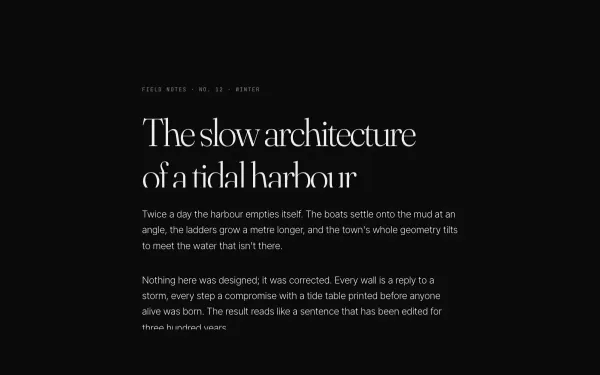
An editorial block — kicker, headline, three paragraphs and a byline — where every line rises out of an overflow mask as its block scrolls into view (SplitText lines, yPercent 100 → 0, 1.1s power4.out, 0.07s stagger).
- gsap
- scrolltrigger
- splittext
 light
light Kinetic Typography Loop
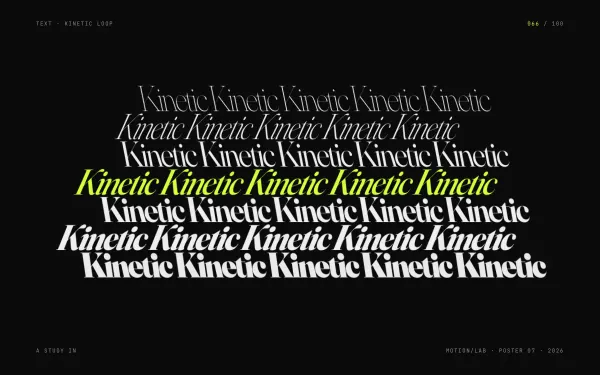
A self-running motion poster: seven stacked rows of the same word, from hairline to black, shear and slide in alternating directions on a yoyo loop while a secondary word flips over in 3D every 1.6 seconds.
- gsap
 Featured light
 SplitText Character Reveal
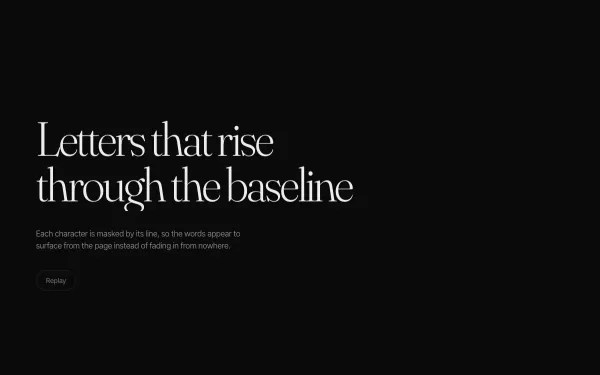
A headline is split into characters that rise out of a masked line one after another, followed by a soft fade-in of the supporting copy and a replay button.
- gsap
- splittext
 light
light Variable-font Weight Wave
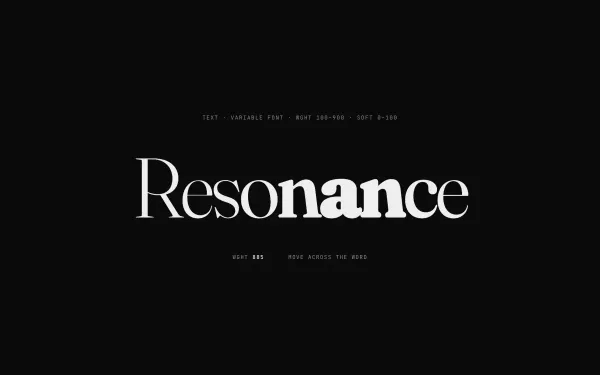
A single display word split into characters whose font weight (300 → 900) and SOFT axis follow the pointer with a Gaussian falloff; leaving sends a left-to-right ripple back to rest, and touch devices get an automatic looping wave.
- gsap
- splittext