Pinned Horizontal Scroll Gallery
A full-height section pins while vertical scrolling drives a row of large cards sideways; each card's image parallaxes against its frame and a hairline progress bar tracks the journey.
- Scroll
- gsap
- scrolltrigger
- intermediate
- light perf
- mobile: degraded
- reduced-motion ✓
AI prompt
Recreate this effect with any AI tool
Paste into Claude, Cursor, v0, Lovable or Bolt. 981 words of exact values — rewritten live as you tune the Playground.
### EFFECT: Pinned Horizontal Scroll Gallery
**What it does (visual):** A tall intro block says "Scroll" and leads into a full-viewport section with a row of five large cards (each ~60vw wide, 70vh tall) sitting side by side, overflowing to the right. As the user scrolls down, the section stays fixed on screen (pinned) and the row of cards slides to the left at exactly scroll speed, so the last card ends flush with the right edge when the pin releases. Inside each card the image moves slightly slower than its frame (a ±6% parallax), and each card's large index number and title drift up into view as the card crosses the centre of the screen. A 1px progress bar across the bottom of the pinned section fills from left to right in sync with the horizontal travel. Scrolling back up reverses everything perfectly (it's scrubbed, not time-based). After the gallery, a normal outro section continues.

**Tech stack:**
- GSAP 3.13+ and ScrollTrigger.
- CDN: `<script src="https://cdn.jsdelivr.net/npm/gsap@3/dist/gsap.min.js"></script>` + `<script src="https://cdn.jsdelivr.net/npm/gsap@3/dist/ScrollTrigger.min.js"></script>`
- npm: `import gsap from "gsap"; import { ScrollTrigger } from "gsap/ScrollTrigger"; gsap.registerPlugin(ScrollTrigger);`
- Works with Lenis if present (`lenis.on('scroll', ScrollTrigger.update)`).

**HTML structure:**
```html
<section class="hg-intro"><p class="hg-intro__label">Scroll ↓</p><h1 class="hg-intro__title">Selected work</h1></section>
<section class="hg">
  <div class="hg__track">
    <article class="hg__card">
      <div class="hg__media"><div class="hg__img" style="--c1:#1d2a3a;--c2:#0a0a0a"></div></div>
      <div class="hg__meta"><span class="hg__num">01</span><h2 class="hg__title">Aurora</h2><p class="hg__tag">Brand · 2026</p></div>
    </article>
    <!-- repeat 4 more .hg__card -->
  </div>
  <div class="hg__progress"><span class="hg__progress-bar"></span></div>
</section>
<section class="hg-outro"><p>End of gallery</p></section>
```
(The demo paints each image as a CSS gradient so it needs no asset; swap `.hg__img` for an `<img>` in production.)

**CSS requirements:**
- `.hg-intro`, `.hg-outro`: `min-height: 100vh; display: grid; place-content: center; padding: 6vw;`
- `.hg`: `position: relative; height: 100vh; overflow: hidden; display: flex; align-items: center;`
- `.hg__track`: `display: flex; gap: 4vw; padding-inline: 6vw; will-change: transform;` (content-width = sum of cards + gaps + padding).
- `.hg__card`: `position: relative; flex: 0 0 auto; width: min(60vw, 820px); height: 70vh;`
- `.hg__media`: `position: absolute; inset: 0; overflow: hidden; border-radius: 12px;`
- `.hg__img`: `position: absolute; inset: -8% 0; height: 116%; background: radial-gradient(120% 80% at 30% 20%, var(--c1), var(--c2)); will-change: transform;` (taller than the frame so the parallax never reveals edges).
- `.hg__meta`: `position: absolute; left: 2rem; bottom: 2rem; color: #fff; mix-blend-mode: difference;`
- `.hg__num`: display serif, `font-size: clamp(3rem, 8vw, 7rem); line-height: .8; opacity: .5;`
- `.hg__title`: display serif, `font-size: clamp(1.75rem, 3vw, 3rem); letter-spacing: -0.03em;`
- `.hg__progress`: `position: absolute; left: 6vw; right: 6vw; bottom: 2rem; height: 1px; background: rgba(255,255,255,.12);`
- `.hg__progress-bar`: `display: block; height: 100%; width: 100%; background: var(--accent, #D4FF3A); transform-origin: left; transform: scaleX(0);`

**Animation spec (exact values):**
1. `const track = document.querySelector('.hg__track'); const getDistance = () => track.scrollWidth - window.innerWidth;`
2. Horizontal scrub tween:
   ```js
   const scrollTween = gsap.to(track, {
     x: () => -getDistance(), ease: 'none',
     scrollTrigger: { trigger: '.hg', start: 'top top', end: () => '+=' + getDistance() * 1, scrub: 1, pin: true, pinSpacing: true, anticipatePin: 1, invalidateOnRefresh: true, markers: false }
   });
   ```
   - target `.hg__track`, property `x`, from `0` → `-distance`, ease `none`, scrub `1` (1s catch-up; 0 = locked), pin `.hg`, `pinSpacing: true`, end = distance × 1.
3. Progress bar (colour `#d4ff3a`): `gsap.to('.hg__progress-bar', { scaleX: 1, ease: 'none', scrollTrigger: { trigger: '.hg', start: 'top top', end: () => '+=' + getDistance() * 1, scrub: true } })`.
4. Per-card parallax (one per `.hg__card`, using `containerAnimation: scrollTween`):
   - `gsap.fromTo(card.querySelector('.hg__img'), { yPercent: -6, xPercent: -6 }, { yPercent: 6, xPercent: 6, ease: 'none', scrollTrigger: { trigger: card, containerAnimation: scrollTween, start: 'left right', end: 'right left', scrub: true } })`
   - Meta rise (enabled: true): `gsap.from(card.querySelector('.hg__meta'), { y: 40, opacity: 0, duration: 1, ease: 'power3.out', scrollTrigger: { trigger: card, containerAnimation: scrollTween, start: 'left 70%', toggleActions: 'play none none reverse' } })`
5. Intro: `gsap.from('.hg-intro__title', { y: 40, opacity: 0, duration: 1, ease: 'power3.out', delay: 0.1 })`.
6. After images load / fonts ready → `ScrollTrigger.refresh()`.

**Interaction:** No pointer interaction — purely scroll-driven and fully reversible. Scrolling with mouse wheel, trackpad or keyboard all work because the effect reads the page's scroll position.

**Responsive behavior:** Use `gsap.matchMedia()`:
- `(min-width: 768px)`: everything above.
- `(max-width: 767px)`: do NOT pin. Set `.hg { height: auto; }`, `.hg__track { overflow-x: auto; scroll-snap-type: x mandatory; -webkit-overflow-scrolling: touch; }`, `.hg__card { width: 82vw; height: 60vh; scroll-snap-align: center; }` and skip the horizontal tween; keep the meta rise using a normal (non-container) ScrollTrigger; hide the progress bar.

**Accessibility:** With `prefers-reduced-motion: reduce`, do not pin or translate: the track becomes a natively scrollable horizontal row (same CSS as the mobile branch) and parallax is disabled; the progress bar is hidden. Cards are `<article>`s with real headings so screen readers get a list of titled items. If cards are links, give them a visible focus ring.

**Performance rules:** Only `transform` is animated (`x`, `yPercent`, `scaleX`). `will-change: transform` is on `.hg__track` and `.hg__img` only. `invalidateOnRefresh: true` recomputes the distance on resize instead of leaving stale values. Everything is created inside `gsap.context()` and reverted on unmount (`ctx.revert()` also unpins and removes the pin spacer). Avoid `scrub: true` for the main tween — `scrub: 1` smooths the wheel steps.

**Customization knobs:**
- Card width (`min(60vw, 820px)`) and gap (`4vw`) — controls total travel.
- `scrub` (1) — higher = more lag/smoothing.
- Parallax amount (`±6` yPercent/xPercent).
- Progress bar colour (`#d4ff3a`).
- Travel length multiplier (1) — `end: '+=' + getDistance() * 1` slows or speeds the horizontal travel relative to vertical scroll.
- Caption rise on/off (true).

**Acceptance criteria:**
- [ ] Section pins at `top top` and releases exactly when the last card is flush right.
- [ ] Horizontal travel reverses when scrolling up; no jumps on resize.
- [ ] Images parallax inside their frames without exposing edges.
- [ ] Progress bar is 0% at pin start and 100% at pin end.
- [ ] Under 768px and with reduced motion the gallery is a native horizontal scroll row; no pinning.
- [ ] No console errors; no horizontal page scrollbar outside the gallery.Add this effect to my existing site/section: **Pinned Horizontal Scroll Gallery**. Use my existing list of cards/items as the track: wrap them in a `.hg__track` flex row inside a `100vh` `.hg` section with `overflow: hidden`. With GSAP ScrollTrigger, pin `.hg` (`start: 'top top'`, `end: () => '+=' + (track.scrollWidth - innerWidth) * 1`, `scrub: 1`, `pinSpacing: true`, `invalidateOnRefresh: true`) and tween the track `x` to `-(track.scrollWidth - innerWidth)` with `ease: 'none'`. Add a 1px `#d4ff3a` progress bar scaled `scaleX 0→1` on the same scroll range, and a per-card image parallax (`yPercent -6→6`) using `containerAnimation`. Under 768px and for `prefers-reduced-motion`, skip pinning and let the track scroll natively with `scroll-snap-type: x mandatory`. Wrap everything in `gsap.context()` and revert on unmount. Keep my card markup, colours and fonts.### EFFECT (React / Next.js): Pinned Horizontal Scroll Gallery
Build **Pinned Horizontal Scroll Gallery** as a self-contained React component for a Next.js App Router project (also valid in Vite + React). Follow the specification below exactly; the vanilla reference implementation at the end is the source of truth for values and structure.
**Setup**
- `npm i gsap @gsap/react`
- File: `components/PinnedHorizontalScrollGallery.tsx`, first line `"use client";` (GSAP touches the DOM).
- Imports:
```tsx
"use client";
import { useRef } from "react";
import gsap from "gsap";
import { ScrollTrigger } from "gsap/ScrollTrigger";
import { useGSAP } from "@gsap/react";
gsap.registerPlugin(useGSAP, ScrollTrigger);
export default function PinnedHorizontalScrollGallery() {
const scope = useRef<HTMLDivElement>(null);
useGSAP(() => {
// 1. query elements inside `scope.current` (never document-wide)
// 2. wait for document.fonts.ready before any SplitText
// 3. build the timeline / ScrollTriggers exactly as in the specification
// 4. return nothing — useGSAP reverts everything automatically on unmount
}, { scope });
return (
<div ref={scope} className="hg-intro">
{/* markup from the HTML structure section, class → className */}
</div>
);
}
```
**React-specific rules**
- Everything GSAP-related lives inside `useGSAP(() => {...}, { scope })`; it handles cleanup (`ctx.revert()`) on unmount and in React Strict Mode double-invocation.
- Use refs or `gsap.utils.selector(scope)` instead of `document.querySelector`.
- Event listeners added inside useGSAP must use `contextSafe` (`const { contextSafe } = useGSAP({ scope })`) so their tweens are reverted too.
- ScrollTrigger: call `ScrollTrigger.refresh()` after images/fonts load; if the page uses Lenis, sync it once at the app root (`lenis.on('scroll', ScrollTrigger.update)`).
- Styles: copy the CSS requirements into a CSS Module (`PinnedHorizontalScrollGallery.module.css`) or Tailwind; keep the class names so the spec maps 1:1.
- Respect `prefers-reduced-motion` with `gsap.matchMedia()` as in the spec.
---
### EFFECT: Pinned Horizontal Scroll Gallery
**What it does (visual):** A tall intro block says "Scroll" and leads into a full-viewport section with a row of five large cards (each ~60vw wide, 70vh tall) sitting side by side, overflowing to the right. As the user scrolls down, the section stays fixed on screen (pinned) and the row of cards slides to the left at exactly scroll speed, so the last card ends flush with the right edge when the pin releases. Inside each card the image moves slightly slower than its frame (a ±6% parallax), and each card's large index number and title drift up into view as the card crosses the centre of the screen. A 1px progress bar across the bottom of the pinned section fills from left to right in sync with the horizontal travel. Scrolling back up reverses everything perfectly (it's scrubbed, not time-based). After the gallery, a normal outro section continues.
**Tech stack:**
- GSAP 3.13+ and ScrollTrigger.
- CDN: `<script src="https://cdn.jsdelivr.net/npm/gsap@3/dist/gsap.min.js"></script>` + `<script src="https://cdn.jsdelivr.net/npm/gsap@3/dist/ScrollTrigger.min.js"></script>`
- npm: `import gsap from "gsap"; import { ScrollTrigger } from "gsap/ScrollTrigger"; gsap.registerPlugin(ScrollTrigger);`
- Works with Lenis if present (`lenis.on('scroll', ScrollTrigger.update)`).
**HTML structure:**
```html
<section class="hg-intro"><p class="hg-intro__label">Scroll ↓</p><h1 class="hg-intro__title">Selected work</h1></section>
<section class="hg">
<div class="hg__track">
<article class="hg__card">
<div class="hg__media"><div class="hg__img" style="--c1:#1d2a3a;--c2:#0a0a0a"></div></div>
<div class="hg__meta"><span class="hg__num">01</span><h2 class="hg__title">Aurora</h2><p class="hg__tag">Brand · 2026</p></div>
</article>
<!-- repeat 4 more .hg__card -->
</div>
<div class="hg__progress"><span class="hg__progress-bar"></span></div>
</section>
<section class="hg-outro"><p>End of gallery</p></section>
```
(The demo paints each image as a CSS gradient so it needs no asset; swap `.hg__img` for an `<img>` in production.)
**CSS requirements:**
- `.hg-intro`, `.hg-outro`: `min-height: 100vh; display: grid; place-content: center; padding: 6vw;`
- `.hg`: `position: relative; height: 100vh; overflow: hidden; display: flex; align-items: center;`
- `.hg__track`: `display: flex; gap: 4vw; padding-inline: 6vw; will-change: transform;` (content-width = sum of cards + gaps + padding).
- `.hg__card`: `position: relative; flex: 0 0 auto; width: min(60vw, 820px); height: 70vh;`
- `.hg__media`: `position: absolute; inset: 0; overflow: hidden; border-radius: 12px;`
- `.hg__img`: `position: absolute; inset: -8% 0; height: 116%; background: radial-gradient(120% 80% at 30% 20%, var(--c1), var(--c2)); will-change: transform;` (taller than the frame so the parallax never reveals edges).
- `.hg__meta`: `position: absolute; left: 2rem; bottom: 2rem; color: #fff; mix-blend-mode: difference;`
- `.hg__num`: display serif, `font-size: clamp(3rem, 8vw, 7rem); line-height: .8; opacity: .5;`
- `.hg__title`: display serif, `font-size: clamp(1.75rem, 3vw, 3rem); letter-spacing: -0.03em;`
- `.hg__progress`: `position: absolute; left: 6vw; right: 6vw; bottom: 2rem; height: 1px; background: rgba(255,255,255,.12);`
- `.hg__progress-bar`: `display: block; height: 100%; width: 100%; background: var(--accent, #D4FF3A); transform-origin: left; transform: scaleX(0);`
**Animation spec (exact values):**
1. `const track = document.querySelector('.hg__track'); const getDistance = () => track.scrollWidth - window.innerWidth;`
2. Horizontal scrub tween:
```js
const scrollTween = gsap.to(track, {
x: () => -getDistance(), ease: 'none',
scrollTrigger: { trigger: '.hg', start: 'top top', end: () => '+=' + getDistance() * 1, scrub: 1, pin: true, pinSpacing: true, anticipatePin: 1, invalidateOnRefresh: true, markers: false }
});
```
- target `.hg__track`, property `x`, from `0` → `-distance`, ease `none`, scrub `1` (1s catch-up; 0 = locked), pin `.hg`, `pinSpacing: true`, end = distance × 1.
3. Progress bar (colour `#d4ff3a`): `gsap.to('.hg__progress-bar', { scaleX: 1, ease: 'none', scrollTrigger: { trigger: '.hg', start: 'top top', end: () => '+=' + getDistance() * 1, scrub: true } })`.
4. Per-card parallax (one per `.hg__card`, using `containerAnimation: scrollTween`):
- `gsap.fromTo(card.querySelector('.hg__img'), { yPercent: -6, xPercent: -6 }, { yPercent: 6, xPercent: 6, ease: 'none', scrollTrigger: { trigger: card, containerAnimation: scrollTween, start: 'left right', end: 'right left', scrub: true } })`
- Meta rise (enabled: true): `gsap.from(card.querySelector('.hg__meta'), { y: 40, opacity: 0, duration: 1, ease: 'power3.out', scrollTrigger: { trigger: card, containerAnimation: scrollTween, start: 'left 70%', toggleActions: 'play none none reverse' } })`
5. Intro: `gsap.from('.hg-intro__title', { y: 40, opacity: 0, duration: 1, ease: 'power3.out', delay: 0.1 })`.
6. After images load / fonts ready → `ScrollTrigger.refresh()`.
**Interaction:** No pointer interaction — purely scroll-driven and fully reversible. Scrolling with mouse wheel, trackpad or keyboard all work because the effect reads the page's scroll position.
**Responsive behavior:** Use `gsap.matchMedia()`:
- `(min-width: 768px)`: everything above.
- `(max-width: 767px)`: do NOT pin. Set `.hg { height: auto; }`, `.hg__track { overflow-x: auto; scroll-snap-type: x mandatory; -webkit-overflow-scrolling: touch; }`, `.hg__card { width: 82vw; height: 60vh; scroll-snap-align: center; }` and skip the horizontal tween; keep the meta rise using a normal (non-container) ScrollTrigger; hide the progress bar.
**Accessibility:** With `prefers-reduced-motion: reduce`, do not pin or translate: the track becomes a natively scrollable horizontal row (same CSS as the mobile branch) and parallax is disabled; the progress bar is hidden. Cards are `<article>`s with real headings so screen readers get a list of titled items. If cards are links, give them a visible focus ring.
**Performance rules:** Only `transform` is animated (`x`, `yPercent`, `scaleX`). `will-change: transform` is on `.hg__track` and `.hg__img` only. `invalidateOnRefresh: true` recomputes the distance on resize instead of leaving stale values. Everything is created inside `gsap.context()` and reverted on unmount (`ctx.revert()` also unpins and removes the pin spacer). Avoid `scrub: true` for the main tween — `scrub: 1` smooths the wheel steps.
**Customization knobs:**
- Card width (`min(60vw, 820px)`) and gap (`4vw`) — controls total travel.
- `scrub` (1) — higher = more lag/smoothing.
- Parallax amount (`±6` yPercent/xPercent).
- Progress bar colour (`#d4ff3a`).
- Travel length multiplier (1) — `end: '+=' + getDistance() * 1` slows or speeds the horizontal travel relative to vertical scroll.
- Caption rise on/off (true).
**Acceptance criteria:**
- [ ] Section pins at `top top` and releases exactly when the last card is flush right.
- [ ] Horizontal travel reverses when scrolling up; no jumps on resize.
- [ ] Images parallax inside their frames without exposing edges.
- [ ] Progress bar is 0% at pin start and 100% at pin end.
- [ ] Under 768px and with reduced motion the gallery is a native horizontal scroll row; no pinning.
- [ ] No console errors; no horizontal page scrollbar outside the gallery.
---
**Reference implementation (vanilla, converts 1:1 — same class names, same values):**
```html
<section class="hg-intro">
<p class="hg-intro__label">Scroll ↓</p>
<h1 class="hg-intro__title">Selected work</h1>
</section>
<section class="hg">
<div class="hg__track">
<article class="hg__card">
<div class="hg__media"><div class="hg__img" style="--c1:#2a3d5c;--c2:#0a0a0a"></div></div>
<div class="hg__meta"><span class="hg__num">01</span><h2 class="hg__title">Aurora</h2><p class="hg__tag">Brand identity · 2026</p></div>
</article>
<article class="hg__card">
<div class="hg__media"><div class="hg__img" style="--c1:#5c3a2a;--c2:#0a0a0a"></div></div>
<div class="hg__meta"><span class="hg__num">02</span><h2 class="hg__title">Ember</h2><p class="hg__tag">E-commerce · 2026</p></div>
</article>
<article class="hg__card">
<div class="hg__media"><div class="hg__img" style="--c1:#2a5c48;--c2:#0a0a0a"></div></div>
<div class="hg__meta"><span class="hg__num">03</span><h2 class="hg__title">Moss</h2><p class="hg__tag">Editorial · 2025</p></div>
</article>
<article class="hg__card">
<div class="hg__media"><div class="hg__img" style="--c1:#4a2a5c;--c2:#0a0a0a"></div></div>
<div class="hg__meta"><span class="hg__num">04</span><h2 class="hg__title">Violet Hour</h2><p class="hg__tag">Campaign · 2025</p></div>
</article>
<article class="hg__card">
<div class="hg__media"><div class="hg__img" style="--c1:#5c5a2a;--c2:#0a0a0a"></div></div>
<div class="hg__meta"><span class="hg__num">05</span><h2 class="hg__title">Saffron</h2><p class="hg__tag">Product launch · 2025</p></div>
</article>
</div>
<div class="hg__progress" aria-hidden="true"><span class="hg__progress-bar"></span></div>
</section>
<section class="hg-outro">
<p class="hg-outro__text">End of gallery — the page keeps scrolling normally.</p>
</section>
```
```css
.hg-intro, .hg-outro { min-height: 100vh; display: grid; place-content: center; padding: 6vw; }
.hg-intro__label { font-family: var(--font-mono); font-size: 11px; text-transform: uppercase; letter-spacing: .14em; color: var(--muted); margin-bottom: 1.5rem; }
.hg-intro__title { font-family: var(--font-display); font-weight: 300; font-size: clamp(3rem, 9vw, 9rem); letter-spacing: -0.04em; line-height: .9; }
.hg-outro__text { color: var(--muted); max-width: 40ch; text-align: center; }
.hg { position: relative; height: 100vh; overflow: hidden; display: flex; align-items: center; }
.hg__track { display: flex; gap: 4vw; padding-inline: 6vw; will-change: transform; }
.hg__card { position: relative; flex: 0 0 auto; width: min(60vw, 820px); height: 70vh; }
.hg__media { position: absolute; inset: 0; overflow: hidden; border-radius: 12px; background: var(--surface); }
.hg__img {
position: absolute; inset: -8% -8%; width: 116%; height: 116%;
background:
radial-gradient(120% 80% at 30% 20%, var(--c1), transparent 70%),
linear-gradient(160deg, color-mix(in srgb, var(--c1) 60%, #fff 0%) 0%, var(--c2) 100%);
will-change: transform;
}
.hg__img::after { content: ''; position: absolute; inset: 0; background: repeating-linear-gradient(90deg, rgba(255,255,255,.03) 0 1px, transparent 1px 48px); }
.hg__meta { position: absolute; left: 2rem; bottom: 2rem; color: #fff; mix-blend-mode: difference; }
.hg__num { display: block; font-family: var(--font-display); font-weight: 300; font-size: clamp(3rem, 8vw, 7rem); line-height: .8; opacity: .55; letter-spacing: -0.04em; }
.hg__title { font-family: var(--font-display); font-weight: 400; font-size: clamp(1.75rem, 3vw, 3rem); letter-spacing: -0.03em; margin-top: .5rem; line-height: 1; }
.hg__tag { font-family: var(--font-mono); font-size: 11px; text-transform: uppercase; letter-spacing: .1em; opacity: .7; margin-top: .5rem; }
.hg__progress { position: absolute; left: 6vw; right: 6vw; bottom: 2rem; height: 1px; background: color-mix(in srgb, var(--text) 14%, transparent); }
.hg__progress-bar { display: block; height: 100%; width: 100%; background: var(--knob-accent, var(--accent)); transform-origin: left; transform: scaleX(0); }
/* Degraded mode: native horizontal scroll (small screens + reduced motion) */
.hg.is-native { height: auto; padding-block: 10vh; }
.hg.is-native .hg__track { overflow-x: auto; scroll-snap-type: x mandatory; -webkit-overflow-scrolling: touch; scrollbar-width: none; will-change: auto; }
.hg.is-native .hg__track::-webkit-scrollbar { display: none; }
.hg.is-native .hg__card { width: 82vw; height: 60vh; scroll-snap-align: center; }
.hg.is-native .hg__progress { display: none; }
@media (prefers-reduced-motion: reduce) { .hg__img { inset: 0; width: 100%; height: 100%; } }
```
```js
// Pinned Horizontal Scroll Gallery — vertical scroll drives a horizontal track.
gsap.registerPlugin(ScrollTrigger);
// Defaults — overridable from the MOTION/LAB Playground via MotionLab.knob()
const DEFAULTS = { scrub: 1, parallax: 6, travelScale: 1, accent: '#d4ff3a', metaRise: true };
const K = (id) => window.MotionLab?.knob(id, DEFAULTS[id]) ?? DEFAULTS[id];
const reduced = matchMedia('(prefers-reduced-motion: reduce)').matches;
const section = document.querySelector('.hg');
const track = document.querySelector('.hg__track');
const cards = gsap.utils.toArray('.hg__card');
const getDistance = () => track.scrollWidth - window.innerWidth;
let ctx;
function build() {
ctx?.revert();
section.style.setProperty('--knob-accent', K('accent'));
const scrub = K('scrub') === 0 ? true : K('scrub');
const par = K('parallax');
const end = () => '+=' + getDistance() * K('travelScale');
ctx = gsap.context(() => {
gsap.from('.hg-intro__title', { y: 40, opacity: 0, duration: 1, ease: 'power3.out', delay: 0.1 });
const mm = gsap.matchMedia();
// Full experience: pin + scrub
mm.add('(min-width: 768px) and (prefers-reduced-motion: no-preference)', () => {
section.classList.remove('is-native');
const scrollTween = gsap.to(track, {
x: () => -getDistance(), ease: 'none',
scrollTrigger: { trigger: section, start: 'top top', end, scrub, pin: true, pinSpacing: true, anticipatePin: 1, invalidateOnRefresh: true, markers: false },
});
gsap.to('.hg__progress-bar', { scaleX: 1, ease: 'none', scrollTrigger: { trigger: section, start: 'top top', end, scrub: true, invalidateOnRefresh: true } });
cards.forEach((card) => {
if (par > 0) gsap.fromTo(card.querySelector('.hg__img'), { yPercent: -par, xPercent: -par }, {
yPercent: par, xPercent: par, ease: 'none',
scrollTrigger: { trigger: card, containerAnimation: scrollTween, start: 'left right', end: 'right left', scrub: true },
});
if (K('metaRise')) gsap.from(card.querySelector('.hg__meta'), {
y: 40, opacity: 0, duration: 1, ease: 'power3.out',
scrollTrigger: { trigger: card, containerAnimation: scrollTween, start: 'left 70%', toggleActions: 'play none none reverse' },
});
});
});
// Degraded: native horizontal scroll-snap row (phones + reduced motion)
mm.add('(max-width: 767px), (prefers-reduced-motion: reduce)', () => {
section.classList.add('is-native');
if (!reduced && K('metaRise')) cards.forEach((card) => {
gsap.from(card.querySelector('.hg__meta'), { y: 24, opacity: 0, duration: 0.8, ease: 'power3.out', scrollTrigger: { trigger: section, start: 'top 75%', once: true } });
});
return () => section.classList.remove('is-native');
});
document.fonts.ready.then(() => ScrollTrigger.refresh());
});
}
build();
// Playground: rebuild (ctx.revert() unpins and removes the spacer) with the new values
window.addEventListener('ml:knobs', build);
window.MotionLab?.onCleanup(() => ctx?.revert());
```
### EFFECT (single HTML file): Pinned Horizontal Scroll Gallery
Produce **one self-contained `index.html`** (inline `<style>` and `<script type="module">`, no build step) that implements **Pinned Horizontal Scroll Gallery** exactly as specified below. Libraries load from jsDelivr:

```html
<!doctype html>
<html lang="en">
<head>
  <meta charset="utf-8">
  <meta name="viewport" content="width=device-width, initial-scale=1">
  <title>Pinned Horizontal Scroll Gallery</title>
  <link href="https://fonts.googleapis.com/css2?family=Fraunces:ital,opsz,wght@0,9..144,300..600;1,9..144,300..600&family=Inter+Tight:wght@300..700&family=JetBrains+Mono:wght@400;500&display=swap" rel="stylesheet">
  <style>
    :root{--bg:#0a0a0a;--surface:#121212;--line:rgba(255,255,255,.08);--text:#ededed;--muted:#8a8a8a;--accent:#d4ff3a;--font-display:"Fraunces",Georgia,serif;--font-sans:"Inter Tight",system-ui,sans-serif;--font-mono:"JetBrains Mono",ui-monospace,monospace}
    *,*::before,*::after{box-sizing:border-box;margin:0;padding:0}
    body{background:var(--bg);color:var(--text);font-family:var(--font-sans);-webkit-font-smoothing:antialiased;overflow-x:hidden}
    /* + the CSS requirements below */
  </style>
  <script src="https://cdn.jsdelivr.net/npm/gsap@3/dist/gsap.min.js"></script>
  <script src="https://cdn.jsdelivr.net/npm/gsap@3/dist/ScrollTrigger.min.js"></script>
</head>
<body>
  <!-- markup from the HTML structure section -->
  <script type="module">
    // the JS from the animation spec (window.MotionLab is optional — keep the ?. guards or remove them)
  </script>
</body>
</html>
```

The file must open directly from a local server (`npx serve .`) with zero console errors, work at 375px and 1440px, and honour `prefers-reduced-motion`.

---

### EFFECT: Pinned Horizontal Scroll Gallery
**What it does (visual):** A tall intro block says "Scroll" and leads into a full-viewport section with a row of five large cards (each ~60vw wide, 70vh tall) sitting side by side, overflowing to the right. As the user scrolls down, the section stays fixed on screen (pinned) and the row of cards slides to the left at exactly scroll speed, so the last card ends flush with the right edge when the pin releases. Inside each card the image moves slightly slower than its frame (a ±6% parallax), and each card's large index number and title drift up into view as the card crosses the centre of the screen. A 1px progress bar across the bottom of the pinned section fills from left to right in sync with the horizontal travel. Scrolling back up reverses everything perfectly (it's scrubbed, not time-based). After the gallery, a normal outro section continues.

**Tech stack:**
- GSAP 3.13+ and ScrollTrigger.
- CDN: `<script src="https://cdn.jsdelivr.net/npm/gsap@3/dist/gsap.min.js"></script>` + `<script src="https://cdn.jsdelivr.net/npm/gsap@3/dist/ScrollTrigger.min.js"></script>`
- npm: `import gsap from "gsap"; import { ScrollTrigger } from "gsap/ScrollTrigger"; gsap.registerPlugin(ScrollTrigger);`
- Works with Lenis if present (`lenis.on('scroll', ScrollTrigger.update)`).

**HTML structure:**
```html
<section class="hg-intro"><p class="hg-intro__label">Scroll ↓</p><h1 class="hg-intro__title">Selected work</h1></section>
<section class="hg">
  <div class="hg__track">
    <article class="hg__card">
      <div class="hg__media"><div class="hg__img" style="--c1:#1d2a3a;--c2:#0a0a0a"></div></div>
      <div class="hg__meta"><span class="hg__num">01</span><h2 class="hg__title">Aurora</h2><p class="hg__tag">Brand · 2026</p></div>
    </article>
    <!-- repeat 4 more .hg__card -->
  </div>
  <div class="hg__progress"><span class="hg__progress-bar"></span></div>
</section>
<section class="hg-outro"><p>End of gallery</p></section>
```
(The demo paints each image as a CSS gradient so it needs no asset; swap `.hg__img` for an `<img>` in production.)

**CSS requirements:**
- `.hg-intro`, `.hg-outro`: `min-height: 100vh; display: grid; place-content: center; padding: 6vw;`
- `.hg`: `position: relative; height: 100vh; overflow: hidden; display: flex; align-items: center;`
- `.hg__track`: `display: flex; gap: 4vw; padding-inline: 6vw; will-change: transform;` (content-width = sum of cards + gaps + padding).
- `.hg__card`: `position: relative; flex: 0 0 auto; width: min(60vw, 820px); height: 70vh;`
- `.hg__media`: `position: absolute; inset: 0; overflow: hidden; border-radius: 12px;`
- `.hg__img`: `position: absolute; inset: -8% 0; height: 116%; background: radial-gradient(120% 80% at 30% 20%, var(--c1), var(--c2)); will-change: transform;` (taller than the frame so the parallax never reveals edges).
- `.hg__meta`: `position: absolute; left: 2rem; bottom: 2rem; color: #fff; mix-blend-mode: difference;`
- `.hg__num`: display serif, `font-size: clamp(3rem, 8vw, 7rem); line-height: .8; opacity: .5;`
- `.hg__title`: display serif, `font-size: clamp(1.75rem, 3vw, 3rem); letter-spacing: -0.03em;`
- `.hg__progress`: `position: absolute; left: 6vw; right: 6vw; bottom: 2rem; height: 1px; background: rgba(255,255,255,.12);`
- `.hg__progress-bar`: `display: block; height: 100%; width: 100%; background: var(--accent, #D4FF3A); transform-origin: left; transform: scaleX(0);`

**Animation spec (exact values):**
1. `const track = document.querySelector('.hg__track'); const getDistance = () => track.scrollWidth - window.innerWidth;`
2. Horizontal scrub tween:
   ```js
   const scrollTween = gsap.to(track, {
     x: () => -getDistance(), ease: 'none',
     scrollTrigger: { trigger: '.hg', start: 'top top', end: () => '+=' + getDistance() * 1, scrub: 1, pin: true, pinSpacing: true, anticipatePin: 1, invalidateOnRefresh: true, markers: false }
   });
   ```
   - target `.hg__track`, property `x`, from `0` → `-distance`, ease `none`, scrub `1` (1s catch-up; 0 = locked), pin `.hg`, `pinSpacing: true`, end = distance × 1.
3. Progress bar (colour `#d4ff3a`): `gsap.to('.hg__progress-bar', { scaleX: 1, ease: 'none', scrollTrigger: { trigger: '.hg', start: 'top top', end: () => '+=' + getDistance() * 1, scrub: true } })`.
4. Per-card parallax (one per `.hg__card`, using `containerAnimation: scrollTween`):
   - `gsap.fromTo(card.querySelector('.hg__img'), { yPercent: -6, xPercent: -6 }, { yPercent: 6, xPercent: 6, ease: 'none', scrollTrigger: { trigger: card, containerAnimation: scrollTween, start: 'left right', end: 'right left', scrub: true } })`
   - Meta rise (enabled: true): `gsap.from(card.querySelector('.hg__meta'), { y: 40, opacity: 0, duration: 1, ease: 'power3.out', scrollTrigger: { trigger: card, containerAnimation: scrollTween, start: 'left 70%', toggleActions: 'play none none reverse' } })`
5. Intro: `gsap.from('.hg-intro__title', { y: 40, opacity: 0, duration: 1, ease: 'power3.out', delay: 0.1 })`.
6. After images load / fonts ready → `ScrollTrigger.refresh()`.

**Interaction:** No pointer interaction — purely scroll-driven and fully reversible. Scrolling with mouse wheel, trackpad or keyboard all work because the effect reads the page's scroll position.

**Responsive behavior:** Use `gsap.matchMedia()`:
- `(min-width: 768px)`: everything above.
- `(max-width: 767px)`: do NOT pin. Set `.hg { height: auto; }`, `.hg__track { overflow-x: auto; scroll-snap-type: x mandatory; -webkit-overflow-scrolling: touch; }`, `.hg__card { width: 82vw; height: 60vh; scroll-snap-align: center; }` and skip the horizontal tween; keep the meta rise using a normal (non-container) ScrollTrigger; hide the progress bar.

**Accessibility:** With `prefers-reduced-motion: reduce`, do not pin or translate: the track becomes a natively scrollable horizontal row (same CSS as the mobile branch) and parallax is disabled; the progress bar is hidden. Cards are `<article>`s with real headings so screen readers get a list of titled items. If cards are links, give them a visible focus ring.

**Performance rules:** Only `transform` is animated (`x`, `yPercent`, `scaleX`). `will-change: transform` is on `.hg__track` and `.hg__img` only. `invalidateOnRefresh: true` recomputes the distance on resize instead of leaving stale values. Everything is created inside `gsap.context()` and reverted on unmount (`ctx.revert()` also unpins and removes the pin spacer). Avoid `scrub: true` for the main tween — `scrub: 1` smooths the wheel steps.

**Customization knobs:**
- Card width (`min(60vw, 820px)`) and gap (`4vw`) — controls total travel.
- `scrub` (1) — higher = more lag/smoothing.
- Parallax amount (`±6` yPercent/xPercent).
- Progress bar colour (`#d4ff3a`).
- Travel length multiplier (1) — `end: '+=' + getDistance() * 1` slows or speeds the horizontal travel relative to vertical scroll.
- Caption rise on/off (true).

**Acceptance criteria:**
- [ ] Section pins at `top top` and releases exactly when the last card is flush right.
- [ ] Horizontal travel reverses when scrolling up; no jumps on resize.
- [ ] Images parallax inside their frames without exposing edges.
- [ ] Progress bar is 0% at pin start and 100% at pin end.
- [ ] Under 768px and with reduced motion the gallery is a native horizontal scroll row; no pinning.
- [ ] No console errors; no horizontal page scrollbar outside the gallery.

---

**Reference implementation (use these exact values and class names):**

```html
<section class="hg-intro">
  <p class="hg-intro__label">Scroll ↓</p>
  <h1 class="hg-intro__title">Selected work</h1>
</section>

<section class="hg">
  <div class="hg__track">
    <article class="hg__card">
      <div class="hg__media"><div class="hg__img" style="--c1:#2a3d5c;--c2:#0a0a0a"></div></div>
      <div class="hg__meta"><span class="hg__num">01</span><h2 class="hg__title">Aurora</h2><p class="hg__tag">Brand identity · 2026</p></div>
    </article>
    <article class="hg__card">
      <div class="hg__media"><div class="hg__img" style="--c1:#5c3a2a;--c2:#0a0a0a"></div></div>
      <div class="hg__meta"><span class="hg__num">02</span><h2 class="hg__title">Ember</h2><p class="hg__tag">E-commerce · 2026</p></div>
    </article>
    <article class="hg__card">
      <div class="hg__media"><div class="hg__img" style="--c1:#2a5c48;--c2:#0a0a0a"></div></div>
      <div class="hg__meta"><span class="hg__num">03</span><h2 class="hg__title">Moss</h2><p class="hg__tag">Editorial · 2025</p></div>
    </article>
    <article class="hg__card">
      <div class="hg__media"><div class="hg__img" style="--c1:#4a2a5c;--c2:#0a0a0a"></div></div>
      <div class="hg__meta"><span class="hg__num">04</span><h2 class="hg__title">Violet Hour</h2><p class="hg__tag">Campaign · 2025</p></div>
    </article>
    <article class="hg__card">
      <div class="hg__media"><div class="hg__img" style="--c1:#5c5a2a;--c2:#0a0a0a"></div></div>
      <div class="hg__meta"><span class="hg__num">05</span><h2 class="hg__title">Saffron</h2><p class="hg__tag">Product launch · 2025</p></div>
    </article>
  </div>
  <div class="hg__progress" aria-hidden="true"><span class="hg__progress-bar"></span></div>
</section>

<section class="hg-outro">
  <p class="hg-outro__text">End of gallery — the page keeps scrolling normally.</p>
</section>
```

```css
.hg-intro, .hg-outro { min-height: 100vh; display: grid; place-content: center; padding: 6vw; }
.hg-intro__label { font-family: var(--font-mono); font-size: 11px; text-transform: uppercase; letter-spacing: .14em; color: var(--muted); margin-bottom: 1.5rem; }
.hg-intro__title { font-family: var(--font-display); font-weight: 300; font-size: clamp(3rem, 9vw, 9rem); letter-spacing: -0.04em; line-height: .9; }
.hg-outro__text { color: var(--muted); max-width: 40ch; text-align: center; }

.hg { position: relative; height: 100vh; overflow: hidden; display: flex; align-items: center; }
.hg__track { display: flex; gap: 4vw; padding-inline: 6vw; will-change: transform; }
.hg__card { position: relative; flex: 0 0 auto; width: min(60vw, 820px); height: 70vh; }
.hg__media { position: absolute; inset: 0; overflow: hidden; border-radius: 12px; background: var(--surface); }
.hg__img {
  position: absolute; inset: -8% -8%; width: 116%; height: 116%;
  background:
    radial-gradient(120% 80% at 30% 20%, var(--c1), transparent 70%),
    linear-gradient(160deg, color-mix(in srgb, var(--c1) 60%, #fff 0%) 0%, var(--c2) 100%);
  will-change: transform;
}
.hg__img::after { content: ''; position: absolute; inset: 0; background: repeating-linear-gradient(90deg, rgba(255,255,255,.03) 0 1px, transparent 1px 48px); }
.hg__meta { position: absolute; left: 2rem; bottom: 2rem; color: #fff; mix-blend-mode: difference; }
.hg__num { display: block; font-family: var(--font-display); font-weight: 300; font-size: clamp(3rem, 8vw, 7rem); line-height: .8; opacity: .55; letter-spacing: -0.04em; }
.hg__title { font-family: var(--font-display); font-weight: 400; font-size: clamp(1.75rem, 3vw, 3rem); letter-spacing: -0.03em; margin-top: .5rem; line-height: 1; }
.hg__tag { font-family: var(--font-mono); font-size: 11px; text-transform: uppercase; letter-spacing: .1em; opacity: .7; margin-top: .5rem; }
.hg__progress { position: absolute; left: 6vw; right: 6vw; bottom: 2rem; height: 1px; background: color-mix(in srgb, var(--text) 14%, transparent); }
.hg__progress-bar { display: block; height: 100%; width: 100%; background: var(--knob-accent, var(--accent)); transform-origin: left; transform: scaleX(0); }

/* Degraded mode: native horizontal scroll (small screens + reduced motion) */
.hg.is-native { height: auto; padding-block: 10vh; }
.hg.is-native .hg__track { overflow-x: auto; scroll-snap-type: x mandatory; -webkit-overflow-scrolling: touch; scrollbar-width: none; will-change: auto; }
.hg.is-native .hg__track::-webkit-scrollbar { display: none; }
.hg.is-native .hg__card { width: 82vw; height: 60vh; scroll-snap-align: center; }
.hg.is-native .hg__progress { display: none; }
@media (prefers-reduced-motion: reduce) { .hg__img { inset: 0; width: 100%; height: 100%; } }
```

```js
// Pinned Horizontal Scroll Gallery — vertical scroll drives a horizontal track.
gsap.registerPlugin(ScrollTrigger);

// Defaults — overridable from the MOTION/LAB Playground via MotionLab.knob()
const DEFAULTS = { scrub: 1, parallax: 6, travelScale: 1, accent: '#d4ff3a', metaRise: true };
const K = (id) => window.MotionLab?.knob(id, DEFAULTS[id]) ?? DEFAULTS[id];

const reduced = matchMedia('(prefers-reduced-motion: reduce)').matches;
const section = document.querySelector('.hg');
const track = document.querySelector('.hg__track');
const cards = gsap.utils.toArray('.hg__card');
const getDistance = () => track.scrollWidth - window.innerWidth;

let ctx;
function build() {
  ctx?.revert();
  section.style.setProperty('--knob-accent', K('accent'));
  const scrub = K('scrub') === 0 ? true : K('scrub');
  const par = K('parallax');
  const end = () => '+=' + getDistance() * K('travelScale');

  ctx = gsap.context(() => {
    gsap.from('.hg-intro__title', { y: 40, opacity: 0, duration: 1, ease: 'power3.out', delay: 0.1 });
    const mm = gsap.matchMedia();

    // Full experience: pin + scrub
    mm.add('(min-width: 768px) and (prefers-reduced-motion: no-preference)', () => {
      section.classList.remove('is-native');
      const scrollTween = gsap.to(track, {
        x: () => -getDistance(), ease: 'none',
        scrollTrigger: { trigger: section, start: 'top top', end, scrub, pin: true, pinSpacing: true, anticipatePin: 1, invalidateOnRefresh: true, markers: false },
      });
      gsap.to('.hg__progress-bar', { scaleX: 1, ease: 'none', scrollTrigger: { trigger: section, start: 'top top', end, scrub: true, invalidateOnRefresh: true } });
      cards.forEach((card) => {
        if (par > 0) gsap.fromTo(card.querySelector('.hg__img'), { yPercent: -par, xPercent: -par }, {
          yPercent: par, xPercent: par, ease: 'none',
          scrollTrigger: { trigger: card, containerAnimation: scrollTween, start: 'left right', end: 'right left', scrub: true },
        });
        if (K('metaRise')) gsap.from(card.querySelector('.hg__meta'), {
          y: 40, opacity: 0, duration: 1, ease: 'power3.out',
          scrollTrigger: { trigger: card, containerAnimation: scrollTween, start: 'left 70%', toggleActions: 'play none none reverse' },
        });
      });
    });

    // Degraded: native horizontal scroll-snap row (phones + reduced motion)
    mm.add('(max-width: 767px), (prefers-reduced-motion: reduce)', () => {
      section.classList.add('is-native');
      if (!reduced && K('metaRise')) cards.forEach((card) => {
        gsap.from(card.querySelector('.hg__meta'), { y: 24, opacity: 0, duration: 0.8, ease: 'power3.out', scrollTrigger: { trigger: section, start: 'top 75%', once: true } });
      });
      return () => section.classList.remove('is-native');
    });

    document.fonts.ready.then(() => ScrollTrigger.refresh());
  });
}
build();

// Playground: rebuild (ctx.revert() unpins and removes the spacer) with the new values
window.addEventListener('ml:knobs', build);
window.MotionLab?.onCleanup(() => ctx?.revert());
```
### EFFECT (Framer & Webflow notes): Pinned Horizontal Scroll Gallery

**Framer**
- Implement as a **Code Component** (Assets → Code → New component) when the effect owns its own markup (hero, gallery, section), or as a **Code Override** when it should animate existing Framer layers.
- Code Component: paste the React version (`"use client"` is not needed in Framer; keep `useGSAP` with a `scope` ref). Install `gsap` and `@gsap/react` from the package panel. Expose the customization knobs as `addPropertyControls` (numbers/colors/enums) so they are editable on the canvas.
- Code Override: `export function withPinnedHorizontalScrollGallery(Component) { return (props) => { const ref = useRef(null); useGSAP(() => { /* spec */ }, { scope: ref }); return <Component ref={ref} {...props} /> } }` and apply it to the layer in the right-hand panel.
- Framer already smooth-scrolls; do **not** add Lenis. ScrollTrigger works on the page scroller — call `ScrollTrigger.refresh()` after images load.
- Preview in the Framer preview window, not the canvas (GSAP runs at runtime only).

**Webflow**
- Build the markup in the Designer with **exactly the class names from the HTML structure section** (prefix `hg-intro`), so the script finds the elements.
- Styles: either recreate the CSS requirements as Webflow classes or paste the CSS in **Page settings → Custom code → Inside <head>** inside `<style>`.
- Scripts: **Page settings → Before </body>**:
```html
<script src="https://cdn.jsdelivr.net/npm/gsap@3/dist/gsap.min.js"></script>
<script src="https://cdn.jsdelivr.net/npm/gsap@3/dist/ScrollTrigger.min.js"></script>
<script type="module">
  // paste the JS from the animation spec; remove the optional window.MotionLab?.… lines
</script>
```
- Native alternative: parts that are pure show/hide, fade or move can be Webflow Interactions (IX2); keep the pinning/scrubbing in code — IX2 cannot do pin spacing or `containerAnimation`.
- Custom code only runs on the **published** site or in Preview, never on the Designer canvas.
- Webflow's own smooth scroll is off by default; if you add Lenis, sync it: `lenis.on('scroll', ScrollTrigger.update)`.

---

### EFFECT: Pinned Horizontal Scroll Gallery
**What it does (visual):** A tall intro block says "Scroll" and leads into a full-viewport section with a row of five large cards (each ~60vw wide, 70vh tall) sitting side by side, overflowing to the right. As the user scrolls down, the section stays fixed on screen (pinned) and the row of cards slides to the left at exactly scroll speed, so the last card ends flush with the right edge when the pin releases. Inside each card the image moves slightly slower than its frame (a ±6% parallax), and each card's large index number and title drift up into view as the card crosses the centre of the screen. A 1px progress bar across the bottom of the pinned section fills from left to right in sync with the horizontal travel. Scrolling back up reverses everything perfectly (it's scrubbed, not time-based). After the gallery, a normal outro section continues.

**Tech stack:**
- GSAP 3.13+ and ScrollTrigger.
- CDN: `<script src="https://cdn.jsdelivr.net/npm/gsap@3/dist/gsap.min.js"></script>` + `<script src="https://cdn.jsdelivr.net/npm/gsap@3/dist/ScrollTrigger.min.js"></script>`
- npm: `import gsap from "gsap"; import { ScrollTrigger } from "gsap/ScrollTrigger"; gsap.registerPlugin(ScrollTrigger);`
- Works with Lenis if present (`lenis.on('scroll', ScrollTrigger.update)`).

**HTML structure:**
```html
<section class="hg-intro"><p class="hg-intro__label">Scroll ↓</p><h1 class="hg-intro__title">Selected work</h1></section>
<section class="hg">
  <div class="hg__track">
    <article class="hg__card">
      <div class="hg__media"><div class="hg__img" style="--c1:#1d2a3a;--c2:#0a0a0a"></div></div>
      <div class="hg__meta"><span class="hg__num">01</span><h2 class="hg__title">Aurora</h2><p class="hg__tag">Brand · 2026</p></div>
    </article>
    <!-- repeat 4 more .hg__card -->
  </div>
  <div class="hg__progress"><span class="hg__progress-bar"></span></div>
</section>
<section class="hg-outro"><p>End of gallery</p></section>
```
(The demo paints each image as a CSS gradient so it needs no asset; swap `.hg__img` for an `<img>` in production.)

**CSS requirements:**
- `.hg-intro`, `.hg-outro`: `min-height: 100vh; display: grid; place-content: center; padding: 6vw;`
- `.hg`: `position: relative; height: 100vh; overflow: hidden; display: flex; align-items: center;`
- `.hg__track`: `display: flex; gap: 4vw; padding-inline: 6vw; will-change: transform;` (content-width = sum of cards + gaps + padding).
- `.hg__card`: `position: relative; flex: 0 0 auto; width: min(60vw, 820px); height: 70vh;`
- `.hg__media`: `position: absolute; inset: 0; overflow: hidden; border-radius: 12px;`
- `.hg__img`: `position: absolute; inset: -8% 0; height: 116%; background: radial-gradient(120% 80% at 30% 20%, var(--c1), var(--c2)); will-change: transform;` (taller than the frame so the parallax never reveals edges).
- `.hg__meta`: `position: absolute; left: 2rem; bottom: 2rem; color: #fff; mix-blend-mode: difference;`
- `.hg__num`: display serif, `font-size: clamp(3rem, 8vw, 7rem); line-height: .8; opacity: .5;`
- `.hg__title`: display serif, `font-size: clamp(1.75rem, 3vw, 3rem); letter-spacing: -0.03em;`
- `.hg__progress`: `position: absolute; left: 6vw; right: 6vw; bottom: 2rem; height: 1px; background: rgba(255,255,255,.12);`
- `.hg__progress-bar`: `display: block; height: 100%; width: 100%; background: var(--accent, #D4FF3A); transform-origin: left; transform: scaleX(0);`

**Animation spec (exact values):**
1. `const track = document.querySelector('.hg__track'); const getDistance = () => track.scrollWidth - window.innerWidth;`
2. Horizontal scrub tween:
   ```js
   const scrollTween = gsap.to(track, {
     x: () => -getDistance(), ease: 'none',
     scrollTrigger: { trigger: '.hg', start: 'top top', end: () => '+=' + getDistance() * 1, scrub: 1, pin: true, pinSpacing: true, anticipatePin: 1, invalidateOnRefresh: true, markers: false }
   });
   ```
   - target `.hg__track`, property `x`, from `0` → `-distance`, ease `none`, scrub `1` (1s catch-up; 0 = locked), pin `.hg`, `pinSpacing: true`, end = distance × 1.
3. Progress bar (colour `#d4ff3a`): `gsap.to('.hg__progress-bar', { scaleX: 1, ease: 'none', scrollTrigger: { trigger: '.hg', start: 'top top', end: () => '+=' + getDistance() * 1, scrub: true } })`.
4. Per-card parallax (one per `.hg__card`, using `containerAnimation: scrollTween`):
   - `gsap.fromTo(card.querySelector('.hg__img'), { yPercent: -6, xPercent: -6 }, { yPercent: 6, xPercent: 6, ease: 'none', scrollTrigger: { trigger: card, containerAnimation: scrollTween, start: 'left right', end: 'right left', scrub: true } })`
   - Meta rise (enabled: true): `gsap.from(card.querySelector('.hg__meta'), { y: 40, opacity: 0, duration: 1, ease: 'power3.out', scrollTrigger: { trigger: card, containerAnimation: scrollTween, start: 'left 70%', toggleActions: 'play none none reverse' } })`
5. Intro: `gsap.from('.hg-intro__title', { y: 40, opacity: 0, duration: 1, ease: 'power3.out', delay: 0.1 })`.
6. After images load / fonts ready → `ScrollTrigger.refresh()`.

**Interaction:** No pointer interaction — purely scroll-driven and fully reversible. Scrolling with mouse wheel, trackpad or keyboard all work because the effect reads the page's scroll position.

**Responsive behavior:** Use `gsap.matchMedia()`:
- `(min-width: 768px)`: everything above.
- `(max-width: 767px)`: do NOT pin. Set `.hg { height: auto; }`, `.hg__track { overflow-x: auto; scroll-snap-type: x mandatory; -webkit-overflow-scrolling: touch; }`, `.hg__card { width: 82vw; height: 60vh; scroll-snap-align: center; }` and skip the horizontal tween; keep the meta rise using a normal (non-container) ScrollTrigger; hide the progress bar.

**Accessibility:** With `prefers-reduced-motion: reduce`, do not pin or translate: the track becomes a natively scrollable horizontal row (same CSS as the mobile branch) and parallax is disabled; the progress bar is hidden. Cards are `<article>`s with real headings so screen readers get a list of titled items. If cards are links, give them a visible focus ring.

**Performance rules:** Only `transform` is animated (`x`, `yPercent`, `scaleX`). `will-change: transform` is on `.hg__track` and `.hg__img` only. `invalidateOnRefresh: true` recomputes the distance on resize instead of leaving stale values. Everything is created inside `gsap.context()` and reverted on unmount (`ctx.revert()` also unpins and removes the pin spacer). Avoid `scrub: true` for the main tween — `scrub: 1` smooths the wheel steps.

**Customization knobs:**
- Card width (`min(60vw, 820px)`) and gap (`4vw`) — controls total travel.
- `scrub` (1) — higher = more lag/smoothing.
- Parallax amount (`±6` yPercent/xPercent).
- Progress bar colour (`#d4ff3a`).
- Travel length multiplier (1) — `end: '+=' + getDistance() * 1` slows or speeds the horizontal travel relative to vertical scroll.
- Caption rise on/off (true).

**Acceptance criteria:**
- [ ] Section pins at `top top` and releases exactly when the last card is flush right.
- [ ] Horizontal travel reverses when scrolling up; no jumps on resize.
- [ ] Images parallax inside their frames without exposing edges.
- [ ] Progress bar is 0% at pin start and 100% at pin end.
- [ ] Under 768px and with reduced motion the gallery is a native horizontal scroll row; no pinning.
- [ ] No console errors; no horizontal page scrollbar outside the gallery.
Source
Full source code
<section class="hg-intro">
  <p class="hg-intro__label">Scroll ↓</p>
  <h1 class="hg-intro__title">Selected work</h1>
</section>

<section class="hg">
  <div class="hg__track">
    <article class="hg__card">
      <div class="hg__media"><div class="hg__img" style="--c1:#2a3d5c;--c2:#0a0a0a"></div></div>
      <div class="hg__meta"><span class="hg__num">01</span><h2 class="hg__title">Aurora</h2><p class="hg__tag">Brand identity · 2026</p></div>
    </article>
    <article class="hg__card">
      <div class="hg__media"><div class="hg__img" style="--c1:#5c3a2a;--c2:#0a0a0a"></div></div>
      <div class="hg__meta"><span class="hg__num">02</span><h2 class="hg__title">Ember</h2><p class="hg__tag">E-commerce · 2026</p></div>
    </article>
    <article class="hg__card">
      <div class="hg__media"><div class="hg__img" style="--c1:#2a5c48;--c2:#0a0a0a"></div></div>
      <div class="hg__meta"><span class="hg__num">03</span><h2 class="hg__title">Moss</h2><p class="hg__tag">Editorial · 2025</p></div>
    </article>
    <article class="hg__card">
      <div class="hg__media"><div class="hg__img" style="--c1:#4a2a5c;--c2:#0a0a0a"></div></div>
      <div class="hg__meta"><span class="hg__num">04</span><h2 class="hg__title">Violet Hour</h2><p class="hg__tag">Campaign · 2025</p></div>
    </article>
    <article class="hg__card">
      <div class="hg__media"><div class="hg__img" style="--c1:#5c5a2a;--c2:#0a0a0a"></div></div>
      <div class="hg__meta"><span class="hg__num">05</span><h2 class="hg__title">Saffron</h2><p class="hg__tag">Product launch · 2025</p></div>
    </article>
  </div>
  <div class="hg__progress" aria-hidden="true"><span class="hg__progress-bar"></span></div>
</section>

<section class="hg-outro">
  <p class="hg-outro__text">End of gallery — the page keeps scrolling normally.</p>
</section>
.hg-intro, .hg-outro { min-height: 100vh; display: grid; place-content: center; padding: 6vw; }
.hg-intro__label { font-family: var(--font-mono); font-size: 11px; text-transform: uppercase; letter-spacing: .14em; color: var(--muted); margin-bottom: 1.5rem; }
.hg-intro__title { font-family: var(--font-display); font-weight: 300; font-size: clamp(3rem, 9vw, 9rem); letter-spacing: -0.04em; line-height: .9; }
.hg-outro__text { color: var(--muted); max-width: 40ch; text-align: center; }

.hg { position: relative; height: 100vh; overflow: hidden; display: flex; align-items: center; }
.hg__track { display: flex; gap: 4vw; padding-inline: 6vw; will-change: transform; }
.hg__card { position: relative; flex: 0 0 auto; width: min(60vw, 820px); height: 70vh; }
.hg__media { position: absolute; inset: 0; overflow: hidden; border-radius: 12px; background: var(--surface); }
.hg__img {
  position: absolute; inset: -8% -8%; width: 116%; height: 116%;
  background:
    radial-gradient(120% 80% at 30% 20%, var(--c1), transparent 70%),
    linear-gradient(160deg, color-mix(in srgb, var(--c1) 60%, #fff 0%) 0%, var(--c2) 100%);
  will-change: transform;
}
.hg__img::after { content: ''; position: absolute; inset: 0; background: repeating-linear-gradient(90deg, rgba(255,255,255,.03) 0 1px, transparent 1px 48px); }
.hg__meta { position: absolute; left: 2rem; bottom: 2rem; color: #fff; mix-blend-mode: difference; }
.hg__num { display: block; font-family: var(--font-display); font-weight: 300; font-size: clamp(3rem, 8vw, 7rem); line-height: .8; opacity: .55; letter-spacing: -0.04em; }
.hg__title { font-family: var(--font-display); font-weight: 400; font-size: clamp(1.75rem, 3vw, 3rem); letter-spacing: -0.03em; margin-top: .5rem; line-height: 1; }
.hg__tag { font-family: var(--font-mono); font-size: 11px; text-transform: uppercase; letter-spacing: .1em; opacity: .7; margin-top: .5rem; }
.hg__progress { position: absolute; left: 6vw; right: 6vw; bottom: 2rem; height: 1px; background: color-mix(in srgb, var(--text) 14%, transparent); }
.hg__progress-bar { display: block; height: 100%; width: 100%; background: var(--knob-accent, var(--accent)); transform-origin: left; transform: scaleX(0); }

/* Degraded mode: native horizontal scroll (small screens + reduced motion) */
.hg.is-native { height: auto; padding-block: 10vh; }
.hg.is-native .hg__track { overflow-x: auto; scroll-snap-type: x mandatory; -webkit-overflow-scrolling: touch; scrollbar-width: none; will-change: auto; }
.hg.is-native .hg__track::-webkit-scrollbar { display: none; }
.hg.is-native .hg__card { width: 82vw; height: 60vh; scroll-snap-align: center; }
.hg.is-native .hg__progress { display: none; }
@media (prefers-reduced-motion: reduce) { .hg__img { inset: 0; width: 100%; height: 100%; } }
// Pinned Horizontal Scroll Gallery — vertical scroll drives a horizontal track.
gsap.registerPlugin(ScrollTrigger);

// Defaults — overridable from the MOTION/LAB Playground via MotionLab.knob()
const DEFAULTS = { scrub: 1, parallax: 6, travelScale: 1, accent: '#d4ff3a', metaRise: true };
const K = (id) => window.MotionLab?.knob(id, DEFAULTS[id]) ?? DEFAULTS[id];

const reduced = matchMedia('(prefers-reduced-motion: reduce)').matches;
const section = document.querySelector('.hg');
const track = document.querySelector('.hg__track');
const cards = gsap.utils.toArray('.hg__card');
const getDistance = () => track.scrollWidth - window.innerWidth;

let ctx;
function build() {
  ctx?.revert();
  section.style.setProperty('--knob-accent', K('accent'));
  const scrub = K('scrub') === 0 ? true : K('scrub');
  const par = K('parallax');
  const end = () => '+=' + getDistance() * K('travelScale');

  ctx = gsap.context(() => {
    gsap.from('.hg-intro__title', { y: 40, opacity: 0, duration: 1, ease: 'power3.out', delay: 0.1 });
    const mm = gsap.matchMedia();

    // Full experience: pin + scrub
    mm.add('(min-width: 768px) and (prefers-reduced-motion: no-preference)', () => {
      section.classList.remove('is-native');
      const scrollTween = gsap.to(track, {
        x: () => -getDistance(), ease: 'none',
        scrollTrigger: { trigger: section, start: 'top top', end, scrub, pin: true, pinSpacing: true, anticipatePin: 1, invalidateOnRefresh: true, markers: false },
      });
      gsap.to('.hg__progress-bar', { scaleX: 1, ease: 'none', scrollTrigger: { trigger: section, start: 'top top', end, scrub: true, invalidateOnRefresh: true } });
      cards.forEach((card) => {
        if (par > 0) gsap.fromTo(card.querySelector('.hg__img'), { yPercent: -par, xPercent: -par }, {
          yPercent: par, xPercent: par, ease: 'none',
          scrollTrigger: { trigger: card, containerAnimation: scrollTween, start: 'left right', end: 'right left', scrub: true },
        });
        if (K('metaRise')) gsap.from(card.querySelector('.hg__meta'), {
          y: 40, opacity: 0, duration: 1, ease: 'power3.out',
          scrollTrigger: { trigger: card, containerAnimation: scrollTween, start: 'left 70%', toggleActions: 'play none none reverse' },
        });
      });
    });

    // Degraded: native horizontal scroll-snap row (phones + reduced motion)
    mm.add('(max-width: 767px), (prefers-reduced-motion: reduce)', () => {
      section.classList.add('is-native');
      if (!reduced && K('metaRise')) cards.forEach((card) => {
        gsap.from(card.querySelector('.hg__meta'), { y: 24, opacity: 0, duration: 0.8, ease: 'power3.out', scrollTrigger: { trigger: section, start: 'top 75%', once: true } });
      });
      return () => section.classList.remove('is-native');
    });

    document.fonts.ready.then(() => ScrollTrigger.refresh());
  });
}
build();

// Playground: rebuild (ctx.revert() unpins and removes the spacer) with the new values
window.addEventListener('ml:knobs', build);
window.MotionLab?.onCleanup(() => ctx?.revert());
 Featured medium
 Scroll-scrubbed Image Sequence (Canvas)
A pinned full-viewport canvas plays a 90-frame sequence scrubbed by scroll — the frames are generated procedurally at load (a turning wireframe ring in soft gradients and grain), with a mono frame counter and headlines that hand over at 30% and 70%.
- gsap
- scrolltrigger
- canvas2d
 Featured medium
 Zoom-through Hero
A pinned hero where the display word DEEPER is punched out of a page-coloured panel; scrolling scales the word 40× around the stem of one letter so the camera flies through it and the image panel behind is revealed.
- gsap
- scrolltrigger
- svg
 light
light Stacking Cards on Scroll
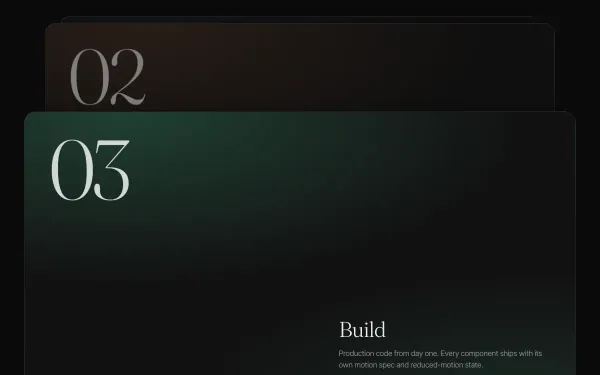
Five full-width cards pin in sequence as you scroll; each arriving card slides over the previous one, which scales down to 0.9 and dims behind a translucent overlay, so the section ends as a neat stepped stack.
- gsap
- scrolltrigger
 light
light Scroll Velocity Skew
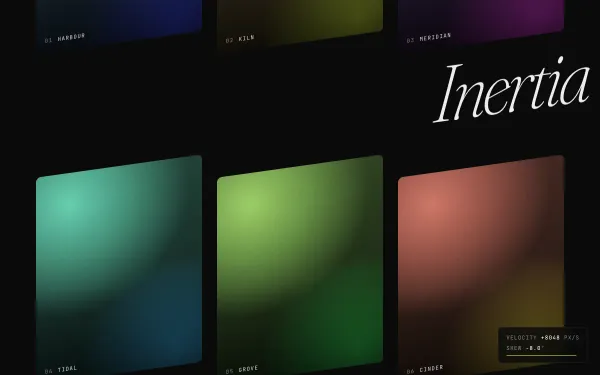
A long grid of gradient tiles and oversized words shears up to ±8° and shrinks slightly in proportion to scroll velocity, then eases back to zero in 0.8s; a mono readout shows the live velocity and skew.
- gsap
- scrolltrigger