Scroll-driven SVG Path Draw
A long vertical SVG route draws itself as you scroll (DrawSVG 0% → 100%, scrubbed) while a glowing dot rides the pen tip via MotionPath; four station dots pop in with a back.out(2) overshoot and their labels slide in as the line reaches them.
- Scroll
- gsap
- scrolltrigger
- svg
- advanced
- light perf
- mobile: full
- reduced-motion ✓
AI prompt
Recreate this effect with any AI tool
Paste into Claude, Cursor, v0, Lovable or Bolt. 1413 words of exact values — rewritten live as you tune the Playground.
### EFFECT: Scroll-driven SVG Path Draw
**What it does (visual):** After a full-height intro ("A year, drawn in one line"), the user scrolls into a tall, narrow SVG (600 × 2400 units, about 640px wide on desktop) centred on the page. A faint dotted track shows the whole route — a smooth S-curve snaking down the page through four stations — but the solid line is not there yet. As the user scrolls, the solid 1.5px stroke inks itself along the track from the top (following the scrollbar with 0.6s of smoothing); the pen tip stays roughly on a horizontal reading line 55% down the viewport. A small dot in the accent colour (#d4ff3a) with a soft glow rides exactly on the tip of the stroke. Each time the stroke reaches a station, an accent dot pops in from nothing with a visible overshoot (`back.out(2)`, 0.55s), a thin ring around it, and the station's label ("01 · Brief" in a light serif with a mono sub-line) slides 14px in from the side and fades up. Scrolling back un-draws the line, the dot rides backwards and the stations pop out in reverse. On desktop two sticky mono captions flank the route: "Route · 2026" on the left, and on the right a serif counter "02 / 04" (stations passed, the current number in the accent colour) with a `045%` progress read-out. A normal outro follows.

**Tech stack:**
- GSAP 3.13+ with ScrollTrigger, DrawSVGPlugin and MotionPathPlugin (all free since 3.13).
- CDN: `<script src="https://cdn.jsdelivr.net/npm/gsap@3/dist/gsap.min.js"></script>` + `ScrollTrigger.min.js` + `DrawSVGPlugin.min.js` + `MotionPathPlugin.min.js`
- npm: `import gsap from "gsap"; import { ScrollTrigger } from "gsap/ScrollTrigger"; import { DrawSVGPlugin } from "gsap/DrawSVGPlugin"; import { MotionPathPlugin } from "gsap/MotionPathPlugin"; gsap.registerPlugin(ScrollTrigger, DrawSVGPlugin, MotionPathPlugin);`

**HTML structure:**
```html
<section class="jr-intro">…label, h1, copy…</section>
<section class="jr">
  <aside class="jr__side jr__side--left" aria-hidden="true"><p class="jr__side-label">Route · 2026</p><p class="jr__side-copy">One line, four stations. The scrollbar is the pen.</p></aside>
  <svg class="jr__svg" viewBox="0 0 600 2400" role="img" aria-labelledby="jr-title">
    <title id="jr-title">Project journey: Brief, Research, Prototype, Launch</title>
    <defs><filter id="jr-glow" x="-100%" y="-100%" width="300%" height="300%"><feGaussianBlur stdDeviation="7"/></filter></defs>
    <path class="jr__track" d="M300 60 C300 300 170 280 170 520 C170 760 430 800 430 1040 C430 1280 170 1320 170 1560 C170 1800 430 1840 430 2080 C430 2250 300 2250 300 2340"/>
    <path class="jr__path"  d="(same d as .jr__track)"/>
    <g class="jr__station" data-x="170" data-y="520" data-side="1">
      <g class="jr__dot"><circle class="jr__dot-ring" cx="170" cy="520" r="16"/><circle class="jr__dot-core" cx="170" cy="520" r="5"/></g>
      <g class="jr__label"><text class="jr__name" x="206" y="514">01 · Brief</text><text class="jr__sub" x="206" y="544">A question worth a year</text></g>
    </g>
    <!-- stations 02 (430,1040) side -1 · 03 (170,1560) side 1 · 04 (430,2080) side -1; labels on side -1 use text-anchor: end at x = 394 -->
    <g class="jr__head" aria-hidden="true"><circle class="jr__head-glow" r="18" filter="url(#jr-glow)"/><circle class="jr__head-dot" r="6"/></g>
  </svg>
  <aside class="jr__side jr__side--right" aria-hidden="true"><p class="jr__count"><span class="jr__count-now">00</span> / 04</p><p class="jr__pct">000%</p></aside>
</section>
<section class="jr-outro">…</section>
```
The route's control points share each station's x so the line passes through every dot with a vertical tangent. `data-side` is +1 when the label sits to the right of the dot, −1 to the left.

**CSS requirements:**
- `.jr-intro`, `.jr-outro`: `min-height: 100vh; display: grid; place-content: center; padding: 6vw;`
- `.jr`: `position: relative; padding: 10vh 4vw 20vh; display: grid; grid-template-columns: 1fr minmax(0, 640px) 1fr; column-gap: 4vw; align-items: start;` plus a faint `radial-gradient(60% 30% at 50% 35%, color-mix(in srgb, var(--accent) 7%, transparent), transparent 70%)` background.
- `.jr__svg`: `grid-column: 2; width: 100%; height: auto; overflow: visible;`
- `.jr__track`: `fill: none; stroke: color-mix(in srgb, var(--text) 12%, transparent); stroke-width: 1; stroke-dasharray: 2 6;`
- `.jr__path`: `fill: none; stroke: var(--text, #ededed); stroke-width: 1.5; stroke-linecap: round;`
- `.jr__dot-ring { fill: none; stroke: var(--accent); stroke-width: 1; opacity: .55 }` `.jr__dot-core { fill: var(--accent) }` with `--accent: #d4ff3a`
- `.jr__name`: display serif, `font-weight: 300; font-size: 30px; letter-spacing: -0.02em; fill: var(--text);` `.jr__sub`: mono `12.5px; letter-spacing: .08em; text-transform: uppercase; fill: var(--muted);` (sizes are SVG user units, so they scale with the viewBox.)
- `.jr__head-glow { fill: var(--accent); opacity: .6 }` `.jr__head-dot { fill: var(--accent) }`
- `.jr__side`: `position: sticky; top: 50vh; translate: 0 -50%;` mono 11px uppercase `letter-spacing: .12em` muted; `.jr__count`: display serif `clamp(2rem, 4vw, 3.5rem)`, `.jr__count-now { color: var(--accent) }`.
- Under 768px: single column, `.jr__side { display: none }`.

**Animation spec (exact values):**
1. Constants: `START = 'top 55%'`, `END = 'bottom 55%'`, `SCRUB = 0.6`, `POP_EASE = 'back.out(2)'`, `POP_DURATION = 0.55`.
2. Station thresholds: once, for each `.jr__station`, sample the stroke every 3 units with `path.getPointAtLength(L)` and find the length `L` closest to `(data-x, data-y)`; `at = L / path.getTotalLength()` is the progress at which the pen reaches that station.
3. Per-station pop timeline (paused, time-based):
   ```js
   tl.fromTo(st.querySelector('.jr__dot'), { scale: 0, svgOrigin: `${x} ${y}` }, { scale: 1, duration: 0.55, ease: 'back.out(2)' })
     .fromTo(st.querySelector('.jr__label'), { opacity: 0, x: side * 14 }, { opacity: 1, x: 0, duration: 0.5, ease: 'power3.out' }, 0.12);
   ```
   `svgOrigin` must be the station's own coordinates so the `<g>` grows from the dot, not from the SVG origin.
4. Main scrubbed timeline — one timeline holds both the stroke and the head so they can never drift apart:
   ```js
   const main = gsap.timeline({ defaults: { ease: 'none', duration: 1 },
     scrollTrigger: { trigger: '.jr__svg', start: 'top 55%', end: 'bottom 55%', scrub: 0.6, markers: false,
       onUpdate: (self) => { /* step 5 */ } } });
   main.fromTo('.jr__path', { drawSVG: '0%' }, { drawSVG: '100%' }, 0)
       .to('.jr__head', { motionPath: { path: '.jr__path', align: '.jr__path', alignOrigin: [0.5, 0.5] }, ease: 'none' }, 0);
   ```
   Target `.jr__path`: `drawSVG` `'0%' → '100%'`, linear. Target `.jr__head`: `motionPath` along the same path, aligned, centred on the group, linear — so at progress p the head sits exactly at the stroke's tip.
5. `onUpdate(self)`: for each station, if `self.progress >= at` and it is not shown → `tl.play()`; if `self.progress < at` and it is shown → `tl.reverse()`. Also set the counter to the number of stations passed (`padStart(2,'0')`) and the read-out to `Math.round(progress × 100)` padded to 3 digits + `%`.
6. Intro: `gsap.from(['.jr-intro__title', '.jr-intro__copy'], { y: 40, opacity: 0, duration: 1, ease: 'power3.out', stagger: 0.1, delay: 0.1 })`. After `document.fonts.ready` → `ScrollTrigger.refresh()`.

**Interaction:** None beyond scrolling. The stroke and the head are scrubbed (reversible with 0.6s smoothing); the station pops are time-based (0.55s with `back.out(2)`) but play/reverse at exact scroll thresholds, so they also undo on scroll-up.

**Responsive behavior:** The SVG is `width: 100%` of a `minmax(0, 640px)` column, so on a 375px phone it is 375 × 1500px and every stroke, dot and label scales with the viewBox (labels ≈ 19px / 8px). The side captions are hidden under 768px; nothing else changes — the reading line stays at 55% of the viewport.

**Accessibility:** With `prefers-reduced-motion: reduce` the stroke is set to `drawSVG: '100%'`, all stations are visible at full scale, the head is parked at the end of the path (`gsap.to(head, { motionPath… , paused: true }).progress(1)`), and the counter is hidden — the complete map, no scrubbing. The SVG has `role="img"` and a `<title>` listing the stations; the labels are real `<text>` nodes.

**Performance rules:** Only `stroke-dashoffset` (DrawSVG), `transform` and `opacity` change. The blur filter lives on the tiny 18px head group only — never on the 2400-unit path. Station thresholds are sampled once at init, not per frame. All tweens, the ScrollTrigger and the pop timelines live inside `gsap.context()` and are reverted on unmount.

**Customization knobs:**
- `START` / `END` (`'top 55%'` / `'bottom 55%'`) — move the reading line; `SCRUB` (0.6) — pen lag.
- `POP_EASE` (`back.out(2)`) and pop duration (0.55) — the station bounce; `back.out(1.2)` is subtler.
- Route `d` — any path works; keep station control points vertical for a clean pass-through.
- Stroke width (1.5), glow `stdDeviation` (7), head radius (6 / 18).
- Accent (`#d4ff3a`) — station dots, the head and the counter.
- Station count — add a `.jr__station` with `data-x/data-y` on the path; thresholds are computed automatically.

**Acceptance criteria:**
- [ ] At the top of the section only the dotted track is visible; the solid stroke starts drawing when the SVG's top reaches 55% of the viewport and is complete when its bottom reaches 55%.
- [ ] The glowing dot sits on the tip of the stroke at every scroll position, forwards and backwards.
- [ ] Each station pops (scale 0 → 1 with overshoot) and its label slides in exactly when the stroke reaches it; both reverse when scrolling back above it.
- [ ] The counter reads `00 / 04` → `04 / 04` and the percentage `000%` → `100%`.
- [ ] Reduced-motion users see the fully drawn map with all stations.
- [ ] No console errors; no layout shift.Add this effect to my existing site/section: **Scroll-driven SVG Path Draw**. Keep my markup and styles; place my route as an inline `<svg class="jr__svg">` with a `<path class="jr__path">` (stroke `var(--text)`, 1.5px, round caps), an identical faint dotted `.jr__track` behind it, one `<g class="jr__station" data-x data-y data-side>` per milestone (dot + ring + `<text>` label) and a `<g class="jr__head">` dot in `#d4ff3a` with a blurred glow circle. Load GSAP 3.13+, ScrollTrigger, DrawSVGPlugin and MotionPathPlugin. Build one timeline with `scrollTrigger: { trigger: svg, start: 'top 55%', end: 'bottom 55%', scrub: 0.6 }` containing `fromTo(path, { drawSVG: '0%' }, { drawSVG: '100%', ease: 'none' }, 0)` and `to(head, { motionPath: { path, align: path, alignOrigin: [0.5, 0.5] }, ease: 'none' }, 0)`. At init sample `getPointAtLength` to find each station's progress; in the trigger's `onUpdate` play a paused pop timeline (`scale 0 → 1, 0.55s, back.out(2)` with `svgOrigin` at the station; label `opacity 0 → 1, x side×14 → 0, 0.5s, power3.out` at +0.12) when progress passes it and reverse it when progress drops below. For `prefers-reduced-motion` show the stroke at 100% with all stations visible and no scrubbing. Wrap in `gsap.context()` and revert on unmount. Do not change my fonts or colours.### EFFECT (React / Next.js): Scroll-driven SVG Path Draw
Build **Scroll-driven SVG Path Draw** as a self-contained React component for a Next.js App Router project (also valid in Vite + React). Follow the specification below exactly; the vanilla reference implementation at the end is the source of truth for values and structure.
**Setup**
- `npm i gsap @gsap/react`
- File: `components/ScrollDrivenSVGPathDraw.tsx`, first line `"use client";` (GSAP touches the DOM).
- Imports:
```tsx
"use client";
import { useRef } from "react";
import gsap from "gsap";
import { ScrollTrigger } from "gsap/ScrollTrigger";
import { DrawSVGPlugin } from "gsap/DrawSVGPlugin";
import { MotionPathPlugin } from "gsap/MotionPathPlugin";
import { useGSAP } from "@gsap/react";
gsap.registerPlugin(useGSAP, ScrollTrigger, DrawSVGPlugin, MotionPathPlugin);
export default function ScrollDrivenSVGPathDraw() {
const scope = useRef<HTMLDivElement>(null);
useGSAP(() => {
// 1. query elements inside `scope.current` (never document-wide)
// 2. wait for document.fonts.ready before any SplitText
// 3. build the timeline / ScrollTriggers exactly as in the specification
// 4. return nothing — useGSAP reverts everything automatically on unmount
}, { scope });
return (
<div ref={scope} className="jr-intro">
{/* markup from the HTML structure section, class → className */}
</div>
);
}
```
**React-specific rules**
- Everything GSAP-related lives inside `useGSAP(() => {...}, { scope })`; it handles cleanup (`ctx.revert()`) on unmount and in React Strict Mode double-invocation.
- Use refs or `gsap.utils.selector(scope)` instead of `document.querySelector`.
- Event listeners added inside useGSAP must use `contextSafe` (`const { contextSafe } = useGSAP({ scope })`) so their tweens are reverted too.
- ScrollTrigger: call `ScrollTrigger.refresh()` after images/fonts load; if the page uses Lenis, sync it once at the app root (`lenis.on('scroll', ScrollTrigger.update)`).
- Styles: copy the CSS requirements into a CSS Module (`ScrollDrivenSVGPathDraw.module.css`) or Tailwind; keep the class names so the spec maps 1:1.
- Respect `prefers-reduced-motion` with `gsap.matchMedia()` as in the spec.
---
### EFFECT: Scroll-driven SVG Path Draw
**What it does (visual):** After a full-height intro ("A year, drawn in one line"), the user scrolls into a tall, narrow SVG (600 × 2400 units, about 640px wide on desktop) centred on the page. A faint dotted track shows the whole route — a smooth S-curve snaking down the page through four stations — but the solid line is not there yet. As the user scrolls, the solid 1.5px stroke inks itself along the track from the top (following the scrollbar with 0.6s of smoothing); the pen tip stays roughly on a horizontal reading line 55% down the viewport. A small dot in the accent colour (#d4ff3a) with a soft glow rides exactly on the tip of the stroke. Each time the stroke reaches a station, an accent dot pops in from nothing with a visible overshoot (`back.out(2)`, 0.55s), a thin ring around it, and the station's label ("01 · Brief" in a light serif with a mono sub-line) slides 14px in from the side and fades up. Scrolling back un-draws the line, the dot rides backwards and the stations pop out in reverse. On desktop two sticky mono captions flank the route: "Route · 2026" on the left, and on the right a serif counter "02 / 04" (stations passed, the current number in the accent colour) with a `045%` progress read-out. A normal outro follows.
**Tech stack:**
- GSAP 3.13+ with ScrollTrigger, DrawSVGPlugin and MotionPathPlugin (all free since 3.13).
- CDN: `<script src="https://cdn.jsdelivr.net/npm/gsap@3/dist/gsap.min.js"></script>` + `ScrollTrigger.min.js` + `DrawSVGPlugin.min.js` + `MotionPathPlugin.min.js`
- npm: `import gsap from "gsap"; import { ScrollTrigger } from "gsap/ScrollTrigger"; import { DrawSVGPlugin } from "gsap/DrawSVGPlugin"; import { MotionPathPlugin } from "gsap/MotionPathPlugin"; gsap.registerPlugin(ScrollTrigger, DrawSVGPlugin, MotionPathPlugin);`
**HTML structure:**
```html
<section class="jr-intro">…label, h1, copy…</section>
<section class="jr">
<aside class="jr__side jr__side--left" aria-hidden="true"><p class="jr__side-label">Route · 2026</p><p class="jr__side-copy">One line, four stations. The scrollbar is the pen.</p></aside>
<svg class="jr__svg" viewBox="0 0 600 2400" role="img" aria-labelledby="jr-title">
<title id="jr-title">Project journey: Brief, Research, Prototype, Launch</title>
<defs><filter id="jr-glow" x="-100%" y="-100%" width="300%" height="300%"><feGaussianBlur stdDeviation="7"/></filter></defs>
<path class="jr__track" d="M300 60 C300 300 170 280 170 520 C170 760 430 800 430 1040 C430 1280 170 1320 170 1560 C170 1800 430 1840 430 2080 C430 2250 300 2250 300 2340"/>
<path class="jr__path" d="(same d as .jr__track)"/>
<g class="jr__station" data-x="170" data-y="520" data-side="1">
<g class="jr__dot"><circle class="jr__dot-ring" cx="170" cy="520" r="16"/><circle class="jr__dot-core" cx="170" cy="520" r="5"/></g>
<g class="jr__label"><text class="jr__name" x="206" y="514">01 · Brief</text><text class="jr__sub" x="206" y="544">A question worth a year</text></g>
</g>
<!-- stations 02 (430,1040) side -1 · 03 (170,1560) side 1 · 04 (430,2080) side -1; labels on side -1 use text-anchor: end at x = 394 -->
<g class="jr__head" aria-hidden="true"><circle class="jr__head-glow" r="18" filter="url(#jr-glow)"/><circle class="jr__head-dot" r="6"/></g>
</svg>
<aside class="jr__side jr__side--right" aria-hidden="true"><p class="jr__count"><span class="jr__count-now">00</span> / 04</p><p class="jr__pct">000%</p></aside>
</section>
<section class="jr-outro">…</section>
```
The route's control points share each station's x so the line passes through every dot with a vertical tangent. `data-side` is +1 when the label sits to the right of the dot, −1 to the left.
**CSS requirements:**
- `.jr-intro`, `.jr-outro`: `min-height: 100vh; display: grid; place-content: center; padding: 6vw;`
- `.jr`: `position: relative; padding: 10vh 4vw 20vh; display: grid; grid-template-columns: 1fr minmax(0, 640px) 1fr; column-gap: 4vw; align-items: start;` plus a faint `radial-gradient(60% 30% at 50% 35%, color-mix(in srgb, var(--accent) 7%, transparent), transparent 70%)` background.
- `.jr__svg`: `grid-column: 2; width: 100%; height: auto; overflow: visible;`
- `.jr__track`: `fill: none; stroke: color-mix(in srgb, var(--text) 12%, transparent); stroke-width: 1; stroke-dasharray: 2 6;`
- `.jr__path`: `fill: none; stroke: var(--text, #ededed); stroke-width: 1.5; stroke-linecap: round;`
- `.jr__dot-ring { fill: none; stroke: var(--accent); stroke-width: 1; opacity: .55 }` `.jr__dot-core { fill: var(--accent) }` with `--accent: #d4ff3a`
- `.jr__name`: display serif, `font-weight: 300; font-size: 30px; letter-spacing: -0.02em; fill: var(--text);` `.jr__sub`: mono `12.5px; letter-spacing: .08em; text-transform: uppercase; fill: var(--muted);` (sizes are SVG user units, so they scale with the viewBox.)
- `.jr__head-glow { fill: var(--accent); opacity: .6 }` `.jr__head-dot { fill: var(--accent) }`
- `.jr__side`: `position: sticky; top: 50vh; translate: 0 -50%;` mono 11px uppercase `letter-spacing: .12em` muted; `.jr__count`: display serif `clamp(2rem, 4vw, 3.5rem)`, `.jr__count-now { color: var(--accent) }`.
- Under 768px: single column, `.jr__side { display: none }`.
**Animation spec (exact values):**
1. Constants: `START = 'top 55%'`, `END = 'bottom 55%'`, `SCRUB = 0.6`, `POP_EASE = 'back.out(2)'`, `POP_DURATION = 0.55`.
2. Station thresholds: once, for each `.jr__station`, sample the stroke every 3 units with `path.getPointAtLength(L)` and find the length `L` closest to `(data-x, data-y)`; `at = L / path.getTotalLength()` is the progress at which the pen reaches that station.
3. Per-station pop timeline (paused, time-based):
```js
tl.fromTo(st.querySelector('.jr__dot'), { scale: 0, svgOrigin: `${x} ${y}` }, { scale: 1, duration: 0.55, ease: 'back.out(2)' })
.fromTo(st.querySelector('.jr__label'), { opacity: 0, x: side * 14 }, { opacity: 1, x: 0, duration: 0.5, ease: 'power3.out' }, 0.12);
```
`svgOrigin` must be the station's own coordinates so the `<g>` grows from the dot, not from the SVG origin.
4. Main scrubbed timeline — one timeline holds both the stroke and the head so they can never drift apart:
```js
const main = gsap.timeline({ defaults: { ease: 'none', duration: 1 },
scrollTrigger: { trigger: '.jr__svg', start: 'top 55%', end: 'bottom 55%', scrub: 0.6, markers: false,
onUpdate: (self) => { /* step 5 */ } } });
main.fromTo('.jr__path', { drawSVG: '0%' }, { drawSVG: '100%' }, 0)
.to('.jr__head', { motionPath: { path: '.jr__path', align: '.jr__path', alignOrigin: [0.5, 0.5] }, ease: 'none' }, 0);
```
Target `.jr__path`: `drawSVG` `'0%' → '100%'`, linear. Target `.jr__head`: `motionPath` along the same path, aligned, centred on the group, linear — so at progress p the head sits exactly at the stroke's tip.
5. `onUpdate(self)`: for each station, if `self.progress >= at` and it is not shown → `tl.play()`; if `self.progress < at` and it is shown → `tl.reverse()`. Also set the counter to the number of stations passed (`padStart(2,'0')`) and the read-out to `Math.round(progress × 100)` padded to 3 digits + `%`.
6. Intro: `gsap.from(['.jr-intro__title', '.jr-intro__copy'], { y: 40, opacity: 0, duration: 1, ease: 'power3.out', stagger: 0.1, delay: 0.1 })`. After `document.fonts.ready` → `ScrollTrigger.refresh()`.
**Interaction:** None beyond scrolling. The stroke and the head are scrubbed (reversible with 0.6s smoothing); the station pops are time-based (0.55s with `back.out(2)`) but play/reverse at exact scroll thresholds, so they also undo on scroll-up.
**Responsive behavior:** The SVG is `width: 100%` of a `minmax(0, 640px)` column, so on a 375px phone it is 375 × 1500px and every stroke, dot and label scales with the viewBox (labels ≈ 19px / 8px). The side captions are hidden under 768px; nothing else changes — the reading line stays at 55% of the viewport.
**Accessibility:** With `prefers-reduced-motion: reduce` the stroke is set to `drawSVG: '100%'`, all stations are visible at full scale, the head is parked at the end of the path (`gsap.to(head, { motionPath… , paused: true }).progress(1)`), and the counter is hidden — the complete map, no scrubbing. The SVG has `role="img"` and a `<title>` listing the stations; the labels are real `<text>` nodes.
**Performance rules:** Only `stroke-dashoffset` (DrawSVG), `transform` and `opacity` change. The blur filter lives on the tiny 18px head group only — never on the 2400-unit path. Station thresholds are sampled once at init, not per frame. All tweens, the ScrollTrigger and the pop timelines live inside `gsap.context()` and are reverted on unmount.
**Customization knobs:**
- `START` / `END` (`'top 55%'` / `'bottom 55%'`) — move the reading line; `SCRUB` (0.6) — pen lag.
- `POP_EASE` (`back.out(2)`) and pop duration (0.55) — the station bounce; `back.out(1.2)` is subtler.
- Route `d` — any path works; keep station control points vertical for a clean pass-through.
- Stroke width (1.5), glow `stdDeviation` (7), head radius (6 / 18).
- Accent (`#d4ff3a`) — station dots, the head and the counter.
- Station count — add a `.jr__station` with `data-x/data-y` on the path; thresholds are computed automatically.
**Acceptance criteria:**
- [ ] At the top of the section only the dotted track is visible; the solid stroke starts drawing when the SVG's top reaches 55% of the viewport and is complete when its bottom reaches 55%.
- [ ] The glowing dot sits on the tip of the stroke at every scroll position, forwards and backwards.
- [ ] Each station pops (scale 0 → 1 with overshoot) and its label slides in exactly when the stroke reaches it; both reverse when scrolling back above it.
- [ ] The counter reads `00 / 04` → `04 / 04` and the percentage `000%` → `100%`.
- [ ] Reduced-motion users see the fully drawn map with all stations.
- [ ] No console errors; no layout shift.
---
**Reference implementation (vanilla, converts 1:1 — same class names, same values):**
```html
<section class="jr-intro">
<p class="jr-intro__label">Scroll · DrawSVG + MotionPath</p>
<h1 class="jr-intro__title">A year,<br>drawn in one line</h1>
<p class="jr-intro__copy">The route below inks itself as you scroll. Each station lights up when the pen reaches it.</p>
</section>
<section class="jr">
<aside class="jr__side jr__side--left" aria-hidden="true">
<p class="jr__side-label">Route · 2026</p>
<p class="jr__side-copy">One line, four stations. The scrollbar is the pen.</p>
</aside>
<svg class="jr__svg" viewBox="0 0 600 2400" role="img" aria-labelledby="jr-title">
<title id="jr-title">Project journey: Brief, Research, Prototype, Launch</title>
<defs>
<filter id="jr-glow" x="-100%" y="-100%" width="300%" height="300%"><feGaussianBlur stdDeviation="7"/></filter>
</defs>
<path class="jr__track" d="M300 60 C300 300 170 280 170 520 C170 760 430 800 430 1040 C430 1280 170 1320 170 1560 C170 1800 430 1840 430 2080 C430 2250 300 2250 300 2340"/>
<path class="jr__path" d="M300 60 C300 300 170 280 170 520 C170 760 430 800 430 1040 C430 1280 170 1320 170 1560 C170 1800 430 1840 430 2080 C430 2250 300 2250 300 2340"/>
<g class="jr__station" data-x="170" data-y="520" data-side="1">
<g class="jr__dot"><circle class="jr__dot-ring" cx="170" cy="520" r="16"/><circle class="jr__dot-core" cx="170" cy="520" r="5"/></g>
<g class="jr__label"><text class="jr__name" x="206" y="514">01 · Brief</text><text class="jr__sub" x="206" y="544">A question worth a year</text></g>
</g>
<g class="jr__station" data-x="430" data-y="1040" data-side="-1">
<g class="jr__dot"><circle class="jr__dot-ring" cx="430" cy="1040" r="16"/><circle class="jr__dot-core" cx="430" cy="1040" r="5"/></g>
<g class="jr__label"><text class="jr__name jr__name--end" x="394" y="1034">02 · Research</text><text class="jr__sub jr__sub--end" x="394" y="1064">Forty interviews, one pattern</text></g>
</g>
<g class="jr__station" data-x="170" data-y="1560" data-side="1">
<g class="jr__dot"><circle class="jr__dot-ring" cx="170" cy="1560" r="16"/><circle class="jr__dot-core" cx="170" cy="1560" r="5"/></g>
<g class="jr__label"><text class="jr__name" x="206" y="1554">03 · Prototype</text><text class="jr__sub" x="206" y="1584">Rough, in the browser, by Friday</text></g>
</g>
<g class="jr__station" data-x="430" data-y="2080" data-side="-1">
<g class="jr__dot"><circle class="jr__dot-ring" cx="430" cy="2080" r="16"/><circle class="jr__dot-core" cx="430" cy="2080" r="5"/></g>
<g class="jr__label"><text class="jr__name jr__name--end" x="394" y="2074">04 · Launch</text><text class="jr__sub jr__sub--end" x="394" y="2104">Quietly, on a Tuesday</text></g>
</g>
<g class="jr__head" aria-hidden="true"><circle class="jr__head-glow" r="18" filter="url(#jr-glow)"/><circle class="jr__head-dot" r="6"/></g>
</svg>
<aside class="jr__side jr__side--right" aria-hidden="true">
<p class="jr__count"><span class="jr__count-now">00</span> / 04</p>
<p class="jr__pct">000%</p>
</aside>
</section>
<section class="jr-outro">
<p class="jr-outro__text">The line is complete. Scroll up and it un-draws itself.</p>
</section>
```
```css
.jr-intro, .jr-outro { min-height: 100vh; display: grid; place-content: center; padding: 6vw; }
.jr-intro__label { font-family: var(--font-mono); font-size: 11px; text-transform: uppercase; letter-spacing: .14em; color: var(--muted); margin-bottom: 1.5rem; }
.jr-intro__title { font-family: var(--font-display); font-weight: 300; font-size: clamp(2.75rem, 8vw, 8rem); letter-spacing: -0.04em; line-height: .9; }
.jr-intro__copy { margin-top: 2rem; max-width: 40ch; color: var(--muted); font-size: clamp(1rem, 1.2vw, 1.15rem); line-height: 1.5; }
.jr-outro__text { color: var(--muted); max-width: 40ch; text-align: center; }
.jr { position: relative; padding: 10vh 4vw 20vh; display: grid; grid-template-columns: 1fr minmax(0, 640px) 1fr; column-gap: 4vw; align-items: start; background:
radial-gradient(60% 30% at 50% 35%, color-mix(in srgb, var(--knob-accent, var(--accent)) 7%, transparent), transparent 70%); }
.jr__svg { grid-column: 2; width: 100%; height: auto; overflow: visible; }
/* sticky side captions (desktop) */
.jr__side { position: sticky; top: 50vh; translate: 0 -50%; font-family: var(--font-mono); font-size: 11px; letter-spacing: .12em; text-transform: uppercase; color: var(--muted); line-height: 1.7; }
.jr__side--left { grid-column: 1; justify-self: start; max-width: 20ch; }
.jr__side--right { grid-column: 3; justify-self: end; text-align: right; }
.jr__side-label { color: var(--text); margin-bottom: .75rem; }
.jr__count { font-family: var(--font-display); font-weight: 300; font-size: clamp(2rem, 4vw, 3.5rem); letter-spacing: -0.03em; text-transform: none; color: var(--text); line-height: 1; }
.jr__count-now { color: var(--knob-accent, var(--accent)); }
.jr__pct { margin-top: .75rem; font-variant-numeric: tabular-nums; }
.jr__track { fill: none; stroke: color-mix(in srgb, var(--text) 12%, transparent); stroke-width: 1; stroke-dasharray: 2 6; }
.jr__path { fill: none; stroke: var(--text); stroke-width: var(--knob-stroke, 1.5); stroke-linecap: round; }
.jr__dot-ring { fill: none; stroke: var(--knob-accent, var(--accent)); stroke-width: 1; opacity: .55; }
.jr__dot-core { fill: var(--knob-accent, var(--accent)); }
.jr__name { font-family: var(--font-display); font-weight: 300; font-size: 30px; letter-spacing: -0.02em; fill: var(--text); }
.jr__sub { font-family: var(--font-mono); font-size: 12.5px; letter-spacing: .08em; text-transform: uppercase; fill: var(--muted); }
.jr__name--end, .jr__sub--end { text-anchor: end; }
.jr__head-glow { fill: var(--knob-accent, var(--accent)); opacity: .6; }
.jr__head-dot { fill: var(--knob-accent, var(--accent)); }
@media (max-width: 767px) {
.jr { grid-template-columns: 1fr; padding-inline: 2vw; }
.jr__svg { grid-column: 1; }
.jr__side { display: none; }
}
@media (prefers-reduced-motion: reduce) { .jr__head-glow { opacity: .35; } .jr__side--right { display: none; } }
```
```js
// Scroll-driven SVG Path Draw — the scrollbar is the pen; a glowing dot rides the stroke head and stations pop as it passes.
gsap.registerPlugin(ScrollTrigger, DrawSVGPlugin, MotionPathPlugin);
// Defaults — overridable from the MOTION/LAB Playground via MotionLab.knob()
const DEFAULTS = { scrub: 0.6, readingLine: 55, popEase: 'back.out(2)', popDuration: 0.55, strokeWidth: 1.5, accent: '#d4ff3a' };
const K = (id) => window.MotionLab?.knob(id, DEFAULTS[id]) ?? DEFAULTS[id];
const reduced = matchMedia('(prefers-reduced-motion: reduce)').matches;
const section = document.querySelector('.jr');
const svg = document.querySelector('.jr__svg');
const path = document.querySelector('.jr__path');
const head = document.querySelector('.jr__head');
const stations = gsap.utils.toArray('.jr__station');
const countNow = document.querySelector('.jr__count-now');
const pct = document.querySelector('.jr__pct');
// Progress along the stroke at which the line reaches each station (sampled once from the path length).
function stationProgress(x, y) {
const total = path.getTotalLength();
let best = 0, bestD = Infinity;
for (let L = 0; L <= total; L += 3) {
const p = path.getPointAtLength(L);
const d = (p.x - x) ** 2 + (p.y - y) ** 2;
if (d < bestD) { bestD = d; best = L; }
}
return best / total;
}
const stationAt = stations.map((st) => stationProgress(+st.dataset.x, +st.dataset.y));
let ctx, built = false;
function build() {
ctx?.revert();
section.style.setProperty('--knob-accent', K('accent'));
section.style.setProperty('--knob-stroke', String(K('strokeWidth')));
const scrub = K('scrub') === 0 ? true : K('scrub');
const line = K('readingLine'); // viewport % where the pen tip sits
const START = `top ${line}%`; // SVG top at the reading line → 0% drawn
const END = `bottom ${line}%`; // SVG bottom at the reading line → 100% drawn
const POP_EASE = K('popEase');
const POP_DURATION = K('popDuration');
ctx = gsap.context(() => {
if (!built) gsap.from(['.jr-intro__title', '.jr-intro__copy'], { y: 40, opacity: 0, duration: 1, ease: 'power3.out', stagger: 0.1, delay: 0.1 });
const motion = { motionPath: { path, align: path, alignOrigin: [0.5, 0.5] }, ease: 'none' };
if (reduced) {
gsap.set(path, { drawSVG: '100%' });
gsap.to(head, { ...motion, duration: 1, paused: true }).progress(1); // park the dot at the end of the line
return;
}
// Per-station pop timelines (time-based so the overshoot reads), played/reversed from the scrub's onUpdate.
const pops = stations.map((st, i) => {
const x = +st.dataset.x, y = +st.dataset.y, side = +st.dataset.side;
const tl = gsap.timeline({ paused: true });
tl.fromTo(st.querySelector('.jr__dot'), { scale: 0, svgOrigin: `${x} ${y}` }, { scale: 1, duration: POP_DURATION, ease: POP_EASE })
.fromTo(st.querySelector('.jr__label'), { opacity: 0, x: side * 14 }, { opacity: 1, x: 0, duration: 0.5, ease: 'power3.out' }, 0.12);
return { tl, at: stationAt[i], shown: false };
});
// One scrubbed timeline holds the stroke draw and the head so they can never drift apart.
const main = gsap.timeline({
defaults: { ease: 'none', duration: 1 },
scrollTrigger: {
trigger: svg, start: START, end: END, scrub, markers: false,
onUpdate: (self) => {
let passed = 0;
pops.forEach((p) => {
if (self.progress >= p.at) passed++;
if (self.progress >= p.at && !p.shown) { p.shown = true; p.tl.play(); }
else if (self.progress < p.at && p.shown) { p.shown = false; p.tl.reverse(); }
});
countNow.textContent = String(passed).padStart(2, '0');
pct.textContent = `${String(Math.round(self.progress * 100)).padStart(3, '0')}%`;
},
},
});
main.fromTo(path, { drawSVG: '0%' }, { drawSVG: '100%' }, 0)
.to(head, motion, 0);
document.fonts.ready.then(() => ScrollTrigger.refresh());
});
built = true;
}
build();
// Playground: rebuild with the new values
window.addEventListener('ml:knobs', build);
window.MotionLab?.onCleanup(() => ctx?.revert());
```
### EFFECT (single HTML file): Scroll-driven SVG Path Draw
Produce **one self-contained `index.html`** (inline `<style>` and `<script type="module">`, no build step) that implements **Scroll-driven SVG Path Draw** exactly as specified below. Libraries load from jsDelivr:

```html
<!doctype html>
<html lang="en">
<head>
  <meta charset="utf-8">
  <meta name="viewport" content="width=device-width, initial-scale=1">
  <title>Scroll-driven SVG Path Draw</title>
  <link href="https://fonts.googleapis.com/css2?family=Fraunces:ital,opsz,wght@0,9..144,300..600;1,9..144,300..600&family=Inter+Tight:wght@300..700&family=JetBrains+Mono:wght@400;500&display=swap" rel="stylesheet">
  <style>
    :root{--bg:#0a0a0a;--surface:#121212;--line:rgba(255,255,255,.08);--text:#ededed;--muted:#8a8a8a;--accent:#d4ff3a;--font-display:"Fraunces",Georgia,serif;--font-sans:"Inter Tight",system-ui,sans-serif;--font-mono:"JetBrains Mono",ui-monospace,monospace}
    *,*::before,*::after{box-sizing:border-box;margin:0;padding:0}
    body{background:var(--bg);color:var(--text);font-family:var(--font-sans);-webkit-font-smoothing:antialiased;overflow-x:hidden}
    /* + the CSS requirements below */
  </style>
  <script src="https://cdn.jsdelivr.net/npm/gsap@3/dist/gsap.min.js"></script>
  <script src="https://cdn.jsdelivr.net/npm/gsap@3/dist/ScrollTrigger.min.js"></script>
  <script src="https://cdn.jsdelivr.net/npm/gsap@3/dist/DrawSVGPlugin.min.js"></script>
  <script src="https://cdn.jsdelivr.net/npm/gsap@3/dist/MotionPathPlugin.min.js"></script>
</head>
<body>
  <!-- markup from the HTML structure section -->
  <script type="module">
    // the JS from the animation spec (window.MotionLab is optional — keep the ?. guards or remove them)
  </script>
</body>
</html>
```

The file must open directly from a local server (`npx serve .`) with zero console errors, work at 375px and 1440px, and honour `prefers-reduced-motion`.

---

### EFFECT: Scroll-driven SVG Path Draw
**What it does (visual):** After a full-height intro ("A year, drawn in one line"), the user scrolls into a tall, narrow SVG (600 × 2400 units, about 640px wide on desktop) centred on the page. A faint dotted track shows the whole route — a smooth S-curve snaking down the page through four stations — but the solid line is not there yet. As the user scrolls, the solid 1.5px stroke inks itself along the track from the top (following the scrollbar with 0.6s of smoothing); the pen tip stays roughly on a horizontal reading line 55% down the viewport. A small dot in the accent colour (#d4ff3a) with a soft glow rides exactly on the tip of the stroke. Each time the stroke reaches a station, an accent dot pops in from nothing with a visible overshoot (`back.out(2)`, 0.55s), a thin ring around it, and the station's label ("01 · Brief" in a light serif with a mono sub-line) slides 14px in from the side and fades up. Scrolling back un-draws the line, the dot rides backwards and the stations pop out in reverse. On desktop two sticky mono captions flank the route: "Route · 2026" on the left, and on the right a serif counter "02 / 04" (stations passed, the current number in the accent colour) with a `045%` progress read-out. A normal outro follows.

**Tech stack:**
- GSAP 3.13+ with ScrollTrigger, DrawSVGPlugin and MotionPathPlugin (all free since 3.13).
- CDN: `<script src="https://cdn.jsdelivr.net/npm/gsap@3/dist/gsap.min.js"></script>` + `ScrollTrigger.min.js` + `DrawSVGPlugin.min.js` + `MotionPathPlugin.min.js`
- npm: `import gsap from "gsap"; import { ScrollTrigger } from "gsap/ScrollTrigger"; import { DrawSVGPlugin } from "gsap/DrawSVGPlugin"; import { MotionPathPlugin } from "gsap/MotionPathPlugin"; gsap.registerPlugin(ScrollTrigger, DrawSVGPlugin, MotionPathPlugin);`

**HTML structure:**
```html
<section class="jr-intro">…label, h1, copy…</section>
<section class="jr">
  <aside class="jr__side jr__side--left" aria-hidden="true"><p class="jr__side-label">Route · 2026</p><p class="jr__side-copy">One line, four stations. The scrollbar is the pen.</p></aside>
  <svg class="jr__svg" viewBox="0 0 600 2400" role="img" aria-labelledby="jr-title">
    <title id="jr-title">Project journey: Brief, Research, Prototype, Launch</title>
    <defs><filter id="jr-glow" x="-100%" y="-100%" width="300%" height="300%"><feGaussianBlur stdDeviation="7"/></filter></defs>
    <path class="jr__track" d="M300 60 C300 300 170 280 170 520 C170 760 430 800 430 1040 C430 1280 170 1320 170 1560 C170 1800 430 1840 430 2080 C430 2250 300 2250 300 2340"/>
    <path class="jr__path"  d="(same d as .jr__track)"/>
    <g class="jr__station" data-x="170" data-y="520" data-side="1">
      <g class="jr__dot"><circle class="jr__dot-ring" cx="170" cy="520" r="16"/><circle class="jr__dot-core" cx="170" cy="520" r="5"/></g>
      <g class="jr__label"><text class="jr__name" x="206" y="514">01 · Brief</text><text class="jr__sub" x="206" y="544">A question worth a year</text></g>
    </g>
    <!-- stations 02 (430,1040) side -1 · 03 (170,1560) side 1 · 04 (430,2080) side -1; labels on side -1 use text-anchor: end at x = 394 -->
    <g class="jr__head" aria-hidden="true"><circle class="jr__head-glow" r="18" filter="url(#jr-glow)"/><circle class="jr__head-dot" r="6"/></g>
  </svg>
  <aside class="jr__side jr__side--right" aria-hidden="true"><p class="jr__count"><span class="jr__count-now">00</span> / 04</p><p class="jr__pct">000%</p></aside>
</section>
<section class="jr-outro">…</section>
```
The route's control points share each station's x so the line passes through every dot with a vertical tangent. `data-side` is +1 when the label sits to the right of the dot, −1 to the left.

**CSS requirements:**
- `.jr-intro`, `.jr-outro`: `min-height: 100vh; display: grid; place-content: center; padding: 6vw;`
- `.jr`: `position: relative; padding: 10vh 4vw 20vh; display: grid; grid-template-columns: 1fr minmax(0, 640px) 1fr; column-gap: 4vw; align-items: start;` plus a faint `radial-gradient(60% 30% at 50% 35%, color-mix(in srgb, var(--accent) 7%, transparent), transparent 70%)` background.
- `.jr__svg`: `grid-column: 2; width: 100%; height: auto; overflow: visible;`
- `.jr__track`: `fill: none; stroke: color-mix(in srgb, var(--text) 12%, transparent); stroke-width: 1; stroke-dasharray: 2 6;`
- `.jr__path`: `fill: none; stroke: var(--text, #ededed); stroke-width: 1.5; stroke-linecap: round;`
- `.jr__dot-ring { fill: none; stroke: var(--accent); stroke-width: 1; opacity: .55 }` `.jr__dot-core { fill: var(--accent) }` with `--accent: #d4ff3a`
- `.jr__name`: display serif, `font-weight: 300; font-size: 30px; letter-spacing: -0.02em; fill: var(--text);` `.jr__sub`: mono `12.5px; letter-spacing: .08em; text-transform: uppercase; fill: var(--muted);` (sizes are SVG user units, so they scale with the viewBox.)
- `.jr__head-glow { fill: var(--accent); opacity: .6 }` `.jr__head-dot { fill: var(--accent) }`
- `.jr__side`: `position: sticky; top: 50vh; translate: 0 -50%;` mono 11px uppercase `letter-spacing: .12em` muted; `.jr__count`: display serif `clamp(2rem, 4vw, 3.5rem)`, `.jr__count-now { color: var(--accent) }`.
- Under 768px: single column, `.jr__side { display: none }`.

**Animation spec (exact values):**
1. Constants: `START = 'top 55%'`, `END = 'bottom 55%'`, `SCRUB = 0.6`, `POP_EASE = 'back.out(2)'`, `POP_DURATION = 0.55`.
2. Station thresholds: once, for each `.jr__station`, sample the stroke every 3 units with `path.getPointAtLength(L)` and find the length `L` closest to `(data-x, data-y)`; `at = L / path.getTotalLength()` is the progress at which the pen reaches that station.
3. Per-station pop timeline (paused, time-based):
   ```js
   tl.fromTo(st.querySelector('.jr__dot'), { scale: 0, svgOrigin: `${x} ${y}` }, { scale: 1, duration: 0.55, ease: 'back.out(2)' })
     .fromTo(st.querySelector('.jr__label'), { opacity: 0, x: side * 14 }, { opacity: 1, x: 0, duration: 0.5, ease: 'power3.out' }, 0.12);
   ```
   `svgOrigin` must be the station's own coordinates so the `<g>` grows from the dot, not from the SVG origin.
4. Main scrubbed timeline — one timeline holds both the stroke and the head so they can never drift apart:
   ```js
   const main = gsap.timeline({ defaults: { ease: 'none', duration: 1 },
     scrollTrigger: { trigger: '.jr__svg', start: 'top 55%', end: 'bottom 55%', scrub: 0.6, markers: false,
       onUpdate: (self) => { /* step 5 */ } } });
   main.fromTo('.jr__path', { drawSVG: '0%' }, { drawSVG: '100%' }, 0)
       .to('.jr__head', { motionPath: { path: '.jr__path', align: '.jr__path', alignOrigin: [0.5, 0.5] }, ease: 'none' }, 0);
   ```
   Target `.jr__path`: `drawSVG` `'0%' → '100%'`, linear. Target `.jr__head`: `motionPath` along the same path, aligned, centred on the group, linear — so at progress p the head sits exactly at the stroke's tip.
5. `onUpdate(self)`: for each station, if `self.progress >= at` and it is not shown → `tl.play()`; if `self.progress < at` and it is shown → `tl.reverse()`. Also set the counter to the number of stations passed (`padStart(2,'0')`) and the read-out to `Math.round(progress × 100)` padded to 3 digits + `%`.
6. Intro: `gsap.from(['.jr-intro__title', '.jr-intro__copy'], { y: 40, opacity: 0, duration: 1, ease: 'power3.out', stagger: 0.1, delay: 0.1 })`. After `document.fonts.ready` → `ScrollTrigger.refresh()`.

**Interaction:** None beyond scrolling. The stroke and the head are scrubbed (reversible with 0.6s smoothing); the station pops are time-based (0.55s with `back.out(2)`) but play/reverse at exact scroll thresholds, so they also undo on scroll-up.

**Responsive behavior:** The SVG is `width: 100%` of a `minmax(0, 640px)` column, so on a 375px phone it is 375 × 1500px and every stroke, dot and label scales with the viewBox (labels ≈ 19px / 8px). The side captions are hidden under 768px; nothing else changes — the reading line stays at 55% of the viewport.

**Accessibility:** With `prefers-reduced-motion: reduce` the stroke is set to `drawSVG: '100%'`, all stations are visible at full scale, the head is parked at the end of the path (`gsap.to(head, { motionPath… , paused: true }).progress(1)`), and the counter is hidden — the complete map, no scrubbing. The SVG has `role="img"` and a `<title>` listing the stations; the labels are real `<text>` nodes.

**Performance rules:** Only `stroke-dashoffset` (DrawSVG), `transform` and `opacity` change. The blur filter lives on the tiny 18px head group only — never on the 2400-unit path. Station thresholds are sampled once at init, not per frame. All tweens, the ScrollTrigger and the pop timelines live inside `gsap.context()` and are reverted on unmount.

**Customization knobs:**
- `START` / `END` (`'top 55%'` / `'bottom 55%'`) — move the reading line; `SCRUB` (0.6) — pen lag.
- `POP_EASE` (`back.out(2)`) and pop duration (0.55) — the station bounce; `back.out(1.2)` is subtler.
- Route `d` — any path works; keep station control points vertical for a clean pass-through.
- Stroke width (1.5), glow `stdDeviation` (7), head radius (6 / 18).
- Accent (`#d4ff3a`) — station dots, the head and the counter.
- Station count — add a `.jr__station` with `data-x/data-y` on the path; thresholds are computed automatically.

**Acceptance criteria:**
- [ ] At the top of the section only the dotted track is visible; the solid stroke starts drawing when the SVG's top reaches 55% of the viewport and is complete when its bottom reaches 55%.
- [ ] The glowing dot sits on the tip of the stroke at every scroll position, forwards and backwards.
- [ ] Each station pops (scale 0 → 1 with overshoot) and its label slides in exactly when the stroke reaches it; both reverse when scrolling back above it.
- [ ] The counter reads `00 / 04` → `04 / 04` and the percentage `000%` → `100%`.
- [ ] Reduced-motion users see the fully drawn map with all stations.
- [ ] No console errors; no layout shift.

---

**Reference implementation (use these exact values and class names):**

```html
<section class="jr-intro">
  <p class="jr-intro__label">Scroll · DrawSVG + MotionPath</p>
  <h1 class="jr-intro__title">A year,<br>drawn in one line</h1>
  <p class="jr-intro__copy">The route below inks itself as you scroll. Each station lights up when the pen reaches it.</p>
</section>

<section class="jr">
  <aside class="jr__side jr__side--left" aria-hidden="true">
    <p class="jr__side-label">Route · 2026</p>
    <p class="jr__side-copy">One line, four stations. The scrollbar is the pen.</p>
  </aside>
  <svg class="jr__svg" viewBox="0 0 600 2400" role="img" aria-labelledby="jr-title">
    <title id="jr-title">Project journey: Brief, Research, Prototype, Launch</title>
    <defs>
      <filter id="jr-glow" x="-100%" y="-100%" width="300%" height="300%"><feGaussianBlur stdDeviation="7"/></filter>
    </defs>
    <path class="jr__track" d="M300 60 C300 300 170 280 170 520 C170 760 430 800 430 1040 C430 1280 170 1320 170 1560 C170 1800 430 1840 430 2080 C430 2250 300 2250 300 2340"/>
    <path class="jr__path" d="M300 60 C300 300 170 280 170 520 C170 760 430 800 430 1040 C430 1280 170 1320 170 1560 C170 1800 430 1840 430 2080 C430 2250 300 2250 300 2340"/>

    <g class="jr__station" data-x="170" data-y="520" data-side="1">
      <g class="jr__dot"><circle class="jr__dot-ring" cx="170" cy="520" r="16"/><circle class="jr__dot-core" cx="170" cy="520" r="5"/></g>
      <g class="jr__label"><text class="jr__name" x="206" y="514">01 · Brief</text><text class="jr__sub" x="206" y="544">A question worth a year</text></g>
    </g>
    <g class="jr__station" data-x="430" data-y="1040" data-side="-1">
      <g class="jr__dot"><circle class="jr__dot-ring" cx="430" cy="1040" r="16"/><circle class="jr__dot-core" cx="430" cy="1040" r="5"/></g>
      <g class="jr__label"><text class="jr__name jr__name--end" x="394" y="1034">02 · Research</text><text class="jr__sub jr__sub--end" x="394" y="1064">Forty interviews, one pattern</text></g>
    </g>
    <g class="jr__station" data-x="170" data-y="1560" data-side="1">
      <g class="jr__dot"><circle class="jr__dot-ring" cx="170" cy="1560" r="16"/><circle class="jr__dot-core" cx="170" cy="1560" r="5"/></g>
      <g class="jr__label"><text class="jr__name" x="206" y="1554">03 · Prototype</text><text class="jr__sub" x="206" y="1584">Rough, in the browser, by Friday</text></g>
    </g>
    <g class="jr__station" data-x="430" data-y="2080" data-side="-1">
      <g class="jr__dot"><circle class="jr__dot-ring" cx="430" cy="2080" r="16"/><circle class="jr__dot-core" cx="430" cy="2080" r="5"/></g>
      <g class="jr__label"><text class="jr__name jr__name--end" x="394" y="2074">04 · Launch</text><text class="jr__sub jr__sub--end" x="394" y="2104">Quietly, on a Tuesday</text></g>
    </g>

    <g class="jr__head" aria-hidden="true"><circle class="jr__head-glow" r="18" filter="url(#jr-glow)"/><circle class="jr__head-dot" r="6"/></g>
  </svg>
  <aside class="jr__side jr__side--right" aria-hidden="true">
    <p class="jr__count"><span class="jr__count-now">00</span> / 04</p>
    <p class="jr__pct">000%</p>
  </aside>
</section>

<section class="jr-outro">
  <p class="jr-outro__text">The line is complete. Scroll up and it un-draws itself.</p>
</section>
```

```css
.jr-intro, .jr-outro { min-height: 100vh; display: grid; place-content: center; padding: 6vw; }
.jr-intro__label { font-family: var(--font-mono); font-size: 11px; text-transform: uppercase; letter-spacing: .14em; color: var(--muted); margin-bottom: 1.5rem; }
.jr-intro__title { font-family: var(--font-display); font-weight: 300; font-size: clamp(2.75rem, 8vw, 8rem); letter-spacing: -0.04em; line-height: .9; }
.jr-intro__copy { margin-top: 2rem; max-width: 40ch; color: var(--muted); font-size: clamp(1rem, 1.2vw, 1.15rem); line-height: 1.5; }
.jr-outro__text { color: var(--muted); max-width: 40ch; text-align: center; }

.jr { position: relative; padding: 10vh 4vw 20vh; display: grid; grid-template-columns: 1fr minmax(0, 640px) 1fr; column-gap: 4vw; align-items: start; background:
  radial-gradient(60% 30% at 50% 35%, color-mix(in srgb, var(--knob-accent, var(--accent)) 7%, transparent), transparent 70%); }
.jr__svg { grid-column: 2; width: 100%; height: auto; overflow: visible; }

/* sticky side captions (desktop) */
.jr__side { position: sticky; top: 50vh; translate: 0 -50%; font-family: var(--font-mono); font-size: 11px; letter-spacing: .12em; text-transform: uppercase; color: var(--muted); line-height: 1.7; }
.jr__side--left { grid-column: 1; justify-self: start; max-width: 20ch; }
.jr__side--right { grid-column: 3; justify-self: end; text-align: right; }
.jr__side-label { color: var(--text); margin-bottom: .75rem; }
.jr__count { font-family: var(--font-display); font-weight: 300; font-size: clamp(2rem, 4vw, 3.5rem); letter-spacing: -0.03em; text-transform: none; color: var(--text); line-height: 1; }
.jr__count-now { color: var(--knob-accent, var(--accent)); }
.jr__pct { margin-top: .75rem; font-variant-numeric: tabular-nums; }

.jr__track { fill: none; stroke: color-mix(in srgb, var(--text) 12%, transparent); stroke-width: 1; stroke-dasharray: 2 6; }
.jr__path { fill: none; stroke: var(--text); stroke-width: var(--knob-stroke, 1.5); stroke-linecap: round; }

.jr__dot-ring { fill: none; stroke: var(--knob-accent, var(--accent)); stroke-width: 1; opacity: .55; }
.jr__dot-core { fill: var(--knob-accent, var(--accent)); }
.jr__name { font-family: var(--font-display); font-weight: 300; font-size: 30px; letter-spacing: -0.02em; fill: var(--text); }
.jr__sub { font-family: var(--font-mono); font-size: 12.5px; letter-spacing: .08em; text-transform: uppercase; fill: var(--muted); }
.jr__name--end, .jr__sub--end { text-anchor: end; }

.jr__head-glow { fill: var(--knob-accent, var(--accent)); opacity: .6; }
.jr__head-dot { fill: var(--knob-accent, var(--accent)); }

@media (max-width: 767px) {
  .jr { grid-template-columns: 1fr; padding-inline: 2vw; }
  .jr__svg { grid-column: 1; }
  .jr__side { display: none; }
}
@media (prefers-reduced-motion: reduce) { .jr__head-glow { opacity: .35; } .jr__side--right { display: none; } }
```

```js
// Scroll-driven SVG Path Draw — the scrollbar is the pen; a glowing dot rides the stroke head and stations pop as it passes.
gsap.registerPlugin(ScrollTrigger, DrawSVGPlugin, MotionPathPlugin);

// Defaults — overridable from the MOTION/LAB Playground via MotionLab.knob()
const DEFAULTS = { scrub: 0.6, readingLine: 55, popEase: 'back.out(2)', popDuration: 0.55, strokeWidth: 1.5, accent: '#d4ff3a' };
const K = (id) => window.MotionLab?.knob(id, DEFAULTS[id]) ?? DEFAULTS[id];

const reduced = matchMedia('(prefers-reduced-motion: reduce)').matches;
const section = document.querySelector('.jr');
const svg = document.querySelector('.jr__svg');
const path = document.querySelector('.jr__path');
const head = document.querySelector('.jr__head');
const stations = gsap.utils.toArray('.jr__station');
const countNow = document.querySelector('.jr__count-now');
const pct = document.querySelector('.jr__pct');

// Progress along the stroke at which the line reaches each station (sampled once from the path length).
function stationProgress(x, y) {
  const total = path.getTotalLength();
  let best = 0, bestD = Infinity;
  for (let L = 0; L <= total; L += 3) {
    const p = path.getPointAtLength(L);
    const d = (p.x - x) ** 2 + (p.y - y) ** 2;
    if (d < bestD) { bestD = d; best = L; }
  }
  return best / total;
}
const stationAt = stations.map((st) => stationProgress(+st.dataset.x, +st.dataset.y));

let ctx, built = false;
function build() {
  ctx?.revert();
  section.style.setProperty('--knob-accent', K('accent'));
  section.style.setProperty('--knob-stroke', String(K('strokeWidth')));
  const scrub = K('scrub') === 0 ? true : K('scrub');
  const line = K('readingLine');       // viewport % where the pen tip sits
  const START = `top ${line}%`;        // SVG top at the reading line → 0% drawn
  const END = `bottom ${line}%`;       // SVG bottom at the reading line → 100% drawn
  const POP_EASE = K('popEase');
  const POP_DURATION = K('popDuration');

  ctx = gsap.context(() => {
    if (!built) gsap.from(['.jr-intro__title', '.jr-intro__copy'], { y: 40, opacity: 0, duration: 1, ease: 'power3.out', stagger: 0.1, delay: 0.1 });

    const motion = { motionPath: { path, align: path, alignOrigin: [0.5, 0.5] }, ease: 'none' };

    if (reduced) {
      gsap.set(path, { drawSVG: '100%' });
      gsap.to(head, { ...motion, duration: 1, paused: true }).progress(1); // park the dot at the end of the line
      return;
    }

    // Per-station pop timelines (time-based so the overshoot reads), played/reversed from the scrub's onUpdate.
    const pops = stations.map((st, i) => {
      const x = +st.dataset.x, y = +st.dataset.y, side = +st.dataset.side;
      const tl = gsap.timeline({ paused: true });
      tl.fromTo(st.querySelector('.jr__dot'), { scale: 0, svgOrigin: `${x} ${y}` }, { scale: 1, duration: POP_DURATION, ease: POP_EASE })
        .fromTo(st.querySelector('.jr__label'), { opacity: 0, x: side * 14 }, { opacity: 1, x: 0, duration: 0.5, ease: 'power3.out' }, 0.12);
      return { tl, at: stationAt[i], shown: false };
    });

    // One scrubbed timeline holds the stroke draw and the head so they can never drift apart.
    const main = gsap.timeline({
      defaults: { ease: 'none', duration: 1 },
      scrollTrigger: {
        trigger: svg, start: START, end: END, scrub, markers: false,
        onUpdate: (self) => {
          let passed = 0;
          pops.forEach((p) => {
            if (self.progress >= p.at) passed++;
            if (self.progress >= p.at && !p.shown) { p.shown = true; p.tl.play(); }
            else if (self.progress < p.at && p.shown) { p.shown = false; p.tl.reverse(); }
          });
          countNow.textContent = String(passed).padStart(2, '0');
          pct.textContent = `${String(Math.round(self.progress * 100)).padStart(3, '0')}%`;
        },
      },
    });
    main.fromTo(path, { drawSVG: '0%' }, { drawSVG: '100%' }, 0)
        .to(head, motion, 0);

    document.fonts.ready.then(() => ScrollTrigger.refresh());
  });
  built = true;
}
build();

// Playground: rebuild with the new values
window.addEventListener('ml:knobs', build);
window.MotionLab?.onCleanup(() => ctx?.revert());
```
### EFFECT (Framer & Webflow notes): Scroll-driven SVG Path Draw

**Framer**
- Implement as a **Code Component** (Assets → Code → New component) when the effect owns its own markup (hero, gallery, section), or as a **Code Override** when it should animate existing Framer layers.
- Code Component: paste the React version (`"use client"` is not needed in Framer; keep `useGSAP` with a `scope` ref). Install `gsap` and `@gsap/react` from the package panel. Expose the customization knobs as `addPropertyControls` (numbers/colors/enums) so they are editable on the canvas.
- Code Override: `export function withScrolldrivenSVGPathDraw(Component) { return (props) => { const ref = useRef(null); useGSAP(() => { /* spec */ }, { scope: ref }); return <Component ref={ref} {...props} /> } }` and apply it to the layer in the right-hand panel.
- Framer already smooth-scrolls; do **not** add Lenis. ScrollTrigger works on the page scroller — call `ScrollTrigger.refresh()` after images load.
- Preview in the Framer preview window, not the canvas (GSAP runs at runtime only).

**Webflow**
- Build the markup in the Designer with **exactly the class names from the HTML structure section** (prefix `jr-intro`), so the script finds the elements.
- Styles: either recreate the CSS requirements as Webflow classes or paste the CSS in **Page settings → Custom code → Inside <head>** inside `<style>`.
- Scripts: **Page settings → Before </body>**:
```html
<script src="https://cdn.jsdelivr.net/npm/gsap@3/dist/gsap.min.js"></script>
<script src="https://cdn.jsdelivr.net/npm/gsap@3/dist/ScrollTrigger.min.js"></script>
<script src="https://cdn.jsdelivr.net/npm/gsap@3/dist/DrawSVGPlugin.min.js"></script>
<script src="https://cdn.jsdelivr.net/npm/gsap@3/dist/MotionPathPlugin.min.js"></script>
<script type="module">
  // paste the JS from the animation spec; remove the optional window.MotionLab?.… lines
</script>
```
- Native alternative: parts that are pure show/hide, fade or move can be Webflow Interactions (IX2); keep the pinning/scrubbing in code — IX2 cannot do pin spacing or `containerAnimation`.
- Custom code only runs on the **published** site or in Preview, never on the Designer canvas.
- Webflow's own smooth scroll is off by default; if you add Lenis, sync it: `lenis.on('scroll', ScrollTrigger.update)`.

---

### EFFECT: Scroll-driven SVG Path Draw
**What it does (visual):** After a full-height intro ("A year, drawn in one line"), the user scrolls into a tall, narrow SVG (600 × 2400 units, about 640px wide on desktop) centred on the page. A faint dotted track shows the whole route — a smooth S-curve snaking down the page through four stations — but the solid line is not there yet. As the user scrolls, the solid 1.5px stroke inks itself along the track from the top (following the scrollbar with 0.6s of smoothing); the pen tip stays roughly on a horizontal reading line 55% down the viewport. A small dot in the accent colour (#d4ff3a) with a soft glow rides exactly on the tip of the stroke. Each time the stroke reaches a station, an accent dot pops in from nothing with a visible overshoot (`back.out(2)`, 0.55s), a thin ring around it, and the station's label ("01 · Brief" in a light serif with a mono sub-line) slides 14px in from the side and fades up. Scrolling back un-draws the line, the dot rides backwards and the stations pop out in reverse. On desktop two sticky mono captions flank the route: "Route · 2026" on the left, and on the right a serif counter "02 / 04" (stations passed, the current number in the accent colour) with a `045%` progress read-out. A normal outro follows.

**Tech stack:**
- GSAP 3.13+ with ScrollTrigger, DrawSVGPlugin and MotionPathPlugin (all free since 3.13).
- CDN: `<script src="https://cdn.jsdelivr.net/npm/gsap@3/dist/gsap.min.js"></script>` + `ScrollTrigger.min.js` + `DrawSVGPlugin.min.js` + `MotionPathPlugin.min.js`
- npm: `import gsap from "gsap"; import { ScrollTrigger } from "gsap/ScrollTrigger"; import { DrawSVGPlugin } from "gsap/DrawSVGPlugin"; import { MotionPathPlugin } from "gsap/MotionPathPlugin"; gsap.registerPlugin(ScrollTrigger, DrawSVGPlugin, MotionPathPlugin);`

**HTML structure:**
```html
<section class="jr-intro">…label, h1, copy…</section>
<section class="jr">
  <aside class="jr__side jr__side--left" aria-hidden="true"><p class="jr__side-label">Route · 2026</p><p class="jr__side-copy">One line, four stations. The scrollbar is the pen.</p></aside>
  <svg class="jr__svg" viewBox="0 0 600 2400" role="img" aria-labelledby="jr-title">
    <title id="jr-title">Project journey: Brief, Research, Prototype, Launch</title>
    <defs><filter id="jr-glow" x="-100%" y="-100%" width="300%" height="300%"><feGaussianBlur stdDeviation="7"/></filter></defs>
    <path class="jr__track" d="M300 60 C300 300 170 280 170 520 C170 760 430 800 430 1040 C430 1280 170 1320 170 1560 C170 1800 430 1840 430 2080 C430 2250 300 2250 300 2340"/>
    <path class="jr__path"  d="(same d as .jr__track)"/>
    <g class="jr__station" data-x="170" data-y="520" data-side="1">
      <g class="jr__dot"><circle class="jr__dot-ring" cx="170" cy="520" r="16"/><circle class="jr__dot-core" cx="170" cy="520" r="5"/></g>
      <g class="jr__label"><text class="jr__name" x="206" y="514">01 · Brief</text><text class="jr__sub" x="206" y="544">A question worth a year</text></g>
    </g>
    <!-- stations 02 (430,1040) side -1 · 03 (170,1560) side 1 · 04 (430,2080) side -1; labels on side -1 use text-anchor: end at x = 394 -->
    <g class="jr__head" aria-hidden="true"><circle class="jr__head-glow" r="18" filter="url(#jr-glow)"/><circle class="jr__head-dot" r="6"/></g>
  </svg>
  <aside class="jr__side jr__side--right" aria-hidden="true"><p class="jr__count"><span class="jr__count-now">00</span> / 04</p><p class="jr__pct">000%</p></aside>
</section>
<section class="jr-outro">…</section>
```
The route's control points share each station's x so the line passes through every dot with a vertical tangent. `data-side` is +1 when the label sits to the right of the dot, −1 to the left.

**CSS requirements:**
- `.jr-intro`, `.jr-outro`: `min-height: 100vh; display: grid; place-content: center; padding: 6vw;`
- `.jr`: `position: relative; padding: 10vh 4vw 20vh; display: grid; grid-template-columns: 1fr minmax(0, 640px) 1fr; column-gap: 4vw; align-items: start;` plus a faint `radial-gradient(60% 30% at 50% 35%, color-mix(in srgb, var(--accent) 7%, transparent), transparent 70%)` background.
- `.jr__svg`: `grid-column: 2; width: 100%; height: auto; overflow: visible;`
- `.jr__track`: `fill: none; stroke: color-mix(in srgb, var(--text) 12%, transparent); stroke-width: 1; stroke-dasharray: 2 6;`
- `.jr__path`: `fill: none; stroke: var(--text, #ededed); stroke-width: 1.5; stroke-linecap: round;`
- `.jr__dot-ring { fill: none; stroke: var(--accent); stroke-width: 1; opacity: .55 }` `.jr__dot-core { fill: var(--accent) }` with `--accent: #d4ff3a`
- `.jr__name`: display serif, `font-weight: 300; font-size: 30px; letter-spacing: -0.02em; fill: var(--text);` `.jr__sub`: mono `12.5px; letter-spacing: .08em; text-transform: uppercase; fill: var(--muted);` (sizes are SVG user units, so they scale with the viewBox.)
- `.jr__head-glow { fill: var(--accent); opacity: .6 }` `.jr__head-dot { fill: var(--accent) }`
- `.jr__side`: `position: sticky; top: 50vh; translate: 0 -50%;` mono 11px uppercase `letter-spacing: .12em` muted; `.jr__count`: display serif `clamp(2rem, 4vw, 3.5rem)`, `.jr__count-now { color: var(--accent) }`.
- Under 768px: single column, `.jr__side { display: none }`.

**Animation spec (exact values):**
1. Constants: `START = 'top 55%'`, `END = 'bottom 55%'`, `SCRUB = 0.6`, `POP_EASE = 'back.out(2)'`, `POP_DURATION = 0.55`.
2. Station thresholds: once, for each `.jr__station`, sample the stroke every 3 units with `path.getPointAtLength(L)` and find the length `L` closest to `(data-x, data-y)`; `at = L / path.getTotalLength()` is the progress at which the pen reaches that station.
3. Per-station pop timeline (paused, time-based):
   ```js
   tl.fromTo(st.querySelector('.jr__dot'), { scale: 0, svgOrigin: `${x} ${y}` }, { scale: 1, duration: 0.55, ease: 'back.out(2)' })
     .fromTo(st.querySelector('.jr__label'), { opacity: 0, x: side * 14 }, { opacity: 1, x: 0, duration: 0.5, ease: 'power3.out' }, 0.12);
   ```
   `svgOrigin` must be the station's own coordinates so the `<g>` grows from the dot, not from the SVG origin.
4. Main scrubbed timeline — one timeline holds both the stroke and the head so they can never drift apart:
   ```js
   const main = gsap.timeline({ defaults: { ease: 'none', duration: 1 },
     scrollTrigger: { trigger: '.jr__svg', start: 'top 55%', end: 'bottom 55%', scrub: 0.6, markers: false,
       onUpdate: (self) => { /* step 5 */ } } });
   main.fromTo('.jr__path', { drawSVG: '0%' }, { drawSVG: '100%' }, 0)
       .to('.jr__head', { motionPath: { path: '.jr__path', align: '.jr__path', alignOrigin: [0.5, 0.5] }, ease: 'none' }, 0);
   ```
   Target `.jr__path`: `drawSVG` `'0%' → '100%'`, linear. Target `.jr__head`: `motionPath` along the same path, aligned, centred on the group, linear — so at progress p the head sits exactly at the stroke's tip.
5. `onUpdate(self)`: for each station, if `self.progress >= at` and it is not shown → `tl.play()`; if `self.progress < at` and it is shown → `tl.reverse()`. Also set the counter to the number of stations passed (`padStart(2,'0')`) and the read-out to `Math.round(progress × 100)` padded to 3 digits + `%`.
6. Intro: `gsap.from(['.jr-intro__title', '.jr-intro__copy'], { y: 40, opacity: 0, duration: 1, ease: 'power3.out', stagger: 0.1, delay: 0.1 })`. After `document.fonts.ready` → `ScrollTrigger.refresh()`.

**Interaction:** None beyond scrolling. The stroke and the head are scrubbed (reversible with 0.6s smoothing); the station pops are time-based (0.55s with `back.out(2)`) but play/reverse at exact scroll thresholds, so they also undo on scroll-up.

**Responsive behavior:** The SVG is `width: 100%` of a `minmax(0, 640px)` column, so on a 375px phone it is 375 × 1500px and every stroke, dot and label scales with the viewBox (labels ≈ 19px / 8px). The side captions are hidden under 768px; nothing else changes — the reading line stays at 55% of the viewport.

**Accessibility:** With `prefers-reduced-motion: reduce` the stroke is set to `drawSVG: '100%'`, all stations are visible at full scale, the head is parked at the end of the path (`gsap.to(head, { motionPath… , paused: true }).progress(1)`), and the counter is hidden — the complete map, no scrubbing. The SVG has `role="img"` and a `<title>` listing the stations; the labels are real `<text>` nodes.

**Performance rules:** Only `stroke-dashoffset` (DrawSVG), `transform` and `opacity` change. The blur filter lives on the tiny 18px head group only — never on the 2400-unit path. Station thresholds are sampled once at init, not per frame. All tweens, the ScrollTrigger and the pop timelines live inside `gsap.context()` and are reverted on unmount.

**Customization knobs:**
- `START` / `END` (`'top 55%'` / `'bottom 55%'`) — move the reading line; `SCRUB` (0.6) — pen lag.
- `POP_EASE` (`back.out(2)`) and pop duration (0.55) — the station bounce; `back.out(1.2)` is subtler.
- Route `d` — any path works; keep station control points vertical for a clean pass-through.
- Stroke width (1.5), glow `stdDeviation` (7), head radius (6 / 18).
- Accent (`#d4ff3a`) — station dots, the head and the counter.
- Station count — add a `.jr__station` with `data-x/data-y` on the path; thresholds are computed automatically.

**Acceptance criteria:**
- [ ] At the top of the section only the dotted track is visible; the solid stroke starts drawing when the SVG's top reaches 55% of the viewport and is complete when its bottom reaches 55%.
- [ ] The glowing dot sits on the tip of the stroke at every scroll position, forwards and backwards.
- [ ] Each station pops (scale 0 → 1 with overshoot) and its label slides in exactly when the stroke reaches it; both reverse when scrolling back above it.
- [ ] The counter reads `00 / 04` → `04 / 04` and the percentage `000%` → `100%`.
- [ ] Reduced-motion users see the fully drawn map with all stations.
- [ ] No console errors; no layout shift.
Source
Full source code
<section class="jr-intro">
  <p class="jr-intro__label">Scroll · DrawSVG + MotionPath</p>
  <h1 class="jr-intro__title">A year,<br>drawn in one line</h1>
  <p class="jr-intro__copy">The route below inks itself as you scroll. Each station lights up when the pen reaches it.</p>
</section>

<section class="jr">
  <aside class="jr__side jr__side--left" aria-hidden="true">
    <p class="jr__side-label">Route · 2026</p>
    <p class="jr__side-copy">One line, four stations. The scrollbar is the pen.</p>
  </aside>
  <svg class="jr__svg" viewBox="0 0 600 2400" role="img" aria-labelledby="jr-title">
    <title id="jr-title">Project journey: Brief, Research, Prototype, Launch</title>
    <defs>
      <filter id="jr-glow" x="-100%" y="-100%" width="300%" height="300%"><feGaussianBlur stdDeviation="7"/></filter>
    </defs>
    <path class="jr__track" d="M300 60 C300 300 170 280 170 520 C170 760 430 800 430 1040 C430 1280 170 1320 170 1560 C170 1800 430 1840 430 2080 C430 2250 300 2250 300 2340"/>
    <path class="jr__path" d="M300 60 C300 300 170 280 170 520 C170 760 430 800 430 1040 C430 1280 170 1320 170 1560 C170 1800 430 1840 430 2080 C430 2250 300 2250 300 2340"/>

    <g class="jr__station" data-x="170" data-y="520" data-side="1">
      <g class="jr__dot"><circle class="jr__dot-ring" cx="170" cy="520" r="16"/><circle class="jr__dot-core" cx="170" cy="520" r="5"/></g>
      <g class="jr__label"><text class="jr__name" x="206" y="514">01 · Brief</text><text class="jr__sub" x="206" y="544">A question worth a year</text></g>
    </g>
    <g class="jr__station" data-x="430" data-y="1040" data-side="-1">
      <g class="jr__dot"><circle class="jr__dot-ring" cx="430" cy="1040" r="16"/><circle class="jr__dot-core" cx="430" cy="1040" r="5"/></g>
      <g class="jr__label"><text class="jr__name jr__name--end" x="394" y="1034">02 · Research</text><text class="jr__sub jr__sub--end" x="394" y="1064">Forty interviews, one pattern</text></g>
    </g>
    <g class="jr__station" data-x="170" data-y="1560" data-side="1">
      <g class="jr__dot"><circle class="jr__dot-ring" cx="170" cy="1560" r="16"/><circle class="jr__dot-core" cx="170" cy="1560" r="5"/></g>
      <g class="jr__label"><text class="jr__name" x="206" y="1554">03 · Prototype</text><text class="jr__sub" x="206" y="1584">Rough, in the browser, by Friday</text></g>
    </g>
    <g class="jr__station" data-x="430" data-y="2080" data-side="-1">
      <g class="jr__dot"><circle class="jr__dot-ring" cx="430" cy="2080" r="16"/><circle class="jr__dot-core" cx="430" cy="2080" r="5"/></g>
      <g class="jr__label"><text class="jr__name jr__name--end" x="394" y="2074">04 · Launch</text><text class="jr__sub jr__sub--end" x="394" y="2104">Quietly, on a Tuesday</text></g>
    </g>

    <g class="jr__head" aria-hidden="true"><circle class="jr__head-glow" r="18" filter="url(#jr-glow)"/><circle class="jr__head-dot" r="6"/></g>
  </svg>
  <aside class="jr__side jr__side--right" aria-hidden="true">
    <p class="jr__count"><span class="jr__count-now">00</span> / 04</p>
    <p class="jr__pct">000%</p>
  </aside>
</section>

<section class="jr-outro">
  <p class="jr-outro__text">The line is complete. Scroll up and it un-draws itself.</p>
</section>
.jr-intro, .jr-outro { min-height: 100vh; display: grid; place-content: center; padding: 6vw; }
.jr-intro__label { font-family: var(--font-mono); font-size: 11px; text-transform: uppercase; letter-spacing: .14em; color: var(--muted); margin-bottom: 1.5rem; }
.jr-intro__title { font-family: var(--font-display); font-weight: 300; font-size: clamp(2.75rem, 8vw, 8rem); letter-spacing: -0.04em; line-height: .9; }
.jr-intro__copy { margin-top: 2rem; max-width: 40ch; color: var(--muted); font-size: clamp(1rem, 1.2vw, 1.15rem); line-height: 1.5; }
.jr-outro__text { color: var(--muted); max-width: 40ch; text-align: center; }

.jr { position: relative; padding: 10vh 4vw 20vh; display: grid; grid-template-columns: 1fr minmax(0, 640px) 1fr; column-gap: 4vw; align-items: start; background:
  radial-gradient(60% 30% at 50% 35%, color-mix(in srgb, var(--knob-accent, var(--accent)) 7%, transparent), transparent 70%); }
.jr__svg { grid-column: 2; width: 100%; height: auto; overflow: visible; }

/* sticky side captions (desktop) */
.jr__side { position: sticky; top: 50vh; translate: 0 -50%; font-family: var(--font-mono); font-size: 11px; letter-spacing: .12em; text-transform: uppercase; color: var(--muted); line-height: 1.7; }
.jr__side--left { grid-column: 1; justify-self: start; max-width: 20ch; }
.jr__side--right { grid-column: 3; justify-self: end; text-align: right; }
.jr__side-label { color: var(--text); margin-bottom: .75rem; }
.jr__count { font-family: var(--font-display); font-weight: 300; font-size: clamp(2rem, 4vw, 3.5rem); letter-spacing: -0.03em; text-transform: none; color: var(--text); line-height: 1; }
.jr__count-now { color: var(--knob-accent, var(--accent)); }
.jr__pct { margin-top: .75rem; font-variant-numeric: tabular-nums; }

.jr__track { fill: none; stroke: color-mix(in srgb, var(--text) 12%, transparent); stroke-width: 1; stroke-dasharray: 2 6; }
.jr__path { fill: none; stroke: var(--text); stroke-width: var(--knob-stroke, 1.5); stroke-linecap: round; }

.jr__dot-ring { fill: none; stroke: var(--knob-accent, var(--accent)); stroke-width: 1; opacity: .55; }
.jr__dot-core { fill: var(--knob-accent, var(--accent)); }
.jr__name { font-family: var(--font-display); font-weight: 300; font-size: 30px; letter-spacing: -0.02em; fill: var(--text); }
.jr__sub { font-family: var(--font-mono); font-size: 12.5px; letter-spacing: .08em; text-transform: uppercase; fill: var(--muted); }
.jr__name--end, .jr__sub--end { text-anchor: end; }

.jr__head-glow { fill: var(--knob-accent, var(--accent)); opacity: .6; }
.jr__head-dot { fill: var(--knob-accent, var(--accent)); }

@media (max-width: 767px) {
  .jr { grid-template-columns: 1fr; padding-inline: 2vw; }
  .jr__svg { grid-column: 1; }
  .jr__side { display: none; }
}
@media (prefers-reduced-motion: reduce) { .jr__head-glow { opacity: .35; } .jr__side--right { display: none; } }
// Scroll-driven SVG Path Draw — the scrollbar is the pen; a glowing dot rides the stroke head and stations pop as it passes.
gsap.registerPlugin(ScrollTrigger, DrawSVGPlugin, MotionPathPlugin);

// Defaults — overridable from the MOTION/LAB Playground via MotionLab.knob()
const DEFAULTS = { scrub: 0.6, readingLine: 55, popEase: 'back.out(2)', popDuration: 0.55, strokeWidth: 1.5, accent: '#d4ff3a' };
const K = (id) => window.MotionLab?.knob(id, DEFAULTS[id]) ?? DEFAULTS[id];

const reduced = matchMedia('(prefers-reduced-motion: reduce)').matches;
const section = document.querySelector('.jr');
const svg = document.querySelector('.jr__svg');
const path = document.querySelector('.jr__path');
const head = document.querySelector('.jr__head');
const stations = gsap.utils.toArray('.jr__station');
const countNow = document.querySelector('.jr__count-now');
const pct = document.querySelector('.jr__pct');

// Progress along the stroke at which the line reaches each station (sampled once from the path length).
function stationProgress(x, y) {
  const total = path.getTotalLength();
  let best = 0, bestD = Infinity;
  for (let L = 0; L <= total; L += 3) {
    const p = path.getPointAtLength(L);
    const d = (p.x - x) ** 2 + (p.y - y) ** 2;
    if (d < bestD) { bestD = d; best = L; }
  }
  return best / total;
}
const stationAt = stations.map((st) => stationProgress(+st.dataset.x, +st.dataset.y));

let ctx, built = false;
function build() {
  ctx?.revert();
  section.style.setProperty('--knob-accent', K('accent'));
  section.style.setProperty('--knob-stroke', String(K('strokeWidth')));
  const scrub = K('scrub') === 0 ? true : K('scrub');
  const line = K('readingLine');       // viewport % where the pen tip sits
  const START = `top ${line}%`;        // SVG top at the reading line → 0% drawn
  const END = `bottom ${line}%`;       // SVG bottom at the reading line → 100% drawn
  const POP_EASE = K('popEase');
  const POP_DURATION = K('popDuration');

  ctx = gsap.context(() => {
    if (!built) gsap.from(['.jr-intro__title', '.jr-intro__copy'], { y: 40, opacity: 0, duration: 1, ease: 'power3.out', stagger: 0.1, delay: 0.1 });

    const motion = { motionPath: { path, align: path, alignOrigin: [0.5, 0.5] }, ease: 'none' };

    if (reduced) {
      gsap.set(path, { drawSVG: '100%' });
      gsap.to(head, { ...motion, duration: 1, paused: true }).progress(1); // park the dot at the end of the line
      return;
    }

    // Per-station pop timelines (time-based so the overshoot reads), played/reversed from the scrub's onUpdate.
    const pops = stations.map((st, i) => {
      const x = +st.dataset.x, y = +st.dataset.y, side = +st.dataset.side;
      const tl = gsap.timeline({ paused: true });
      tl.fromTo(st.querySelector('.jr__dot'), { scale: 0, svgOrigin: `${x} ${y}` }, { scale: 1, duration: POP_DURATION, ease: POP_EASE })
        .fromTo(st.querySelector('.jr__label'), { opacity: 0, x: side * 14 }, { opacity: 1, x: 0, duration: 0.5, ease: 'power3.out' }, 0.12);
      return { tl, at: stationAt[i], shown: false };
    });

    // One scrubbed timeline holds the stroke draw and the head so they can never drift apart.
    const main = gsap.timeline({
      defaults: { ease: 'none', duration: 1 },
      scrollTrigger: {
        trigger: svg, start: START, end: END, scrub, markers: false,
        onUpdate: (self) => {
          let passed = 0;
          pops.forEach((p) => {
            if (self.progress >= p.at) passed++;
            if (self.progress >= p.at && !p.shown) { p.shown = true; p.tl.play(); }
            else if (self.progress < p.at && p.shown) { p.shown = false; p.tl.reverse(); }
          });
          countNow.textContent = String(passed).padStart(2, '0');
          pct.textContent = `${String(Math.round(self.progress * 100)).padStart(3, '0')}%`;
        },
      },
    });
    main.fromTo(path, { drawSVG: '0%' }, { drawSVG: '100%' }, 0)
        .to(head, motion, 0);

    document.fonts.ready.then(() => ScrollTrigger.refresh());
  });
  built = true;
}
build();

// Playground: rebuild with the new values
window.addEventListener('ml:knobs', build);
window.MotionLab?.onCleanup(() => ctx?.revert());
 Featured medium
 Zoom-through Hero
A pinned hero where the display word DEEPER is punched out of a page-coloured panel; scrolling scales the word 40× around the stem of one letter so the camera flies through it and the image panel behind is revealed.
- gsap
- scrolltrigger
- svg
 Featured light
 Pinned Horizontal Scroll Gallery
A full-height section pins while vertical scrolling drives a row of large cards sideways; each card's image parallaxes against its frame and a hairline progress bar tracks the journey.
- gsap
- scrolltrigger
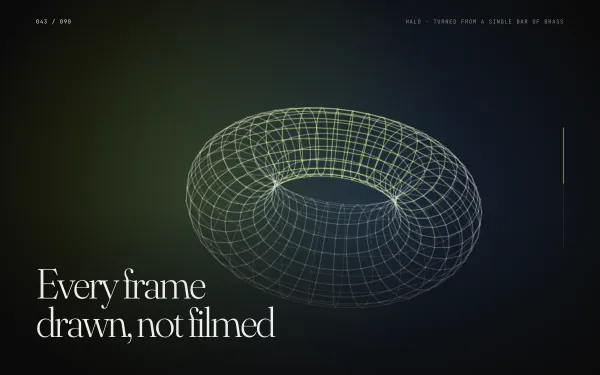 Featured medium
 Scroll-scrubbed Image Sequence (Canvas)
A pinned full-viewport canvas plays a 90-frame sequence scrubbed by scroll — the frames are generated procedurally at load (a turning wireframe ring in soft gradients and grain), with a mono frame counter and headlines that hand over at 30% and 70%.
- gsap
- scrolltrigger
- canvas2d
 light
light Parallax Depth Layers
A tall hero built from five depth layers — sky, far ridge, mid ridge, foreground and headline — each scrubbed at its own yPercent speed from a data-speed attribute, plus a lerped pointer parallax on desktop that tilts the scene toward the cursor.
- gsap
- scrolltrigger
- svg