Text Highlight Fill on Scroll
A large serif paragraph whose words fill from a muted ink to full text colour as each one crosses the viewport centre, scrubbed by scroll — plus a marker-style accent highlight that draws itself behind two key phrases.
- Scroll
- gsap
- scrolltrigger
- splittext
- intermediate
- light perf
- mobile: full
- reduced-motion ✓
AI prompt
Recreate this effect with any AI tool
Paste into Claude, Cursor, v0, Lovable or Bolt. 1247 words of exact values — rewritten live as you tune the Playground.
### EFFECT: Text Highlight Fill on Scroll
**What it does (visual):** After a full-height intro ("Read it with me"), the user scrolls into a wide block of large, light serif text — five or six lines of a studio manifesto — rendered in a dim ink (about 24% of the text colour mixed into the background — roughly `#3a3a3a` on a near-black page at 24%). As the paragraph travels up the screen, its words brighten one after another to the full text colour: the brightening front sits roughly on a reading line 50% down the viewport, so words above it read as "read" and words below are still ink. The fill is scrubbed — it follows the scrollbar in both directions with a 0.4s smoothing lag, and scrolling back up drains the ink out again. Two short phrases ("never move", "one honest idea") are wrapped as marks: when each one reaches the reading line a translucent highlighter swatch (#d4ff3a at 0.32 opacity) draws itself left-to-right behind the words over about 20% of viewport height of scroll, like a marker pen stroke, and un-draws in reverse. A mono eyebrow and a signature line frame the paragraph; a normal outro section follows.

**Tech stack:**
- GSAP 3.13+ with ScrollTrigger and SplitText (free since 3.13).
- CDN: `<script src="https://cdn.jsdelivr.net/npm/gsap@3/dist/gsap.min.js"></script>` + `ScrollTrigger.min.js` + `SplitText.min.js`
- npm: `import gsap from "gsap"; import { ScrollTrigger } from "gsap/ScrollTrigger"; import { SplitText } from "gsap/SplitText"; gsap.registerPlugin(ScrollTrigger, SplitText);`
- Fonts: a variable serif (demo: Fraunces 300, `opsz 144`), a mono for the eyebrow.

**HTML structure:**
```html
<section class="hl-intro"><p class="hl-intro__label">Scroll · Reading line</p><h1 class="hl-intro__title">Read it<br>with me</h1></section>
<section class="hl">
  <p class="hl__eyebrow">Studio manifesto · 01</p>
  <p class="hl__text">We build slowly on purpose. Every project begins as a conversation about what should <mark class="hl__mark">never move</mark>, and only then about what should. We measure a page by how it feels at the second visit, not the first, and we would rather ship <mark class="hl__mark">one honest idea</mark> than ten clever ones. The motion you notice is the motion we got wrong.</p>
  <p class="hl__sign">— Atelier Nord, founding note</p>
</section>
<section class="hl-outro"><p class="hl-outro__text">Scroll back up — the ink drains out of the words in reverse.</p></section>
```

**CSS requirements:**
- `.hl-intro`, `.hl-outro`: `min-height: 100vh; display: grid; place-content: center; padding: 6vw;` Intro title: display serif, `font-weight: 300; font-size: clamp(3rem, 9vw, 9rem); letter-spacing: -0.04em; line-height: .9;`
- `.hl`: `padding: 20vh 6vw 30vh; max-width: 1200px; margin-inline: auto;`
- `.hl__text`: `position: relative; isolation: isolate; font-family: var(--font-display); font-weight: 300; font-size: clamp(1.75rem, 4.4vw, 4.25rem); line-height: 1.18; letter-spacing: -0.03em; text-wrap: pretty; color: color-mix(in srgb, var(--text) 24%, var(--bg));` — the paragraph's own `color` is the ink every word starts from; SplitText's word spans inherit it.
- `.hl__text .hl__word` (SplitText `wordsClass`): `display: inline-block; will-change: color;`
- `.hl__mark`: `position: relative; white-space: nowrap; background: none; color: inherit; --ink: 0;`
- `.hl__mark::before`: `content: ''; position: absolute; inset: .12em -.12em .02em; z-index: -1; border-radius: .08em; background: var(--accent, #d4ff3a); opacity: 0.32; transform: scaleX(var(--ink)); transform-origin: 0 50%;` (`isolation: isolate` on the paragraph keeps `z-index: -1` behind the words but above the page background).
- `.hl__eyebrow`, `.hl__sign`: mono, 11px, uppercase, `letter-spacing: .14em`, muted; sign has `margin-top: 3rem`.
- Light theme: tokens flip via `[data-theme="light"]`; the ink mixes against the light background automatically.

**Animation spec (exact values):**
1. Constants: `START = 'top 80%'`, `END = 'bottom 50%'`, `SCRUB = 0.4`, `STAGGER = 0.05`, `WORD_DURATION = 0.6`, `INK = 24%`.
2. Resolve the colours once as plain `rgb()` strings: parse `--text` and `--bg` from `getComputedStyle(document.documentElement)`; `textColor = rgb(text)`, `inkColor = rgb(bg + (text − bg) × 24 / 100)` (the same 24% mix the CSS uses). GSAP cannot interpolate from a computed `color-mix()`/`color(srgb …)` value, so always use `fromTo` with the explicit ink colour and never tween to the string `var(--text)`.
3. After `document.fonts.ready`: `const split = SplitText.create('.hl__text', { type: 'words', wordsClass: 'hl__word', aria: 'auto' })`. Nested `<mark>` elements are preserved; their words are split in place.
4. Word fill — one staggered tween, scrubbed:
   ```js
   gsap.fromTo(split.words, { color: inkColor }, {
     color: textColor, duration: 0.6, stagger: 0.05, ease: 'none',
     scrollTrigger: { trigger: '.hl__text', start: 'top 80%', end: 'bottom 50%', scrub: 0.4, markers: false }
   });
   ```
   Target: every word span; `color` from `inkColor` → `textColor`; because the tween is scrubbed, `duration`/`stagger` are relative weights only: total timeline = `0.6 + 0.05 × (words − 1)`, mapped linearly onto the scroll range from "paragraph top at 80% of the viewport" to "paragraph bottom at 50%". With ~12 words per line each word's fill spans ≈ one line of travel, which puts the bright front on the reading line.
5. Marker swatches — per `.hl__mark`:
   ```js
   gsap.to(mark, { '--ink': 1, ease: 'none',
     scrollTrigger: { trigger: mark, start: 'top 65%', end: 'top 45%', scrub: true, markers: false } });
   ```
   Property `--ink` (CSS custom property) `0 → 1`, which drives `transform: scaleX(var(--ink))` on the pseudo-element from the left edge.
6. Intro: `gsap.from('.hl-intro__title', { y: 40, opacity: 0, duration: 1, ease: 'power3.out', delay: 0.1 })`.
7. Call `ScrollTrigger.refresh()` after the split so trigger positions account for the final layout. Observe `data-theme` on `<html>` with a `MutationObserver`; on change, `ctx.revert()` (also reverts the split) and rebuild so the fill targets the new `--text`.

**Interaction:** None beyond scrolling. Wheel, trackpad, keyboard and scrollbar dragging all drive the fill; it is fully reversible.

**Responsive behavior:** Type is fluid via `clamp()`; the paragraph reflows and SplitText words simply wrap. Under 768px (`gsap.matchMedia()` `(max-width: 767px)`) move the swatch triggers to `start: 'top 70%', end: 'top 50%'` so phrases ink slightly earlier on a short viewport; everything else is identical. Highlight phrases stay on one line because of `white-space: nowrap` — keep them to 2–3 words so they fit at 375px.

**Accessibility:** With `prefers-reduced-motion: reduce` nothing is split or scrubbed: the paragraph is set to the full text colour and every mark gets `--ink: 1` (fully highlighted) — the same end state, static. `aria: 'auto'` on SplitText keeps the paragraph readable as a single string by screen readers. `<mark>` is semantic emphasis, so assistive tech announces the highlighted phrases.

**Performance rules:** Only `color` (on ≤ 60 small inline-blocks) and a `transform` on two pseudo-elements change — no layout, no paint of large areas. `will-change: color` on the words only. All tweens live in `gsap.context()` and are reverted on unmount (which also reverts the SplitText DOM). Use a single staggered tween, not one ScrollTrigger per word.

**Customization knobs:**
- Ink level: the `24%` in `color-mix(in srgb, var(--text) 24%, var(--bg))` (use 18% for a deeper ink, 35% for a softer one).
- `START` / `END` (`'bottom 50%'`) — move the reading line (`'top 70%'` / `'bottom 40%'` fills higher on screen).
- `SCRUB` (0.4) — 0 for 1:1 raw scrub, 0.8 for a lazier fill.
- `WORD_DURATION` (0.6) relative to `STAGGER` (0.05) — a larger ratio softens the front (more words partly lit at once).
- Swatch opacity (`0.32`) and colour (`#d4ff3a`); the swatch range (`top 65%` → `top 45%`).

**Acceptance criteria:**
- [ ] Before scrolling, the whole paragraph is dim ink and both swatches have zero width.
- [ ] As the paragraph scrolls, words brighten in reading order; the boundary between bright and dim sits near the vertical centre of the viewport.
- [ ] Each swatch draws left → right while its phrase crosses the centre and reverses on scroll-up.
- [ ] Nothing jumps when the text is split (split happens after fonts load) or when the viewport resizes.
- [ ] Reduced-motion users see a fully bright paragraph with both phrases highlighted.
- [ ] No console errors.Add this effect to my existing site/section: **Text Highlight Fill on Scroll**. Keep my paragraph markup, fonts and layout; give the paragraph the class `hl__text`, set its `color` to `color-mix(in srgb, var(--text) 24%, var(--bg))`, and wrap my two key phrases in `<mark class="hl__mark">` with a `::before` swatch (`background: #d4ff3a; opacity: 0.32; transform: scaleX(var(--ink)); transform-origin: 0 50%`). Load GSAP 3.13+, ScrollTrigger and SplitText; after `document.fonts.ready`, split with `type: 'words'` and run one `gsap.fromTo(words, { color: <rgb of the 24% ink> }, { color: <rgb of --text>, duration: 0.6, stagger: 0.05, ease: 'none', scrollTrigger: { trigger: paragraph, start: 'top 80%', end: 'bottom 50%', scrub: 0.4 } })`. For each mark tween `'--ink': 1` with `scrollTrigger: { trigger: mark, start: 'top 65%', end: 'top 45%', scrub: true }`. Respect `prefers-reduced-motion` by setting the paragraph to full colour and `--ink: 1` with no scrubbing. Wrap everything in `gsap.context()` and revert on unmount. Do not change colours or fonts outside the paragraph.### EFFECT (React / Next.js): Text Highlight Fill on Scroll
Build **Text Highlight Fill on Scroll** as a self-contained React component for a Next.js App Router project (also valid in Vite + React). Follow the specification below exactly; the vanilla reference implementation at the end is the source of truth for values and structure.
**Setup**
- `npm i gsap @gsap/react`
- File: `components/TextHighlightFillOnScroll.tsx`, first line `"use client";` (GSAP touches the DOM).
- Imports:
```tsx
"use client";
import { useRef } from "react";
import gsap from "gsap";
import { ScrollTrigger } from "gsap/ScrollTrigger";
import { SplitText } from "gsap/SplitText";
import { useGSAP } from "@gsap/react";
gsap.registerPlugin(useGSAP, ScrollTrigger, SplitText);
export default function TextHighlightFillOnScroll() {
const scope = useRef<HTMLDivElement>(null);
useGSAP(() => {
// 1. query elements inside `scope.current` (never document-wide)
// 2. wait for document.fonts.ready before any SplitText
// 3. build the timeline / ScrollTriggers exactly as in the specification
// 4. return nothing — useGSAP reverts everything automatically on unmount
}, { scope });
return (
<div ref={scope} className="hl-intro">
{/* markup from the HTML structure section, class → className */}
</div>
);
}
```
**React-specific rules**
- Everything GSAP-related lives inside `useGSAP(() => {...}, { scope })`; it handles cleanup (`ctx.revert()`) on unmount and in React Strict Mode double-invocation.
- Use refs or `gsap.utils.selector(scope)` instead of `document.querySelector`.
- Event listeners added inside useGSAP must use `contextSafe` (`const { contextSafe } = useGSAP({ scope })`) so their tweens are reverted too.
- ScrollTrigger: call `ScrollTrigger.refresh()` after images/fonts load; if the page uses Lenis, sync it once at the app root (`lenis.on('scroll', ScrollTrigger.update)`).
- Styles: copy the CSS requirements into a CSS Module (`TextHighlightFillOnScroll.module.css`) or Tailwind; keep the class names so the spec maps 1:1.
- Respect `prefers-reduced-motion` with `gsap.matchMedia()` as in the spec.
---
### EFFECT: Text Highlight Fill on Scroll
**What it does (visual):** After a full-height intro ("Read it with me"), the user scrolls into a wide block of large, light serif text — five or six lines of a studio manifesto — rendered in a dim ink (about 24% of the text colour mixed into the background — roughly `#3a3a3a` on a near-black page at 24%). As the paragraph travels up the screen, its words brighten one after another to the full text colour: the brightening front sits roughly on a reading line 50% down the viewport, so words above it read as "read" and words below are still ink. The fill is scrubbed — it follows the scrollbar in both directions with a 0.4s smoothing lag, and scrolling back up drains the ink out again. Two short phrases ("never move", "one honest idea") are wrapped as marks: when each one reaches the reading line a translucent highlighter swatch (#d4ff3a at 0.32 opacity) draws itself left-to-right behind the words over about 20% of viewport height of scroll, like a marker pen stroke, and un-draws in reverse. A mono eyebrow and a signature line frame the paragraph; a normal outro section follows.
**Tech stack:**
- GSAP 3.13+ with ScrollTrigger and SplitText (free since 3.13).
- CDN: `<script src="https://cdn.jsdelivr.net/npm/gsap@3/dist/gsap.min.js"></script>` + `ScrollTrigger.min.js` + `SplitText.min.js`
- npm: `import gsap from "gsap"; import { ScrollTrigger } from "gsap/ScrollTrigger"; import { SplitText } from "gsap/SplitText"; gsap.registerPlugin(ScrollTrigger, SplitText);`
- Fonts: a variable serif (demo: Fraunces 300, `opsz 144`), a mono for the eyebrow.
**HTML structure:**
```html
<section class="hl-intro"><p class="hl-intro__label">Scroll · Reading line</p><h1 class="hl-intro__title">Read it<br>with me</h1></section>
<section class="hl">
<p class="hl__eyebrow">Studio manifesto · 01</p>
<p class="hl__text">We build slowly on purpose. Every project begins as a conversation about what should <mark class="hl__mark">never move</mark>, and only then about what should. We measure a page by how it feels at the second visit, not the first, and we would rather ship <mark class="hl__mark">one honest idea</mark> than ten clever ones. The motion you notice is the motion we got wrong.</p>
<p class="hl__sign">— Atelier Nord, founding note</p>
</section>
<section class="hl-outro"><p class="hl-outro__text">Scroll back up — the ink drains out of the words in reverse.</p></section>
```
**CSS requirements:**
- `.hl-intro`, `.hl-outro`: `min-height: 100vh; display: grid; place-content: center; padding: 6vw;` Intro title: display serif, `font-weight: 300; font-size: clamp(3rem, 9vw, 9rem); letter-spacing: -0.04em; line-height: .9;`
- `.hl`: `padding: 20vh 6vw 30vh; max-width: 1200px; margin-inline: auto;`
- `.hl__text`: `position: relative; isolation: isolate; font-family: var(--font-display); font-weight: 300; font-size: clamp(1.75rem, 4.4vw, 4.25rem); line-height: 1.18; letter-spacing: -0.03em; text-wrap: pretty; color: color-mix(in srgb, var(--text) 24%, var(--bg));` — the paragraph's own `color` is the ink every word starts from; SplitText's word spans inherit it.
- `.hl__text .hl__word` (SplitText `wordsClass`): `display: inline-block; will-change: color;`
- `.hl__mark`: `position: relative; white-space: nowrap; background: none; color: inherit; --ink: 0;`
- `.hl__mark::before`: `content: ''; position: absolute; inset: .12em -.12em .02em; z-index: -1; border-radius: .08em; background: var(--accent, #d4ff3a); opacity: 0.32; transform: scaleX(var(--ink)); transform-origin: 0 50%;` (`isolation: isolate` on the paragraph keeps `z-index: -1` behind the words but above the page background).
- `.hl__eyebrow`, `.hl__sign`: mono, 11px, uppercase, `letter-spacing: .14em`, muted; sign has `margin-top: 3rem`.
- Light theme: tokens flip via `[data-theme="light"]`; the ink mixes against the light background automatically.
**Animation spec (exact values):**
1. Constants: `START = 'top 80%'`, `END = 'bottom 50%'`, `SCRUB = 0.4`, `STAGGER = 0.05`, `WORD_DURATION = 0.6`, `INK = 24%`.
2. Resolve the colours once as plain `rgb()` strings: parse `--text` and `--bg` from `getComputedStyle(document.documentElement)`; `textColor = rgb(text)`, `inkColor = rgb(bg + (text − bg) × 24 / 100)` (the same 24% mix the CSS uses). GSAP cannot interpolate from a computed `color-mix()`/`color(srgb …)` value, so always use `fromTo` with the explicit ink colour and never tween to the string `var(--text)`.
3. After `document.fonts.ready`: `const split = SplitText.create('.hl__text', { type: 'words', wordsClass: 'hl__word', aria: 'auto' })`. Nested `<mark>` elements are preserved; their words are split in place.
4. Word fill — one staggered tween, scrubbed:
```js
gsap.fromTo(split.words, { color: inkColor }, {
color: textColor, duration: 0.6, stagger: 0.05, ease: 'none',
scrollTrigger: { trigger: '.hl__text', start: 'top 80%', end: 'bottom 50%', scrub: 0.4, markers: false }
});
```
Target: every word span; `color` from `inkColor` → `textColor`; because the tween is scrubbed, `duration`/`stagger` are relative weights only: total timeline = `0.6 + 0.05 × (words − 1)`, mapped linearly onto the scroll range from "paragraph top at 80% of the viewport" to "paragraph bottom at 50%". With ~12 words per line each word's fill spans ≈ one line of travel, which puts the bright front on the reading line.
5. Marker swatches — per `.hl__mark`:
```js
gsap.to(mark, { '--ink': 1, ease: 'none',
scrollTrigger: { trigger: mark, start: 'top 65%', end: 'top 45%', scrub: true, markers: false } });
```
Property `--ink` (CSS custom property) `0 → 1`, which drives `transform: scaleX(var(--ink))` on the pseudo-element from the left edge.
6. Intro: `gsap.from('.hl-intro__title', { y: 40, opacity: 0, duration: 1, ease: 'power3.out', delay: 0.1 })`.
7. Call `ScrollTrigger.refresh()` after the split so trigger positions account for the final layout. Observe `data-theme` on `<html>` with a `MutationObserver`; on change, `ctx.revert()` (also reverts the split) and rebuild so the fill targets the new `--text`.
**Interaction:** None beyond scrolling. Wheel, trackpad, keyboard and scrollbar dragging all drive the fill; it is fully reversible.
**Responsive behavior:** Type is fluid via `clamp()`; the paragraph reflows and SplitText words simply wrap. Under 768px (`gsap.matchMedia()` `(max-width: 767px)`) move the swatch triggers to `start: 'top 70%', end: 'top 50%'` so phrases ink slightly earlier on a short viewport; everything else is identical. Highlight phrases stay on one line because of `white-space: nowrap` — keep them to 2–3 words so they fit at 375px.
**Accessibility:** With `prefers-reduced-motion: reduce` nothing is split or scrubbed: the paragraph is set to the full text colour and every mark gets `--ink: 1` (fully highlighted) — the same end state, static. `aria: 'auto'` on SplitText keeps the paragraph readable as a single string by screen readers. `<mark>` is semantic emphasis, so assistive tech announces the highlighted phrases.
**Performance rules:** Only `color` (on ≤ 60 small inline-blocks) and a `transform` on two pseudo-elements change — no layout, no paint of large areas. `will-change: color` on the words only. All tweens live in `gsap.context()` and are reverted on unmount (which also reverts the SplitText DOM). Use a single staggered tween, not one ScrollTrigger per word.
**Customization knobs:**
- Ink level: the `24%` in `color-mix(in srgb, var(--text) 24%, var(--bg))` (use 18% for a deeper ink, 35% for a softer one).
- `START` / `END` (`'bottom 50%'`) — move the reading line (`'top 70%'` / `'bottom 40%'` fills higher on screen).
- `SCRUB` (0.4) — 0 for 1:1 raw scrub, 0.8 for a lazier fill.
- `WORD_DURATION` (0.6) relative to `STAGGER` (0.05) — a larger ratio softens the front (more words partly lit at once).
- Swatch opacity (`0.32`) and colour (`#d4ff3a`); the swatch range (`top 65%` → `top 45%`).
**Acceptance criteria:**
- [ ] Before scrolling, the whole paragraph is dim ink and both swatches have zero width.
- [ ] As the paragraph scrolls, words brighten in reading order; the boundary between bright and dim sits near the vertical centre of the viewport.
- [ ] Each swatch draws left → right while its phrase crosses the centre and reverses on scroll-up.
- [ ] Nothing jumps when the text is split (split happens after fonts load) or when the viewport resizes.
- [ ] Reduced-motion users see a fully bright paragraph with both phrases highlighted.
- [ ] No console errors.
---
**Reference implementation (vanilla, converts 1:1 — same class names, same values):**
```html
<section class="hl-intro">
<p class="hl-intro__label">Scroll · Reading line</p>
<h1 class="hl-intro__title">Read it<br>with me</h1>
</section>
<section class="hl">
<p class="hl__eyebrow">Studio manifesto · 01</p>
<p class="hl__text">We build slowly on purpose. Every project begins as a conversation about what should <mark class="hl__mark">never move</mark>, and only then about what should. We measure a page by how it feels at the second visit, not the first, and we would rather ship <mark class="hl__mark">one honest idea</mark> than ten clever ones. The motion you notice is the motion we got wrong.</p>
<p class="hl__sign">— Atelier Nord, founding note</p>
</section>
<section class="hl-outro">
<p class="hl-outro__text">Scroll back up — the ink drains out of the words in reverse.</p>
</section>
```
```css
.hl-intro, .hl-outro { min-height: 100vh; display: grid; place-content: center; padding: 6vw; }
.hl-intro__label { font-family: var(--font-mono); font-size: 11px; text-transform: uppercase; letter-spacing: .14em; color: var(--muted); margin-bottom: 1.5rem; }
.hl-intro__title { font-family: var(--font-display); font-weight: 300; font-size: clamp(3rem, 9vw, 9rem); letter-spacing: -0.04em; line-height: .9; }
.hl-outro__text { color: var(--muted); max-width: 40ch; text-align: center; }
.hl { padding: 20vh 6vw 30vh; max-width: 1200px; margin-inline: auto; }
.hl__eyebrow { font-family: var(--font-mono); font-size: 11px; text-transform: uppercase; letter-spacing: .14em; color: var(--muted); margin-bottom: 2.5rem; }
.hl__text {
position: relative; isolation: isolate;
font-family: var(--font-display); font-weight: 300; font-variation-settings: 'opsz' 144, 'SOFT' 20;
font-size: clamp(1.75rem, 4.4vw, 4.25rem); line-height: 1.18; letter-spacing: -0.03em; text-wrap: pretty;
color: color-mix(in srgb, var(--text) var(--knob-ink, 24%), var(--bg)); /* the "ink" every word starts from */
}
.hl__text .hl__word { display: inline-block; will-change: color; }
.hl__mark { position: relative; white-space: nowrap; background: none; color: inherit; --ink: 0; }
.hl__mark::before {
content: ''; position: absolute; inset: .12em -.12em .02em; z-index: -1; border-radius: .08em;
background: var(--knob-accent, var(--accent)); opacity: var(--knob-swatch, .32); transform: scaleX(var(--ink)); transform-origin: 0 50%;
}
.hl__sign { margin-top: 3rem; font-family: var(--font-mono); font-size: 11px; letter-spacing: .1em; text-transform: uppercase; color: var(--muted); }
@media (prefers-reduced-motion: reduce) {
.hl__text { color: var(--text); }
.hl__mark { --ink: 1; }
}
```
```js
// Text Highlight Fill on Scroll — words brighten as they cross the reading line; marker swatches draw behind key phrases.
gsap.registerPlugin(ScrollTrigger, SplitText);
const START = 'top 80%'; // paragraph top at 80% of viewport → first word starts filling
const STAGGER = 0.05; // timeline seconds between words (scrubbed, so relative only)
// Defaults — overridable from the MOTION/LAB Playground via MotionLab.knob()
const DEFAULTS = { ink: 24, readingLine: 50, scrub: 0.4, wordDuration: 0.6, accent: '#d4ff3a', swatchOpacity: 0.32 };
const K = (id) => window.MotionLab?.knob(id, DEFAULTS[id]) ?? DEFAULTS[id];
const reduced = matchMedia('(prefers-reduced-motion: reduce)').matches;
const section = document.querySelector('.hl');
const para = document.querySelector('.hl__text');
const marks = gsap.utils.toArray('.hl__mark');
// Resolve tokens to plain rgb() — GSAP cannot interpolate from a computed color-mix() value.
const token = (name, fallback) => {
const v = getComputedStyle(document.documentElement).getPropertyValue(name).trim();
const m = /^#?([0-9a-f]{3}|[0-9a-f]{6})$/i.exec(v);
if (!m) return fallback;
let h = m[1]; if (h.length === 3) h = h.split('').map((c) => c + c).join('');
const n = parseInt(h, 16); return [n >> 16 & 255, n >> 8 & 255, n & 255];
};
const rgb = (c) => `rgb(${c.map(Math.round).join(',')})`;
const textColor = () => rgb(token('--text', [237, 237, 237]));
// ink = how much of --text is in the starting "ink" (matches the CSS color-mix driven by --knob-ink)
const inkColor = (ink) => { const t = token('--text', [237, 237, 237]), b = token('--bg', [10, 10, 10]); return rgb(t.map((v, i) => b[i] + (v - b[i]) * ink)); };
let ctx, built = false;
function build() {
ctx?.revert();
section.style.setProperty('--knob-accent', K('accent'));
section.style.setProperty('--knob-ink', K('ink') + '%');
section.style.setProperty('--knob-swatch', String(K('swatchOpacity')));
const ink = K('ink') / 100;
const scrub = K('scrub') === 0 ? true : K('scrub');
const end = `bottom ${K('readingLine')}%`;
const wordDuration = K('wordDuration');
ctx = gsap.context(() => {
if (!built) gsap.from('.hl-intro__title', { y: 40, opacity: 0, duration: 1, ease: 'power3.out', delay: 0.1 });
if (reduced) {
gsap.set(para, { color: textColor() });
gsap.set(marks, { '--ink': 1 });
return;
}
const mm = gsap.matchMedia();
mm.add({ desktop: '(min-width: 768px)', mobile: '(max-width: 767px)' }, (mmCtx) => {
const { mobile } = mmCtx.conditions;
let split, fill, alive = true;
document.fonts.ready.then(() => {
if (!alive) return; // a rebuild happened before the fonts resolved
split = SplitText.create(para, { type: 'words', wordsClass: 'hl__word', aria: 'auto' });
// One staggered colour tween, scrubbed across the paragraph's travel: the bright front sits on the reading line.
fill = gsap.fromTo(split.words, { color: inkColor(ink) }, {
color: textColor(),
duration: wordDuration,
stagger: STAGGER,
ease: 'none',
scrollTrigger: { trigger: para, start: START, end, scrub, markers: false },
});
ScrollTrigger.refresh();
});
// Marker swatches: each phrase inks itself as it crosses the reading line.
marks.forEach((mark) => {
gsap.to(mark, {
'--ink': 1,
ease: 'none',
scrollTrigger: { trigger: mark, start: mobile ? 'top 70%' : 'top 65%', end: mobile ? 'top 50%' : 'top 45%', scrub: true, markers: false },
});
});
return () => { alive = false; fill?.scrollTrigger?.kill(); fill?.kill(); split?.revert(); };
});
});
built = true;
}
build();
// Theme flips change --text: rebuild so the fill tweens target the new colour.
const themeObserver = new MutationObserver(build);
themeObserver.observe(document.documentElement, { attributes: true, attributeFilter: ['data-theme'] });
// Playground: rebuild with the new values
window.addEventListener('ml:knobs', build);
window.MotionLab?.onCleanup(() => { themeObserver.disconnect(); ctx?.revert(); });
```
### EFFECT (single HTML file): Text Highlight Fill on Scroll
Produce **one self-contained `index.html`** (inline `<style>` and `<script type="module">`, no build step) that implements **Text Highlight Fill on Scroll** exactly as specified below. Libraries load from jsDelivr:

```html
<!doctype html>
<html lang="en">
<head>
  <meta charset="utf-8">
  <meta name="viewport" content="width=device-width, initial-scale=1">
  <title>Text Highlight Fill on Scroll</title>
  <link href="https://fonts.googleapis.com/css2?family=Fraunces:ital,opsz,wght@0,9..144,300..600;1,9..144,300..600&family=Inter+Tight:wght@300..700&family=JetBrains+Mono:wght@400;500&display=swap" rel="stylesheet">
  <style>
    :root{--bg:#0a0a0a;--surface:#121212;--line:rgba(255,255,255,.08);--text:#ededed;--muted:#8a8a8a;--accent:#d4ff3a;--font-display:"Fraunces",Georgia,serif;--font-sans:"Inter Tight",system-ui,sans-serif;--font-mono:"JetBrains Mono",ui-monospace,monospace}
    *,*::before,*::after{box-sizing:border-box;margin:0;padding:0}
    body{background:var(--bg);color:var(--text);font-family:var(--font-sans);-webkit-font-smoothing:antialiased;overflow-x:hidden}
    /* + the CSS requirements below */
  </style>
  <script src="https://cdn.jsdelivr.net/npm/gsap@3/dist/gsap.min.js"></script>
  <script src="https://cdn.jsdelivr.net/npm/gsap@3/dist/ScrollTrigger.min.js"></script>
  <script src="https://cdn.jsdelivr.net/npm/gsap@3/dist/SplitText.min.js"></script>
</head>
<body>
  <!-- markup from the HTML structure section -->
  <script type="module">
    // the JS from the animation spec (window.MotionLab is optional — keep the ?. guards or remove them)
  </script>
</body>
</html>
```

The file must open directly from a local server (`npx serve .`) with zero console errors, work at 375px and 1440px, and honour `prefers-reduced-motion`.

---

### EFFECT: Text Highlight Fill on Scroll
**What it does (visual):** After a full-height intro ("Read it with me"), the user scrolls into a wide block of large, light serif text — five or six lines of a studio manifesto — rendered in a dim ink (about 24% of the text colour mixed into the background — roughly `#3a3a3a` on a near-black page at 24%). As the paragraph travels up the screen, its words brighten one after another to the full text colour: the brightening front sits roughly on a reading line 50% down the viewport, so words above it read as "read" and words below are still ink. The fill is scrubbed — it follows the scrollbar in both directions with a 0.4s smoothing lag, and scrolling back up drains the ink out again. Two short phrases ("never move", "one honest idea") are wrapped as marks: when each one reaches the reading line a translucent highlighter swatch (#d4ff3a at 0.32 opacity) draws itself left-to-right behind the words over about 20% of viewport height of scroll, like a marker pen stroke, and un-draws in reverse. A mono eyebrow and a signature line frame the paragraph; a normal outro section follows.

**Tech stack:**
- GSAP 3.13+ with ScrollTrigger and SplitText (free since 3.13).
- CDN: `<script src="https://cdn.jsdelivr.net/npm/gsap@3/dist/gsap.min.js"></script>` + `ScrollTrigger.min.js` + `SplitText.min.js`
- npm: `import gsap from "gsap"; import { ScrollTrigger } from "gsap/ScrollTrigger"; import { SplitText } from "gsap/SplitText"; gsap.registerPlugin(ScrollTrigger, SplitText);`
- Fonts: a variable serif (demo: Fraunces 300, `opsz 144`), a mono for the eyebrow.

**HTML structure:**
```html
<section class="hl-intro"><p class="hl-intro__label">Scroll · Reading line</p><h1 class="hl-intro__title">Read it<br>with me</h1></section>
<section class="hl">
  <p class="hl__eyebrow">Studio manifesto · 01</p>
  <p class="hl__text">We build slowly on purpose. Every project begins as a conversation about what should <mark class="hl__mark">never move</mark>, and only then about what should. We measure a page by how it feels at the second visit, not the first, and we would rather ship <mark class="hl__mark">one honest idea</mark> than ten clever ones. The motion you notice is the motion we got wrong.</p>
  <p class="hl__sign">— Atelier Nord, founding note</p>
</section>
<section class="hl-outro"><p class="hl-outro__text">Scroll back up — the ink drains out of the words in reverse.</p></section>
```

**CSS requirements:**
- `.hl-intro`, `.hl-outro`: `min-height: 100vh; display: grid; place-content: center; padding: 6vw;` Intro title: display serif, `font-weight: 300; font-size: clamp(3rem, 9vw, 9rem); letter-spacing: -0.04em; line-height: .9;`
- `.hl`: `padding: 20vh 6vw 30vh; max-width: 1200px; margin-inline: auto;`
- `.hl__text`: `position: relative; isolation: isolate; font-family: var(--font-display); font-weight: 300; font-size: clamp(1.75rem, 4.4vw, 4.25rem); line-height: 1.18; letter-spacing: -0.03em; text-wrap: pretty; color: color-mix(in srgb, var(--text) 24%, var(--bg));` — the paragraph's own `color` is the ink every word starts from; SplitText's word spans inherit it.
- `.hl__text .hl__word` (SplitText `wordsClass`): `display: inline-block; will-change: color;`
- `.hl__mark`: `position: relative; white-space: nowrap; background: none; color: inherit; --ink: 0;`
- `.hl__mark::before`: `content: ''; position: absolute; inset: .12em -.12em .02em; z-index: -1; border-radius: .08em; background: var(--accent, #d4ff3a); opacity: 0.32; transform: scaleX(var(--ink)); transform-origin: 0 50%;` (`isolation: isolate` on the paragraph keeps `z-index: -1` behind the words but above the page background).
- `.hl__eyebrow`, `.hl__sign`: mono, 11px, uppercase, `letter-spacing: .14em`, muted; sign has `margin-top: 3rem`.
- Light theme: tokens flip via `[data-theme="light"]`; the ink mixes against the light background automatically.

**Animation spec (exact values):**
1. Constants: `START = 'top 80%'`, `END = 'bottom 50%'`, `SCRUB = 0.4`, `STAGGER = 0.05`, `WORD_DURATION = 0.6`, `INK = 24%`.
2. Resolve the colours once as plain `rgb()` strings: parse `--text` and `--bg` from `getComputedStyle(document.documentElement)`; `textColor = rgb(text)`, `inkColor = rgb(bg + (text − bg) × 24 / 100)` (the same 24% mix the CSS uses). GSAP cannot interpolate from a computed `color-mix()`/`color(srgb …)` value, so always use `fromTo` with the explicit ink colour and never tween to the string `var(--text)`.
3. After `document.fonts.ready`: `const split = SplitText.create('.hl__text', { type: 'words', wordsClass: 'hl__word', aria: 'auto' })`. Nested `<mark>` elements are preserved; their words are split in place.
4. Word fill — one staggered tween, scrubbed:
   ```js
   gsap.fromTo(split.words, { color: inkColor }, {
     color: textColor, duration: 0.6, stagger: 0.05, ease: 'none',
     scrollTrigger: { trigger: '.hl__text', start: 'top 80%', end: 'bottom 50%', scrub: 0.4, markers: false }
   });
   ```
   Target: every word span; `color` from `inkColor` → `textColor`; because the tween is scrubbed, `duration`/`stagger` are relative weights only: total timeline = `0.6 + 0.05 × (words − 1)`, mapped linearly onto the scroll range from "paragraph top at 80% of the viewport" to "paragraph bottom at 50%". With ~12 words per line each word's fill spans ≈ one line of travel, which puts the bright front on the reading line.
5. Marker swatches — per `.hl__mark`:
   ```js
   gsap.to(mark, { '--ink': 1, ease: 'none',
     scrollTrigger: { trigger: mark, start: 'top 65%', end: 'top 45%', scrub: true, markers: false } });
   ```
   Property `--ink` (CSS custom property) `0 → 1`, which drives `transform: scaleX(var(--ink))` on the pseudo-element from the left edge.
6. Intro: `gsap.from('.hl-intro__title', { y: 40, opacity: 0, duration: 1, ease: 'power3.out', delay: 0.1 })`.
7. Call `ScrollTrigger.refresh()` after the split so trigger positions account for the final layout. Observe `data-theme` on `<html>` with a `MutationObserver`; on change, `ctx.revert()` (also reverts the split) and rebuild so the fill targets the new `--text`.

**Interaction:** None beyond scrolling. Wheel, trackpad, keyboard and scrollbar dragging all drive the fill; it is fully reversible.

**Responsive behavior:** Type is fluid via `clamp()`; the paragraph reflows and SplitText words simply wrap. Under 768px (`gsap.matchMedia()` `(max-width: 767px)`) move the swatch triggers to `start: 'top 70%', end: 'top 50%'` so phrases ink slightly earlier on a short viewport; everything else is identical. Highlight phrases stay on one line because of `white-space: nowrap` — keep them to 2–3 words so they fit at 375px.

**Accessibility:** With `prefers-reduced-motion: reduce` nothing is split or scrubbed: the paragraph is set to the full text colour and every mark gets `--ink: 1` (fully highlighted) — the same end state, static. `aria: 'auto'` on SplitText keeps the paragraph readable as a single string by screen readers. `<mark>` is semantic emphasis, so assistive tech announces the highlighted phrases.

**Performance rules:** Only `color` (on ≤ 60 small inline-blocks) and a `transform` on two pseudo-elements change — no layout, no paint of large areas. `will-change: color` on the words only. All tweens live in `gsap.context()` and are reverted on unmount (which also reverts the SplitText DOM). Use a single staggered tween, not one ScrollTrigger per word.

**Customization knobs:**
- Ink level: the `24%` in `color-mix(in srgb, var(--text) 24%, var(--bg))` (use 18% for a deeper ink, 35% for a softer one).
- `START` / `END` (`'bottom 50%'`) — move the reading line (`'top 70%'` / `'bottom 40%'` fills higher on screen).
- `SCRUB` (0.4) — 0 for 1:1 raw scrub, 0.8 for a lazier fill.
- `WORD_DURATION` (0.6) relative to `STAGGER` (0.05) — a larger ratio softens the front (more words partly lit at once).
- Swatch opacity (`0.32`) and colour (`#d4ff3a`); the swatch range (`top 65%` → `top 45%`).

**Acceptance criteria:**
- [ ] Before scrolling, the whole paragraph is dim ink and both swatches have zero width.
- [ ] As the paragraph scrolls, words brighten in reading order; the boundary between bright and dim sits near the vertical centre of the viewport.
- [ ] Each swatch draws left → right while its phrase crosses the centre and reverses on scroll-up.
- [ ] Nothing jumps when the text is split (split happens after fonts load) or when the viewport resizes.
- [ ] Reduced-motion users see a fully bright paragraph with both phrases highlighted.
- [ ] No console errors.

---

**Reference implementation (use these exact values and class names):**

```html
<section class="hl-intro">
  <p class="hl-intro__label">Scroll · Reading line</p>
  <h1 class="hl-intro__title">Read it<br>with me</h1>
</section>

<section class="hl">
  <p class="hl__eyebrow">Studio manifesto · 01</p>
  <p class="hl__text">We build slowly on purpose. Every project begins as a conversation about what should <mark class="hl__mark">never move</mark>, and only then about what should. We measure a page by how it feels at the second visit, not the first, and we would rather ship <mark class="hl__mark">one honest idea</mark> than ten clever ones. The motion you notice is the motion we got wrong.</p>
  <p class="hl__sign">— Atelier Nord, founding note</p>
</section>

<section class="hl-outro">
  <p class="hl-outro__text">Scroll back up — the ink drains out of the words in reverse.</p>
</section>
```

```css
.hl-intro, .hl-outro { min-height: 100vh; display: grid; place-content: center; padding: 6vw; }
.hl-intro__label { font-family: var(--font-mono); font-size: 11px; text-transform: uppercase; letter-spacing: .14em; color: var(--muted); margin-bottom: 1.5rem; }
.hl-intro__title { font-family: var(--font-display); font-weight: 300; font-size: clamp(3rem, 9vw, 9rem); letter-spacing: -0.04em; line-height: .9; }
.hl-outro__text { color: var(--muted); max-width: 40ch; text-align: center; }

.hl { padding: 20vh 6vw 30vh; max-width: 1200px; margin-inline: auto; }
.hl__eyebrow { font-family: var(--font-mono); font-size: 11px; text-transform: uppercase; letter-spacing: .14em; color: var(--muted); margin-bottom: 2.5rem; }
.hl__text {
  position: relative; isolation: isolate;
  font-family: var(--font-display); font-weight: 300; font-variation-settings: 'opsz' 144, 'SOFT' 20;
  font-size: clamp(1.75rem, 4.4vw, 4.25rem); line-height: 1.18; letter-spacing: -0.03em; text-wrap: pretty;
  color: color-mix(in srgb, var(--text) var(--knob-ink, 24%), var(--bg)); /* the "ink" every word starts from */
}
.hl__text .hl__word { display: inline-block; will-change: color; }
.hl__mark { position: relative; white-space: nowrap; background: none; color: inherit; --ink: 0; }
.hl__mark::before {
  content: ''; position: absolute; inset: .12em -.12em .02em; z-index: -1; border-radius: .08em;
  background: var(--knob-accent, var(--accent)); opacity: var(--knob-swatch, .32); transform: scaleX(var(--ink)); transform-origin: 0 50%;
}
.hl__sign { margin-top: 3rem; font-family: var(--font-mono); font-size: 11px; letter-spacing: .1em; text-transform: uppercase; color: var(--muted); }

@media (prefers-reduced-motion: reduce) {
  .hl__text { color: var(--text); }
  .hl__mark { --ink: 1; }
}
```

```js
// Text Highlight Fill on Scroll — words brighten as they cross the reading line; marker swatches draw behind key phrases.
gsap.registerPlugin(ScrollTrigger, SplitText);

const START = 'top 80%';    // paragraph top at 80% of viewport → first word starts filling
const STAGGER = 0.05;       // timeline seconds between words (scrubbed, so relative only)

// Defaults — overridable from the MOTION/LAB Playground via MotionLab.knob()
const DEFAULTS = { ink: 24, readingLine: 50, scrub: 0.4, wordDuration: 0.6, accent: '#d4ff3a', swatchOpacity: 0.32 };
const K = (id) => window.MotionLab?.knob(id, DEFAULTS[id]) ?? DEFAULTS[id];

const reduced = matchMedia('(prefers-reduced-motion: reduce)').matches;
const section = document.querySelector('.hl');
const para = document.querySelector('.hl__text');
const marks = gsap.utils.toArray('.hl__mark');

// Resolve tokens to plain rgb() — GSAP cannot interpolate from a computed color-mix() value.
const token = (name, fallback) => {
  const v = getComputedStyle(document.documentElement).getPropertyValue(name).trim();
  const m = /^#?([0-9a-f]{3}|[0-9a-f]{6})$/i.exec(v);
  if (!m) return fallback;
  let h = m[1]; if (h.length === 3) h = h.split('').map((c) => c + c).join('');
  const n = parseInt(h, 16); return [n >> 16 & 255, n >> 8 & 255, n & 255];
};
const rgb = (c) => `rgb(${c.map(Math.round).join(',')})`;
const textColor = () => rgb(token('--text', [237, 237, 237]));
// ink = how much of --text is in the starting "ink" (matches the CSS color-mix driven by --knob-ink)
const inkColor = (ink) => { const t = token('--text', [237, 237, 237]), b = token('--bg', [10, 10, 10]); return rgb(t.map((v, i) => b[i] + (v - b[i]) * ink)); };

let ctx, built = false;
function build() {
  ctx?.revert();
  section.style.setProperty('--knob-accent', K('accent'));
  section.style.setProperty('--knob-ink', K('ink') + '%');
  section.style.setProperty('--knob-swatch', String(K('swatchOpacity')));
  const ink = K('ink') / 100;
  const scrub = K('scrub') === 0 ? true : K('scrub');
  const end = `bottom ${K('readingLine')}%`;
  const wordDuration = K('wordDuration');

  ctx = gsap.context(() => {
    if (!built) gsap.from('.hl-intro__title', { y: 40, opacity: 0, duration: 1, ease: 'power3.out', delay: 0.1 });

    if (reduced) {
      gsap.set(para, { color: textColor() });
      gsap.set(marks, { '--ink': 1 });
      return;
    }

    const mm = gsap.matchMedia();
    mm.add({ desktop: '(min-width: 768px)', mobile: '(max-width: 767px)' }, (mmCtx) => {
      const { mobile } = mmCtx.conditions;
      let split, fill, alive = true;

      document.fonts.ready.then(() => {
        if (!alive) return; // a rebuild happened before the fonts resolved
        split = SplitText.create(para, { type: 'words', wordsClass: 'hl__word', aria: 'auto' });

        // One staggered colour tween, scrubbed across the paragraph's travel: the bright front sits on the reading line.
        fill = gsap.fromTo(split.words, { color: inkColor(ink) }, {
          color: textColor(),
          duration: wordDuration,
          stagger: STAGGER,
          ease: 'none',
          scrollTrigger: { trigger: para, start: START, end, scrub, markers: false },
        });

        ScrollTrigger.refresh();
      });

      // Marker swatches: each phrase inks itself as it crosses the reading line.
      marks.forEach((mark) => {
        gsap.to(mark, {
          '--ink': 1,
          ease: 'none',
          scrollTrigger: { trigger: mark, start: mobile ? 'top 70%' : 'top 65%', end: mobile ? 'top 50%' : 'top 45%', scrub: true, markers: false },
        });
      });

      return () => { alive = false; fill?.scrollTrigger?.kill(); fill?.kill(); split?.revert(); };
    });
  });
  built = true;
}
build();

// Theme flips change --text: rebuild so the fill tweens target the new colour.
const themeObserver = new MutationObserver(build);
themeObserver.observe(document.documentElement, { attributes: true, attributeFilter: ['data-theme'] });

// Playground: rebuild with the new values
window.addEventListener('ml:knobs', build);
window.MotionLab?.onCleanup(() => { themeObserver.disconnect(); ctx?.revert(); });
```
### EFFECT (Framer & Webflow notes): Text Highlight Fill on Scroll

**Framer**
- Implement as a **Code Component** (Assets → Code → New component) when the effect owns its own markup (hero, gallery, section), or as a **Code Override** when it should animate existing Framer layers.
- Code Component: paste the React version (`"use client"` is not needed in Framer; keep `useGSAP` with a `scope` ref). Install `gsap` and `@gsap/react` from the package panel. Expose the customization knobs as `addPropertyControls` (numbers/colors/enums) so they are editable on the canvas.
- Code Override: `export function withTextHighlightFillonScroll(Component) { return (props) => { const ref = useRef(null); useGSAP(() => { /* spec */ }, { scope: ref }); return <Component ref={ref} {...props} /> } }` and apply it to the layer in the right-hand panel.
- Framer already smooth-scrolls; do **not** add Lenis. ScrollTrigger works on the page scroller — call `ScrollTrigger.refresh()` after images load.
- Preview in the Framer preview window, not the canvas (GSAP runs at runtime only).

**Webflow**
- Build the markup in the Designer with **exactly the class names from the HTML structure section** (prefix `hl-intro`), so the script finds the elements.
- Styles: either recreate the CSS requirements as Webflow classes or paste the CSS in **Page settings → Custom code → Inside <head>** inside `<style>`.
- Scripts: **Page settings → Before </body>**:
```html
<script src="https://cdn.jsdelivr.net/npm/gsap@3/dist/gsap.min.js"></script>
<script src="https://cdn.jsdelivr.net/npm/gsap@3/dist/ScrollTrigger.min.js"></script>
<script src="https://cdn.jsdelivr.net/npm/gsap@3/dist/SplitText.min.js"></script>
<script type="module">
  // paste the JS from the animation spec; remove the optional window.MotionLab?.… lines
</script>
```
- Native alternative: parts that are pure show/hide, fade or move can be Webflow Interactions (IX2); keep the pinning/scrubbing in code — IX2 cannot do pin spacing or `containerAnimation`.
- Custom code only runs on the **published** site or in Preview, never on the Designer canvas.
- Webflow's own smooth scroll is off by default; if you add Lenis, sync it: `lenis.on('scroll', ScrollTrigger.update)`.

---

### EFFECT: Text Highlight Fill on Scroll
**What it does (visual):** After a full-height intro ("Read it with me"), the user scrolls into a wide block of large, light serif text — five or six lines of a studio manifesto — rendered in a dim ink (about 24% of the text colour mixed into the background — roughly `#3a3a3a` on a near-black page at 24%). As the paragraph travels up the screen, its words brighten one after another to the full text colour: the brightening front sits roughly on a reading line 50% down the viewport, so words above it read as "read" and words below are still ink. The fill is scrubbed — it follows the scrollbar in both directions with a 0.4s smoothing lag, and scrolling back up drains the ink out again. Two short phrases ("never move", "one honest idea") are wrapped as marks: when each one reaches the reading line a translucent highlighter swatch (#d4ff3a at 0.32 opacity) draws itself left-to-right behind the words over about 20% of viewport height of scroll, like a marker pen stroke, and un-draws in reverse. A mono eyebrow and a signature line frame the paragraph; a normal outro section follows.

**Tech stack:**
- GSAP 3.13+ with ScrollTrigger and SplitText (free since 3.13).
- CDN: `<script src="https://cdn.jsdelivr.net/npm/gsap@3/dist/gsap.min.js"></script>` + `ScrollTrigger.min.js` + `SplitText.min.js`
- npm: `import gsap from "gsap"; import { ScrollTrigger } from "gsap/ScrollTrigger"; import { SplitText } from "gsap/SplitText"; gsap.registerPlugin(ScrollTrigger, SplitText);`
- Fonts: a variable serif (demo: Fraunces 300, `opsz 144`), a mono for the eyebrow.

**HTML structure:**
```html
<section class="hl-intro"><p class="hl-intro__label">Scroll · Reading line</p><h1 class="hl-intro__title">Read it<br>with me</h1></section>
<section class="hl">
  <p class="hl__eyebrow">Studio manifesto · 01</p>
  <p class="hl__text">We build slowly on purpose. Every project begins as a conversation about what should <mark class="hl__mark">never move</mark>, and only then about what should. We measure a page by how it feels at the second visit, not the first, and we would rather ship <mark class="hl__mark">one honest idea</mark> than ten clever ones. The motion you notice is the motion we got wrong.</p>
  <p class="hl__sign">— Atelier Nord, founding note</p>
</section>
<section class="hl-outro"><p class="hl-outro__text">Scroll back up — the ink drains out of the words in reverse.</p></section>
```

**CSS requirements:**
- `.hl-intro`, `.hl-outro`: `min-height: 100vh; display: grid; place-content: center; padding: 6vw;` Intro title: display serif, `font-weight: 300; font-size: clamp(3rem, 9vw, 9rem); letter-spacing: -0.04em; line-height: .9;`
- `.hl`: `padding: 20vh 6vw 30vh; max-width: 1200px; margin-inline: auto;`
- `.hl__text`: `position: relative; isolation: isolate; font-family: var(--font-display); font-weight: 300; font-size: clamp(1.75rem, 4.4vw, 4.25rem); line-height: 1.18; letter-spacing: -0.03em; text-wrap: pretty; color: color-mix(in srgb, var(--text) 24%, var(--bg));` — the paragraph's own `color` is the ink every word starts from; SplitText's word spans inherit it.
- `.hl__text .hl__word` (SplitText `wordsClass`): `display: inline-block; will-change: color;`
- `.hl__mark`: `position: relative; white-space: nowrap; background: none; color: inherit; --ink: 0;`
- `.hl__mark::before`: `content: ''; position: absolute; inset: .12em -.12em .02em; z-index: -1; border-radius: .08em; background: var(--accent, #d4ff3a); opacity: 0.32; transform: scaleX(var(--ink)); transform-origin: 0 50%;` (`isolation: isolate` on the paragraph keeps `z-index: -1` behind the words but above the page background).
- `.hl__eyebrow`, `.hl__sign`: mono, 11px, uppercase, `letter-spacing: .14em`, muted; sign has `margin-top: 3rem`.
- Light theme: tokens flip via `[data-theme="light"]`; the ink mixes against the light background automatically.

**Animation spec (exact values):**
1. Constants: `START = 'top 80%'`, `END = 'bottom 50%'`, `SCRUB = 0.4`, `STAGGER = 0.05`, `WORD_DURATION = 0.6`, `INK = 24%`.
2. Resolve the colours once as plain `rgb()` strings: parse `--text` and `--bg` from `getComputedStyle(document.documentElement)`; `textColor = rgb(text)`, `inkColor = rgb(bg + (text − bg) × 24 / 100)` (the same 24% mix the CSS uses). GSAP cannot interpolate from a computed `color-mix()`/`color(srgb …)` value, so always use `fromTo` with the explicit ink colour and never tween to the string `var(--text)`.
3. After `document.fonts.ready`: `const split = SplitText.create('.hl__text', { type: 'words', wordsClass: 'hl__word', aria: 'auto' })`. Nested `<mark>` elements are preserved; their words are split in place.
4. Word fill — one staggered tween, scrubbed:
   ```js
   gsap.fromTo(split.words, { color: inkColor }, {
     color: textColor, duration: 0.6, stagger: 0.05, ease: 'none',
     scrollTrigger: { trigger: '.hl__text', start: 'top 80%', end: 'bottom 50%', scrub: 0.4, markers: false }
   });
   ```
   Target: every word span; `color` from `inkColor` → `textColor`; because the tween is scrubbed, `duration`/`stagger` are relative weights only: total timeline = `0.6 + 0.05 × (words − 1)`, mapped linearly onto the scroll range from "paragraph top at 80% of the viewport" to "paragraph bottom at 50%". With ~12 words per line each word's fill spans ≈ one line of travel, which puts the bright front on the reading line.
5. Marker swatches — per `.hl__mark`:
   ```js
   gsap.to(mark, { '--ink': 1, ease: 'none',
     scrollTrigger: { trigger: mark, start: 'top 65%', end: 'top 45%', scrub: true, markers: false } });
   ```
   Property `--ink` (CSS custom property) `0 → 1`, which drives `transform: scaleX(var(--ink))` on the pseudo-element from the left edge.
6. Intro: `gsap.from('.hl-intro__title', { y: 40, opacity: 0, duration: 1, ease: 'power3.out', delay: 0.1 })`.
7. Call `ScrollTrigger.refresh()` after the split so trigger positions account for the final layout. Observe `data-theme` on `<html>` with a `MutationObserver`; on change, `ctx.revert()` (also reverts the split) and rebuild so the fill targets the new `--text`.

**Interaction:** None beyond scrolling. Wheel, trackpad, keyboard and scrollbar dragging all drive the fill; it is fully reversible.

**Responsive behavior:** Type is fluid via `clamp()`; the paragraph reflows and SplitText words simply wrap. Under 768px (`gsap.matchMedia()` `(max-width: 767px)`) move the swatch triggers to `start: 'top 70%', end: 'top 50%'` so phrases ink slightly earlier on a short viewport; everything else is identical. Highlight phrases stay on one line because of `white-space: nowrap` — keep them to 2–3 words so they fit at 375px.

**Accessibility:** With `prefers-reduced-motion: reduce` nothing is split or scrubbed: the paragraph is set to the full text colour and every mark gets `--ink: 1` (fully highlighted) — the same end state, static. `aria: 'auto'` on SplitText keeps the paragraph readable as a single string by screen readers. `<mark>` is semantic emphasis, so assistive tech announces the highlighted phrases.

**Performance rules:** Only `color` (on ≤ 60 small inline-blocks) and a `transform` on two pseudo-elements change — no layout, no paint of large areas. `will-change: color` on the words only. All tweens live in `gsap.context()` and are reverted on unmount (which also reverts the SplitText DOM). Use a single staggered tween, not one ScrollTrigger per word.

**Customization knobs:**
- Ink level: the `24%` in `color-mix(in srgb, var(--text) 24%, var(--bg))` (use 18% for a deeper ink, 35% for a softer one).
- `START` / `END` (`'bottom 50%'`) — move the reading line (`'top 70%'` / `'bottom 40%'` fills higher on screen).
- `SCRUB` (0.4) — 0 for 1:1 raw scrub, 0.8 for a lazier fill.
- `WORD_DURATION` (0.6) relative to `STAGGER` (0.05) — a larger ratio softens the front (more words partly lit at once).
- Swatch opacity (`0.32`) and colour (`#d4ff3a`); the swatch range (`top 65%` → `top 45%`).

**Acceptance criteria:**
- [ ] Before scrolling, the whole paragraph is dim ink and both swatches have zero width.
- [ ] As the paragraph scrolls, words brighten in reading order; the boundary between bright and dim sits near the vertical centre of the viewport.
- [ ] Each swatch draws left → right while its phrase crosses the centre and reverses on scroll-up.
- [ ] Nothing jumps when the text is split (split happens after fonts load) or when the viewport resizes.
- [ ] Reduced-motion users see a fully bright paragraph with both phrases highlighted.
- [ ] No console errors.
Source
Full source code
<section class="hl-intro">
  <p class="hl-intro__label">Scroll · Reading line</p>
  <h1 class="hl-intro__title">Read it<br>with me</h1>
</section>

<section class="hl">
  <p class="hl__eyebrow">Studio manifesto · 01</p>
  <p class="hl__text">We build slowly on purpose. Every project begins as a conversation about what should <mark class="hl__mark">never move</mark>, and only then about what should. We measure a page by how it feels at the second visit, not the first, and we would rather ship <mark class="hl__mark">one honest idea</mark> than ten clever ones. The motion you notice is the motion we got wrong.</p>
  <p class="hl__sign">— Atelier Nord, founding note</p>
</section>

<section class="hl-outro">
  <p class="hl-outro__text">Scroll back up — the ink drains out of the words in reverse.</p>
</section>
.hl-intro, .hl-outro { min-height: 100vh; display: grid; place-content: center; padding: 6vw; }
.hl-intro__label { font-family: var(--font-mono); font-size: 11px; text-transform: uppercase; letter-spacing: .14em; color: var(--muted); margin-bottom: 1.5rem; }
.hl-intro__title { font-family: var(--font-display); font-weight: 300; font-size: clamp(3rem, 9vw, 9rem); letter-spacing: -0.04em; line-height: .9; }
.hl-outro__text { color: var(--muted); max-width: 40ch; text-align: center; }

.hl { padding: 20vh 6vw 30vh; max-width: 1200px; margin-inline: auto; }
.hl__eyebrow { font-family: var(--font-mono); font-size: 11px; text-transform: uppercase; letter-spacing: .14em; color: var(--muted); margin-bottom: 2.5rem; }
.hl__text {
  position: relative; isolation: isolate;
  font-family: var(--font-display); font-weight: 300; font-variation-settings: 'opsz' 144, 'SOFT' 20;
  font-size: clamp(1.75rem, 4.4vw, 4.25rem); line-height: 1.18; letter-spacing: -0.03em; text-wrap: pretty;
  color: color-mix(in srgb, var(--text) var(--knob-ink, 24%), var(--bg)); /* the "ink" every word starts from */
}
.hl__text .hl__word { display: inline-block; will-change: color; }
.hl__mark { position: relative; white-space: nowrap; background: none; color: inherit; --ink: 0; }
.hl__mark::before {
  content: ''; position: absolute; inset: .12em -.12em .02em; z-index: -1; border-radius: .08em;
  background: var(--knob-accent, var(--accent)); opacity: var(--knob-swatch, .32); transform: scaleX(var(--ink)); transform-origin: 0 50%;
}
.hl__sign { margin-top: 3rem; font-family: var(--font-mono); font-size: 11px; letter-spacing: .1em; text-transform: uppercase; color: var(--muted); }

@media (prefers-reduced-motion: reduce) {
  .hl__text { color: var(--text); }
  .hl__mark { --ink: 1; }
}
// Text Highlight Fill on Scroll — words brighten as they cross the reading line; marker swatches draw behind key phrases.
gsap.registerPlugin(ScrollTrigger, SplitText);

const START = 'top 80%';    // paragraph top at 80% of viewport → first word starts filling
const STAGGER = 0.05;       // timeline seconds between words (scrubbed, so relative only)

// Defaults — overridable from the MOTION/LAB Playground via MotionLab.knob()
const DEFAULTS = { ink: 24, readingLine: 50, scrub: 0.4, wordDuration: 0.6, accent: '#d4ff3a', swatchOpacity: 0.32 };
const K = (id) => window.MotionLab?.knob(id, DEFAULTS[id]) ?? DEFAULTS[id];

const reduced = matchMedia('(prefers-reduced-motion: reduce)').matches;
const section = document.querySelector('.hl');
const para = document.querySelector('.hl__text');
const marks = gsap.utils.toArray('.hl__mark');

// Resolve tokens to plain rgb() — GSAP cannot interpolate from a computed color-mix() value.
const token = (name, fallback) => {
  const v = getComputedStyle(document.documentElement).getPropertyValue(name).trim();
  const m = /^#?([0-9a-f]{3}|[0-9a-f]{6})$/i.exec(v);
  if (!m) return fallback;
  let h = m[1]; if (h.length === 3) h = h.split('').map((c) => c + c).join('');
  const n = parseInt(h, 16); return [n >> 16 & 255, n >> 8 & 255, n & 255];
};
const rgb = (c) => `rgb(${c.map(Math.round).join(',')})`;
const textColor = () => rgb(token('--text', [237, 237, 237]));
// ink = how much of --text is in the starting "ink" (matches the CSS color-mix driven by --knob-ink)
const inkColor = (ink) => { const t = token('--text', [237, 237, 237]), b = token('--bg', [10, 10, 10]); return rgb(t.map((v, i) => b[i] + (v - b[i]) * ink)); };

let ctx, built = false;
function build() {
  ctx?.revert();
  section.style.setProperty('--knob-accent', K('accent'));
  section.style.setProperty('--knob-ink', K('ink') + '%');
  section.style.setProperty('--knob-swatch', String(K('swatchOpacity')));
  const ink = K('ink') / 100;
  const scrub = K('scrub') === 0 ? true : K('scrub');
  const end = `bottom ${K('readingLine')}%`;
  const wordDuration = K('wordDuration');

  ctx = gsap.context(() => {
    if (!built) gsap.from('.hl-intro__title', { y: 40, opacity: 0, duration: 1, ease: 'power3.out', delay: 0.1 });

    if (reduced) {
      gsap.set(para, { color: textColor() });
      gsap.set(marks, { '--ink': 1 });
      return;
    }

    const mm = gsap.matchMedia();
    mm.add({ desktop: '(min-width: 768px)', mobile: '(max-width: 767px)' }, (mmCtx) => {
      const { mobile } = mmCtx.conditions;
      let split, fill, alive = true;

      document.fonts.ready.then(() => {
        if (!alive) return; // a rebuild happened before the fonts resolved
        split = SplitText.create(para, { type: 'words', wordsClass: 'hl__word', aria: 'auto' });

        // One staggered colour tween, scrubbed across the paragraph's travel: the bright front sits on the reading line.
        fill = gsap.fromTo(split.words, { color: inkColor(ink) }, {
          color: textColor(),
          duration: wordDuration,
          stagger: STAGGER,
          ease: 'none',
          scrollTrigger: { trigger: para, start: START, end, scrub, markers: false },
        });

        ScrollTrigger.refresh();
      });

      // Marker swatches: each phrase inks itself as it crosses the reading line.
      marks.forEach((mark) => {
        gsap.to(mark, {
          '--ink': 1,
          ease: 'none',
          scrollTrigger: { trigger: mark, start: mobile ? 'top 70%' : 'top 65%', end: mobile ? 'top 50%' : 'top 45%', scrub: true, markers: false },
        });
      });

      return () => { alive = false; fill?.scrollTrigger?.kill(); fill?.kill(); split?.revert(); };
    });
  });
  built = true;
}
build();

// Theme flips change --text: rebuild so the fill tweens target the new colour.
const themeObserver = new MutationObserver(build);
themeObserver.observe(document.documentElement, { attributes: true, attributeFilter: ['data-theme'] });

// Playground: rebuild with the new values
window.addEventListener('ml:knobs', build);
window.MotionLab?.onCleanup(() => { themeObserver.disconnect(); ctx?.revert(); });
 Featured medium
 Zoom-through Hero
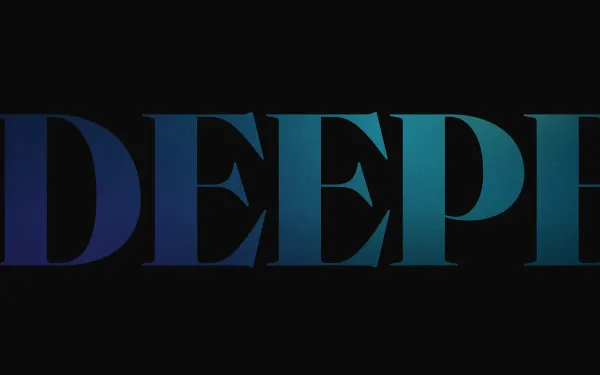
A pinned hero where the display word DEEPER is punched out of a page-coloured panel; scrolling scales the word 40× around the stem of one letter so the camera flies through it and the image panel behind is revealed.
- gsap
- scrolltrigger
- svg
 Featured light
 Pinned Horizontal Scroll Gallery
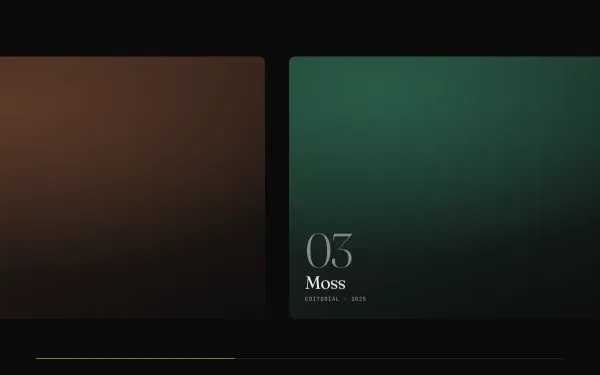
A full-height section pins while vertical scrolling drives a row of large cards sideways; each card's image parallaxes against its frame and a hairline progress bar tracks the journey.
- gsap
- scrolltrigger
 Featured medium
 Scroll-scrubbed Image Sequence (Canvas)
A pinned full-viewport canvas plays a 90-frame sequence scrubbed by scroll — the frames are generated procedurally at load (a turning wireframe ring in soft gradients and grain), with a mono frame counter and headlines that hand over at 30% and 70%.
- gsap
- scrolltrigger
- canvas2d
 light
light Line Mask Reveal
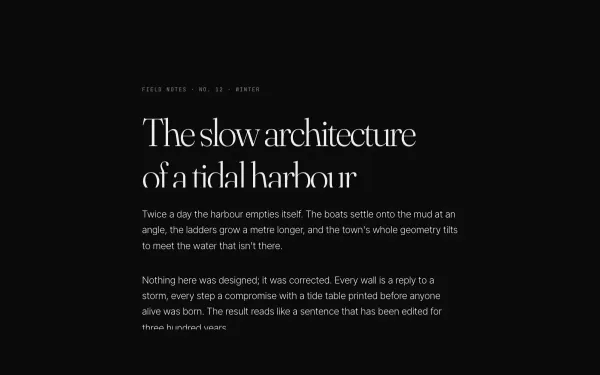
An editorial block — kicker, headline, three paragraphs and a byline — where every line rises out of an overflow mask as its block scrolls into view (SplitText lines, yPercent 100 → 0, 1.1s power4.out, 0.07s stagger).
- gsap
- scrolltrigger
- splittext