Wavy Image Plane on Scroll
Four figures in a normal scrolling page are mirrored by WebGL planes on one fixed canvas, matched to their DOM rectangles every frame; the planes bow and ripple with scroll velocity in the vertex shader and zoom slightly on hover.
- WebGL & 3D
- threejs
- glsl
- canvas2d
- advanced
- heavy · WebGL
- mobile: full
- reduced-motion ✓
AI prompt
Recreate this effect with any AI tool
Paste into Claude, Cursor, v0, Lovable or Bolt. 1768 words of exact values — rewritten live as you tune the Playground.
### EFFECT: Wavy Image Plane on Scroll
**What it does (visual):** A normal, scrollable editorial page: a full-height intro with a large light serif headline ("Pictures that bend with your speed."), then four `<figure>` plates laid out on a 12-column grid with alternating offsets (a 4:3 landscape left, a 3:4 portrait right, a square left-of-centre, a wide 16:9), each with a caption row (index, serif title, mono meta), then a short outro. The pictures themselves are not `<img>` elements — a single fixed, transparent WebGL canvas sits behind the page and draws one plane per figure, positioned and sized to match the figure's rectangle every frame, so they scroll exactly with the page. While the user scrolls, every plane bows in the direction of travel: its centre column lags behind its edges in a smooth sine arc (up to 0.08 of the plane's height at full speed, as a fraction), the sides pinch very slightly (0.02 of the width), and — when `true` is on — the image's red and blue channels separate by a hair vertically. Full bend is reached when the page moves 0.1 of the viewport per frame. When scrolling stops the planes relax back to flat (fast to react, settling by 0.05 of the remaining bend per frame — roughly a second at the default). Hovering a plate zooms its image in by 0.08 (as a fraction) and brightens it 6%, easing in and out. The pictures are procedurally painted "photographs": a diagonal duotone base, two large screen-blended colour glows, a small bright sun with a halo on a thin horizon line, film grain and a soft vignette — one palette per plate (dusk, moss, ember, tide).

**Tech stack:**
- Three.js r160+ (`import * as THREE from 'three'`): `WebGLRenderer({ alpha: true })`, `PerspectiveCamera`, `PlaneGeometry(1, 1, 32, 32)`, `ShaderMaterial`, `CanvasTexture`.
- Canvas 2D for the procedural images. No GSAP, no smooth-scroll library required (works with Lenis too — velocity is read from `window.scrollY`).
- npm: `npm i three`. CDN: `<script type="importmap">{"imports":{"three":"https://cdn.jsdelivr.net/npm/three@0.170/build/three.module.js"}}</script>`.

**HTML structure:**
```html
<div class="wavy">
  <canvas class="wavy__gl" aria-hidden="true"></canvas>
  <section class="wavy__intro">
    <p class="wavy__label">Scroll ↓ · WebGL images</p>
    <h1 class="wavy__title">Pictures that bend with your speed.</h1>
    <p class="wavy__lede">…</p>
  </section>
  <section class="wavy__feed">
    <figure class="wavy__fig wavy__fig--a" data-palette="dusk">
      <div class="wavy__img"></div>
      <figcaption><span class="wavy__num">01</span><span class="wavy__name">Dusk over Vestfjord</span><span class="wavy__meta">Halden Atlas · Plate I</span></figcaption>
    </figure>
    <!-- --b moss (3:4), --c ember (1:1), --d tide (16:9) -->
  </section>
  <section class="wavy__outro"><p class="wavy__label">End of plates</p><p class="wavy__outro-text">…</p></section>
</div>
```
`.wavy__img` is an empty, transparent box that only provides the rectangle; in production replace it with an `<img>` whose texture you load (keep the box for sizing).

**CSS requirements:**
- `.wavy__gl`: `position: fixed; inset: 0; width: 100%; height: 100%; z-index: 0; pointer-events: none; display: block;` — all `.wavy > section { position: relative; z-index: 1 }` so captions sit above the canvas.
- `.wavy__intro`: `min-height: 100vh; display: grid; align-content: center; padding: 6vw;` — `.wavy__outro` same with `min-height: 70vh`.
- `.wavy__title`: display serif, `font-weight: 300; font-size: clamp(2.75rem, 8vw, 8rem); line-height: .92; letter-spacing: -0.04em; max-width: 12ch;` — `.wavy__lede`: `max-width: 52ch; color: var(--muted); font-size: clamp(1rem, 1.25vw, 1.2rem); line-height: 1.55; margin-top: 2.5rem;`
- `.wavy__feed`: `display: grid; grid-template-columns: repeat(12, 1fr); gap: 0 2vw; row-gap: 18vh; padding: 0 6vw 10vh;` — `--a { grid-column: 1 / span 7 }`, `--b { grid-column: 6 / span 7; margin-top: -6vh }`, `--c { grid-column: 2 / span 5 }`, `--d { grid-column: 4 / span 9 }`.
- `.wavy__img`: `width: 100%; aspect-ratio: 4/3; border-radius: 6px; background: transparent;` (`3/4`, `1/1`, `16/9` for b/c/d).
- `figcaption`: `display: grid; grid-template-columns: 3rem 1fr auto; align-items: baseline; gap: 1rem; margin-top: 1rem;` — num/meta mono 11px uppercase muted, name serif `clamp(1.25rem, 2vw, 1.75rem)` weight 300.
- `.wavy__img canvas { width: 100%; height: 100%; object-fit: cover; border-radius: 6px }` for the fallback.
- `@media (prefers-reduced-motion: reduce) { .wavy__gl { display: none } }`.

**Animation spec (exact values):**
Constants: `AMPLITUDE = 0.08`, `CURVE_X = 0.02`, `VELOCITY_SCALE = 0.1`, `ATTACK = 0.25`, `RELEASE = 0.05`, `HOVER_LERP = 0.08`, `HOVER_ZOOM = 0.08`, `CHROMA_SPLIT = true`, `SEGMENTS = 32`.
1. **Pixel-perfect camera**: `camera = PerspectiveCamera(45, w/h, 10, 2000)`, `camera.position.z = 600`; on every resize `camera.fov = 2 · atan((innerHeight / 2) / 600) · 180/π` so 1 world unit = 1 CSS pixel at z = 0. `renderer.setSize(innerWidth, innerHeight, false)` (the canvas is CSS-sized), `setPixelRatio(min(devicePixelRatio, 2))` (1.5 on mobile, halved in preview), `setClearColor(0x000000, 0)`.
2. **Planes**: one shared `PlaneGeometry(1, 1, 32, 32)`; per figure a `ShaderMaterial` with uniforms `uTexture`, `uPlaneSize (vec2)`, `uImageSize (vec2)`, `uVelocity 0`, `uTime`, `uHover 0`, `uAmplitude 0.08`, `uCurveX 0.02`, `uHoverZoom 0.08`, `uChroma` (`1.0` when `true` is true, else `0.0`).
   Vertex shader:
   ```glsl
   uniform float uVelocity, uTime, uAmplitude, uCurveX;
   varying vec2 vUv;
   void main() {
     vUv = uv;
     vec3 pos = position;                                                   // -0.5..0.5, mesh.scale = (w, h, 1)
     float bend = sin((pos.x + 0.5) * 3.14159265) * uVelocity * uAmplitude; // centre column lags the edges
     pos.y += bend;
     pos.x += sin((pos.y + 0.5) * 3.14159265) * uVelocity * uCurveX;       // slight pinch along x
     gl_Position = projectionMatrix * modelViewMatrix * vec4(pos, 1.0);
   }
   ```
   Fragment shader (cover-fit + hover zoom + velocity chroma split):
   ```glsl
   uniform sampler2D uTexture; uniform vec2 uPlaneSize, uImageSize; uniform float uHover, uHoverZoom, uVelocity, uChroma;
   varying vec2 vUv;
   void main() {
     float planeAspect = uPlaneSize.x / uPlaneSize.y;
     float imageAspect = uImageSize.x / uImageSize.y;
     vec2 ratio = vec2(min(planeAspect / imageAspect, 1.0), min(imageAspect / planeAspect, 1.0));
     float zoom = 1.0 - uHover * uHoverZoom;                 // uHoverZoom = 0.08
     vec2 uv = (vUv - 0.5) * ratio * zoom + 0.5;
     float shift = uVelocity * 0.006 * uChroma;              // uChroma = 0 disables the split
     float r = texture2D(uTexture, uv + vec2(0.0, shift)).r;
     float g = texture2D(uTexture, uv).g;
     float b = texture2D(uTexture, uv - vec2(0.0, shift)).b;
     vec3 col = vec3(r, g, b) * (1.0 + uHover * 0.06);
     gl_FragColor = vec4(col, 1.0);
   }
   ```
3. **DOM sync, every frame** for each plane: `r = box.getBoundingClientRect()`; `mesh.scale.set(r.width, r.height, 1)`; `mesh.position.set(r.left + r.width/2 − innerWidth/2, −(r.top + r.height/2) + innerHeight/2, 0)`; `mesh.visible = r.bottom > −r.height && r.top < innerHeight + r.height`; `uPlaneSize = (r.width, r.height)`.
4. **Velocity**: `raw = (scrollY − lastY) / (innerHeight · 0.1)` (unclamped), `velocity += (raw − velocity) · (|raw| > |velocity| ? 0.25 : 0.05)`, then `uVelocity = clamp(velocity, −1, 1)`. The asymmetric smoothing makes the bend snap in and ease out; a programmatic jump carries proportional energy and settles in ≈1s.
5. **Hover**: `pointerenter` → `hoverTarget = 1`, `pointerleave` → `0`; per frame `hover += (hoverTarget − hover) · 0.08` → `uHover`.
6. **Textures**: for each figure paint a canvas at `w = min(1600, rect.width · min(dpr, 1.5))`, `h = w · rect.height / rect.width`:
   - base: `linearGradient(0,0 → 0.3w,h)` from `base[0]` to `base[1]`;
   - `globalCompositeOperation = 'screen'`: radial glow at (0.28w, 0.34h) radius `0.6·max(w,h)` from `glow[0]` @ 0.9 → 0.33 @ 45% → transparent; second glow at (0.8w, 0.8h) radius `0.55·max(w,h)` from `glow[1]` @ 0.8 → 0.2 @ 50% → transparent;
   - `'lighter'`: halo at (0.64w, 0.4h) radius `0.3·min(w,h)` (`line` colour @ 0.6 → 0.15 @ 30% → 0), then `'source-over'` a solid disc radius `0.045·min(w,h)` in `line` @ 0.95, a bezier horizon stroke at `y ≈ 0.64h` (`line` @ 0.4, width `max(1, w/900)`) and a fainter one at `0.72h` (@ 0.16);
   - grain: a 160×160 random grey (110–200) pattern, `'overlay'` at alpha 0.38; vignette: `'multiply'` radial white → `#8a8a8a` from `0.35·min` to `0.8·max`.
   - Palettes: `dusk { base #1b2440/#3a2a4a, glow #ff9a6c/#6c7bff, line #f2c8a2 }`, `moss { #15291f/#0c1510, #a7c957/#3a8f6a, #d9f2a6 }`, `ember { #3a1a16/#120c0a, #ff7a45/#ffd166, #ffe8c2 }`, `tide { #0e1f2e/#07111a, #43b7c9/#D4FF3A, #cfe9f2 }`.
   - Set `texture.image = canvas; texture.needsUpdate = true; uImageSize = (w, h)`; `minFilter = LinearFilter; generateMipmaps = false`. Repaint on resize.

**Interaction:** Scrolling (wheel, trackpad, keyboard, touch, scrollbar drag) is the only driver of the bend — it reads `window.scrollY`, so it works with native scroll and with Lenis/locomotive-style smooth scroll alike. Hovering a `<figure>` zooms/brightens its plane (0.08 lerp per frame in and out). No clicks.

**Responsive behavior:** Under 768px all four figures span the full width (`grid-column: 1 / -1`, `margin-top: 0`, row gap 10vh, the portrait plate becomes 4:5); the caption collapses to two columns with the meta on the second row. DPR is capped at 1.5 on mobile. Touch scrolling produces larger per-frame deltas, so the same `VELOCITY_SCALE` gives a slightly stronger bend on phones — desirable. On `resize`: renderer size, camera aspect + fov, and all textures are recomputed.

**Accessibility:** With `prefers-reduced-motion: reduce` (or if `WebGLRenderer` throws) the canvas is hidden and each figure receives its painted canvas as a normal in-flow element (`.wavy__img canvas`, `object-fit: cover`) — the same pictures, no motion. The WebGL canvas is `aria-hidden="true"`; figures use real `<figure>/<figcaption>` so the list of plates is readable. Captions are DOM text with full contrast.

**Performance rules:** One renderer, one shared geometry (32×32 = 2,178 vertices per plane), four draw calls; planes outside the viewport are set `visible = false`. Rects are read inside the rAF loop (four `getBoundingClientRect` calls per frame — cheap), never on `scroll` events, so there is no one-frame lag. The loop stops on the `ml:pause` window event and when the document is hidden, resumes on `ml:resume`/visible (re-seeding `lastY` so there is no velocity spike). DPR capped at `Math.min(devicePixelRatio, 2)`. On cleanup: cancel the rAF, remove all listeners, dispose each material and texture, the geometry and the renderer.

**Customization knobs:**
- `AMPLITUDE` (0.08) — maximum bend as a fraction of plane height; 0.12 is dramatic, 0.04 is a whisper.
- `CURVE_X` (0.02) — side pinch; set 0 for a pure vertical bow.
- `VELOCITY_SCALE` (0.1) — how fast you must scroll to reach full bend (fraction of viewport per frame).
- `ATTACK` / `RELEASE` (0.25 / 0.05) — reaction and settle speed.
- `HOVER_ZOOM` (0.08) and the brighten factor (0.06).
- `CHROMA_SPLIT` (true) — the R/B split (`0.006` at full velocity); `SEGMENTS` (32) — 16 is fine for small planes.
- Palettes — any `{ base, glow, line }` set; or swap `paint()` for an `<img>`-backed `THREE.Texture`.

**Acceptance criteria:**
- [ ] Each WebGL plane sits exactly on its figure's rectangle at every scroll position and viewport size (no drift, no lag).
- [ ] Scrolling bows the planes in the travel direction up to 0.08 × their height; stopping relaxes them smoothly (release 0.05).
- [ ] Hovering a plate zooms its image by 0.08 (cover-fit preserved, no stretching) and brightens it slightly.
- [ ] Pictures are procedurally generated (no network images), each with glow, sun, horizon, grain and vignette.
- [ ] Reduced motion / no WebGL shows the same pictures as static canvases inside the figures.
- [ ] No console errors; loop pauses when hidden; everything disposed on unmount.Add this effect to my existing site/section: **Wavy Image Plane on Scroll**. Keep my figures and layout; make each image box the sizing rectangle and add one fixed, transparent, `pointer-events: none` Three.js canvas behind the page. Use a `PerspectiveCamera` at `z = 600` with `fov = 2·atan((innerHeight/2)/600)` in degrees so 1 unit = 1 px, and for each figure a `PlaneGeometry(1, 1, 32, 32)` + `ShaderMaterial` whose vertex shader does `pos.y += sin((pos.x + 0.5) · π) · uVelocity · 0.08` and `pos.x += sin((pos.y + 0.5) · π) · uVelocity · 0.02`, and whose fragment shader cover-fits the texture from `uPlaneSize`/`uImageSize`, zooms by `1 − uHover · 0.08` and (when `true` is true) splits R/B vertically by `uVelocity · 0.006`. Every frame read `getBoundingClientRect()` and set `mesh.scale = (w, h, 1)`, `mesh.position = (left + w/2 − innerWidth/2, −(top + h/2) + innerHeight/2, 0)`; compute `raw = Δscroll / (innerHeight · 0.1)` and smooth it with `0.25` when accelerating and `0.05` when settling, clamped to ±1 for `uVelocity`; lerp `uHover` toward 1/0 on `pointerenter`/`pointerleave` at 0.08. Load my images as textures (or paint procedural ones), cap DPR at `Math.min(devicePixelRatio, 2)`, pause the loop when hidden, dispose on unmount, and under `prefers-reduced-motion` hide the canvas and show the plain images. Do not change my fonts, colours or layout.### EFFECT (React / Next.js): Wavy Image Plane on Scroll
Build **Wavy Image Plane on Scroll** as a self-contained React component for a Next.js App Router project (also valid in Vite + React). Follow the specification below exactly; the vanilla reference implementation at the end is the source of truth for values and structure.
**Setup**
- `npm i gsap three`
- File: `components/WavyImagePlaneOnScroll.tsx`, first line `"use client";` (GSAP touches the DOM).
- Imports:
```tsx
"use client";
import { useRef } from "react";
import * as THREE from "three";
export default function WavyImagePlaneOnScroll() {
const scope = useRef<HTMLDivElement>(null);
useGSAP(() => {
// 1. query elements inside `scope.current` (never document-wide)
// 2. wait for document.fonts.ready before any SplitText
// 3. build the timeline / ScrollTriggers exactly as in the specification
// 4. return nothing — useGSAP reverts everything automatically on unmount
}, { scope });
return (
<div ref={scope} className="wavy">
{/* markup from the HTML structure section, class → className */}
</div>
);
}
```
**React-specific rules**
- Everything GSAP-related lives inside `useGSAP(() => {...}, { scope })`; it handles cleanup (`ctx.revert()`) on unmount and in React Strict Mode double-invocation.
- Use refs or `gsap.utils.selector(scope)` instead of `document.querySelector`.
- Event listeners added inside useGSAP must use `contextSafe` (`const { contextSafe } = useGSAP({ scope })`) so their tweens are reverted too.
- ScrollTrigger: call `ScrollTrigger.refresh()` after images/fonts load; if the page uses Lenis, sync it once at the app root (`lenis.on('scroll', ScrollTrigger.update)`).
- Styles: copy the CSS requirements into a CSS Module (`WavyImagePlaneOnScroll.module.css`) or Tailwind; keep the class names so the spec maps 1:1.
- Respect `prefers-reduced-motion` with `gsap.matchMedia()` as in the spec.
- Three.js: create renderer/scene inside a \`useEffect\` with a cleanup that calls \`renderer.dispose()\` and disposes geometries/materials; cap DPR at \`Math.min(devicePixelRatio, 2)\`.
---
### EFFECT: Wavy Image Plane on Scroll
**What it does (visual):** A normal, scrollable editorial page: a full-height intro with a large light serif headline ("Pictures that bend with your speed."), then four `<figure>` plates laid out on a 12-column grid with alternating offsets (a 4:3 landscape left, a 3:4 portrait right, a square left-of-centre, a wide 16:9), each with a caption row (index, serif title, mono meta), then a short outro. The pictures themselves are not `<img>` elements — a single fixed, transparent WebGL canvas sits behind the page and draws one plane per figure, positioned and sized to match the figure's rectangle every frame, so they scroll exactly with the page. While the user scrolls, every plane bows in the direction of travel: its centre column lags behind its edges in a smooth sine arc (up to 0.08 of the plane's height at full speed, as a fraction), the sides pinch very slightly (0.02 of the width), and — when `true` is on — the image's red and blue channels separate by a hair vertically. Full bend is reached when the page moves 0.1 of the viewport per frame. When scrolling stops the planes relax back to flat (fast to react, settling by 0.05 of the remaining bend per frame — roughly a second at the default). Hovering a plate zooms its image in by 0.08 (as a fraction) and brightens it 6%, easing in and out. The pictures are procedurally painted "photographs": a diagonal duotone base, two large screen-blended colour glows, a small bright sun with a halo on a thin horizon line, film grain and a soft vignette — one palette per plate (dusk, moss, ember, tide).
**Tech stack:**
- Three.js r160+ (`import * as THREE from 'three'`): `WebGLRenderer({ alpha: true })`, `PerspectiveCamera`, `PlaneGeometry(1, 1, 32, 32)`, `ShaderMaterial`, `CanvasTexture`.
- Canvas 2D for the procedural images. No GSAP, no smooth-scroll library required (works with Lenis too — velocity is read from `window.scrollY`).
- npm: `npm i three`. CDN: `<script type="importmap">{"imports":{"three":"https://cdn.jsdelivr.net/npm/three@0.170/build/three.module.js"}}</script>`.
**HTML structure:**
```html
<div class="wavy">
<canvas class="wavy__gl" aria-hidden="true"></canvas>
<section class="wavy__intro">
<p class="wavy__label">Scroll ↓ · WebGL images</p>
<h1 class="wavy__title">Pictures that bend with your speed.</h1>
<p class="wavy__lede">…</p>
</section>
<section class="wavy__feed">
<figure class="wavy__fig wavy__fig--a" data-palette="dusk">
<div class="wavy__img"></div>
<figcaption><span class="wavy__num">01</span><span class="wavy__name">Dusk over Vestfjord</span><span class="wavy__meta">Halden Atlas · Plate I</span></figcaption>
</figure>
<!-- --b moss (3:4), --c ember (1:1), --d tide (16:9) -->
</section>
<section class="wavy__outro"><p class="wavy__label">End of plates</p><p class="wavy__outro-text">…</p></section>
</div>
```
`.wavy__img` is an empty, transparent box that only provides the rectangle; in production replace it with an `<img>` whose texture you load (keep the box for sizing).
**CSS requirements:**
- `.wavy__gl`: `position: fixed; inset: 0; width: 100%; height: 100%; z-index: 0; pointer-events: none; display: block;` — all `.wavy > section { position: relative; z-index: 1 }` so captions sit above the canvas.
- `.wavy__intro`: `min-height: 100vh; display: grid; align-content: center; padding: 6vw;` — `.wavy__outro` same with `min-height: 70vh`.
- `.wavy__title`: display serif, `font-weight: 300; font-size: clamp(2.75rem, 8vw, 8rem); line-height: .92; letter-spacing: -0.04em; max-width: 12ch;` — `.wavy__lede`: `max-width: 52ch; color: var(--muted); font-size: clamp(1rem, 1.25vw, 1.2rem); line-height: 1.55; margin-top: 2.5rem;`
- `.wavy__feed`: `display: grid; grid-template-columns: repeat(12, 1fr); gap: 0 2vw; row-gap: 18vh; padding: 0 6vw 10vh;` — `--a { grid-column: 1 / span 7 }`, `--b { grid-column: 6 / span 7; margin-top: -6vh }`, `--c { grid-column: 2 / span 5 }`, `--d { grid-column: 4 / span 9 }`.
- `.wavy__img`: `width: 100%; aspect-ratio: 4/3; border-radius: 6px; background: transparent;` (`3/4`, `1/1`, `16/9` for b/c/d).
- `figcaption`: `display: grid; grid-template-columns: 3rem 1fr auto; align-items: baseline; gap: 1rem; margin-top: 1rem;` — num/meta mono 11px uppercase muted, name serif `clamp(1.25rem, 2vw, 1.75rem)` weight 300.
- `.wavy__img canvas { width: 100%; height: 100%; object-fit: cover; border-radius: 6px }` for the fallback.
- `@media (prefers-reduced-motion: reduce) { .wavy__gl { display: none } }`.
**Animation spec (exact values):**
Constants: `AMPLITUDE = 0.08`, `CURVE_X = 0.02`, `VELOCITY_SCALE = 0.1`, `ATTACK = 0.25`, `RELEASE = 0.05`, `HOVER_LERP = 0.08`, `HOVER_ZOOM = 0.08`, `CHROMA_SPLIT = true`, `SEGMENTS = 32`.
1. **Pixel-perfect camera**: `camera = PerspectiveCamera(45, w/h, 10, 2000)`, `camera.position.z = 600`; on every resize `camera.fov = 2 · atan((innerHeight / 2) / 600) · 180/π` so 1 world unit = 1 CSS pixel at z = 0. `renderer.setSize(innerWidth, innerHeight, false)` (the canvas is CSS-sized), `setPixelRatio(min(devicePixelRatio, 2))` (1.5 on mobile, halved in preview), `setClearColor(0x000000, 0)`.
2. **Planes**: one shared `PlaneGeometry(1, 1, 32, 32)`; per figure a `ShaderMaterial` with uniforms `uTexture`, `uPlaneSize (vec2)`, `uImageSize (vec2)`, `uVelocity 0`, `uTime`, `uHover 0`, `uAmplitude 0.08`, `uCurveX 0.02`, `uHoverZoom 0.08`, `uChroma` (`1.0` when `true` is true, else `0.0`).
Vertex shader:
```glsl
uniform float uVelocity, uTime, uAmplitude, uCurveX;
varying vec2 vUv;
void main() {
vUv = uv;
vec3 pos = position; // -0.5..0.5, mesh.scale = (w, h, 1)
float bend = sin((pos.x + 0.5) * 3.14159265) * uVelocity * uAmplitude; // centre column lags the edges
pos.y += bend;
pos.x += sin((pos.y + 0.5) * 3.14159265) * uVelocity * uCurveX; // slight pinch along x
gl_Position = projectionMatrix * modelViewMatrix * vec4(pos, 1.0);
}
```
Fragment shader (cover-fit + hover zoom + velocity chroma split):
```glsl
uniform sampler2D uTexture; uniform vec2 uPlaneSize, uImageSize; uniform float uHover, uHoverZoom, uVelocity, uChroma;
varying vec2 vUv;
void main() {
float planeAspect = uPlaneSize.x / uPlaneSize.y;
float imageAspect = uImageSize.x / uImageSize.y;
vec2 ratio = vec2(min(planeAspect / imageAspect, 1.0), min(imageAspect / planeAspect, 1.0));
float zoom = 1.0 - uHover * uHoverZoom; // uHoverZoom = 0.08
vec2 uv = (vUv - 0.5) * ratio * zoom + 0.5;
float shift = uVelocity * 0.006 * uChroma; // uChroma = 0 disables the split
float r = texture2D(uTexture, uv + vec2(0.0, shift)).r;
float g = texture2D(uTexture, uv).g;
float b = texture2D(uTexture, uv - vec2(0.0, shift)).b;
vec3 col = vec3(r, g, b) * (1.0 + uHover * 0.06);
gl_FragColor = vec4(col, 1.0);
}
```
3. **DOM sync, every frame** for each plane: `r = box.getBoundingClientRect()`; `mesh.scale.set(r.width, r.height, 1)`; `mesh.position.set(r.left + r.width/2 − innerWidth/2, −(r.top + r.height/2) + innerHeight/2, 0)`; `mesh.visible = r.bottom > −r.height && r.top < innerHeight + r.height`; `uPlaneSize = (r.width, r.height)`.
4. **Velocity**: `raw = (scrollY − lastY) / (innerHeight · 0.1)` (unclamped), `velocity += (raw − velocity) · (|raw| > |velocity| ? 0.25 : 0.05)`, then `uVelocity = clamp(velocity, −1, 1)`. The asymmetric smoothing makes the bend snap in and ease out; a programmatic jump carries proportional energy and settles in ≈1s.
5. **Hover**: `pointerenter` → `hoverTarget = 1`, `pointerleave` → `0`; per frame `hover += (hoverTarget − hover) · 0.08` → `uHover`.
6. **Textures**: for each figure paint a canvas at `w = min(1600, rect.width · min(dpr, 1.5))`, `h = w · rect.height / rect.width`:
- base: `linearGradient(0,0 → 0.3w,h)` from `base[0]` to `base[1]`;
- `globalCompositeOperation = 'screen'`: radial glow at (0.28w, 0.34h) radius `0.6·max(w,h)` from `glow[0]` @ 0.9 → 0.33 @ 45% → transparent; second glow at (0.8w, 0.8h) radius `0.55·max(w,h)` from `glow[1]` @ 0.8 → 0.2 @ 50% → transparent;
- `'lighter'`: halo at (0.64w, 0.4h) radius `0.3·min(w,h)` (`line` colour @ 0.6 → 0.15 @ 30% → 0), then `'source-over'` a solid disc radius `0.045·min(w,h)` in `line` @ 0.95, a bezier horizon stroke at `y ≈ 0.64h` (`line` @ 0.4, width `max(1, w/900)`) and a fainter one at `0.72h` (@ 0.16);
- grain: a 160×160 random grey (110–200) pattern, `'overlay'` at alpha 0.38; vignette: `'multiply'` radial white → `#8a8a8a` from `0.35·min` to `0.8·max`.
- Palettes: `dusk { base #1b2440/#3a2a4a, glow #ff9a6c/#6c7bff, line #f2c8a2 }`, `moss { #15291f/#0c1510, #a7c957/#3a8f6a, #d9f2a6 }`, `ember { #3a1a16/#120c0a, #ff7a45/#ffd166, #ffe8c2 }`, `tide { #0e1f2e/#07111a, #43b7c9/#D4FF3A, #cfe9f2 }`.
- Set `texture.image = canvas; texture.needsUpdate = true; uImageSize = (w, h)`; `minFilter = LinearFilter; generateMipmaps = false`. Repaint on resize.
**Interaction:** Scrolling (wheel, trackpad, keyboard, touch, scrollbar drag) is the only driver of the bend — it reads `window.scrollY`, so it works with native scroll and with Lenis/locomotive-style smooth scroll alike. Hovering a `<figure>` zooms/brightens its plane (0.08 lerp per frame in and out). No clicks.
**Responsive behavior:** Under 768px all four figures span the full width (`grid-column: 1 / -1`, `margin-top: 0`, row gap 10vh, the portrait plate becomes 4:5); the caption collapses to two columns with the meta on the second row. DPR is capped at 1.5 on mobile. Touch scrolling produces larger per-frame deltas, so the same `VELOCITY_SCALE` gives a slightly stronger bend on phones — desirable. On `resize`: renderer size, camera aspect + fov, and all textures are recomputed.
**Accessibility:** With `prefers-reduced-motion: reduce` (or if `WebGLRenderer` throws) the canvas is hidden and each figure receives its painted canvas as a normal in-flow element (`.wavy__img canvas`, `object-fit: cover`) — the same pictures, no motion. The WebGL canvas is `aria-hidden="true"`; figures use real `<figure>/<figcaption>` so the list of plates is readable. Captions are DOM text with full contrast.
**Performance rules:** One renderer, one shared geometry (32×32 = 2,178 vertices per plane), four draw calls; planes outside the viewport are set `visible = false`. Rects are read inside the rAF loop (four `getBoundingClientRect` calls per frame — cheap), never on `scroll` events, so there is no one-frame lag. The loop stops on the `ml:pause` window event and when the document is hidden, resumes on `ml:resume`/visible (re-seeding `lastY` so there is no velocity spike). DPR capped at `Math.min(devicePixelRatio, 2)`. On cleanup: cancel the rAF, remove all listeners, dispose each material and texture, the geometry and the renderer.
**Customization knobs:**
- `AMPLITUDE` (0.08) — maximum bend as a fraction of plane height; 0.12 is dramatic, 0.04 is a whisper.
- `CURVE_X` (0.02) — side pinch; set 0 for a pure vertical bow.
- `VELOCITY_SCALE` (0.1) — how fast you must scroll to reach full bend (fraction of viewport per frame).
- `ATTACK` / `RELEASE` (0.25 / 0.05) — reaction and settle speed.
- `HOVER_ZOOM` (0.08) and the brighten factor (0.06).
- `CHROMA_SPLIT` (true) — the R/B split (`0.006` at full velocity); `SEGMENTS` (32) — 16 is fine for small planes.
- Palettes — any `{ base, glow, line }` set; or swap `paint()` for an `<img>`-backed `THREE.Texture`.
**Acceptance criteria:**
- [ ] Each WebGL plane sits exactly on its figure's rectangle at every scroll position and viewport size (no drift, no lag).
- [ ] Scrolling bows the planes in the travel direction up to 0.08 × their height; stopping relaxes them smoothly (release 0.05).
- [ ] Hovering a plate zooms its image by 0.08 (cover-fit preserved, no stretching) and brightens it slightly.
- [ ] Pictures are procedurally generated (no network images), each with glow, sun, horizon, grain and vignette.
- [ ] Reduced motion / no WebGL shows the same pictures as static canvases inside the figures.
- [ ] No console errors; loop pauses when hidden; everything disposed on unmount.
---
**Reference implementation (vanilla, converts 1:1 — same class names, same values):**
```html
<div class="wavy">
<canvas class="wavy__gl" aria-hidden="true"></canvas>
<section class="wavy__intro">
<p class="wavy__label">Scroll ↓ · WebGL images</p>
<h1 class="wavy__title">Pictures that bend with your speed.</h1>
<p class="wavy__lede">Four ordinary figures in the document. Behind them, one fixed canvas draws a plane for each — pinned to its rectangle every frame — that flexes with scroll velocity and settles when you stop.</p>
</section>
<section class="wavy__feed">
<figure class="wavy__fig wavy__fig--a" data-palette="dusk">
<div class="wavy__img"></div>
<figcaption><span class="wavy__num">01</span><span class="wavy__name">Dusk over Vestfjord</span><span class="wavy__meta">Halden Atlas · Plate I</span></figcaption>
</figure>
<figure class="wavy__fig wavy__fig--b" data-palette="moss">
<div class="wavy__img"></div>
<figcaption><span class="wavy__num">02</span><span class="wavy__name">Moss, after rain</span><span class="wavy__meta">Halden Atlas · Plate II</span></figcaption>
</figure>
<figure class="wavy__fig wavy__fig--c" data-palette="ember">
<div class="wavy__img"></div>
<figcaption><span class="wavy__num">03</span><span class="wavy__name">Ember line</span><span class="wavy__meta">Halden Atlas · Plate III</span></figcaption>
</figure>
<figure class="wavy__fig wavy__fig--d" data-palette="tide">
<div class="wavy__img"></div>
<figcaption><span class="wavy__num">04</span><span class="wavy__name">Tide chart, midnight</span><span class="wavy__meta">Halden Atlas · Plate IV</span></figcaption>
</figure>
</section>
<section class="wavy__outro">
<p class="wavy__label">End of plates</p>
<p class="wavy__outro-text">Stop scrolling and the planes relax back to flat. Hover a plate to zoom its image a little.</p>
</section>
</div>
```
```css
.wavy { position: relative; background: var(--bg); color: var(--text); }
.wavy__gl { position: fixed; inset: 0; width: 100%; height: 100%; z-index: 0; pointer-events: none; display: block; }
.wavy > section { position: relative; z-index: 1; }
.wavy__intro, .wavy__outro { min-height: 100vh; display: grid; align-content: center; padding: 6vw; }
.wavy__outro { min-height: 70vh; }
.wavy__label { font-family: var(--font-mono); font-size: 11px; text-transform: uppercase; letter-spacing: .14em; color: var(--muted); margin-bottom: 1.5rem; }
.wavy__title {
font-family: var(--font-display); font-weight: 300; font-variation-settings: 'opsz' 144, 'SOFT' 20;
font-size: clamp(2.75rem, 8vw, 8rem); line-height: .92; letter-spacing: -0.04em; max-width: 12ch; text-wrap: balance;
}
.wavy__lede, .wavy__outro-text { max-width: 52ch; color: var(--muted); font-size: clamp(1rem, 1.25vw, 1.2rem); line-height: 1.55; margin-top: 2.5rem; }
/* Editorial feed: alternating offsets so the planes stagger across the page */
.wavy__feed { display: grid; grid-template-columns: repeat(12, 1fr); gap: 0 2vw; padding: 0 6vw 10vh; row-gap: 18vh; }
.wavy__fig { margin: 0; }
.wavy__fig--a { grid-column: 1 / span 7; }
.wavy__fig--b { grid-column: 6 / span 7; margin-top: -6vh; }
.wavy__fig--c { grid-column: 2 / span 5; }
.wavy__fig--d { grid-column: 4 / span 9; }
.wavy__img { width: 100%; aspect-ratio: 4 / 3; border-radius: 6px; background: transparent; }
.wavy__fig--b .wavy__img { aspect-ratio: 3 / 4; }
.wavy__fig--c .wavy__img { aspect-ratio: 1 / 1; }
.wavy__fig--d .wavy__img { aspect-ratio: 16 / 9; }
/* Fallback (reduced motion / no WebGL): the generated canvas is placed inside the figure */
.wavy__img canvas { width: 100%; height: 100%; border-radius: 6px; object-fit: cover; }
.wavy__fig figcaption { display: grid; grid-template-columns: 3rem 1fr auto; align-items: baseline; gap: 1rem; margin-top: 1rem; }
.wavy__num, .wavy__meta { font-family: var(--font-mono); font-size: 11px; text-transform: uppercase; letter-spacing: .12em; color: var(--muted); }
.wavy__name { font-family: var(--font-display); font-weight: 300; font-size: clamp(1.25rem, 2vw, 1.75rem); letter-spacing: -0.03em; }
@media (max-width: 767px) {
.wavy__feed { row-gap: 10vh; padding-bottom: 6vh; }
.wavy__fig--a, .wavy__fig--b, .wavy__fig--c, .wavy__fig--d { grid-column: 1 / -1; margin-top: 0; }
.wavy__fig--b .wavy__img { aspect-ratio: 4 / 5; }
.wavy__fig figcaption { grid-template-columns: 2.5rem 1fr; }
.wavy__meta { grid-column: 2; }
}
@media (prefers-reduced-motion: reduce) {
.wavy__gl { display: none; }
}
```
```js
// Wavy Image Plane on Scroll — DOM-synced WebGL planes that bend with scroll velocity and zoom on hover.
import * as THREE from 'three';
// Defaults — overridable from the MOTION/LAB Playground via MotionLab.knob()
const DEFAULTS = { amplitude: 0.08, curveX: 0.02, velocityScale: 0.1, release: 0.05, hoverZoom: 0.08, chromaSplit: true };
const K = (id) => window.MotionLab?.knob(id, DEFAULTS[id]) ?? DEFAULTS[id];
const ATTACK = 0.25; // velocity smoothing when speeding up
const HOVER_LERP = 0.08;
const SEGMENTS = 32;
const root = document.querySelector('.wavy');
const canvas = root.querySelector('.wavy__gl');
const figures = Array.from(root.querySelectorAll('.wavy__fig'));
const reduced = matchMedia('(prefers-reduced-motion: reduce)').matches;
const isMobile = matchMedia('(max-width: 767px)').matches;
const preview = !!window.MotionLab?.preview;
/* ---------- procedural "photographs": duotone gradients, soft light, grain ---------- */
const PALETTES = {
dusk: { base: ['#1b2440', '#3a2a4a'], glow: ['#ff9a6c', '#6c7bff'], line: '#f2c8a2' },
moss: { base: ['#15291f', '#0c1510'], glow: ['#a7c957', '#3a8f6a'], line: '#d9f2a6' },
ember: { base: ['#3a1a16', '#120c0a'], glow: ['#ff7a45', '#ffd166'], line: '#ffe8c2' },
tide: { base: ['#0e1f2e', '#07111a'], glow: ['#43b7c9', '#D4FF3A'], line: '#cfe9f2' },
};
let grainPattern = null;
function makeGrain(c) {
if (grainPattern) return grainPattern;
const g = document.createElement('canvas'); g.width = g.height = 160;
const gc = g.getContext('2d');
const img = gc.createImageData(160, 160);
for (let i = 0; i < img.data.length; i += 4) { const v = 110 + Math.random() * 90; img.data[i] = img.data[i + 1] = img.data[i + 2] = v; img.data[i + 3] = 255; }
gc.putImageData(img, 0, 0);
grainPattern = c.createPattern(g, 'repeat');
return grainPattern;
}
function paint(name, w, h) {
const p = PALETTES[name];
const cv = document.createElement('canvas'); cv.width = w; cv.height = h;
const c = cv.getContext('2d');
const base = c.createLinearGradient(0, 0, w * 0.3, h);
base.addColorStop(0, p.base[0]); base.addColorStop(1, p.base[1]);
c.fillStyle = base; c.fillRect(0, 0, w, h);
c.globalCompositeOperation = 'screen';
const g1 = c.createRadialGradient(w * 0.28, h * 0.34, 0, w * 0.28, h * 0.34, Math.max(w, h) * 0.6);
g1.addColorStop(0, p.glow[0] + 'e6'); g1.addColorStop(0.45, p.glow[0] + '55'); g1.addColorStop(1, 'transparent');
c.fillStyle = g1; c.fillRect(0, 0, w, h);
const g2 = c.createRadialGradient(w * 0.8, h * 0.8, 0, w * 0.8, h * 0.8, Math.max(w, h) * 0.55);
g2.addColorStop(0, p.glow[1] + 'cc'); g2.addColorStop(0.5, p.glow[1] + '33'); g2.addColorStop(1, 'transparent');
c.fillStyle = g2; c.fillRect(0, 0, w, h);
// A sun: hard bright core with a wide halo, sitting on a soft horizon line
c.globalCompositeOperation = 'lighter';
const halo = c.createRadialGradient(w * 0.64, h * 0.4, 0, w * 0.64, h * 0.4, Math.min(w, h) * 0.3);
halo.addColorStop(0, p.line + '99'); halo.addColorStop(0.3, p.line + '26'); halo.addColorStop(1, 'transparent');
c.fillStyle = halo; c.fillRect(0, 0, w, h);
c.globalCompositeOperation = 'source-over';
c.fillStyle = p.line + 'f2';
c.beginPath(); c.arc(w * 0.64, h * 0.4, Math.min(w, h) * 0.045, 0, Math.PI * 2); c.fill();
c.strokeStyle = p.line + '66'; c.lineWidth = Math.max(1, w / 900);
c.beginPath(); c.moveTo(0, h * 0.64); c.bezierCurveTo(w * 0.3, h * 0.6, w * 0.6, h * 0.69, w, h * 0.63); c.stroke();
c.strokeStyle = p.line + '2a';
c.beginPath(); c.moveTo(0, h * 0.72); c.bezierCurveTo(w * 0.35, h * 0.69, w * 0.65, h * 0.76, w, h * 0.71); c.stroke();
// Grain + vignette
c.globalCompositeOperation = 'overlay'; c.globalAlpha = 0.38;
c.fillStyle = makeGrain(c); c.fillRect(0, 0, w, h);
c.globalAlpha = 1; c.globalCompositeOperation = 'multiply';
const vg = c.createRadialGradient(w / 2, h / 2, Math.min(w, h) * 0.35, w / 2, h / 2, Math.max(w, h) * 0.8);
vg.addColorStop(0, '#ffffff'); vg.addColorStop(1, '#8a8a8a');
c.fillStyle = vg; c.fillRect(0, 0, w, h);
c.globalCompositeOperation = 'source-over';
return cv;
}
/* ---------- fallback: paint straight into the DOM ---------- */
function fallback() {
figures.forEach((fig) => {
const box = fig.querySelector('.wavy__img');
const r = box.getBoundingClientRect();
const w = Math.min(1200, Math.round(r.width * 1.5)) || 800;
const h = Math.round(w * (r.height / r.width || 0.75));
box.appendChild(paint(fig.dataset.palette, w, h));
});
}
// Live parameters + the WebGL-side knob applier (set up by init); build() is the Playground entry point.
const params = { velocityScale: DEFAULTS.velocityScale, release: DEFAULTS.release };
let applyKnobs = null;
if (reduced) {
fallback();
} else {
let renderer = null;
try { renderer = new THREE.WebGLRenderer({ canvas, antialias: true, alpha: true, powerPreference: 'high-performance' }); } catch (e) { renderer = null; }
if (!renderer) fallback(); else init(renderer);
}
function init(renderer) {
const dpr = Math.min(window.devicePixelRatio || 1, isMobile ? 1.5 : 2) * (preview ? 0.5 : 1);
renderer.setPixelRatio(dpr);
renderer.setClearColor(0x000000, 0);
const scene = new THREE.Scene();
const camera = new THREE.PerspectiveCamera(45, 1, 10, 2000);
camera.position.z = 600; // fov is derived so 1 world unit == 1 CSS pixel at z = 0
const geometry = new THREE.PlaneGeometry(1, 1, SEGMENTS, SEGMENTS);
const vertexShader = /* glsl */`
uniform float uVelocity;
uniform float uTime;
uniform float uAmplitude;
uniform float uCurveX;
varying vec2 vUv;
void main() {
vUv = uv;
vec3 pos = position; // plane spans -0.5..0.5; mesh.scale = (w, h, 1)
float bend = sin((pos.x + 0.5) * 3.14159265) * uVelocity * uAmplitude; // centre column lags → arc along y
pos.y += bend;
pos.x += sin((pos.y + 0.5) * 3.14159265) * uVelocity * uCurveX; // slight pinch along x
gl_Position = projectionMatrix * modelViewMatrix * vec4(pos, 1.0);
}`;
const fragmentShader = /* glsl */`
precision highp float;
uniform sampler2D uTexture;
uniform vec2 uPlaneSize;
uniform vec2 uImageSize;
uniform float uHover;
uniform float uHoverZoom;
uniform float uVelocity;
uniform float uChroma;
varying vec2 vUv;
void main() {
// Cover-fit: scale UVs so the image fills the plane without stretching.
float planeAspect = uPlaneSize.x / uPlaneSize.y;
float imageAspect = uImageSize.x / uImageSize.y;
vec2 ratio = vec2(min(planeAspect / imageAspect, 1.0), min(imageAspect / planeAspect, 1.0));
float zoom = 1.0 - uHover * uHoverZoom;
vec2 uv = (vUv - 0.5) * ratio * zoom + 0.5;
// Velocity-driven vertical chroma split, very subtle (uChroma 0 disables it).
float shift = uVelocity * 0.006 * uChroma;
float r = texture2D(uTexture, uv + vec2(0.0, shift)).r;
float g = texture2D(uTexture, uv).g;
float b = texture2D(uTexture, uv - vec2(0.0, shift)).b;
vec3 col = vec3(r, g, b);
col *= 1.0 + uHover * 0.06; // brighten a touch on hover
gl_FragColor = vec4(col, 1.0);
}`;
const planes = figures.map((fig) => {
const box = fig.querySelector('.wavy__img');
const texture = new THREE.CanvasTexture(document.createElement('canvas'));
texture.minFilter = THREE.LinearFilter; texture.generateMipmaps = false;
const uniforms = {
uTexture: { value: texture },
uPlaneSize: { value: new THREE.Vector2(1, 1) },
uImageSize: { value: new THREE.Vector2(1, 1) },
uVelocity: { value: 0 },
uTime: { value: 0 },
uHover: { value: 0 },
uHoverZoom: { value: K('hoverZoom') }, // uv scale reduction (zoom in) at full hover
uAmplitude: { value: K('amplitude') }, // max vertical bend as a fraction of plane height
uCurveX: { value: K('curveX') }, // slight horizontal curvature
uChroma: { value: K('chromaSplit') ? 1 : 0 }, // R/B vertical split on/off
};
const material = new THREE.ShaderMaterial({ uniforms, vertexShader, fragmentShader });
const mesh = new THREE.Mesh(geometry, material);
scene.add(mesh);
const p = { fig, box, mesh, material, texture, uniforms, hover: 0, hoverTarget: 0 };
p.onEnter = () => { p.hoverTarget = 1; };
p.onLeave = () => { p.hoverTarget = 0; };
fig.addEventListener('pointerenter', p.onEnter);
fig.addEventListener('pointerleave', p.onLeave);
return p;
});
/* ---------- knobs → uniforms / params (renderer, planes and textures are kept; the change shows on the next scroll) ---------- */
applyKnobs = () => {
planes.forEach((p) => {
p.uniforms.uAmplitude.value = K('amplitude');
p.uniforms.uCurveX.value = K('curveX');
p.uniforms.uHoverZoom.value = K('hoverZoom');
p.uniforms.uChroma.value = K('chromaSplit') ? 1 : 0;
});
params.velocityScale = K('velocityScale');
params.release = K('release');
};
function paintTextures() {
planes.forEach((p) => {
const r = p.box.getBoundingClientRect();
const w = Math.min(1600, Math.max(2, Math.round(r.width * Math.min(dpr, 1.5))));
const h = Math.max(2, Math.round(w * (r.height / r.width)));
const cv = paint(p.fig.dataset.palette, w, h);
p.texture.image = cv;
p.texture.needsUpdate = true;
p.uniforms.uImageSize.value.set(w, h);
});
}
let vw = 1, vh = 1;
function resize() {
vw = window.innerWidth; vh = window.innerHeight;
renderer.setSize(vw, vh, false);
camera.aspect = vw / vh;
camera.fov = 2 * Math.atan((vh / 2) / camera.position.z) * (180 / Math.PI);
camera.updateProjectionMatrix();
paintTextures();
}
resize();
/* ---------- scroll velocity ---------- */
let lastY = window.scrollY;
let velocity = 0; // smoothed, normalised to roughly -1..1
/* ---------- loop ---------- */
const clock = new THREE.Clock();
let raf = 0; let running = false;
function frame() {
raf = requestAnimationFrame(frame);
const t = clock.getElapsedTime();
const y = window.scrollY;
const raw = (y - lastY) / (vh * params.velocityScale); // unclamped: a big jump carries more energy
lastY = y;
velocity += (raw - velocity) * (Math.abs(raw) > Math.abs(velocity) ? ATTACK : params.release);
const uVel = THREE.MathUtils.clamp(velocity, -1, 1);
planes.forEach((p) => {
const r = p.box.getBoundingClientRect();
p.mesh.scale.set(r.width, r.height, 1);
p.mesh.position.set(r.left + r.width / 2 - vw / 2, -(r.top + r.height / 2) + vh / 2, 0);
p.mesh.visible = r.bottom > -r.height && r.top < vh + r.height;
p.hover += (p.hoverTarget - p.hover) * HOVER_LERP;
p.uniforms.uPlaneSize.value.set(r.width, r.height);
p.uniforms.uVelocity.value = uVel;
p.uniforms.uHover.value = p.hover;
p.uniforms.uTime.value = t;
});
renderer.render(scene, camera);
}
const start = () => { if (running || document.hidden) return; running = true; lastY = window.scrollY; raf = requestAnimationFrame(frame); };
const stop = () => { running = false; cancelAnimationFrame(raf); };
const onVisibility = () => (document.hidden ? stop() : start());
window.addEventListener('ml:pause', stop);
window.addEventListener('ml:resume', start);
document.addEventListener('visibilitychange', onVisibility);
window.addEventListener('resize', resize);
start();
window.MotionLab?.onCleanup(() => {
stop();
applyKnobs = null;
window.removeEventListener('ml:pause', stop);
window.removeEventListener('ml:resume', start);
document.removeEventListener('visibilitychange', onVisibility);
window.removeEventListener('resize', resize);
planes.forEach((p) => {
p.fig.removeEventListener('pointerenter', p.onEnter);
p.fig.removeEventListener('pointerleave', p.onLeave);
p.material.dispose(); p.texture.dispose();
});
geometry.dispose();
renderer.dispose();
});
}
/* ---------- Playground entry point ---------- */
function build() {
applyKnobs?.();
}
build();
// Playground: re-apply the new values (uniforms and smoothing params update in place — no renderer rebuild needed)
window.addEventListener('ml:knobs', build);
window.MotionLab?.onCleanup(() => window.removeEventListener('ml:knobs', build));
```
### EFFECT (single HTML file): Wavy Image Plane on Scroll
Produce **one self-contained `index.html`** (inline `<style>` and `<script type="module">`, no build step) that implements **Wavy Image Plane on Scroll** exactly as specified below. Libraries load from jsDelivr:

```html
<!doctype html>
<html lang="en">
<head>
  <meta charset="utf-8">
  <meta name="viewport" content="width=device-width, initial-scale=1">
  <title>Wavy Image Plane on Scroll</title>
  <link href="https://fonts.googleapis.com/css2?family=Fraunces:ital,opsz,wght@0,9..144,300..600;1,9..144,300..600&family=Inter+Tight:wght@300..700&family=JetBrains+Mono:wght@400;500&display=swap" rel="stylesheet">
  <style>
    :root{--bg:#0a0a0a;--surface:#121212;--line:rgba(255,255,255,.08);--text:#ededed;--muted:#8a8a8a;--accent:#d4ff3a;--font-display:"Fraunces",Georgia,serif;--font-sans:"Inter Tight",system-ui,sans-serif;--font-mono:"JetBrains Mono",ui-monospace,monospace}
    *,*::before,*::after{box-sizing:border-box;margin:0;padding:0}
    body{background:var(--bg);color:var(--text);font-family:var(--font-sans);-webkit-font-smoothing:antialiased;overflow-x:hidden}
    /* + the CSS requirements below */
  </style>
  <script type="importmap">{"imports":{"three":"https://cdn.jsdelivr.net/npm/three@0.186/build/three.module.js","three/addons/":"https://cdn.jsdelivr.net/npm/three@0.186/examples/jsm/"}}</script>
</head>
<body>
  <!-- markup from the HTML structure section -->
  <script type="module">
    // the JS from the animation spec (window.MotionLab is optional — keep the ?. guards or remove them)
  </script>
</body>
</html>
```

The file must open directly from a local server (`npx serve .`) with zero console errors, work at 375px and 1440px, and honour `prefers-reduced-motion`.

---

### EFFECT: Wavy Image Plane on Scroll
**What it does (visual):** A normal, scrollable editorial page: a full-height intro with a large light serif headline ("Pictures that bend with your speed."), then four `<figure>` plates laid out on a 12-column grid with alternating offsets (a 4:3 landscape left, a 3:4 portrait right, a square left-of-centre, a wide 16:9), each with a caption row (index, serif title, mono meta), then a short outro. The pictures themselves are not `<img>` elements — a single fixed, transparent WebGL canvas sits behind the page and draws one plane per figure, positioned and sized to match the figure's rectangle every frame, so they scroll exactly with the page. While the user scrolls, every plane bows in the direction of travel: its centre column lags behind its edges in a smooth sine arc (up to 0.08 of the plane's height at full speed, as a fraction), the sides pinch very slightly (0.02 of the width), and — when `true` is on — the image's red and blue channels separate by a hair vertically. Full bend is reached when the page moves 0.1 of the viewport per frame. When scrolling stops the planes relax back to flat (fast to react, settling by 0.05 of the remaining bend per frame — roughly a second at the default). Hovering a plate zooms its image in by 0.08 (as a fraction) and brightens it 6%, easing in and out. The pictures are procedurally painted "photographs": a diagonal duotone base, two large screen-blended colour glows, a small bright sun with a halo on a thin horizon line, film grain and a soft vignette — one palette per plate (dusk, moss, ember, tide).

**Tech stack:**
- Three.js r160+ (`import * as THREE from 'three'`): `WebGLRenderer({ alpha: true })`, `PerspectiveCamera`, `PlaneGeometry(1, 1, 32, 32)`, `ShaderMaterial`, `CanvasTexture`.
- Canvas 2D for the procedural images. No GSAP, no smooth-scroll library required (works with Lenis too — velocity is read from `window.scrollY`).
- npm: `npm i three`. CDN: `<script type="importmap">{"imports":{"three":"https://cdn.jsdelivr.net/npm/three@0.170/build/three.module.js"}}</script>`.

**HTML structure:**
```html
<div class="wavy">
  <canvas class="wavy__gl" aria-hidden="true"></canvas>
  <section class="wavy__intro">
    <p class="wavy__label">Scroll ↓ · WebGL images</p>
    <h1 class="wavy__title">Pictures that bend with your speed.</h1>
    <p class="wavy__lede">…</p>
  </section>
  <section class="wavy__feed">
    <figure class="wavy__fig wavy__fig--a" data-palette="dusk">
      <div class="wavy__img"></div>
      <figcaption><span class="wavy__num">01</span><span class="wavy__name">Dusk over Vestfjord</span><span class="wavy__meta">Halden Atlas · Plate I</span></figcaption>
    </figure>
    <!-- --b moss (3:4), --c ember (1:1), --d tide (16:9) -->
  </section>
  <section class="wavy__outro"><p class="wavy__label">End of plates</p><p class="wavy__outro-text">…</p></section>
</div>
```
`.wavy__img` is an empty, transparent box that only provides the rectangle; in production replace it with an `<img>` whose texture you load (keep the box for sizing).

**CSS requirements:**
- `.wavy__gl`: `position: fixed; inset: 0; width: 100%; height: 100%; z-index: 0; pointer-events: none; display: block;` — all `.wavy > section { position: relative; z-index: 1 }` so captions sit above the canvas.
- `.wavy__intro`: `min-height: 100vh; display: grid; align-content: center; padding: 6vw;` — `.wavy__outro` same with `min-height: 70vh`.
- `.wavy__title`: display serif, `font-weight: 300; font-size: clamp(2.75rem, 8vw, 8rem); line-height: .92; letter-spacing: -0.04em; max-width: 12ch;` — `.wavy__lede`: `max-width: 52ch; color: var(--muted); font-size: clamp(1rem, 1.25vw, 1.2rem); line-height: 1.55; margin-top: 2.5rem;`
- `.wavy__feed`: `display: grid; grid-template-columns: repeat(12, 1fr); gap: 0 2vw; row-gap: 18vh; padding: 0 6vw 10vh;` — `--a { grid-column: 1 / span 7 }`, `--b { grid-column: 6 / span 7; margin-top: -6vh }`, `--c { grid-column: 2 / span 5 }`, `--d { grid-column: 4 / span 9 }`.
- `.wavy__img`: `width: 100%; aspect-ratio: 4/3; border-radius: 6px; background: transparent;` (`3/4`, `1/1`, `16/9` for b/c/d).
- `figcaption`: `display: grid; grid-template-columns: 3rem 1fr auto; align-items: baseline; gap: 1rem; margin-top: 1rem;` — num/meta mono 11px uppercase muted, name serif `clamp(1.25rem, 2vw, 1.75rem)` weight 300.
- `.wavy__img canvas { width: 100%; height: 100%; object-fit: cover; border-radius: 6px }` for the fallback.
- `@media (prefers-reduced-motion: reduce) { .wavy__gl { display: none } }`.

**Animation spec (exact values):**
Constants: `AMPLITUDE = 0.08`, `CURVE_X = 0.02`, `VELOCITY_SCALE = 0.1`, `ATTACK = 0.25`, `RELEASE = 0.05`, `HOVER_LERP = 0.08`, `HOVER_ZOOM = 0.08`, `CHROMA_SPLIT = true`, `SEGMENTS = 32`.
1. **Pixel-perfect camera**: `camera = PerspectiveCamera(45, w/h, 10, 2000)`, `camera.position.z = 600`; on every resize `camera.fov = 2 · atan((innerHeight / 2) / 600) · 180/π` so 1 world unit = 1 CSS pixel at z = 0. `renderer.setSize(innerWidth, innerHeight, false)` (the canvas is CSS-sized), `setPixelRatio(min(devicePixelRatio, 2))` (1.5 on mobile, halved in preview), `setClearColor(0x000000, 0)`.
2. **Planes**: one shared `PlaneGeometry(1, 1, 32, 32)`; per figure a `ShaderMaterial` with uniforms `uTexture`, `uPlaneSize (vec2)`, `uImageSize (vec2)`, `uVelocity 0`, `uTime`, `uHover 0`, `uAmplitude 0.08`, `uCurveX 0.02`, `uHoverZoom 0.08`, `uChroma` (`1.0` when `true` is true, else `0.0`).
   Vertex shader:
   ```glsl
   uniform float uVelocity, uTime, uAmplitude, uCurveX;
   varying vec2 vUv;
   void main() {
     vUv = uv;
     vec3 pos = position;                                                   // -0.5..0.5, mesh.scale = (w, h, 1)
     float bend = sin((pos.x + 0.5) * 3.14159265) * uVelocity * uAmplitude; // centre column lags the edges
     pos.y += bend;
     pos.x += sin((pos.y + 0.5) * 3.14159265) * uVelocity * uCurveX;       // slight pinch along x
     gl_Position = projectionMatrix * modelViewMatrix * vec4(pos, 1.0);
   }
   ```
   Fragment shader (cover-fit + hover zoom + velocity chroma split):
   ```glsl
   uniform sampler2D uTexture; uniform vec2 uPlaneSize, uImageSize; uniform float uHover, uHoverZoom, uVelocity, uChroma;
   varying vec2 vUv;
   void main() {
     float planeAspect = uPlaneSize.x / uPlaneSize.y;
     float imageAspect = uImageSize.x / uImageSize.y;
     vec2 ratio = vec2(min(planeAspect / imageAspect, 1.0), min(imageAspect / planeAspect, 1.0));
     float zoom = 1.0 - uHover * uHoverZoom;                 // uHoverZoom = 0.08
     vec2 uv = (vUv - 0.5) * ratio * zoom + 0.5;
     float shift = uVelocity * 0.006 * uChroma;              // uChroma = 0 disables the split
     float r = texture2D(uTexture, uv + vec2(0.0, shift)).r;
     float g = texture2D(uTexture, uv).g;
     float b = texture2D(uTexture, uv - vec2(0.0, shift)).b;
     vec3 col = vec3(r, g, b) * (1.0 + uHover * 0.06);
     gl_FragColor = vec4(col, 1.0);
   }
   ```
3. **DOM sync, every frame** for each plane: `r = box.getBoundingClientRect()`; `mesh.scale.set(r.width, r.height, 1)`; `mesh.position.set(r.left + r.width/2 − innerWidth/2, −(r.top + r.height/2) + innerHeight/2, 0)`; `mesh.visible = r.bottom > −r.height && r.top < innerHeight + r.height`; `uPlaneSize = (r.width, r.height)`.
4. **Velocity**: `raw = (scrollY − lastY) / (innerHeight · 0.1)` (unclamped), `velocity += (raw − velocity) · (|raw| > |velocity| ? 0.25 : 0.05)`, then `uVelocity = clamp(velocity, −1, 1)`. The asymmetric smoothing makes the bend snap in and ease out; a programmatic jump carries proportional energy and settles in ≈1s.
5. **Hover**: `pointerenter` → `hoverTarget = 1`, `pointerleave` → `0`; per frame `hover += (hoverTarget − hover) · 0.08` → `uHover`.
6. **Textures**: for each figure paint a canvas at `w = min(1600, rect.width · min(dpr, 1.5))`, `h = w · rect.height / rect.width`:
   - base: `linearGradient(0,0 → 0.3w,h)` from `base[0]` to `base[1]`;
   - `globalCompositeOperation = 'screen'`: radial glow at (0.28w, 0.34h) radius `0.6·max(w,h)` from `glow[0]` @ 0.9 → 0.33 @ 45% → transparent; second glow at (0.8w, 0.8h) radius `0.55·max(w,h)` from `glow[1]` @ 0.8 → 0.2 @ 50% → transparent;
   - `'lighter'`: halo at (0.64w, 0.4h) radius `0.3·min(w,h)` (`line` colour @ 0.6 → 0.15 @ 30% → 0), then `'source-over'` a solid disc radius `0.045·min(w,h)` in `line` @ 0.95, a bezier horizon stroke at `y ≈ 0.64h` (`line` @ 0.4, width `max(1, w/900)`) and a fainter one at `0.72h` (@ 0.16);
   - grain: a 160×160 random grey (110–200) pattern, `'overlay'` at alpha 0.38; vignette: `'multiply'` radial white → `#8a8a8a` from `0.35·min` to `0.8·max`.
   - Palettes: `dusk { base #1b2440/#3a2a4a, glow #ff9a6c/#6c7bff, line #f2c8a2 }`, `moss { #15291f/#0c1510, #a7c957/#3a8f6a, #d9f2a6 }`, `ember { #3a1a16/#120c0a, #ff7a45/#ffd166, #ffe8c2 }`, `tide { #0e1f2e/#07111a, #43b7c9/#D4FF3A, #cfe9f2 }`.
   - Set `texture.image = canvas; texture.needsUpdate = true; uImageSize = (w, h)`; `minFilter = LinearFilter; generateMipmaps = false`. Repaint on resize.

**Interaction:** Scrolling (wheel, trackpad, keyboard, touch, scrollbar drag) is the only driver of the bend — it reads `window.scrollY`, so it works with native scroll and with Lenis/locomotive-style smooth scroll alike. Hovering a `<figure>` zooms/brightens its plane (0.08 lerp per frame in and out). No clicks.

**Responsive behavior:** Under 768px all four figures span the full width (`grid-column: 1 / -1`, `margin-top: 0`, row gap 10vh, the portrait plate becomes 4:5); the caption collapses to two columns with the meta on the second row. DPR is capped at 1.5 on mobile. Touch scrolling produces larger per-frame deltas, so the same `VELOCITY_SCALE` gives a slightly stronger bend on phones — desirable. On `resize`: renderer size, camera aspect + fov, and all textures are recomputed.

**Accessibility:** With `prefers-reduced-motion: reduce` (or if `WebGLRenderer` throws) the canvas is hidden and each figure receives its painted canvas as a normal in-flow element (`.wavy__img canvas`, `object-fit: cover`) — the same pictures, no motion. The WebGL canvas is `aria-hidden="true"`; figures use real `<figure>/<figcaption>` so the list of plates is readable. Captions are DOM text with full contrast.

**Performance rules:** One renderer, one shared geometry (32×32 = 2,178 vertices per plane), four draw calls; planes outside the viewport are set `visible = false`. Rects are read inside the rAF loop (four `getBoundingClientRect` calls per frame — cheap), never on `scroll` events, so there is no one-frame lag. The loop stops on the `ml:pause` window event and when the document is hidden, resumes on `ml:resume`/visible (re-seeding `lastY` so there is no velocity spike). DPR capped at `Math.min(devicePixelRatio, 2)`. On cleanup: cancel the rAF, remove all listeners, dispose each material and texture, the geometry and the renderer.

**Customization knobs:**
- `AMPLITUDE` (0.08) — maximum bend as a fraction of plane height; 0.12 is dramatic, 0.04 is a whisper.
- `CURVE_X` (0.02) — side pinch; set 0 for a pure vertical bow.
- `VELOCITY_SCALE` (0.1) — how fast you must scroll to reach full bend (fraction of viewport per frame).
- `ATTACK` / `RELEASE` (0.25 / 0.05) — reaction and settle speed.
- `HOVER_ZOOM` (0.08) and the brighten factor (0.06).
- `CHROMA_SPLIT` (true) — the R/B split (`0.006` at full velocity); `SEGMENTS` (32) — 16 is fine for small planes.
- Palettes — any `{ base, glow, line }` set; or swap `paint()` for an `<img>`-backed `THREE.Texture`.

**Acceptance criteria:**
- [ ] Each WebGL plane sits exactly on its figure's rectangle at every scroll position and viewport size (no drift, no lag).
- [ ] Scrolling bows the planes in the travel direction up to 0.08 × their height; stopping relaxes them smoothly (release 0.05).
- [ ] Hovering a plate zooms its image by 0.08 (cover-fit preserved, no stretching) and brightens it slightly.
- [ ] Pictures are procedurally generated (no network images), each with glow, sun, horizon, grain and vignette.
- [ ] Reduced motion / no WebGL shows the same pictures as static canvases inside the figures.
- [ ] No console errors; loop pauses when hidden; everything disposed on unmount.

---

**Reference implementation (use these exact values and class names):**

```html
<div class="wavy">
  <canvas class="wavy__gl" aria-hidden="true"></canvas>

  <section class="wavy__intro">
    <p class="wavy__label">Scroll ↓ · WebGL images</p>
    <h1 class="wavy__title">Pictures that bend with your speed.</h1>
    <p class="wavy__lede">Four ordinary figures in the document. Behind them, one fixed canvas draws a plane for each — pinned to its rectangle every frame — that flexes with scroll velocity and settles when you stop.</p>
  </section>

  <section class="wavy__feed">
    <figure class="wavy__fig wavy__fig--a" data-palette="dusk">
      <div class="wavy__img"></div>
      <figcaption><span class="wavy__num">01</span><span class="wavy__name">Dusk over Vestfjord</span><span class="wavy__meta">Halden Atlas · Plate I</span></figcaption>
    </figure>
    <figure class="wavy__fig wavy__fig--b" data-palette="moss">
      <div class="wavy__img"></div>
      <figcaption><span class="wavy__num">02</span><span class="wavy__name">Moss, after rain</span><span class="wavy__meta">Halden Atlas · Plate II</span></figcaption>
    </figure>
    <figure class="wavy__fig wavy__fig--c" data-palette="ember">
      <div class="wavy__img"></div>
      <figcaption><span class="wavy__num">03</span><span class="wavy__name">Ember line</span><span class="wavy__meta">Halden Atlas · Plate III</span></figcaption>
    </figure>
    <figure class="wavy__fig wavy__fig--d" data-palette="tide">
      <div class="wavy__img"></div>
      <figcaption><span class="wavy__num">04</span><span class="wavy__name">Tide chart, midnight</span><span class="wavy__meta">Halden Atlas · Plate IV</span></figcaption>
    </figure>
  </section>

  <section class="wavy__outro">
    <p class="wavy__label">End of plates</p>
    <p class="wavy__outro-text">Stop scrolling and the planes relax back to flat. Hover a plate to zoom its image a little.</p>
  </section>
</div>
```

```css
.wavy { position: relative; background: var(--bg); color: var(--text); }
.wavy__gl { position: fixed; inset: 0; width: 100%; height: 100%; z-index: 0; pointer-events: none; display: block; }
.wavy > section { position: relative; z-index: 1; }

.wavy__intro, .wavy__outro { min-height: 100vh; display: grid; align-content: center; padding: 6vw; }
.wavy__outro { min-height: 70vh; }
.wavy__label { font-family: var(--font-mono); font-size: 11px; text-transform: uppercase; letter-spacing: .14em; color: var(--muted); margin-bottom: 1.5rem; }
.wavy__title {
  font-family: var(--font-display); font-weight: 300; font-variation-settings: 'opsz' 144, 'SOFT' 20;
  font-size: clamp(2.75rem, 8vw, 8rem); line-height: .92; letter-spacing: -0.04em; max-width: 12ch; text-wrap: balance;
}
.wavy__lede, .wavy__outro-text { max-width: 52ch; color: var(--muted); font-size: clamp(1rem, 1.25vw, 1.2rem); line-height: 1.55; margin-top: 2.5rem; }

/* Editorial feed: alternating offsets so the planes stagger across the page */
.wavy__feed { display: grid; grid-template-columns: repeat(12, 1fr); gap: 0 2vw; padding: 0 6vw 10vh; row-gap: 18vh; }
.wavy__fig { margin: 0; }
.wavy__fig--a { grid-column: 1 / span 7; }
.wavy__fig--b { grid-column: 6 / span 7; margin-top: -6vh; }
.wavy__fig--c { grid-column: 2 / span 5; }
.wavy__fig--d { grid-column: 4 / span 9; }
.wavy__img { width: 100%; aspect-ratio: 4 / 3; border-radius: 6px; background: transparent; }
.wavy__fig--b .wavy__img { aspect-ratio: 3 / 4; }
.wavy__fig--c .wavy__img { aspect-ratio: 1 / 1; }
.wavy__fig--d .wavy__img { aspect-ratio: 16 / 9; }
/* Fallback (reduced motion / no WebGL): the generated canvas is placed inside the figure */
.wavy__img canvas { width: 100%; height: 100%; border-radius: 6px; object-fit: cover; }

.wavy__fig figcaption { display: grid; grid-template-columns: 3rem 1fr auto; align-items: baseline; gap: 1rem; margin-top: 1rem; }
.wavy__num, .wavy__meta { font-family: var(--font-mono); font-size: 11px; text-transform: uppercase; letter-spacing: .12em; color: var(--muted); }
.wavy__name { font-family: var(--font-display); font-weight: 300; font-size: clamp(1.25rem, 2vw, 1.75rem); letter-spacing: -0.03em; }

@media (max-width: 767px) {
  .wavy__feed { row-gap: 10vh; padding-bottom: 6vh; }
  .wavy__fig--a, .wavy__fig--b, .wavy__fig--c, .wavy__fig--d { grid-column: 1 / -1; margin-top: 0; }
  .wavy__fig--b .wavy__img { aspect-ratio: 4 / 5; }
  .wavy__fig figcaption { grid-template-columns: 2.5rem 1fr; }
  .wavy__meta { grid-column: 2; }
}

@media (prefers-reduced-motion: reduce) {
  .wavy__gl { display: none; }
}
```

```js
// Wavy Image Plane on Scroll — DOM-synced WebGL planes that bend with scroll velocity and zoom on hover.
import * as THREE from 'three';

// Defaults — overridable from the MOTION/LAB Playground via MotionLab.knob()
const DEFAULTS = { amplitude: 0.08, curveX: 0.02, velocityScale: 0.1, release: 0.05, hoverZoom: 0.08, chromaSplit: true };
const K = (id) => window.MotionLab?.knob(id, DEFAULTS[id]) ?? DEFAULTS[id];

const ATTACK = 0.25;           // velocity smoothing when speeding up
const HOVER_LERP = 0.08;
const SEGMENTS = 32;

const root = document.querySelector('.wavy');
const canvas = root.querySelector('.wavy__gl');
const figures = Array.from(root.querySelectorAll('.wavy__fig'));
const reduced = matchMedia('(prefers-reduced-motion: reduce)').matches;
const isMobile = matchMedia('(max-width: 767px)').matches;
const preview = !!window.MotionLab?.preview;

/* ---------- procedural "photographs": duotone gradients, soft light, grain ---------- */
const PALETTES = {
  dusk:  { base: ['#1b2440', '#3a2a4a'], glow: ['#ff9a6c', '#6c7bff'], line: '#f2c8a2' },
  moss:  { base: ['#15291f', '#0c1510'], glow: ['#a7c957', '#3a8f6a'], line: '#d9f2a6' },
  ember: { base: ['#3a1a16', '#120c0a'], glow: ['#ff7a45', '#ffd166'], line: '#ffe8c2' },
  tide:  { base: ['#0e1f2e', '#07111a'], glow: ['#43b7c9', '#D4FF3A'], line: '#cfe9f2' },
};
let grainPattern = null;
function makeGrain(c) {
  if (grainPattern) return grainPattern;
  const g = document.createElement('canvas'); g.width = g.height = 160;
  const gc = g.getContext('2d');
  const img = gc.createImageData(160, 160);
  for (let i = 0; i < img.data.length; i += 4) { const v = 110 + Math.random() * 90; img.data[i] = img.data[i + 1] = img.data[i + 2] = v; img.data[i + 3] = 255; }
  gc.putImageData(img, 0, 0);
  grainPattern = c.createPattern(g, 'repeat');
  return grainPattern;
}
function paint(name, w, h) {
  const p = PALETTES[name];
  const cv = document.createElement('canvas'); cv.width = w; cv.height = h;
  const c = cv.getContext('2d');
  const base = c.createLinearGradient(0, 0, w * 0.3, h);
  base.addColorStop(0, p.base[0]); base.addColorStop(1, p.base[1]);
  c.fillStyle = base; c.fillRect(0, 0, w, h);

  c.globalCompositeOperation = 'screen';
  const g1 = c.createRadialGradient(w * 0.28, h * 0.34, 0, w * 0.28, h * 0.34, Math.max(w, h) * 0.6);
  g1.addColorStop(0, p.glow[0] + 'e6'); g1.addColorStop(0.45, p.glow[0] + '55'); g1.addColorStop(1, 'transparent');
  c.fillStyle = g1; c.fillRect(0, 0, w, h);
  const g2 = c.createRadialGradient(w * 0.8, h * 0.8, 0, w * 0.8, h * 0.8, Math.max(w, h) * 0.55);
  g2.addColorStop(0, p.glow[1] + 'cc'); g2.addColorStop(0.5, p.glow[1] + '33'); g2.addColorStop(1, 'transparent');
  c.fillStyle = g2; c.fillRect(0, 0, w, h);

  // A sun: hard bright core with a wide halo, sitting on a soft horizon line
  c.globalCompositeOperation = 'lighter';
  const halo = c.createRadialGradient(w * 0.64, h * 0.4, 0, w * 0.64, h * 0.4, Math.min(w, h) * 0.3);
  halo.addColorStop(0, p.line + '99'); halo.addColorStop(0.3, p.line + '26'); halo.addColorStop(1, 'transparent');
  c.fillStyle = halo; c.fillRect(0, 0, w, h);
  c.globalCompositeOperation = 'source-over';
  c.fillStyle = p.line + 'f2';
  c.beginPath(); c.arc(w * 0.64, h * 0.4, Math.min(w, h) * 0.045, 0, Math.PI * 2); c.fill();
  c.strokeStyle = p.line + '66'; c.lineWidth = Math.max(1, w / 900);
  c.beginPath(); c.moveTo(0, h * 0.64); c.bezierCurveTo(w * 0.3, h * 0.6, w * 0.6, h * 0.69, w, h * 0.63); c.stroke();
  c.strokeStyle = p.line + '2a';
  c.beginPath(); c.moveTo(0, h * 0.72); c.bezierCurveTo(w * 0.35, h * 0.69, w * 0.65, h * 0.76, w, h * 0.71); c.stroke();

  // Grain + vignette
  c.globalCompositeOperation = 'overlay'; c.globalAlpha = 0.38;
  c.fillStyle = makeGrain(c); c.fillRect(0, 0, w, h);
  c.globalAlpha = 1; c.globalCompositeOperation = 'multiply';
  const vg = c.createRadialGradient(w / 2, h / 2, Math.min(w, h) * 0.35, w / 2, h / 2, Math.max(w, h) * 0.8);
  vg.addColorStop(0, '#ffffff'); vg.addColorStop(1, '#8a8a8a');
  c.fillStyle = vg; c.fillRect(0, 0, w, h);
  c.globalCompositeOperation = 'source-over';
  return cv;
}

/* ---------- fallback: paint straight into the DOM ---------- */
function fallback() {
  figures.forEach((fig) => {
    const box = fig.querySelector('.wavy__img');
    const r = box.getBoundingClientRect();
    const w = Math.min(1200, Math.round(r.width * 1.5)) || 800;
    const h = Math.round(w * (r.height / r.width || 0.75));
    box.appendChild(paint(fig.dataset.palette, w, h));
  });
}

// Live parameters + the WebGL-side knob applier (set up by init); build() is the Playground entry point.
const params = { velocityScale: DEFAULTS.velocityScale, release: DEFAULTS.release };
let applyKnobs = null;

if (reduced) {
  fallback();
} else {
  let renderer = null;
  try { renderer = new THREE.WebGLRenderer({ canvas, antialias: true, alpha: true, powerPreference: 'high-performance' }); } catch (e) { renderer = null; }
  if (!renderer) fallback(); else init(renderer);
}

function init(renderer) {
  const dpr = Math.min(window.devicePixelRatio || 1, isMobile ? 1.5 : 2) * (preview ? 0.5 : 1);
  renderer.setPixelRatio(dpr);
  renderer.setClearColor(0x000000, 0);

  const scene = new THREE.Scene();
  const camera = new THREE.PerspectiveCamera(45, 1, 10, 2000);
  camera.position.z = 600;      // fov is derived so 1 world unit == 1 CSS pixel at z = 0

  const geometry = new THREE.PlaneGeometry(1, 1, SEGMENTS, SEGMENTS);
  const vertexShader = /* glsl */`
    uniform float uVelocity;
    uniform float uTime;
    uniform float uAmplitude;
    uniform float uCurveX;
    varying vec2 vUv;
    void main() {
      vUv = uv;
      vec3 pos = position;                               // plane spans -0.5..0.5; mesh.scale = (w, h, 1)
      float bend = sin((pos.x + 0.5) * 3.14159265) * uVelocity * uAmplitude;        // centre column lags → arc along y
      pos.y += bend;
      pos.x += sin((pos.y + 0.5) * 3.14159265) * uVelocity * uCurveX;               // slight pinch along x
      gl_Position = projectionMatrix * modelViewMatrix * vec4(pos, 1.0);
    }`;
  const fragmentShader = /* glsl */`
    precision highp float;
    uniform sampler2D uTexture;
    uniform vec2 uPlaneSize;
    uniform vec2 uImageSize;
    uniform float uHover;
    uniform float uHoverZoom;
    uniform float uVelocity;
    uniform float uChroma;
    varying vec2 vUv;
    void main() {
      // Cover-fit: scale UVs so the image fills the plane without stretching.
      float planeAspect = uPlaneSize.x / uPlaneSize.y;
      float imageAspect = uImageSize.x / uImageSize.y;
      vec2 ratio = vec2(min(planeAspect / imageAspect, 1.0), min(imageAspect / planeAspect, 1.0));
      float zoom = 1.0 - uHover * uHoverZoom;
      vec2 uv = (vUv - 0.5) * ratio * zoom + 0.5;
      // Velocity-driven vertical chroma split, very subtle (uChroma 0 disables it).
      float shift = uVelocity * 0.006 * uChroma;
      float r = texture2D(uTexture, uv + vec2(0.0, shift)).r;
      float g = texture2D(uTexture, uv).g;
      float b = texture2D(uTexture, uv - vec2(0.0, shift)).b;
      vec3 col = vec3(r, g, b);
      col *= 1.0 + uHover * 0.06;                                                   // brighten a touch on hover
      gl_FragColor = vec4(col, 1.0);
    }`;

  const planes = figures.map((fig) => {
    const box = fig.querySelector('.wavy__img');
    const texture = new THREE.CanvasTexture(document.createElement('canvas'));
    texture.minFilter = THREE.LinearFilter; texture.generateMipmaps = false;
    const uniforms = {
      uTexture: { value: texture },
      uPlaneSize: { value: new THREE.Vector2(1, 1) },
      uImageSize: { value: new THREE.Vector2(1, 1) },
      uVelocity: { value: 0 },
      uTime: { value: 0 },
      uHover: { value: 0 },
      uHoverZoom: { value: K('hoverZoom') },           // uv scale reduction (zoom in) at full hover
      uAmplitude: { value: K('amplitude') },           // max vertical bend as a fraction of plane height
      uCurveX: { value: K('curveX') },                 // slight horizontal curvature
      uChroma: { value: K('chromaSplit') ? 1 : 0 },    // R/B vertical split on/off
    };
    const material = new THREE.ShaderMaterial({ uniforms, vertexShader, fragmentShader });
    const mesh = new THREE.Mesh(geometry, material);
    scene.add(mesh);
    const p = { fig, box, mesh, material, texture, uniforms, hover: 0, hoverTarget: 0 };
    p.onEnter = () => { p.hoverTarget = 1; };
    p.onLeave = () => { p.hoverTarget = 0; };
    fig.addEventListener('pointerenter', p.onEnter);
    fig.addEventListener('pointerleave', p.onLeave);
    return p;
  });

  /* ---------- knobs → uniforms / params (renderer, planes and textures are kept; the change shows on the next scroll) ---------- */
  applyKnobs = () => {
    planes.forEach((p) => {
      p.uniforms.uAmplitude.value = K('amplitude');
      p.uniforms.uCurveX.value = K('curveX');
      p.uniforms.uHoverZoom.value = K('hoverZoom');
      p.uniforms.uChroma.value = K('chromaSplit') ? 1 : 0;
    });
    params.velocityScale = K('velocityScale');
    params.release = K('release');
  };

  function paintTextures() {
    planes.forEach((p) => {
      const r = p.box.getBoundingClientRect();
      const w = Math.min(1600, Math.max(2, Math.round(r.width * Math.min(dpr, 1.5))));
      const h = Math.max(2, Math.round(w * (r.height / r.width)));
      const cv = paint(p.fig.dataset.palette, w, h);
      p.texture.image = cv;
      p.texture.needsUpdate = true;
      p.uniforms.uImageSize.value.set(w, h);
    });
  }

  let vw = 1, vh = 1;
  function resize() {
    vw = window.innerWidth; vh = window.innerHeight;
    renderer.setSize(vw, vh, false);
    camera.aspect = vw / vh;
    camera.fov = 2 * Math.atan((vh / 2) / camera.position.z) * (180 / Math.PI);
    camera.updateProjectionMatrix();
    paintTextures();
  }
  resize();

  /* ---------- scroll velocity ---------- */
  let lastY = window.scrollY;
  let velocity = 0;          // smoothed, normalised to roughly -1..1

  /* ---------- loop ---------- */
  const clock = new THREE.Clock();
  let raf = 0; let running = false;
  function frame() {
    raf = requestAnimationFrame(frame);
    const t = clock.getElapsedTime();
    const y = window.scrollY;
    const raw = (y - lastY) / (vh * params.velocityScale);     // unclamped: a big jump carries more energy
    lastY = y;
    velocity += (raw - velocity) * (Math.abs(raw) > Math.abs(velocity) ? ATTACK : params.release);
    const uVel = THREE.MathUtils.clamp(velocity, -1, 1);

    planes.forEach((p) => {
      const r = p.box.getBoundingClientRect();
      p.mesh.scale.set(r.width, r.height, 1);
      p.mesh.position.set(r.left + r.width / 2 - vw / 2, -(r.top + r.height / 2) + vh / 2, 0);
      p.mesh.visible = r.bottom > -r.height && r.top < vh + r.height;
      p.hover += (p.hoverTarget - p.hover) * HOVER_LERP;
      p.uniforms.uPlaneSize.value.set(r.width, r.height);
      p.uniforms.uVelocity.value = uVel;
      p.uniforms.uHover.value = p.hover;
      p.uniforms.uTime.value = t;
    });
    renderer.render(scene, camera);
  }
  const start = () => { if (running || document.hidden) return; running = true; lastY = window.scrollY; raf = requestAnimationFrame(frame); };
  const stop = () => { running = false; cancelAnimationFrame(raf); };
  const onVisibility = () => (document.hidden ? stop() : start());
  window.addEventListener('ml:pause', stop);
  window.addEventListener('ml:resume', start);
  document.addEventListener('visibilitychange', onVisibility);
  window.addEventListener('resize', resize);
  start();

  window.MotionLab?.onCleanup(() => {
    stop();
    applyKnobs = null;
    window.removeEventListener('ml:pause', stop);
    window.removeEventListener('ml:resume', start);
    document.removeEventListener('visibilitychange', onVisibility);
    window.removeEventListener('resize', resize);
    planes.forEach((p) => {
      p.fig.removeEventListener('pointerenter', p.onEnter);
      p.fig.removeEventListener('pointerleave', p.onLeave);
      p.material.dispose(); p.texture.dispose();
    });
    geometry.dispose();
    renderer.dispose();
  });
}

/* ---------- Playground entry point ---------- */
function build() {
  applyKnobs?.();
}
build();

// Playground: re-apply the new values (uniforms and smoothing params update in place — no renderer rebuild needed)
window.addEventListener('ml:knobs', build);
window.MotionLab?.onCleanup(() => window.removeEventListener('ml:knobs', build));
```
### EFFECT (Framer & Webflow notes): Wavy Image Plane on Scroll

**Framer**
- Implement as a **Code Component** (Assets → Code → New component) when the effect owns its own markup (hero, gallery, section), or as a **Code Override** when it should animate existing Framer layers.
- Code Component: paste the React version (`"use client"` is not needed in Framer; keep `useGSAP` with a `scope` ref). Install `gsap` and `@gsap/react` from the package panel. Expose the customization knobs as `addPropertyControls` (numbers/colors/enums) so they are editable on the canvas.
- Code Override: `export function withWavyImagePlaneonScroll(Component) { return (props) => { const ref = useRef(null); useGSAP(() => { /* spec */ }, { scope: ref }); return <Component ref={ref} {...props} /> } }` and apply it to the layer in the right-hand panel.
- Framer already smooth-scrolls; do **not** add Lenis.
- Preview in the Framer preview window, not the canvas (GSAP runs at runtime only).
- Three.js in Framer: fine inside a Code Component; dispose the renderer in the effect cleanup.

**Webflow**
- Build the markup in the Designer with **exactly the class names from the HTML structure section** (prefix `wavy`), so the script finds the elements.
- Styles: either recreate the CSS requirements as Webflow classes or paste the CSS in **Page settings → Custom code → Inside <head>** inside `<style>`.
- Scripts: **Page settings → Before </body>**:
```html
<script type="module">
  // paste the JS from the animation spec; remove the optional window.MotionLab?.… lines
</script>
```
- Native alternative: parts that are pure show/hide, fade or move can be Webflow Interactions (IX2); keep the timeline sequencing in code — IX2 cannot do stagger/ease control at this precision.
- Custom code only runs on the **published** site or in Preview, never on the Designer canvas.
- Webflow's own smooth scroll is off by default; if you add Lenis, sync it: `lenis.on('scroll', ScrollTrigger.update)`.

---

### EFFECT: Wavy Image Plane on Scroll
**What it does (visual):** A normal, scrollable editorial page: a full-height intro with a large light serif headline ("Pictures that bend with your speed."), then four `<figure>` plates laid out on a 12-column grid with alternating offsets (a 4:3 landscape left, a 3:4 portrait right, a square left-of-centre, a wide 16:9), each with a caption row (index, serif title, mono meta), then a short outro. The pictures themselves are not `<img>` elements — a single fixed, transparent WebGL canvas sits behind the page and draws one plane per figure, positioned and sized to match the figure's rectangle every frame, so they scroll exactly with the page. While the user scrolls, every plane bows in the direction of travel: its centre column lags behind its edges in a smooth sine arc (up to 0.08 of the plane's height at full speed, as a fraction), the sides pinch very slightly (0.02 of the width), and — when `true` is on — the image's red and blue channels separate by a hair vertically. Full bend is reached when the page moves 0.1 of the viewport per frame. When scrolling stops the planes relax back to flat (fast to react, settling by 0.05 of the remaining bend per frame — roughly a second at the default). Hovering a plate zooms its image in by 0.08 (as a fraction) and brightens it 6%, easing in and out. The pictures are procedurally painted "photographs": a diagonal duotone base, two large screen-blended colour glows, a small bright sun with a halo on a thin horizon line, film grain and a soft vignette — one palette per plate (dusk, moss, ember, tide).

**Tech stack:**
- Three.js r160+ (`import * as THREE from 'three'`): `WebGLRenderer({ alpha: true })`, `PerspectiveCamera`, `PlaneGeometry(1, 1, 32, 32)`, `ShaderMaterial`, `CanvasTexture`.
- Canvas 2D for the procedural images. No GSAP, no smooth-scroll library required (works with Lenis too — velocity is read from `window.scrollY`).
- npm: `npm i three`. CDN: `<script type="importmap">{"imports":{"three":"https://cdn.jsdelivr.net/npm/three@0.170/build/three.module.js"}}</script>`.

**HTML structure:**
```html
<div class="wavy">
  <canvas class="wavy__gl" aria-hidden="true"></canvas>
  <section class="wavy__intro">
    <p class="wavy__label">Scroll ↓ · WebGL images</p>
    <h1 class="wavy__title">Pictures that bend with your speed.</h1>
    <p class="wavy__lede">…</p>
  </section>
  <section class="wavy__feed">
    <figure class="wavy__fig wavy__fig--a" data-palette="dusk">
      <div class="wavy__img"></div>
      <figcaption><span class="wavy__num">01</span><span class="wavy__name">Dusk over Vestfjord</span><span class="wavy__meta">Halden Atlas · Plate I</span></figcaption>
    </figure>
    <!-- --b moss (3:4), --c ember (1:1), --d tide (16:9) -->
  </section>
  <section class="wavy__outro"><p class="wavy__label">End of plates</p><p class="wavy__outro-text">…</p></section>
</div>
```
`.wavy__img` is an empty, transparent box that only provides the rectangle; in production replace it with an `<img>` whose texture you load (keep the box for sizing).

**CSS requirements:**
- `.wavy__gl`: `position: fixed; inset: 0; width: 100%; height: 100%; z-index: 0; pointer-events: none; display: block;` — all `.wavy > section { position: relative; z-index: 1 }` so captions sit above the canvas.
- `.wavy__intro`: `min-height: 100vh; display: grid; align-content: center; padding: 6vw;` — `.wavy__outro` same with `min-height: 70vh`.
- `.wavy__title`: display serif, `font-weight: 300; font-size: clamp(2.75rem, 8vw, 8rem); line-height: .92; letter-spacing: -0.04em; max-width: 12ch;` — `.wavy__lede`: `max-width: 52ch; color: var(--muted); font-size: clamp(1rem, 1.25vw, 1.2rem); line-height: 1.55; margin-top: 2.5rem;`
- `.wavy__feed`: `display: grid; grid-template-columns: repeat(12, 1fr); gap: 0 2vw; row-gap: 18vh; padding: 0 6vw 10vh;` — `--a { grid-column: 1 / span 7 }`, `--b { grid-column: 6 / span 7; margin-top: -6vh }`, `--c { grid-column: 2 / span 5 }`, `--d { grid-column: 4 / span 9 }`.
- `.wavy__img`: `width: 100%; aspect-ratio: 4/3; border-radius: 6px; background: transparent;` (`3/4`, `1/1`, `16/9` for b/c/d).
- `figcaption`: `display: grid; grid-template-columns: 3rem 1fr auto; align-items: baseline; gap: 1rem; margin-top: 1rem;` — num/meta mono 11px uppercase muted, name serif `clamp(1.25rem, 2vw, 1.75rem)` weight 300.
- `.wavy__img canvas { width: 100%; height: 100%; object-fit: cover; border-radius: 6px }` for the fallback.
- `@media (prefers-reduced-motion: reduce) { .wavy__gl { display: none } }`.

**Animation spec (exact values):**
Constants: `AMPLITUDE = 0.08`, `CURVE_X = 0.02`, `VELOCITY_SCALE = 0.1`, `ATTACK = 0.25`, `RELEASE = 0.05`, `HOVER_LERP = 0.08`, `HOVER_ZOOM = 0.08`, `CHROMA_SPLIT = true`, `SEGMENTS = 32`.
1. **Pixel-perfect camera**: `camera = PerspectiveCamera(45, w/h, 10, 2000)`, `camera.position.z = 600`; on every resize `camera.fov = 2 · atan((innerHeight / 2) / 600) · 180/π` so 1 world unit = 1 CSS pixel at z = 0. `renderer.setSize(innerWidth, innerHeight, false)` (the canvas is CSS-sized), `setPixelRatio(min(devicePixelRatio, 2))` (1.5 on mobile, halved in preview), `setClearColor(0x000000, 0)`.
2. **Planes**: one shared `PlaneGeometry(1, 1, 32, 32)`; per figure a `ShaderMaterial` with uniforms `uTexture`, `uPlaneSize (vec2)`, `uImageSize (vec2)`, `uVelocity 0`, `uTime`, `uHover 0`, `uAmplitude 0.08`, `uCurveX 0.02`, `uHoverZoom 0.08`, `uChroma` (`1.0` when `true` is true, else `0.0`).
   Vertex shader:
   ```glsl
   uniform float uVelocity, uTime, uAmplitude, uCurveX;
   varying vec2 vUv;
   void main() {
     vUv = uv;
     vec3 pos = position;                                                   // -0.5..0.5, mesh.scale = (w, h, 1)
     float bend = sin((pos.x + 0.5) * 3.14159265) * uVelocity * uAmplitude; // centre column lags the edges
     pos.y += bend;
     pos.x += sin((pos.y + 0.5) * 3.14159265) * uVelocity * uCurveX;       // slight pinch along x
     gl_Position = projectionMatrix * modelViewMatrix * vec4(pos, 1.0);
   }
   ```
   Fragment shader (cover-fit + hover zoom + velocity chroma split):
   ```glsl
   uniform sampler2D uTexture; uniform vec2 uPlaneSize, uImageSize; uniform float uHover, uHoverZoom, uVelocity, uChroma;
   varying vec2 vUv;
   void main() {
     float planeAspect = uPlaneSize.x / uPlaneSize.y;
     float imageAspect = uImageSize.x / uImageSize.y;
     vec2 ratio = vec2(min(planeAspect / imageAspect, 1.0), min(imageAspect / planeAspect, 1.0));
     float zoom = 1.0 - uHover * uHoverZoom;                 // uHoverZoom = 0.08
     vec2 uv = (vUv - 0.5) * ratio * zoom + 0.5;
     float shift = uVelocity * 0.006 * uChroma;              // uChroma = 0 disables the split
     float r = texture2D(uTexture, uv + vec2(0.0, shift)).r;
     float g = texture2D(uTexture, uv).g;
     float b = texture2D(uTexture, uv - vec2(0.0, shift)).b;
     vec3 col = vec3(r, g, b) * (1.0 + uHover * 0.06);
     gl_FragColor = vec4(col, 1.0);
   }
   ```
3. **DOM sync, every frame** for each plane: `r = box.getBoundingClientRect()`; `mesh.scale.set(r.width, r.height, 1)`; `mesh.position.set(r.left + r.width/2 − innerWidth/2, −(r.top + r.height/2) + innerHeight/2, 0)`; `mesh.visible = r.bottom > −r.height && r.top < innerHeight + r.height`; `uPlaneSize = (r.width, r.height)`.
4. **Velocity**: `raw = (scrollY − lastY) / (innerHeight · 0.1)` (unclamped), `velocity += (raw − velocity) · (|raw| > |velocity| ? 0.25 : 0.05)`, then `uVelocity = clamp(velocity, −1, 1)`. The asymmetric smoothing makes the bend snap in and ease out; a programmatic jump carries proportional energy and settles in ≈1s.
5. **Hover**: `pointerenter` → `hoverTarget = 1`, `pointerleave` → `0`; per frame `hover += (hoverTarget − hover) · 0.08` → `uHover`.
6. **Textures**: for each figure paint a canvas at `w = min(1600, rect.width · min(dpr, 1.5))`, `h = w · rect.height / rect.width`:
   - base: `linearGradient(0,0 → 0.3w,h)` from `base[0]` to `base[1]`;
   - `globalCompositeOperation = 'screen'`: radial glow at (0.28w, 0.34h) radius `0.6·max(w,h)` from `glow[0]` @ 0.9 → 0.33 @ 45% → transparent; second glow at (0.8w, 0.8h) radius `0.55·max(w,h)` from `glow[1]` @ 0.8 → 0.2 @ 50% → transparent;
   - `'lighter'`: halo at (0.64w, 0.4h) radius `0.3·min(w,h)` (`line` colour @ 0.6 → 0.15 @ 30% → 0), then `'source-over'` a solid disc radius `0.045·min(w,h)` in `line` @ 0.95, a bezier horizon stroke at `y ≈ 0.64h` (`line` @ 0.4, width `max(1, w/900)`) and a fainter one at `0.72h` (@ 0.16);
   - grain: a 160×160 random grey (110–200) pattern, `'overlay'` at alpha 0.38; vignette: `'multiply'` radial white → `#8a8a8a` from `0.35·min` to `0.8·max`.
   - Palettes: `dusk { base #1b2440/#3a2a4a, glow #ff9a6c/#6c7bff, line #f2c8a2 }`, `moss { #15291f/#0c1510, #a7c957/#3a8f6a, #d9f2a6 }`, `ember { #3a1a16/#120c0a, #ff7a45/#ffd166, #ffe8c2 }`, `tide { #0e1f2e/#07111a, #43b7c9/#D4FF3A, #cfe9f2 }`.
   - Set `texture.image = canvas; texture.needsUpdate = true; uImageSize = (w, h)`; `minFilter = LinearFilter; generateMipmaps = false`. Repaint on resize.

**Interaction:** Scrolling (wheel, trackpad, keyboard, touch, scrollbar drag) is the only driver of the bend — it reads `window.scrollY`, so it works with native scroll and with Lenis/locomotive-style smooth scroll alike. Hovering a `<figure>` zooms/brightens its plane (0.08 lerp per frame in and out). No clicks.

**Responsive behavior:** Under 768px all four figures span the full width (`grid-column: 1 / -1`, `margin-top: 0`, row gap 10vh, the portrait plate becomes 4:5); the caption collapses to two columns with the meta on the second row. DPR is capped at 1.5 on mobile. Touch scrolling produces larger per-frame deltas, so the same `VELOCITY_SCALE` gives a slightly stronger bend on phones — desirable. On `resize`: renderer size, camera aspect + fov, and all textures are recomputed.

**Accessibility:** With `prefers-reduced-motion: reduce` (or if `WebGLRenderer` throws) the canvas is hidden and each figure receives its painted canvas as a normal in-flow element (`.wavy__img canvas`, `object-fit: cover`) — the same pictures, no motion. The WebGL canvas is `aria-hidden="true"`; figures use real `<figure>/<figcaption>` so the list of plates is readable. Captions are DOM text with full contrast.

**Performance rules:** One renderer, one shared geometry (32×32 = 2,178 vertices per plane), four draw calls; planes outside the viewport are set `visible = false`. Rects are read inside the rAF loop (four `getBoundingClientRect` calls per frame — cheap), never on `scroll` events, so there is no one-frame lag. The loop stops on the `ml:pause` window event and when the document is hidden, resumes on `ml:resume`/visible (re-seeding `lastY` so there is no velocity spike). DPR capped at `Math.min(devicePixelRatio, 2)`. On cleanup: cancel the rAF, remove all listeners, dispose each material and texture, the geometry and the renderer.

**Customization knobs:**
- `AMPLITUDE` (0.08) — maximum bend as a fraction of plane height; 0.12 is dramatic, 0.04 is a whisper.
- `CURVE_X` (0.02) — side pinch; set 0 for a pure vertical bow.
- `VELOCITY_SCALE` (0.1) — how fast you must scroll to reach full bend (fraction of viewport per frame).
- `ATTACK` / `RELEASE` (0.25 / 0.05) — reaction and settle speed.
- `HOVER_ZOOM` (0.08) and the brighten factor (0.06).
- `CHROMA_SPLIT` (true) — the R/B split (`0.006` at full velocity); `SEGMENTS` (32) — 16 is fine for small planes.
- Palettes — any `{ base, glow, line }` set; or swap `paint()` for an `<img>`-backed `THREE.Texture`.

**Acceptance criteria:**
- [ ] Each WebGL plane sits exactly on its figure's rectangle at every scroll position and viewport size (no drift, no lag).
- [ ] Scrolling bows the planes in the travel direction up to 0.08 × their height; stopping relaxes them smoothly (release 0.05).
- [ ] Hovering a plate zooms its image by 0.08 (cover-fit preserved, no stretching) and brightens it slightly.
- [ ] Pictures are procedurally generated (no network images), each with glow, sun, horizon, grain and vignette.
- [ ] Reduced motion / no WebGL shows the same pictures as static canvases inside the figures.
- [ ] No console errors; loop pauses when hidden; everything disposed on unmount.
Source
Full source code
<div class="wavy">
  <canvas class="wavy__gl" aria-hidden="true"></canvas>

  <section class="wavy__intro">
    <p class="wavy__label">Scroll ↓ · WebGL images</p>
    <h1 class="wavy__title">Pictures that bend with your speed.</h1>
    <p class="wavy__lede">Four ordinary figures in the document. Behind them, one fixed canvas draws a plane for each — pinned to its rectangle every frame — that flexes with scroll velocity and settles when you stop.</p>
  </section>

  <section class="wavy__feed">
    <figure class="wavy__fig wavy__fig--a" data-palette="dusk">
      <div class="wavy__img"></div>
      <figcaption><span class="wavy__num">01</span><span class="wavy__name">Dusk over Vestfjord</span><span class="wavy__meta">Halden Atlas · Plate I</span></figcaption>
    </figure>
    <figure class="wavy__fig wavy__fig--b" data-palette="moss">
      <div class="wavy__img"></div>
      <figcaption><span class="wavy__num">02</span><span class="wavy__name">Moss, after rain</span><span class="wavy__meta">Halden Atlas · Plate II</span></figcaption>
    </figure>
    <figure class="wavy__fig wavy__fig--c" data-palette="ember">
      <div class="wavy__img"></div>
      <figcaption><span class="wavy__num">03</span><span class="wavy__name">Ember line</span><span class="wavy__meta">Halden Atlas · Plate III</span></figcaption>
    </figure>
    <figure class="wavy__fig wavy__fig--d" data-palette="tide">
      <div class="wavy__img"></div>
      <figcaption><span class="wavy__num">04</span><span class="wavy__name">Tide chart, midnight</span><span class="wavy__meta">Halden Atlas · Plate IV</span></figcaption>
    </figure>
  </section>

  <section class="wavy__outro">
    <p class="wavy__label">End of plates</p>
    <p class="wavy__outro-text">Stop scrolling and the planes relax back to flat. Hover a plate to zoom its image a little.</p>
  </section>
</div>
.wavy { position: relative; background: var(--bg); color: var(--text); }
.wavy__gl { position: fixed; inset: 0; width: 100%; height: 100%; z-index: 0; pointer-events: none; display: block; }
.wavy > section { position: relative; z-index: 1; }

.wavy__intro, .wavy__outro { min-height: 100vh; display: grid; align-content: center; padding: 6vw; }
.wavy__outro { min-height: 70vh; }
.wavy__label { font-family: var(--font-mono); font-size: 11px; text-transform: uppercase; letter-spacing: .14em; color: var(--muted); margin-bottom: 1.5rem; }
.wavy__title {
  font-family: var(--font-display); font-weight: 300; font-variation-settings: 'opsz' 144, 'SOFT' 20;
  font-size: clamp(2.75rem, 8vw, 8rem); line-height: .92; letter-spacing: -0.04em; max-width: 12ch; text-wrap: balance;
}
.wavy__lede, .wavy__outro-text { max-width: 52ch; color: var(--muted); font-size: clamp(1rem, 1.25vw, 1.2rem); line-height: 1.55; margin-top: 2.5rem; }

/* Editorial feed: alternating offsets so the planes stagger across the page */
.wavy__feed { display: grid; grid-template-columns: repeat(12, 1fr); gap: 0 2vw; padding: 0 6vw 10vh; row-gap: 18vh; }
.wavy__fig { margin: 0; }
.wavy__fig--a { grid-column: 1 / span 7; }
.wavy__fig--b { grid-column: 6 / span 7; margin-top: -6vh; }
.wavy__fig--c { grid-column: 2 / span 5; }
.wavy__fig--d { grid-column: 4 / span 9; }
.wavy__img { width: 100%; aspect-ratio: 4 / 3; border-radius: 6px; background: transparent; }
.wavy__fig--b .wavy__img { aspect-ratio: 3 / 4; }
.wavy__fig--c .wavy__img { aspect-ratio: 1 / 1; }
.wavy__fig--d .wavy__img { aspect-ratio: 16 / 9; }
/* Fallback (reduced motion / no WebGL): the generated canvas is placed inside the figure */
.wavy__img canvas { width: 100%; height: 100%; border-radius: 6px; object-fit: cover; }

.wavy__fig figcaption { display: grid; grid-template-columns: 3rem 1fr auto; align-items: baseline; gap: 1rem; margin-top: 1rem; }
.wavy__num, .wavy__meta { font-family: var(--font-mono); font-size: 11px; text-transform: uppercase; letter-spacing: .12em; color: var(--muted); }
.wavy__name { font-family: var(--font-display); font-weight: 300; font-size: clamp(1.25rem, 2vw, 1.75rem); letter-spacing: -0.03em; }

@media (max-width: 767px) {
  .wavy__feed { row-gap: 10vh; padding-bottom: 6vh; }
  .wavy__fig--a, .wavy__fig--b, .wavy__fig--c, .wavy__fig--d { grid-column: 1 / -1; margin-top: 0; }
  .wavy__fig--b .wavy__img { aspect-ratio: 4 / 5; }
  .wavy__fig figcaption { grid-template-columns: 2.5rem 1fr; }
  .wavy__meta { grid-column: 2; }
}

@media (prefers-reduced-motion: reduce) {
  .wavy__gl { display: none; }
}
// Wavy Image Plane on Scroll — DOM-synced WebGL planes that bend with scroll velocity and zoom on hover.
import * as THREE from 'three';

// Defaults — overridable from the MOTION/LAB Playground via MotionLab.knob()
const DEFAULTS = { amplitude: 0.08, curveX: 0.02, velocityScale: 0.1, release: 0.05, hoverZoom: 0.08, chromaSplit: true };
const K = (id) => window.MotionLab?.knob(id, DEFAULTS[id]) ?? DEFAULTS[id];

const ATTACK = 0.25;           // velocity smoothing when speeding up
const HOVER_LERP = 0.08;
const SEGMENTS = 32;

const root = document.querySelector('.wavy');
const canvas = root.querySelector('.wavy__gl');
const figures = Array.from(root.querySelectorAll('.wavy__fig'));
const reduced = matchMedia('(prefers-reduced-motion: reduce)').matches;
const isMobile = matchMedia('(max-width: 767px)').matches;
const preview = !!window.MotionLab?.preview;

/* ---------- procedural "photographs": duotone gradients, soft light, grain ---------- */
const PALETTES = {
  dusk:  { base: ['#1b2440', '#3a2a4a'], glow: ['#ff9a6c', '#6c7bff'], line: '#f2c8a2' },
  moss:  { base: ['#15291f', '#0c1510'], glow: ['#a7c957', '#3a8f6a'], line: '#d9f2a6' },
  ember: { base: ['#3a1a16', '#120c0a'], glow: ['#ff7a45', '#ffd166'], line: '#ffe8c2' },
  tide:  { base: ['#0e1f2e', '#07111a'], glow: ['#43b7c9', '#D4FF3A'], line: '#cfe9f2' },
};
let grainPattern = null;
function makeGrain(c) {
  if (grainPattern) return grainPattern;
  const g = document.createElement('canvas'); g.width = g.height = 160;
  const gc = g.getContext('2d');
  const img = gc.createImageData(160, 160);
  for (let i = 0; i < img.data.length; i += 4) { const v = 110 + Math.random() * 90; img.data[i] = img.data[i + 1] = img.data[i + 2] = v; img.data[i + 3] = 255; }
  gc.putImageData(img, 0, 0);
  grainPattern = c.createPattern(g, 'repeat');
  return grainPattern;
}
function paint(name, w, h) {
  const p = PALETTES[name];
  const cv = document.createElement('canvas'); cv.width = w; cv.height = h;
  const c = cv.getContext('2d');
  const base = c.createLinearGradient(0, 0, w * 0.3, h);
  base.addColorStop(0, p.base[0]); base.addColorStop(1, p.base[1]);
  c.fillStyle = base; c.fillRect(0, 0, w, h);

  c.globalCompositeOperation = 'screen';
  const g1 = c.createRadialGradient(w * 0.28, h * 0.34, 0, w * 0.28, h * 0.34, Math.max(w, h) * 0.6);
  g1.addColorStop(0, p.glow[0] + 'e6'); g1.addColorStop(0.45, p.glow[0] + '55'); g1.addColorStop(1, 'transparent');
  c.fillStyle = g1; c.fillRect(0, 0, w, h);
  const g2 = c.createRadialGradient(w * 0.8, h * 0.8, 0, w * 0.8, h * 0.8, Math.max(w, h) * 0.55);
  g2.addColorStop(0, p.glow[1] + 'cc'); g2.addColorStop(0.5, p.glow[1] + '33'); g2.addColorStop(1, 'transparent');
  c.fillStyle = g2; c.fillRect(0, 0, w, h);

  // A sun: hard bright core with a wide halo, sitting on a soft horizon line
  c.globalCompositeOperation = 'lighter';
  const halo = c.createRadialGradient(w * 0.64, h * 0.4, 0, w * 0.64, h * 0.4, Math.min(w, h) * 0.3);
  halo.addColorStop(0, p.line + '99'); halo.addColorStop(0.3, p.line + '26'); halo.addColorStop(1, 'transparent');
  c.fillStyle = halo; c.fillRect(0, 0, w, h);
  c.globalCompositeOperation = 'source-over';
  c.fillStyle = p.line + 'f2';
  c.beginPath(); c.arc(w * 0.64, h * 0.4, Math.min(w, h) * 0.045, 0, Math.PI * 2); c.fill();
  c.strokeStyle = p.line + '66'; c.lineWidth = Math.max(1, w / 900);
  c.beginPath(); c.moveTo(0, h * 0.64); c.bezierCurveTo(w * 0.3, h * 0.6, w * 0.6, h * 0.69, w, h * 0.63); c.stroke();
  c.strokeStyle = p.line + '2a';
  c.beginPath(); c.moveTo(0, h * 0.72); c.bezierCurveTo(w * 0.35, h * 0.69, w * 0.65, h * 0.76, w, h * 0.71); c.stroke();

  // Grain + vignette
  c.globalCompositeOperation = 'overlay'; c.globalAlpha = 0.38;
  c.fillStyle = makeGrain(c); c.fillRect(0, 0, w, h);
  c.globalAlpha = 1; c.globalCompositeOperation = 'multiply';
  const vg = c.createRadialGradient(w / 2, h / 2, Math.min(w, h) * 0.35, w / 2, h / 2, Math.max(w, h) * 0.8);
  vg.addColorStop(0, '#ffffff'); vg.addColorStop(1, '#8a8a8a');
  c.fillStyle = vg; c.fillRect(0, 0, w, h);
  c.globalCompositeOperation = 'source-over';
  return cv;
}

/* ---------- fallback: paint straight into the DOM ---------- */
function fallback() {
  figures.forEach((fig) => {
    const box = fig.querySelector('.wavy__img');
    const r = box.getBoundingClientRect();
    const w = Math.min(1200, Math.round(r.width * 1.5)) || 800;
    const h = Math.round(w * (r.height / r.width || 0.75));
    box.appendChild(paint(fig.dataset.palette, w, h));
  });
}

// Live parameters + the WebGL-side knob applier (set up by init); build() is the Playground entry point.
const params = { velocityScale: DEFAULTS.velocityScale, release: DEFAULTS.release };
let applyKnobs = null;

if (reduced) {
  fallback();
} else {
  let renderer = null;
  try { renderer = new THREE.WebGLRenderer({ canvas, antialias: true, alpha: true, powerPreference: 'high-performance' }); } catch (e) { renderer = null; }
  if (!renderer) fallback(); else init(renderer);
}

function init(renderer) {
  const dpr = Math.min(window.devicePixelRatio || 1, isMobile ? 1.5 : 2) * (preview ? 0.5 : 1);
  renderer.setPixelRatio(dpr);
  renderer.setClearColor(0x000000, 0);

  const scene = new THREE.Scene();
  const camera = new THREE.PerspectiveCamera(45, 1, 10, 2000);
  camera.position.z = 600;      // fov is derived so 1 world unit == 1 CSS pixel at z = 0

  const geometry = new THREE.PlaneGeometry(1, 1, SEGMENTS, SEGMENTS);
  const vertexShader = /* glsl */`
    uniform float uVelocity;
    uniform float uTime;
    uniform float uAmplitude;
    uniform float uCurveX;
    varying vec2 vUv;
    void main() {
      vUv = uv;
      vec3 pos = position;                               // plane spans -0.5..0.5; mesh.scale = (w, h, 1)
      float bend = sin((pos.x + 0.5) * 3.14159265) * uVelocity * uAmplitude;        // centre column lags → arc along y
      pos.y += bend;
      pos.x += sin((pos.y + 0.5) * 3.14159265) * uVelocity * uCurveX;               // slight pinch along x
      gl_Position = projectionMatrix * modelViewMatrix * vec4(pos, 1.0);
    }`;
  const fragmentShader = /* glsl */`
    precision highp float;
    uniform sampler2D uTexture;
    uniform vec2 uPlaneSize;
    uniform vec2 uImageSize;
    uniform float uHover;
    uniform float uHoverZoom;
    uniform float uVelocity;
    uniform float uChroma;
    varying vec2 vUv;
    void main() {
      // Cover-fit: scale UVs so the image fills the plane without stretching.
      float planeAspect = uPlaneSize.x / uPlaneSize.y;
      float imageAspect = uImageSize.x / uImageSize.y;
      vec2 ratio = vec2(min(planeAspect / imageAspect, 1.0), min(imageAspect / planeAspect, 1.0));
      float zoom = 1.0 - uHover * uHoverZoom;
      vec2 uv = (vUv - 0.5) * ratio * zoom + 0.5;
      // Velocity-driven vertical chroma split, very subtle (uChroma 0 disables it).
      float shift = uVelocity * 0.006 * uChroma;
      float r = texture2D(uTexture, uv + vec2(0.0, shift)).r;
      float g = texture2D(uTexture, uv).g;
      float b = texture2D(uTexture, uv - vec2(0.0, shift)).b;
      vec3 col = vec3(r, g, b);
      col *= 1.0 + uHover * 0.06;                                                   // brighten a touch on hover
      gl_FragColor = vec4(col, 1.0);
    }`;

  const planes = figures.map((fig) => {
    const box = fig.querySelector('.wavy__img');
    const texture = new THREE.CanvasTexture(document.createElement('canvas'));
    texture.minFilter = THREE.LinearFilter; texture.generateMipmaps = false;
    const uniforms = {
      uTexture: { value: texture },
      uPlaneSize: { value: new THREE.Vector2(1, 1) },
      uImageSize: { value: new THREE.Vector2(1, 1) },
      uVelocity: { value: 0 },
      uTime: { value: 0 },
      uHover: { value: 0 },
      uHoverZoom: { value: K('hoverZoom') },           // uv scale reduction (zoom in) at full hover
      uAmplitude: { value: K('amplitude') },           // max vertical bend as a fraction of plane height
      uCurveX: { value: K('curveX') },                 // slight horizontal curvature
      uChroma: { value: K('chromaSplit') ? 1 : 0 },    // R/B vertical split on/off
    };
    const material = new THREE.ShaderMaterial({ uniforms, vertexShader, fragmentShader });
    const mesh = new THREE.Mesh(geometry, material);
    scene.add(mesh);
    const p = { fig, box, mesh, material, texture, uniforms, hover: 0, hoverTarget: 0 };
    p.onEnter = () => { p.hoverTarget = 1; };
    p.onLeave = () => { p.hoverTarget = 0; };
    fig.addEventListener('pointerenter', p.onEnter);
    fig.addEventListener('pointerleave', p.onLeave);
    return p;
  });

  /* ---------- knobs → uniforms / params (renderer, planes and textures are kept; the change shows on the next scroll) ---------- */
  applyKnobs = () => {
    planes.forEach((p) => {
      p.uniforms.uAmplitude.value = K('amplitude');
      p.uniforms.uCurveX.value = K('curveX');
      p.uniforms.uHoverZoom.value = K('hoverZoom');
      p.uniforms.uChroma.value = K('chromaSplit') ? 1 : 0;
    });
    params.velocityScale = K('velocityScale');
    params.release = K('release');
  };

  function paintTextures() {
    planes.forEach((p) => {
      const r = p.box.getBoundingClientRect();
      const w = Math.min(1600, Math.max(2, Math.round(r.width * Math.min(dpr, 1.5))));
      const h = Math.max(2, Math.round(w * (r.height / r.width)));
      const cv = paint(p.fig.dataset.palette, w, h);
      p.texture.image = cv;
      p.texture.needsUpdate = true;
      p.uniforms.uImageSize.value.set(w, h);
    });
  }

  let vw = 1, vh = 1;
  function resize() {
    vw = window.innerWidth; vh = window.innerHeight;
    renderer.setSize(vw, vh, false);
    camera.aspect = vw / vh;
    camera.fov = 2 * Math.atan((vh / 2) / camera.position.z) * (180 / Math.PI);
    camera.updateProjectionMatrix();
    paintTextures();
  }
  resize();

  /* ---------- scroll velocity ---------- */
  let lastY = window.scrollY;
  let velocity = 0;          // smoothed, normalised to roughly -1..1

  /* ---------- loop ---------- */
  const clock = new THREE.Clock();
  let raf = 0; let running = false;
  function frame() {
    raf = requestAnimationFrame(frame);
    const t = clock.getElapsedTime();
    const y = window.scrollY;
    const raw = (y - lastY) / (vh * params.velocityScale);     // unclamped: a big jump carries more energy
    lastY = y;
    velocity += (raw - velocity) * (Math.abs(raw) > Math.abs(velocity) ? ATTACK : params.release);
    const uVel = THREE.MathUtils.clamp(velocity, -1, 1);

    planes.forEach((p) => {
      const r = p.box.getBoundingClientRect();
      p.mesh.scale.set(r.width, r.height, 1);
      p.mesh.position.set(r.left + r.width / 2 - vw / 2, -(r.top + r.height / 2) + vh / 2, 0);
      p.mesh.visible = r.bottom > -r.height && r.top < vh + r.height;
      p.hover += (p.hoverTarget - p.hover) * HOVER_LERP;
      p.uniforms.uPlaneSize.value.set(r.width, r.height);
      p.uniforms.uVelocity.value = uVel;
      p.uniforms.uHover.value = p.hover;
      p.uniforms.uTime.value = t;
    });
    renderer.render(scene, camera);
  }
  const start = () => { if (running || document.hidden) return; running = true; lastY = window.scrollY; raf = requestAnimationFrame(frame); };
  const stop = () => { running = false; cancelAnimationFrame(raf); };
  const onVisibility = () => (document.hidden ? stop() : start());
  window.addEventListener('ml:pause', stop);
  window.addEventListener('ml:resume', start);
  document.addEventListener('visibilitychange', onVisibility);
  window.addEventListener('resize', resize);
  start();

  window.MotionLab?.onCleanup(() => {
    stop();
    applyKnobs = null;
    window.removeEventListener('ml:pause', stop);
    window.removeEventListener('ml:resume', start);
    document.removeEventListener('visibilitychange', onVisibility);
    window.removeEventListener('resize', resize);
    planes.forEach((p) => {
      p.fig.removeEventListener('pointerenter', p.onEnter);
      p.fig.removeEventListener('pointerleave', p.onLeave);
      p.material.dispose(); p.texture.dispose();
    });
    geometry.dispose();
    renderer.dispose();
  });
}

/* ---------- Playground entry point ---------- */
function build() {
  applyKnobs?.();
}
build();

// Playground: re-apply the new values (uniforms and smoothing params update in place — no renderer rebuild needed)
window.addEventListener('ml:knobs', build);
window.MotionLab?.onCleanup(() => window.removeEventListener('ml:knobs', build));
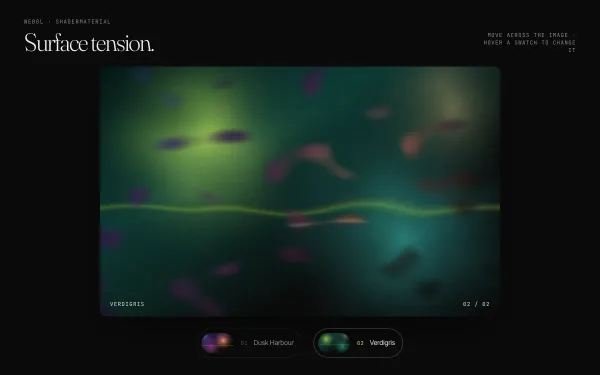 Featured WebGL
 Liquid Hover Distortion (WebGL)
A Three.js plane shows a procedurally painted image that warps like liquid under the pointer (noise UV displacement weighted by distance and speed, with a velocity-driven RGB split); hovering a swatch melts it into a second image.
- threejs
- glsl
- gsap
- canvas2d
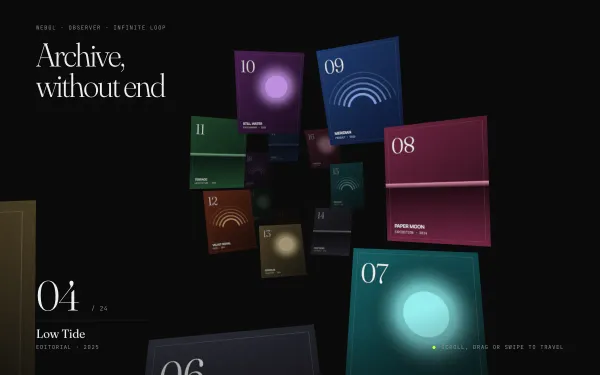 Featured WebGL
 Infinite 3D Gallery Tunnel
Twenty-four procedurally painted posters spiral down a fog-filled tunnel; wheel, drag or swipe sets the camera's speed, idle autoplay keeps it drifting, and plane depths wrap modulo the loop so the archive never ends.
- threejs
- gsap
- canvas2d
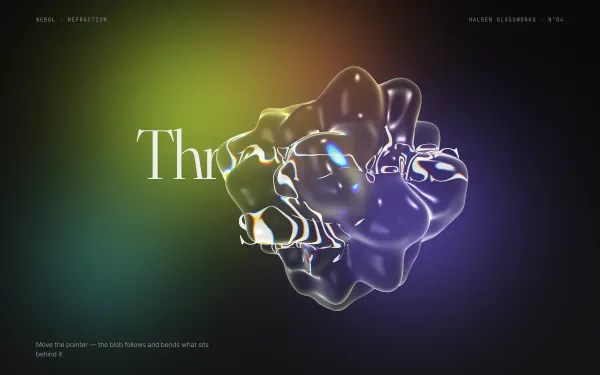 Featured WebGL
 Refractive Glass Blob
A noise-displaced icosahedron rendered as fake glass: the headline and drifting colour blobs behind it are rendered to a texture and refracted through the blob with chromatic aberration, a lime Fresnel rim and a specular hit, while it follows the pointer.
- threejs
- glsl
- canvas2d
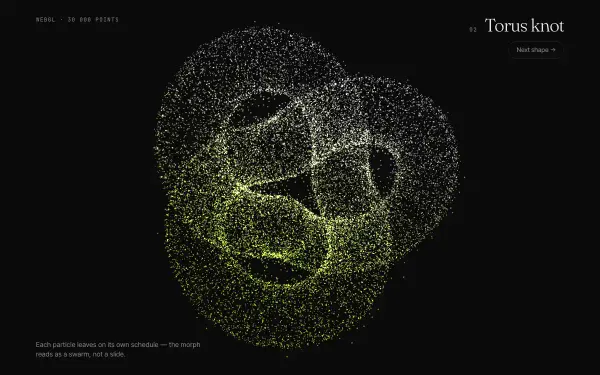 Featured WebGL
 Particle Morph Between Shapes
Thirty thousand additive points morph between a sphere, a torus knot, a cube and a heart; every particle starts on its own random schedule and takes a swirling detour, so each change of shape reads as a swarm rather than a slide.
- threejs
- glsl
- gsap