Hover Image Reveal on List Items
An editorial index of six project rows; hovering a row unclips a floating image that follows the pointer with lag and tilts with its velocity, crossfades between rows, nudges the row text right and dims the others.
- Hover
- gsap
- intermediate
- light perf
- mobile: degraded
- reduced-motion ✓
AI prompt
Recreate this effect with any AI tool
Paste into Claude, Cursor, v0, Lovable or Bolt. 1379 words of exact values — rewritten live as you tune the Playground.
### EFFECT: Hover Image Reveal on List Items
**What it does (visual):** A dark editorial index: a small heading ("Selected work", "06 projects · 2019 — 2026") above six hairline-divided rows, each showing a mono index (01–06), a large light serif project title, a mono category and a year on the right. Nothing else is visible. When the pointer enters a row, a 4:5 image frame (about 300px × 1 wide, slightly rounded, soft shadow) unclips from the bottom up directly under the cursor in 0.6s, showing that row's artwork. As the pointer moves, the frame follows with a soft lag (it closes 0.1 of the remaining distance each frame) and leans up to 14° in the direction of travel, straightening when the pointer stops. Sliding to the next row crossfades the artwork (0.4s) without re-clipping the frame. The hovered row's index and title slide 12px to the right while all other rows fade to 0.4 opacity. Leaving the list clips the frame away from the top down (0.45s), and the rows return. On touch devices and for reduced-motion users the floating frame does not exist: tapping a row expands its image inline beneath the row.

**Tech stack:**
- GSAP 3.13+ core (`gsap.ticker`, `clipPath` tweening, `gsap.matchMedia`).
- CDN: `<script src="https://cdn.jsdelivr.net/npm/gsap@3/dist/gsap.min.js"></script>`
- npm: `import gsap from "gsap";`
- Images: the demo paints each tile on a `<canvas>` (gradient + grain + caption) and exports a JPEG data URL; in production use real `<img src>`.

**HTML structure:**
```html
<section class="hil">
  <header class="hil__head"><p class="hil__label">Hover · Image reveal</p><h1 class="hil__title">Selected work</h1><p class="hil__meta">06 projects · 2019 — 2026</p></header>
  <ul class="hil__list">
    <li class="hil__item" data-hue="212">
      <button class="hil__row" type="button" aria-expanded="false">
        <span class="hil__index">01</span><span class="hil__name">Aurora Residence</span><span class="hil__cat">Architecture</span><span class="hil__year">2026</span>
      </button>
      <div class="hil__inline"><div class="hil__inline-media"><!-- <img> injected / your image --></div></div>
    </li>
    <!-- 5 more .hil__item -->
  </ul>
  <div class="hil__float" aria-hidden="true"><!-- one <img> per row, stacked --></div>
</section>
```

**CSS requirements:**
- `.hil`: `position: relative; min-height: 100vh; padding: 2.5rem 6vw 4rem;`
- `.hil__list { list-style: none; border-top: 1px solid var(--line) }`, `.hil__item { border-bottom: 1px solid var(--line) }`.
- `.hil__row`: `display: grid; grid-template-columns: 3rem 1fr auto 4rem; align-items: baseline; gap: 1.5rem; width: 100%; text-align: left; padding: 1.5rem 0; color: var(--text); cursor: pointer;` Focus: `outline: 2px solid var(--accent); outline-offset: -2px`.
- `.hil__index, .hil__cat, .hil__year`: mono 11px uppercase, `letter-spacing: .12em`, muted. `.hil__index, .hil__name { display: inline-block; will-change: transform }` (they are the parts that slide).
- `.hil__name`: `font-family: var(--font-display); font-weight: 300; font-size: clamp(1.5rem, 3.4vw, 3rem); letter-spacing: -0.03em; line-height: 1;`
- `.hil__float`: `position: fixed; left: 0; top: 0; z-index: 10; width: calc(clamp(220px, 24vw, 320px) * 1); aspect-ratio: 4 / 5; border-radius: 4px; overflow: hidden; pointer-events: none; clip-path: inset(100% 0% 0% 0%); will-change: transform, clip-path; box-shadow: 0 40px 80px -30px rgba(0,0,0,.7);` with `.hil__float img { position: absolute; inset: 0; width: 100%; height: 100%; object-fit: cover; opacity: 0 }`.
- `.hil__inline { height: 0; overflow: hidden }`, `.hil__inline-media { padding: 0 0 1.5rem }`, `.hil__inline-media img { width: 100%; aspect-ratio: 3 / 2; object-fit: cover; border-radius: 4px }`.
- `@media (hover: none), (pointer: coarse)` and `@media (prefers-reduced-motion: reduce)`: `.hil__float { display: none }`.
- Under 768px: `.hil__row { grid-template-columns: 2.25rem 1fr 3rem; gap: .75rem 1rem; padding: 1.1rem 0 }` with the category wrapping to a second line (`grid-column: 2; grid-row: 2`).

**Animation spec (exact values):**
1. Constants: `LERP = 0.1`, `MAX_TILT = 14`, `REVEAL = 0.6`, `SHIFT = 12`, `DIM = 0.4`, `FRAME_SCALE = 1`.
2. Entrance: `gsap.from('.hil__head', { y: 24, opacity: 0, duration: 1, ease: 'power3.out', delay: 0.1 })`; `gsap.from('.hil__item', { y: 20, opacity: 0, duration: 0.9, ease: 'power3.out', stagger: 0.06, delay: 0.2 })` (tween the `<li>`, not the row, so later row tweens never overwrite it).
3. Setup: `gsap.set('.hil__float', { xPercent: -50, yPercent: -50 })`; state `pos = { x, y, tx, ty, rot }`.
4. Follow loop (`gsap.ticker.add(tick)`), every frame:
   `pos.x += (pos.tx − pos.x) × 0.1; pos.y += (pos.ty − pos.y) × 0.1; vx = pos.tx − pos.x; pos.rot += (clamp(−14, 14, vx × 0.08) − pos.rot) × 0.1; gsap.set(float, { x: pos.x, y: pos.y, rotation: pos.rot })`. `pointermove` on the list only updates `pos.tx/ty = clientX/clientY`.
5. `show(i)` on row `pointerenter` (also sets `tx/ty` to the event point first):
   - previous image: `gsap.to(img[prev], { opacity: 0, duration: 0.4, ease: 'power2.out', overwrite: true })`; new image: `gsap.set(img[i], { zIndex: 10 + i })` then `gsap.to(img[i], { opacity: 1, duration: 0.4, ease: 'power2.out', overwrite: true })`.
   - rows: active `gsap.to(row, { opacity: 1, duration: 0.4 })`, others `{ opacity: 0.4, duration: 0.4, ease: 'power2.out' }`; active row's `.hil__index, .hil__name` → `{ x: 12, duration: 0.5, ease: 'power3.out' }`, others `{ x: 0 }`.
   - first reveal only (`visible === false`): snap `pos.x = pos.tx; pos.y = pos.ty; pos.rot = 0`, run `tick()` once, then `gsap.fromTo(float, { clipPath: 'inset(100% 0% 0% 0%)' }, { clipPath: 'inset(0% 0% 0% 0%)', duration: 0.6, ease: 'expo.out', overwrite: true })`.
6. `hide()` on list `pointerleave`: `gsap.to(float, { clipPath: 'inset(0% 0% 100% 0%)', duration: 0.45, ease: 'expo.inOut', overwrite: true, onComplete: () => { gsap.set(float, { clipPath: 'inset(100% 0% 0% 0%)' }); gsap.set(img[prev], { opacity: 0 }) } })`; all rows back to `opacity: 1` (0.4s) and `x: 0` (0.5s `power3.out`).
7. Keyboard: `focus` on a row calls `show(i)` with `tx = rect.right − 220, ty = rect.top + rect.height / 2`; `focusout` leaving the list calls `hide()`.
8. Fallback branch (`(hover: none), (pointer: coarse), (prefers-reduced-motion: reduce)`): row `click` toggles `aria-expanded` and `gsap.to(inline, { height: open ? 'auto' : 0, duration: 0.5, ease: 'expo.out' })` (duration 0 under reduced motion), sliding the row text 12px while open; opening one row closes the previous.

**Interaction:** Hover a row → frame unclips under the cursor; move → frame lags and tilts with horizontal speed (max ±14°); cross rows → artwork crossfades; leave the list → frame clips away downward and the rows recover. Rows are `<button>`s so they are clickable/tabbable; Tab through them to see the same reveal anchored near the row's right edge. Touch: tap to expand inline, tap again (or another row) to collapse.

**Responsive behavior:** `gsap.matchMedia` splits the behaviour: the floating frame exists only for `(hover: hover) and (pointer: fine)` with motion allowed; everything else gets the inline toggle. The frame width is `clamp(220px, 24vw, 320px) × 1`; the title scales via `clamp(1.5rem, 3.4vw, 3rem)`; under 768px the row grid drops to three columns with the category on a second line, so the longest title fits at 375px.

**Accessibility:** `prefers-reduced-motion: reduce` disables the follow loop and the float entirely (CSS hides it, JS never creates the ticker) and uses the inline toggle with 0s durations. The float is `aria-hidden` and its images have empty `alt`; the inline images carry descriptive `alt` text. `aria-expanded` reflects the inline state. Focus rings are 2px lime inside the row. Dimmed rows stay at 0.4 opacity, which keeps the text legible (≥ 4.5:1 on the dark theme).

**Performance rules:** The frame is positioned with `transform` (`x`, `y`, `rotation`) via a single `gsap.set` per frame; `clip-path` and `opacity` are composited. `will-change` sits on `.hil__float` and the two sliding spans only. The ticker callback is removed on `ml:pause` / tab hidden and re-added on `ml:resume`. Six images are created once and reused for both float and inline. All of it lives in `gsap.context()`; `ctx.revert()` removes listeners (through the matchMedia cleanup) and restores inline styles on unmount.

**Customization knobs:**
- `LERP` (0.1) — lower = dreamier lag; 0.2 feels tight.
- `MAX_TILT` (14) and the `vx × 0.08` factor — how much the frame leans.
- `SHIFT` (12px) and `DIM` (0.4) — row emphasis.
- `FRAME_SCALE` (1) multiplies the frame size clamp; `aspect-ratio` (4/5) — portrait vs landscape thumbnails.
- Reveal timings: open 0.6s `expo.out`, close 0.45s `expo.inOut`, crossfade 0.4s.

**Acceptance criteria:**
- [ ] Nothing but the list is visible until a row is hovered; the frame appears under the cursor, clipped from the bottom up.
- [ ] Frame lags the pointer and tilts in the direction of motion, straightening at rest.
- [ ] Moving across rows crossfades images without re-running the clip reveal; hovered row text shifts 12px, others dim to 0.4.
- [ ] Leaving the list clips the frame away and restores all rows.
- [ ] Touch / reduced motion: tapping a row expands its image inline with `aria-expanded="true"`.
- [ ] No layout shift from the floating frame; no console errors.Add this effect to my existing site/section: **Hover Image Reveal on List Items**. Use my existing list of projects as `.hil__item > .hil__row` rows (keep my markup; the row should be a button or link) and add one `position: fixed` `.hil__float` frame (`clamp(220px, 24vw, 320px) × 1` wide, 4:5, `overflow: hidden`, `clip-path: inset(100% 0% 0% 0%)`, `pointer-events: none`) containing one absolutely positioned `<img>` per row at `opacity: 0`. With GSAP, inside `gsap.matchMedia('(hover: hover) and (pointer: fine) and (prefers-reduced-motion: no-preference)')`: run a `gsap.ticker` that lerps the frame toward the pointer (`pos += (target − pos) × 0.1`) and sets `rotation` to `clamp(−14, 14, vx × 0.08)` lerped the same way; on row `pointerenter` crossfade to that row's image (0.4s), slide the row's index/title to `x: 12` (0.5s `power3.out`), dim the other rows to `opacity: 0.4` (0.4s), and on the first reveal snap the frame to the pointer and tween `clipPath` from `inset(100% 0% 0% 0%)` to `inset(0% 0% 0% 0%)` (0.6s `expo.out`); on list `pointerleave` tween `clipPath` to `inset(0% 0% 100% 0%)` (0.45s `expo.inOut`) and reset rows. For touch and reduced motion, toggle an inline image under the tapped row (`height: 0 → auto`, 0.5s `expo.out`, `aria-expanded`). Wrap in `gsap.context()`, remove the ticker on unmount, and keep my fonts, colours and copy.### EFFECT (React / Next.js): Hover Image Reveal on List Items
Build **Hover Image Reveal on List Items** as a self-contained React component for a Next.js App Router project (also valid in Vite + React). Follow the specification below exactly; the vanilla reference implementation at the end is the source of truth for values and structure.
**Setup**
- `npm i gsap @gsap/react`
- File: `components/HoverImageRevealOnListItems.tsx`, first line `"use client";` (GSAP touches the DOM).
- Imports:
```tsx
"use client";
import { useRef } from "react";
import gsap from "gsap";
import { useGSAP } from "@gsap/react";
gsap.registerPlugin(useGSAP);
export default function HoverImageRevealOnListItems() {
const scope = useRef<HTMLDivElement>(null);
useGSAP(() => {
// 1. query elements inside `scope.current` (never document-wide)
// 2. wait for document.fonts.ready before any SplitText
// 3. build the timeline / ScrollTriggers exactly as in the specification
// 4. return nothing — useGSAP reverts everything automatically on unmount
}, { scope });
return (
<div ref={scope} className="hil">
{/* markup from the HTML structure section, class → className */}
</div>
);
}
```
**React-specific rules**
- Everything GSAP-related lives inside `useGSAP(() => {...}, { scope })`; it handles cleanup (`ctx.revert()`) on unmount and in React Strict Mode double-invocation.
- Use refs or `gsap.utils.selector(scope)` instead of `document.querySelector`.
- Event listeners added inside useGSAP must use `contextSafe` (`const { contextSafe } = useGSAP({ scope })`) so their tweens are reverted too.
- ScrollTrigger: call `ScrollTrigger.refresh()` after images/fonts load; if the page uses Lenis, sync it once at the app root (`lenis.on('scroll', ScrollTrigger.update)`).
- Styles: copy the CSS requirements into a CSS Module (`HoverImageRevealOnListItems.module.css`) or Tailwind; keep the class names so the spec maps 1:1.
- Respect `prefers-reduced-motion` with `gsap.matchMedia()` as in the spec.
---
### EFFECT: Hover Image Reveal on List Items
**What it does (visual):** A dark editorial index: a small heading ("Selected work", "06 projects · 2019 — 2026") above six hairline-divided rows, each showing a mono index (01–06), a large light serif project title, a mono category and a year on the right. Nothing else is visible. When the pointer enters a row, a 4:5 image frame (about 300px × 1 wide, slightly rounded, soft shadow) unclips from the bottom up directly under the cursor in 0.6s, showing that row's artwork. As the pointer moves, the frame follows with a soft lag (it closes 0.1 of the remaining distance each frame) and leans up to 14° in the direction of travel, straightening when the pointer stops. Sliding to the next row crossfades the artwork (0.4s) without re-clipping the frame. The hovered row's index and title slide 12px to the right while all other rows fade to 0.4 opacity. Leaving the list clips the frame away from the top down (0.45s), and the rows return. On touch devices and for reduced-motion users the floating frame does not exist: tapping a row expands its image inline beneath the row.
**Tech stack:**
- GSAP 3.13+ core (`gsap.ticker`, `clipPath` tweening, `gsap.matchMedia`).
- CDN: `<script src="https://cdn.jsdelivr.net/npm/gsap@3/dist/gsap.min.js"></script>`
- npm: `import gsap from "gsap";`
- Images: the demo paints each tile on a `<canvas>` (gradient + grain + caption) and exports a JPEG data URL; in production use real `<img src>`.
**HTML structure:**
```html
<section class="hil">
<header class="hil__head"><p class="hil__label">Hover · Image reveal</p><h1 class="hil__title">Selected work</h1><p class="hil__meta">06 projects · 2019 — 2026</p></header>
<ul class="hil__list">
<li class="hil__item" data-hue="212">
<button class="hil__row" type="button" aria-expanded="false">
<span class="hil__index">01</span><span class="hil__name">Aurora Residence</span><span class="hil__cat">Architecture</span><span class="hil__year">2026</span>
</button>
<div class="hil__inline"><div class="hil__inline-media"><!-- <img> injected / your image --></div></div>
</li>
<!-- 5 more .hil__item -->
</ul>
<div class="hil__float" aria-hidden="true"><!-- one <img> per row, stacked --></div>
</section>
```
**CSS requirements:**
- `.hil`: `position: relative; min-height: 100vh; padding: 2.5rem 6vw 4rem;`
- `.hil__list { list-style: none; border-top: 1px solid var(--line) }`, `.hil__item { border-bottom: 1px solid var(--line) }`.
- `.hil__row`: `display: grid; grid-template-columns: 3rem 1fr auto 4rem; align-items: baseline; gap: 1.5rem; width: 100%; text-align: left; padding: 1.5rem 0; color: var(--text); cursor: pointer;` Focus: `outline: 2px solid var(--accent); outline-offset: -2px`.
- `.hil__index, .hil__cat, .hil__year`: mono 11px uppercase, `letter-spacing: .12em`, muted. `.hil__index, .hil__name { display: inline-block; will-change: transform }` (they are the parts that slide).
- `.hil__name`: `font-family: var(--font-display); font-weight: 300; font-size: clamp(1.5rem, 3.4vw, 3rem); letter-spacing: -0.03em; line-height: 1;`
- `.hil__float`: `position: fixed; left: 0; top: 0; z-index: 10; width: calc(clamp(220px, 24vw, 320px) * 1); aspect-ratio: 4 / 5; border-radius: 4px; overflow: hidden; pointer-events: none; clip-path: inset(100% 0% 0% 0%); will-change: transform, clip-path; box-shadow: 0 40px 80px -30px rgba(0,0,0,.7);` with `.hil__float img { position: absolute; inset: 0; width: 100%; height: 100%; object-fit: cover; opacity: 0 }`.
- `.hil__inline { height: 0; overflow: hidden }`, `.hil__inline-media { padding: 0 0 1.5rem }`, `.hil__inline-media img { width: 100%; aspect-ratio: 3 / 2; object-fit: cover; border-radius: 4px }`.
- `@media (hover: none), (pointer: coarse)` and `@media (prefers-reduced-motion: reduce)`: `.hil__float { display: none }`.
- Under 768px: `.hil__row { grid-template-columns: 2.25rem 1fr 3rem; gap: .75rem 1rem; padding: 1.1rem 0 }` with the category wrapping to a second line (`grid-column: 2; grid-row: 2`).
**Animation spec (exact values):**
1. Constants: `LERP = 0.1`, `MAX_TILT = 14`, `REVEAL = 0.6`, `SHIFT = 12`, `DIM = 0.4`, `FRAME_SCALE = 1`.
2. Entrance: `gsap.from('.hil__head', { y: 24, opacity: 0, duration: 1, ease: 'power3.out', delay: 0.1 })`; `gsap.from('.hil__item', { y: 20, opacity: 0, duration: 0.9, ease: 'power3.out', stagger: 0.06, delay: 0.2 })` (tween the `<li>`, not the row, so later row tweens never overwrite it).
3. Setup: `gsap.set('.hil__float', { xPercent: -50, yPercent: -50 })`; state `pos = { x, y, tx, ty, rot }`.
4. Follow loop (`gsap.ticker.add(tick)`), every frame:
`pos.x += (pos.tx − pos.x) × 0.1; pos.y += (pos.ty − pos.y) × 0.1; vx = pos.tx − pos.x; pos.rot += (clamp(−14, 14, vx × 0.08) − pos.rot) × 0.1; gsap.set(float, { x: pos.x, y: pos.y, rotation: pos.rot })`. `pointermove` on the list only updates `pos.tx/ty = clientX/clientY`.
5. `show(i)` on row `pointerenter` (also sets `tx/ty` to the event point first):
- previous image: `gsap.to(img[prev], { opacity: 0, duration: 0.4, ease: 'power2.out', overwrite: true })`; new image: `gsap.set(img[i], { zIndex: 10 + i })` then `gsap.to(img[i], { opacity: 1, duration: 0.4, ease: 'power2.out', overwrite: true })`.
- rows: active `gsap.to(row, { opacity: 1, duration: 0.4 })`, others `{ opacity: 0.4, duration: 0.4, ease: 'power2.out' }`; active row's `.hil__index, .hil__name` → `{ x: 12, duration: 0.5, ease: 'power3.out' }`, others `{ x: 0 }`.
- first reveal only (`visible === false`): snap `pos.x = pos.tx; pos.y = pos.ty; pos.rot = 0`, run `tick()` once, then `gsap.fromTo(float, { clipPath: 'inset(100% 0% 0% 0%)' }, { clipPath: 'inset(0% 0% 0% 0%)', duration: 0.6, ease: 'expo.out', overwrite: true })`.
6. `hide()` on list `pointerleave`: `gsap.to(float, { clipPath: 'inset(0% 0% 100% 0%)', duration: 0.45, ease: 'expo.inOut', overwrite: true, onComplete: () => { gsap.set(float, { clipPath: 'inset(100% 0% 0% 0%)' }); gsap.set(img[prev], { opacity: 0 }) } })`; all rows back to `opacity: 1` (0.4s) and `x: 0` (0.5s `power3.out`).
7. Keyboard: `focus` on a row calls `show(i)` with `tx = rect.right − 220, ty = rect.top + rect.height / 2`; `focusout` leaving the list calls `hide()`.
8. Fallback branch (`(hover: none), (pointer: coarse), (prefers-reduced-motion: reduce)`): row `click` toggles `aria-expanded` and `gsap.to(inline, { height: open ? 'auto' : 0, duration: 0.5, ease: 'expo.out' })` (duration 0 under reduced motion), sliding the row text 12px while open; opening one row closes the previous.
**Interaction:** Hover a row → frame unclips under the cursor; move → frame lags and tilts with horizontal speed (max ±14°); cross rows → artwork crossfades; leave the list → frame clips away downward and the rows recover. Rows are `<button>`s so they are clickable/tabbable; Tab through them to see the same reveal anchored near the row's right edge. Touch: tap to expand inline, tap again (or another row) to collapse.
**Responsive behavior:** `gsap.matchMedia` splits the behaviour: the floating frame exists only for `(hover: hover) and (pointer: fine)` with motion allowed; everything else gets the inline toggle. The frame width is `clamp(220px, 24vw, 320px) × 1`; the title scales via `clamp(1.5rem, 3.4vw, 3rem)`; under 768px the row grid drops to three columns with the category on a second line, so the longest title fits at 375px.
**Accessibility:** `prefers-reduced-motion: reduce` disables the follow loop and the float entirely (CSS hides it, JS never creates the ticker) and uses the inline toggle with 0s durations. The float is `aria-hidden` and its images have empty `alt`; the inline images carry descriptive `alt` text. `aria-expanded` reflects the inline state. Focus rings are 2px lime inside the row. Dimmed rows stay at 0.4 opacity, which keeps the text legible (≥ 4.5:1 on the dark theme).
**Performance rules:** The frame is positioned with `transform` (`x`, `y`, `rotation`) via a single `gsap.set` per frame; `clip-path` and `opacity` are composited. `will-change` sits on `.hil__float` and the two sliding spans only. The ticker callback is removed on `ml:pause` / tab hidden and re-added on `ml:resume`. Six images are created once and reused for both float and inline. All of it lives in `gsap.context()`; `ctx.revert()` removes listeners (through the matchMedia cleanup) and restores inline styles on unmount.
**Customization knobs:**
- `LERP` (0.1) — lower = dreamier lag; 0.2 feels tight.
- `MAX_TILT` (14) and the `vx × 0.08` factor — how much the frame leans.
- `SHIFT` (12px) and `DIM` (0.4) — row emphasis.
- `FRAME_SCALE` (1) multiplies the frame size clamp; `aspect-ratio` (4/5) — portrait vs landscape thumbnails.
- Reveal timings: open 0.6s `expo.out`, close 0.45s `expo.inOut`, crossfade 0.4s.
**Acceptance criteria:**
- [ ] Nothing but the list is visible until a row is hovered; the frame appears under the cursor, clipped from the bottom up.
- [ ] Frame lags the pointer and tilts in the direction of motion, straightening at rest.
- [ ] Moving across rows crossfades images without re-running the clip reveal; hovered row text shifts 12px, others dim to 0.4.
- [ ] Leaving the list clips the frame away and restores all rows.
- [ ] Touch / reduced motion: tapping a row expands its image inline with `aria-expanded="true"`.
- [ ] No layout shift from the floating frame; no console errors.
---
**Reference implementation (vanilla, converts 1:1 — same class names, same values):**
```html
<!-- thumb: hover=.hil__item:nth-child(3)>.hil__row wait=900 -->
<section class="hil">
<header class="hil__head">
<p class="hil__label">Hover · Image reveal</p>
<h1 class="hil__title">Selected work</h1>
<p class="hil__meta">06 projects · 2019 — 2026</p>
</header>
<ul class="hil__list">
<li class="hil__item" data-hue="212">
<button class="hil__row" type="button" aria-expanded="false">
<span class="hil__index">01</span>
<span class="hil__name">Aurora Residence</span>
<span class="hil__cat">Architecture</span>
<span class="hil__year">2026</span>
</button>
<div class="hil__inline"><div class="hil__inline-media"></div></div>
</li>
<li class="hil__item" data-hue="18">
<button class="hil__row" type="button" aria-expanded="false">
<span class="hil__index">02</span>
<span class="hil__name">Ember Type Foundry</span>
<span class="hil__cat">Identity</span>
<span class="hil__year">2026</span>
</button>
<div class="hil__inline"><div class="hil__inline-media"></div></div>
</li>
<li class="hil__item" data-hue="150">
<button class="hil__row" type="button" aria-expanded="false">
<span class="hil__index">03</span>
<span class="hil__name">Moss Botanical Atlas</span>
<span class="hil__cat">Editorial</span>
<span class="hil__year">2025</span>
</button>
<div class="hil__inline"><div class="hil__inline-media"></div></div>
</li>
<li class="hil__item" data-hue="275">
<button class="hil__row" type="button" aria-expanded="false">
<span class="hil__index">04</span>
<span class="hil__name">Violet Hour Records</span>
<span class="hil__cat">Campaign</span>
<span class="hil__year">2024</span>
</button>
<div class="hil__inline"><div class="hil__inline-media"></div></div>
</li>
<li class="hil__item" data-hue="42">
<button class="hil__row" type="button" aria-expanded="false">
<span class="hil__index">05</span>
<span class="hil__name">Saffron Table</span>
<span class="hil__cat">Product</span>
<span class="hil__year">2022</span>
</button>
<div class="hil__inline"><div class="hil__inline-media"></div></div>
</li>
<li class="hil__item" data-hue="195">
<button class="hil__row" type="button" aria-expanded="false">
<span class="hil__index">06</span>
<span class="hil__name">Tide Observatory</span>
<span class="hil__cat">Exhibition</span>
<span class="hil__year">2019</span>
</button>
<div class="hil__inline"><div class="hil__inline-media"></div></div>
</li>
</ul>
<div class="hil__float" aria-hidden="true"></div>
</section>
```
```css
.hil { position: relative; min-height: 100vh; padding: 2.5rem 6vw 4rem; background: var(--bg); color: var(--text); }
.hil__head { display: grid; grid-template-columns: 1fr auto; align-items: end; gap: 1rem; padding-bottom: 1.5rem; }
.hil__label { grid-column: 1 / -1; font-family: var(--font-mono); font-size: 11px; text-transform: uppercase; letter-spacing: .14em; color: var(--muted); margin-bottom: .75rem; }
.hil__title { font-family: var(--font-display); font-weight: 300; font-size: clamp(2.25rem, 5vw, 4.5rem); letter-spacing: -0.04em; line-height: .95; }
.hil__meta { font-family: var(--font-mono); font-size: 11px; text-transform: uppercase; letter-spacing: .14em; color: var(--muted); }
.hil__list { list-style: none; border-top: 1px solid var(--line); }
.hil__item { border-bottom: 1px solid var(--line); }
.hil__row {
display: grid; grid-template-columns: 3rem 1fr auto 4rem; align-items: baseline; gap: 1.5rem; width: 100%; text-align: left;
padding: 1.5rem 0; color: var(--text); cursor: pointer; -webkit-tap-highlight-color: transparent;
}
.hil__row:focus-visible { outline: 2px solid var(--accent); outline-offset: -2px; }
.hil__index, .hil__year, .hil__cat { font-family: var(--font-mono); font-size: 11px; text-transform: uppercase; letter-spacing: .12em; color: var(--muted); }
.hil__index, .hil__name { display: inline-block; will-change: transform; }
.hil__name { font-family: var(--font-display); font-weight: 300; font-size: clamp(1.5rem, 3.4vw, 3rem); letter-spacing: -0.03em; line-height: 1; }
.hil__year { text-align: right; }
/* Floating image frame (pointer devices) */
.hil__float {
position: fixed; left: 0; top: 0; z-index: 10; width: calc(clamp(220px, 24vw, 320px) * var(--knob-frame-scale, 1)); aspect-ratio: 4 / 5; border-radius: 4px; overflow: hidden;
pointer-events: none; clip-path: inset(100% 0% 0% 0%); will-change: transform, clip-path; box-shadow: 0 40px 80px -30px rgba(0,0,0,.7);
}
.hil__float img { position: absolute; inset: 0; width: 100%; height: 100%; object-fit: cover; opacity: 0; }
/* Inline fallback (touch, keyboard, reduced motion) */
.hil__inline { height: 0; overflow: hidden; }
.hil__inline-media { padding: 0 0 1.5rem; }
.hil__inline-media img { width: 100%; aspect-ratio: 3 / 2; object-fit: cover; border-radius: 4px; }
@media (hover: none), (pointer: coarse) { .hil__float { display: none; } }
@media (max-width: 767px) {
.hil { padding: 1.5rem 5vw 3rem; }
.hil__head { grid-template-columns: 1fr; }
.hil__row { grid-template-columns: 2.25rem 1fr 3rem; gap: .75rem 1rem; padding: 1.1rem 0; }
.hil__cat { grid-column: 2; grid-row: 2; }
.hil__year { grid-row: 1; }
}
@media (prefers-reduced-motion: reduce) {
.hil__float { display: none; }
.hil__index, .hil__name { will-change: auto; }
}
```
```js
// Hover Image Reveal on List Items — a floating frame unclips under the pointer, lerps after it and tilts with velocity.
// Defaults — overridable from the MOTION/LAB Playground via MotionLab.knob()
const DEFAULTS = { lerp: 0.1, maxTilt: 14, revealDuration: 0.6, shift: 12, dim: 0.4, frameScale: 1 };
const K = (id) => window.MotionLab?.knob(id, DEFAULTS[id]) ?? DEFAULTS[id];
const reduced = matchMedia('(prefers-reduced-motion: reduce)').matches;
const section = document.querySelector('.hil');
const list = document.querySelector('.hil__list');
const items = gsap.utils.toArray('.hil__item');
const rows = items.map((li) => li.querySelector('.hil__row'));
const float = document.querySelector('.hil__float');
// ---- Procedural tiles: one gradient + grain canvas per row, exported once as a data URL -------------
const grain = (() => {
const c = document.createElement('canvas'); c.width = c.height = 256;
const g = c.getContext('2d'); const img = g.createImageData(256, 256); const d = img.data;
for (let p = 0; p < d.length; p += 4) { const v = 110 + Math.random() * 90; d[p] = d[p + 1] = d[p + 2] = v; d[p + 3] = 255; }
g.putImageData(img, 0, 0); return c;
})();
function paintTile(hue, label, index) {
const w = 480, h = 600, c = document.createElement('canvas'); c.width = w; c.height = h;
const g = c.getContext('2d');
const base = g.createLinearGradient(0, 0, w, h);
base.addColorStop(0, `hsl(${hue} 38% 26%)`); base.addColorStop(1, `hsl(${(hue + 35) % 360} 48% 8%)`);
g.fillStyle = base; g.fillRect(0, 0, w, h);
const glow = g.createRadialGradient(w * 0.32, h * 0.3, 0, w * 0.32, h * 0.3, w * 0.95);
glow.addColorStop(0, `hsl(${(hue + 50) % 360} 80% 70% / .95)`); glow.addColorStop(0.5, `hsl(${(hue + 20) % 360} 65% 45% / .35)`); glow.addColorStop(1, 'hsl(0 0% 0% / 0)');
g.fillStyle = glow; g.fillRect(0, 0, w, h);
const shade = g.createRadialGradient(w * 0.9, h, 0, w * 0.9, h, w);
shade.addColorStop(0, `hsl(${(hue + 200) % 360} 55% 18% / .6)`); shade.addColorStop(1, 'hsl(0 0% 0% / 0)');
g.fillStyle = shade; g.fillRect(0, 0, w, h);
g.globalCompositeOperation = 'overlay'; g.globalAlpha = 0.45;
g.fillStyle = g.createPattern(grain, 'repeat'); g.fillRect(0, 0, w, h);
g.globalCompositeOperation = 'source-over'; g.globalAlpha = 1;
g.strokeStyle = 'rgba(255,255,255,.14)'; g.lineWidth = 2; g.strokeRect(1, 1, w - 2, h - 2);
g.fillStyle = 'rgba(255,255,255,.65)'; g.font = '500 20px "JetBrains Mono", ui-monospace, monospace'; g.fillText(index, 32, h - 36);
g.fillStyle = 'rgba(255,255,255,.9)'; g.font = 'italic 300 40px Fraunces, Georgia, serif'; g.fillText(label, 32, 68);
return c.toDataURL('image/jpeg', 0.86);
}
// Images are painted once (after the fonts resolve) and survive Playground rebuilds.
const floatImgs = [];
const imagesReady = Promise.all([document.fonts.load('italic 300 40px Fraunces'), document.fonts.load('500 20px "JetBrains Mono"')])
.catch(() => {})
.then(() => {
items.forEach((li, i) => {
const src = paintTile(Number(li.dataset.hue) || 200, li.querySelector('.hil__name').textContent, `N°${String(i + 1).padStart(2, '0')}`);
const a = new Image(); a.src = src; a.alt = ''; float.appendChild(a); floatImgs.push(a);
const b = new Image(); b.src = src; b.alt = `${li.querySelector('.hil__name').textContent} — ${li.querySelector('.hil__cat').textContent}`; li.querySelector('.hil__inline-media').appendChild(b);
});
});
let ctx, generation = 0;
function build() {
ctx?.revert();
const gen = ++generation;
section.style.setProperty('--knob-frame-scale', String(K('frameScale')));
const LERP = K('lerp'); // follow smoothing per frame
const MAX_TILT = K('maxTilt'); // degrees, from horizontal pointer velocity
const REVEAL = K('revealDuration'); // s, first unclip
const SHIFT = K('shift'); // px the active row's text slides right
const DIM = K('dim'); // opacity of the other rows
ctx = gsap.context(() => {
gsap.from('.hil__head', { y: 24, opacity: 0, duration: 1, ease: 'power3.out', delay: 0.1 });
gsap.from(items, { y: 20, opacity: 0, duration: 0.9, ease: 'power3.out', stagger: 0.06, delay: 0.2 });
imagesReady.then(() => {
if (gen !== generation) return; // a newer build took over while the fonts loaded
ctx.add(() => {
const mm = gsap.matchMedia();
// ---- Pointer devices: floating frame --------------------------------------------------------
mm.add('(hover: hover) and (pointer: fine) and (prefers-reduced-motion: no-preference)', () => {
const pos = { x: 0, y: 0, tx: 0, ty: 0, rot: 0 };
let active = -1, visible = false, closing = null;
gsap.set(float, { xPercent: -50, yPercent: -50, clipPath: 'inset(100% 0% 0% 0%)' });
gsap.set(floatImgs, { opacity: 0 });
const tick = () => {
pos.x += (pos.tx - pos.x) * LERP;
pos.y += (pos.ty - pos.y) * LERP;
const vx = pos.tx - pos.x;
pos.rot += (gsap.utils.clamp(-MAX_TILT, MAX_TILT, vx * 0.08) - pos.rot) * LERP;
gsap.set(float, { x: pos.x, y: pos.y, rotation: pos.rot });
};
const show = (i) => {
if (i === active) return;
if (active > -1) gsap.to(floatImgs[active], { opacity: 0, duration: 0.4, ease: 'power2.out', overwrite: true });
gsap.set(floatImgs[i], { zIndex: 10 + i });
gsap.to(floatImgs[i], { opacity: 1, duration: 0.4, ease: 'power2.out', overwrite: true });
rows.forEach((row, j) => {
const on = j === i;
gsap.to(row, { opacity: on ? 1 : DIM, duration: 0.4, ease: 'power2.out', overwrite: true });
gsap.to(row.querySelectorAll('.hil__index, .hil__name'), { x: on ? SHIFT : 0, duration: 0.5, ease: 'power3.out', overwrite: true });
});
active = i;
if (!visible) {
visible = true;
closing?.kill();
pos.x = pos.tx; pos.y = pos.ty; pos.rot = 0; tick();
gsap.fromTo(float, { clipPath: 'inset(100% 0% 0% 0%)' }, { clipPath: 'inset(0% 0% 0% 0%)', duration: REVEAL, ease: 'expo.out', overwrite: true });
}
};
const hide = () => {
if (!visible) return;
visible = false;
const prev = active; active = -1;
closing = gsap.to(float, {
clipPath: 'inset(0% 0% 100% 0%)', duration: 0.45, ease: 'expo.inOut', overwrite: true,
onComplete() { gsap.set(float, { clipPath: 'inset(100% 0% 0% 0%)' }); if (prev > -1) gsap.set(floatImgs[prev], { opacity: 0 }); },
});
rows.forEach((row) => {
gsap.to(row, { opacity: 1, duration: 0.4, ease: 'power2.out', overwrite: true });
gsap.to(row.querySelectorAll('.hil__index, .hil__name'), { x: 0, duration: 0.5, ease: 'power3.out', overwrite: true });
});
};
const onMove = (e) => { pos.tx = e.clientX; pos.ty = e.clientY; };
const onEnter = (e) => { pos.tx = e.clientX; pos.ty = e.clientY; show(rows.indexOf(e.currentTarget)); };
const onFocus = (e) => { const r = e.currentTarget.getBoundingClientRect(); pos.tx = r.right - 220; pos.ty = r.top + r.height / 2; show(rows.indexOf(e.currentTarget)); };
const onListLeave = () => hide();
const onFocusOut = (e) => { if (!list.contains(e.relatedTarget)) hide(); };
list.addEventListener('pointermove', onMove);
list.addEventListener('pointerleave', onListLeave);
list.addEventListener('focusout', onFocusOut);
rows.forEach((row) => { row.addEventListener('pointerenter', onEnter); row.addEventListener('focus', onFocus); });
const pause = () => gsap.ticker.remove(tick);
const resume = () => gsap.ticker.add(tick);
gsap.ticker.add(tick);
window.addEventListener('ml:pause', pause);
window.addEventListener('ml:resume', resume);
return () => {
gsap.ticker.remove(tick);
closing?.kill();
gsap.killTweensOf([float, ...floatImgs, ...rows, ...section.querySelectorAll('.hil__index, .hil__name')]);
list.removeEventListener('pointermove', onMove);
list.removeEventListener('pointerleave', onListLeave);
list.removeEventListener('focusout', onFocusOut);
rows.forEach((row) => { row.removeEventListener('pointerenter', onEnter); row.removeEventListener('focus', onFocus); });
window.removeEventListener('ml:pause', pause);
window.removeEventListener('ml:resume', resume);
};
});
// ---- Touch / reduced motion: tap toggles the image inline under the row ---------------------
mm.add('(hover: none), (pointer: coarse), (prefers-reduced-motion: reduce)', () => {
let open = -1;
const setOpen = (i, on) => {
const inline = items[i].querySelector('.hil__inline');
rows[i].setAttribute('aria-expanded', String(on));
gsap.to(inline, { height: on ? 'auto' : 0, duration: reduced ? 0 : 0.5, ease: 'expo.out', overwrite: true });
gsap.to(rows[i].querySelectorAll('.hil__index, .hil__name'), { x: on ? SHIFT : 0, duration: reduced ? 0 : 0.5, ease: 'power3.out', overwrite: true });
};
const onClick = (e) => {
const i = rows.indexOf(e.currentTarget);
if (open > -1 && open !== i) setOpen(open, false);
setOpen(i, open !== i);
open = open === i ? -1 : i;
};
rows.forEach((row) => row.addEventListener('click', onClick));
return () => {
rows.forEach((row, i) => { row.removeEventListener('click', onClick); row.setAttribute('aria-expanded', 'false'); gsap.set(items[i].querySelector('.hil__inline'), { height: 0 }); });
};
});
});
});
});
}
build();
// Playground: rebuild with the new values
window.addEventListener('ml:knobs', build);
window.MotionLab?.onCleanup(() => {
ctx?.revert();
floatImgs.forEach((img) => img.remove());
section.querySelectorAll('.hil__inline-media img').forEach((img) => img.remove());
});
```
### EFFECT (single HTML file): Hover Image Reveal on List Items
Produce **one self-contained `index.html`** (inline `<style>` and `<script type="module">`, no build step) that implements **Hover Image Reveal on List Items** exactly as specified below. Libraries load from jsDelivr:

```html
<!doctype html>
<html lang="en">
<head>
  <meta charset="utf-8">
  <meta name="viewport" content="width=device-width, initial-scale=1">
  <title>Hover Image Reveal on List Items</title>
  <link href="https://fonts.googleapis.com/css2?family=Fraunces:ital,opsz,wght@0,9..144,300..600;1,9..144,300..600&family=Inter+Tight:wght@300..700&family=JetBrains+Mono:wght@400;500&display=swap" rel="stylesheet">
  <style>
    :root{--bg:#0a0a0a;--surface:#121212;--line:rgba(255,255,255,.08);--text:#ededed;--muted:#8a8a8a;--accent:#d4ff3a;--font-display:"Fraunces",Georgia,serif;--font-sans:"Inter Tight",system-ui,sans-serif;--font-mono:"JetBrains Mono",ui-monospace,monospace}
    *,*::before,*::after{box-sizing:border-box;margin:0;padding:0}
    body{background:var(--bg);color:var(--text);font-family:var(--font-sans);-webkit-font-smoothing:antialiased;overflow-x:hidden}
    /* + the CSS requirements below */
  </style>
  <script src="https://cdn.jsdelivr.net/npm/gsap@3/dist/gsap.min.js"></script>
</head>
<body>
  <!-- markup from the HTML structure section -->
  <script type="module">
    // the JS from the animation spec (window.MotionLab is optional — keep the ?. guards or remove them)
  </script>
</body>
</html>
```

The file must open directly from a local server (`npx serve .`) with zero console errors, work at 375px and 1440px, and honour `prefers-reduced-motion`.

---

### EFFECT: Hover Image Reveal on List Items
**What it does (visual):** A dark editorial index: a small heading ("Selected work", "06 projects · 2019 — 2026") above six hairline-divided rows, each showing a mono index (01–06), a large light serif project title, a mono category and a year on the right. Nothing else is visible. When the pointer enters a row, a 4:5 image frame (about 300px × 1 wide, slightly rounded, soft shadow) unclips from the bottom up directly under the cursor in 0.6s, showing that row's artwork. As the pointer moves, the frame follows with a soft lag (it closes 0.1 of the remaining distance each frame) and leans up to 14° in the direction of travel, straightening when the pointer stops. Sliding to the next row crossfades the artwork (0.4s) without re-clipping the frame. The hovered row's index and title slide 12px to the right while all other rows fade to 0.4 opacity. Leaving the list clips the frame away from the top down (0.45s), and the rows return. On touch devices and for reduced-motion users the floating frame does not exist: tapping a row expands its image inline beneath the row.

**Tech stack:**
- GSAP 3.13+ core (`gsap.ticker`, `clipPath` tweening, `gsap.matchMedia`).
- CDN: `<script src="https://cdn.jsdelivr.net/npm/gsap@3/dist/gsap.min.js"></script>`
- npm: `import gsap from "gsap";`
- Images: the demo paints each tile on a `<canvas>` (gradient + grain + caption) and exports a JPEG data URL; in production use real `<img src>`.

**HTML structure:**
```html
<section class="hil">
  <header class="hil__head"><p class="hil__label">Hover · Image reveal</p><h1 class="hil__title">Selected work</h1><p class="hil__meta">06 projects · 2019 — 2026</p></header>
  <ul class="hil__list">
    <li class="hil__item" data-hue="212">
      <button class="hil__row" type="button" aria-expanded="false">
        <span class="hil__index">01</span><span class="hil__name">Aurora Residence</span><span class="hil__cat">Architecture</span><span class="hil__year">2026</span>
      </button>
      <div class="hil__inline"><div class="hil__inline-media"><!-- <img> injected / your image --></div></div>
    </li>
    <!-- 5 more .hil__item -->
  </ul>
  <div class="hil__float" aria-hidden="true"><!-- one <img> per row, stacked --></div>
</section>
```

**CSS requirements:**
- `.hil`: `position: relative; min-height: 100vh; padding: 2.5rem 6vw 4rem;`
- `.hil__list { list-style: none; border-top: 1px solid var(--line) }`, `.hil__item { border-bottom: 1px solid var(--line) }`.
- `.hil__row`: `display: grid; grid-template-columns: 3rem 1fr auto 4rem; align-items: baseline; gap: 1.5rem; width: 100%; text-align: left; padding: 1.5rem 0; color: var(--text); cursor: pointer;` Focus: `outline: 2px solid var(--accent); outline-offset: -2px`.
- `.hil__index, .hil__cat, .hil__year`: mono 11px uppercase, `letter-spacing: .12em`, muted. `.hil__index, .hil__name { display: inline-block; will-change: transform }` (they are the parts that slide).
- `.hil__name`: `font-family: var(--font-display); font-weight: 300; font-size: clamp(1.5rem, 3.4vw, 3rem); letter-spacing: -0.03em; line-height: 1;`
- `.hil__float`: `position: fixed; left: 0; top: 0; z-index: 10; width: calc(clamp(220px, 24vw, 320px) * 1); aspect-ratio: 4 / 5; border-radius: 4px; overflow: hidden; pointer-events: none; clip-path: inset(100% 0% 0% 0%); will-change: transform, clip-path; box-shadow: 0 40px 80px -30px rgba(0,0,0,.7);` with `.hil__float img { position: absolute; inset: 0; width: 100%; height: 100%; object-fit: cover; opacity: 0 }`.
- `.hil__inline { height: 0; overflow: hidden }`, `.hil__inline-media { padding: 0 0 1.5rem }`, `.hil__inline-media img { width: 100%; aspect-ratio: 3 / 2; object-fit: cover; border-radius: 4px }`.
- `@media (hover: none), (pointer: coarse)` and `@media (prefers-reduced-motion: reduce)`: `.hil__float { display: none }`.
- Under 768px: `.hil__row { grid-template-columns: 2.25rem 1fr 3rem; gap: .75rem 1rem; padding: 1.1rem 0 }` with the category wrapping to a second line (`grid-column: 2; grid-row: 2`).

**Animation spec (exact values):**
1. Constants: `LERP = 0.1`, `MAX_TILT = 14`, `REVEAL = 0.6`, `SHIFT = 12`, `DIM = 0.4`, `FRAME_SCALE = 1`.
2. Entrance: `gsap.from('.hil__head', { y: 24, opacity: 0, duration: 1, ease: 'power3.out', delay: 0.1 })`; `gsap.from('.hil__item', { y: 20, opacity: 0, duration: 0.9, ease: 'power3.out', stagger: 0.06, delay: 0.2 })` (tween the `<li>`, not the row, so later row tweens never overwrite it).
3. Setup: `gsap.set('.hil__float', { xPercent: -50, yPercent: -50 })`; state `pos = { x, y, tx, ty, rot }`.
4. Follow loop (`gsap.ticker.add(tick)`), every frame:
   `pos.x += (pos.tx − pos.x) × 0.1; pos.y += (pos.ty − pos.y) × 0.1; vx = pos.tx − pos.x; pos.rot += (clamp(−14, 14, vx × 0.08) − pos.rot) × 0.1; gsap.set(float, { x: pos.x, y: pos.y, rotation: pos.rot })`. `pointermove` on the list only updates `pos.tx/ty = clientX/clientY`.
5. `show(i)` on row `pointerenter` (also sets `tx/ty` to the event point first):
   - previous image: `gsap.to(img[prev], { opacity: 0, duration: 0.4, ease: 'power2.out', overwrite: true })`; new image: `gsap.set(img[i], { zIndex: 10 + i })` then `gsap.to(img[i], { opacity: 1, duration: 0.4, ease: 'power2.out', overwrite: true })`.
   - rows: active `gsap.to(row, { opacity: 1, duration: 0.4 })`, others `{ opacity: 0.4, duration: 0.4, ease: 'power2.out' }`; active row's `.hil__index, .hil__name` → `{ x: 12, duration: 0.5, ease: 'power3.out' }`, others `{ x: 0 }`.
   - first reveal only (`visible === false`): snap `pos.x = pos.tx; pos.y = pos.ty; pos.rot = 0`, run `tick()` once, then `gsap.fromTo(float, { clipPath: 'inset(100% 0% 0% 0%)' }, { clipPath: 'inset(0% 0% 0% 0%)', duration: 0.6, ease: 'expo.out', overwrite: true })`.
6. `hide()` on list `pointerleave`: `gsap.to(float, { clipPath: 'inset(0% 0% 100% 0%)', duration: 0.45, ease: 'expo.inOut', overwrite: true, onComplete: () => { gsap.set(float, { clipPath: 'inset(100% 0% 0% 0%)' }); gsap.set(img[prev], { opacity: 0 }) } })`; all rows back to `opacity: 1` (0.4s) and `x: 0` (0.5s `power3.out`).
7. Keyboard: `focus` on a row calls `show(i)` with `tx = rect.right − 220, ty = rect.top + rect.height / 2`; `focusout` leaving the list calls `hide()`.
8. Fallback branch (`(hover: none), (pointer: coarse), (prefers-reduced-motion: reduce)`): row `click` toggles `aria-expanded` and `gsap.to(inline, { height: open ? 'auto' : 0, duration: 0.5, ease: 'expo.out' })` (duration 0 under reduced motion), sliding the row text 12px while open; opening one row closes the previous.

**Interaction:** Hover a row → frame unclips under the cursor; move → frame lags and tilts with horizontal speed (max ±14°); cross rows → artwork crossfades; leave the list → frame clips away downward and the rows recover. Rows are `<button>`s so they are clickable/tabbable; Tab through them to see the same reveal anchored near the row's right edge. Touch: tap to expand inline, tap again (or another row) to collapse.

**Responsive behavior:** `gsap.matchMedia` splits the behaviour: the floating frame exists only for `(hover: hover) and (pointer: fine)` with motion allowed; everything else gets the inline toggle. The frame width is `clamp(220px, 24vw, 320px) × 1`; the title scales via `clamp(1.5rem, 3.4vw, 3rem)`; under 768px the row grid drops to three columns with the category on a second line, so the longest title fits at 375px.

**Accessibility:** `prefers-reduced-motion: reduce` disables the follow loop and the float entirely (CSS hides it, JS never creates the ticker) and uses the inline toggle with 0s durations. The float is `aria-hidden` and its images have empty `alt`; the inline images carry descriptive `alt` text. `aria-expanded` reflects the inline state. Focus rings are 2px lime inside the row. Dimmed rows stay at 0.4 opacity, which keeps the text legible (≥ 4.5:1 on the dark theme).

**Performance rules:** The frame is positioned with `transform` (`x`, `y`, `rotation`) via a single `gsap.set` per frame; `clip-path` and `opacity` are composited. `will-change` sits on `.hil__float` and the two sliding spans only. The ticker callback is removed on `ml:pause` / tab hidden and re-added on `ml:resume`. Six images are created once and reused for both float and inline. All of it lives in `gsap.context()`; `ctx.revert()` removes listeners (through the matchMedia cleanup) and restores inline styles on unmount.

**Customization knobs:**
- `LERP` (0.1) — lower = dreamier lag; 0.2 feels tight.
- `MAX_TILT` (14) and the `vx × 0.08` factor — how much the frame leans.
- `SHIFT` (12px) and `DIM` (0.4) — row emphasis.
- `FRAME_SCALE` (1) multiplies the frame size clamp; `aspect-ratio` (4/5) — portrait vs landscape thumbnails.
- Reveal timings: open 0.6s `expo.out`, close 0.45s `expo.inOut`, crossfade 0.4s.

**Acceptance criteria:**
- [ ] Nothing but the list is visible until a row is hovered; the frame appears under the cursor, clipped from the bottom up.
- [ ] Frame lags the pointer and tilts in the direction of motion, straightening at rest.
- [ ] Moving across rows crossfades images without re-running the clip reveal; hovered row text shifts 12px, others dim to 0.4.
- [ ] Leaving the list clips the frame away and restores all rows.
- [ ] Touch / reduced motion: tapping a row expands its image inline with `aria-expanded="true"`.
- [ ] No layout shift from the floating frame; no console errors.

---

**Reference implementation (use these exact values and class names):**

```html
<!-- thumb: hover=.hil__item:nth-child(3)>.hil__row wait=900 -->
<section class="hil">
  <header class="hil__head">
    <p class="hil__label">Hover · Image reveal</p>
    <h1 class="hil__title">Selected work</h1>
    <p class="hil__meta">06 projects · 2019 — 2026</p>
  </header>

  <ul class="hil__list">
    <li class="hil__item" data-hue="212">
      <button class="hil__row" type="button" aria-expanded="false">
        <span class="hil__index">01</span>
        <span class="hil__name">Aurora Residence</span>
        <span class="hil__cat">Architecture</span>
        <span class="hil__year">2026</span>
      </button>
      <div class="hil__inline"><div class="hil__inline-media"></div></div>
    </li>
    <li class="hil__item" data-hue="18">
      <button class="hil__row" type="button" aria-expanded="false">
        <span class="hil__index">02</span>
        <span class="hil__name">Ember Type Foundry</span>
        <span class="hil__cat">Identity</span>
        <span class="hil__year">2026</span>
      </button>
      <div class="hil__inline"><div class="hil__inline-media"></div></div>
    </li>
    <li class="hil__item" data-hue="150">
      <button class="hil__row" type="button" aria-expanded="false">
        <span class="hil__index">03</span>
        <span class="hil__name">Moss Botanical Atlas</span>
        <span class="hil__cat">Editorial</span>
        <span class="hil__year">2025</span>
      </button>
      <div class="hil__inline"><div class="hil__inline-media"></div></div>
    </li>
    <li class="hil__item" data-hue="275">
      <button class="hil__row" type="button" aria-expanded="false">
        <span class="hil__index">04</span>
        <span class="hil__name">Violet Hour Records</span>
        <span class="hil__cat">Campaign</span>
        <span class="hil__year">2024</span>
      </button>
      <div class="hil__inline"><div class="hil__inline-media"></div></div>
    </li>
    <li class="hil__item" data-hue="42">
      <button class="hil__row" type="button" aria-expanded="false">
        <span class="hil__index">05</span>
        <span class="hil__name">Saffron Table</span>
        <span class="hil__cat">Product</span>
        <span class="hil__year">2022</span>
      </button>
      <div class="hil__inline"><div class="hil__inline-media"></div></div>
    </li>
    <li class="hil__item" data-hue="195">
      <button class="hil__row" type="button" aria-expanded="false">
        <span class="hil__index">06</span>
        <span class="hil__name">Tide Observatory</span>
        <span class="hil__cat">Exhibition</span>
        <span class="hil__year">2019</span>
      </button>
      <div class="hil__inline"><div class="hil__inline-media"></div></div>
    </li>
  </ul>

  <div class="hil__float" aria-hidden="true"></div>
</section>
```

```css
.hil { position: relative; min-height: 100vh; padding: 2.5rem 6vw 4rem; background: var(--bg); color: var(--text); }
.hil__head { display: grid; grid-template-columns: 1fr auto; align-items: end; gap: 1rem; padding-bottom: 1.5rem; }
.hil__label { grid-column: 1 / -1; font-family: var(--font-mono); font-size: 11px; text-transform: uppercase; letter-spacing: .14em; color: var(--muted); margin-bottom: .75rem; }
.hil__title { font-family: var(--font-display); font-weight: 300; font-size: clamp(2.25rem, 5vw, 4.5rem); letter-spacing: -0.04em; line-height: .95; }
.hil__meta { font-family: var(--font-mono); font-size: 11px; text-transform: uppercase; letter-spacing: .14em; color: var(--muted); }

.hil__list { list-style: none; border-top: 1px solid var(--line); }
.hil__item { border-bottom: 1px solid var(--line); }
.hil__row {
  display: grid; grid-template-columns: 3rem 1fr auto 4rem; align-items: baseline; gap: 1.5rem; width: 100%; text-align: left;
  padding: 1.5rem 0; color: var(--text); cursor: pointer; -webkit-tap-highlight-color: transparent;
}
.hil__row:focus-visible { outline: 2px solid var(--accent); outline-offset: -2px; }
.hil__index, .hil__year, .hil__cat { font-family: var(--font-mono); font-size: 11px; text-transform: uppercase; letter-spacing: .12em; color: var(--muted); }
.hil__index, .hil__name { display: inline-block; will-change: transform; }
.hil__name { font-family: var(--font-display); font-weight: 300; font-size: clamp(1.5rem, 3.4vw, 3rem); letter-spacing: -0.03em; line-height: 1; }
.hil__year { text-align: right; }

/* Floating image frame (pointer devices) */
.hil__float {
  position: fixed; left: 0; top: 0; z-index: 10; width: calc(clamp(220px, 24vw, 320px) * var(--knob-frame-scale, 1)); aspect-ratio: 4 / 5; border-radius: 4px; overflow: hidden;
  pointer-events: none; clip-path: inset(100% 0% 0% 0%); will-change: transform, clip-path; box-shadow: 0 40px 80px -30px rgba(0,0,0,.7);
}
.hil__float img { position: absolute; inset: 0; width: 100%; height: 100%; object-fit: cover; opacity: 0; }

/* Inline fallback (touch, keyboard, reduced motion) */
.hil__inline { height: 0; overflow: hidden; }
.hil__inline-media { padding: 0 0 1.5rem; }
.hil__inline-media img { width: 100%; aspect-ratio: 3 / 2; object-fit: cover; border-radius: 4px; }

@media (hover: none), (pointer: coarse) { .hil__float { display: none; } }
@media (max-width: 767px) {
  .hil { padding: 1.5rem 5vw 3rem; }
  .hil__head { grid-template-columns: 1fr; }
  .hil__row { grid-template-columns: 2.25rem 1fr 3rem; gap: .75rem 1rem; padding: 1.1rem 0; }
  .hil__cat { grid-column: 2; grid-row: 2; }
  .hil__year { grid-row: 1; }
}
@media (prefers-reduced-motion: reduce) {
  .hil__float { display: none; }
  .hil__index, .hil__name { will-change: auto; }
}
```

```js
// Hover Image Reveal on List Items — a floating frame unclips under the pointer, lerps after it and tilts with velocity.

// Defaults — overridable from the MOTION/LAB Playground via MotionLab.knob()
const DEFAULTS = { lerp: 0.1, maxTilt: 14, revealDuration: 0.6, shift: 12, dim: 0.4, frameScale: 1 };
const K = (id) => window.MotionLab?.knob(id, DEFAULTS[id]) ?? DEFAULTS[id];

const reduced = matchMedia('(prefers-reduced-motion: reduce)').matches;
const section = document.querySelector('.hil');
const list = document.querySelector('.hil__list');
const items = gsap.utils.toArray('.hil__item');
const rows = items.map((li) => li.querySelector('.hil__row'));
const float = document.querySelector('.hil__float');

// ---- Procedural tiles: one gradient + grain canvas per row, exported once as a data URL -------------
const grain = (() => {
  const c = document.createElement('canvas'); c.width = c.height = 256;
  const g = c.getContext('2d'); const img = g.createImageData(256, 256); const d = img.data;
  for (let p = 0; p < d.length; p += 4) { const v = 110 + Math.random() * 90; d[p] = d[p + 1] = d[p + 2] = v; d[p + 3] = 255; }
  g.putImageData(img, 0, 0); return c;
})();
function paintTile(hue, label, index) {
  const w = 480, h = 600, c = document.createElement('canvas'); c.width = w; c.height = h;
  const g = c.getContext('2d');
  const base = g.createLinearGradient(0, 0, w, h);
  base.addColorStop(0, `hsl(${hue} 38% 26%)`); base.addColorStop(1, `hsl(${(hue + 35) % 360} 48% 8%)`);
  g.fillStyle = base; g.fillRect(0, 0, w, h);
  const glow = g.createRadialGradient(w * 0.32, h * 0.3, 0, w * 0.32, h * 0.3, w * 0.95);
  glow.addColorStop(0, `hsl(${(hue + 50) % 360} 80% 70% / .95)`); glow.addColorStop(0.5, `hsl(${(hue + 20) % 360} 65% 45% / .35)`); glow.addColorStop(1, 'hsl(0 0% 0% / 0)');
  g.fillStyle = glow; g.fillRect(0, 0, w, h);
  const shade = g.createRadialGradient(w * 0.9, h, 0, w * 0.9, h, w);
  shade.addColorStop(0, `hsl(${(hue + 200) % 360} 55% 18% / .6)`); shade.addColorStop(1, 'hsl(0 0% 0% / 0)');
  g.fillStyle = shade; g.fillRect(0, 0, w, h);
  g.globalCompositeOperation = 'overlay'; g.globalAlpha = 0.45;
  g.fillStyle = g.createPattern(grain, 'repeat'); g.fillRect(0, 0, w, h);
  g.globalCompositeOperation = 'source-over'; g.globalAlpha = 1;
  g.strokeStyle = 'rgba(255,255,255,.14)'; g.lineWidth = 2; g.strokeRect(1, 1, w - 2, h - 2);
  g.fillStyle = 'rgba(255,255,255,.65)'; g.font = '500 20px "JetBrains Mono", ui-monospace, monospace'; g.fillText(index, 32, h - 36);
  g.fillStyle = 'rgba(255,255,255,.9)'; g.font = 'italic 300 40px Fraunces, Georgia, serif'; g.fillText(label, 32, 68);
  return c.toDataURL('image/jpeg', 0.86);
}

// Images are painted once (after the fonts resolve) and survive Playground rebuilds.
const floatImgs = [];
const imagesReady = Promise.all([document.fonts.load('italic 300 40px Fraunces'), document.fonts.load('500 20px "JetBrains Mono"')])
  .catch(() => {})
  .then(() => {
    items.forEach((li, i) => {
      const src = paintTile(Number(li.dataset.hue) || 200, li.querySelector('.hil__name').textContent, `N°${String(i + 1).padStart(2, '0')}`);
      const a = new Image(); a.src = src; a.alt = ''; float.appendChild(a); floatImgs.push(a);
      const b = new Image(); b.src = src; b.alt = `${li.querySelector('.hil__name').textContent} — ${li.querySelector('.hil__cat').textContent}`; li.querySelector('.hil__inline-media').appendChild(b);
    });
  });

let ctx, generation = 0;
function build() {
  ctx?.revert();
  const gen = ++generation;
  section.style.setProperty('--knob-frame-scale', String(K('frameScale')));
  const LERP = K('lerp');                  // follow smoothing per frame
  const MAX_TILT = K('maxTilt');           // degrees, from horizontal pointer velocity
  const REVEAL = K('revealDuration');      // s, first unclip
  const SHIFT = K('shift');                // px the active row's text slides right
  const DIM = K('dim');                    // opacity of the other rows

  ctx = gsap.context(() => {
    gsap.from('.hil__head', { y: 24, opacity: 0, duration: 1, ease: 'power3.out', delay: 0.1 });
    gsap.from(items, { y: 20, opacity: 0, duration: 0.9, ease: 'power3.out', stagger: 0.06, delay: 0.2 });

    imagesReady.then(() => {
      if (gen !== generation) return; // a newer build took over while the fonts loaded
      ctx.add(() => {
        const mm = gsap.matchMedia();

        // ---- Pointer devices: floating frame --------------------------------------------------------
        mm.add('(hover: hover) and (pointer: fine) and (prefers-reduced-motion: no-preference)', () => {
          const pos = { x: 0, y: 0, tx: 0, ty: 0, rot: 0 };
          let active = -1, visible = false, closing = null;
          gsap.set(float, { xPercent: -50, yPercent: -50, clipPath: 'inset(100% 0% 0% 0%)' });
          gsap.set(floatImgs, { opacity: 0 });

          const tick = () => {
            pos.x += (pos.tx - pos.x) * LERP;
            pos.y += (pos.ty - pos.y) * LERP;
            const vx = pos.tx - pos.x;
            pos.rot += (gsap.utils.clamp(-MAX_TILT, MAX_TILT, vx * 0.08) - pos.rot) * LERP;
            gsap.set(float, { x: pos.x, y: pos.y, rotation: pos.rot });
          };

          const show = (i) => {
            if (i === active) return;
            if (active > -1) gsap.to(floatImgs[active], { opacity: 0, duration: 0.4, ease: 'power2.out', overwrite: true });
            gsap.set(floatImgs[i], { zIndex: 10 + i });
            gsap.to(floatImgs[i], { opacity: 1, duration: 0.4, ease: 'power2.out', overwrite: true });
            rows.forEach((row, j) => {
              const on = j === i;
              gsap.to(row, { opacity: on ? 1 : DIM, duration: 0.4, ease: 'power2.out', overwrite: true });
              gsap.to(row.querySelectorAll('.hil__index, .hil__name'), { x: on ? SHIFT : 0, duration: 0.5, ease: 'power3.out', overwrite: true });
            });
            active = i;
            if (!visible) {
              visible = true;
              closing?.kill();
              pos.x = pos.tx; pos.y = pos.ty; pos.rot = 0; tick();
              gsap.fromTo(float, { clipPath: 'inset(100% 0% 0% 0%)' }, { clipPath: 'inset(0% 0% 0% 0%)', duration: REVEAL, ease: 'expo.out', overwrite: true });
            }
          };
          const hide = () => {
            if (!visible) return;
            visible = false;
            const prev = active; active = -1;
            closing = gsap.to(float, {
              clipPath: 'inset(0% 0% 100% 0%)', duration: 0.45, ease: 'expo.inOut', overwrite: true,
              onComplete() { gsap.set(float, { clipPath: 'inset(100% 0% 0% 0%)' }); if (prev > -1) gsap.set(floatImgs[prev], { opacity: 0 }); },
            });
            rows.forEach((row) => {
              gsap.to(row, { opacity: 1, duration: 0.4, ease: 'power2.out', overwrite: true });
              gsap.to(row.querySelectorAll('.hil__index, .hil__name'), { x: 0, duration: 0.5, ease: 'power3.out', overwrite: true });
            });
          };

          const onMove = (e) => { pos.tx = e.clientX; pos.ty = e.clientY; };
          const onEnter = (e) => { pos.tx = e.clientX; pos.ty = e.clientY; show(rows.indexOf(e.currentTarget)); };
          const onFocus = (e) => { const r = e.currentTarget.getBoundingClientRect(); pos.tx = r.right - 220; pos.ty = r.top + r.height / 2; show(rows.indexOf(e.currentTarget)); };
          const onListLeave = () => hide();
          const onFocusOut = (e) => { if (!list.contains(e.relatedTarget)) hide(); };

          list.addEventListener('pointermove', onMove);
          list.addEventListener('pointerleave', onListLeave);
          list.addEventListener('focusout', onFocusOut);
          rows.forEach((row) => { row.addEventListener('pointerenter', onEnter); row.addEventListener('focus', onFocus); });

          const pause = () => gsap.ticker.remove(tick);
          const resume = () => gsap.ticker.add(tick);
          gsap.ticker.add(tick);
          window.addEventListener('ml:pause', pause);
          window.addEventListener('ml:resume', resume);

          return () => {
            gsap.ticker.remove(tick);
            closing?.kill();
            gsap.killTweensOf([float, ...floatImgs, ...rows, ...section.querySelectorAll('.hil__index, .hil__name')]);
            list.removeEventListener('pointermove', onMove);
            list.removeEventListener('pointerleave', onListLeave);
            list.removeEventListener('focusout', onFocusOut);
            rows.forEach((row) => { row.removeEventListener('pointerenter', onEnter); row.removeEventListener('focus', onFocus); });
            window.removeEventListener('ml:pause', pause);
            window.removeEventListener('ml:resume', resume);
          };
        });

        // ---- Touch / reduced motion: tap toggles the image inline under the row ---------------------
        mm.add('(hover: none), (pointer: coarse), (prefers-reduced-motion: reduce)', () => {
          let open = -1;
          const setOpen = (i, on) => {
            const inline = items[i].querySelector('.hil__inline');
            rows[i].setAttribute('aria-expanded', String(on));
            gsap.to(inline, { height: on ? 'auto' : 0, duration: reduced ? 0 : 0.5, ease: 'expo.out', overwrite: true });
            gsap.to(rows[i].querySelectorAll('.hil__index, .hil__name'), { x: on ? SHIFT : 0, duration: reduced ? 0 : 0.5, ease: 'power3.out', overwrite: true });
          };
          const onClick = (e) => {
            const i = rows.indexOf(e.currentTarget);
            if (open > -1 && open !== i) setOpen(open, false);
            setOpen(i, open !== i);
            open = open === i ? -1 : i;
          };
          rows.forEach((row) => row.addEventListener('click', onClick));
          return () => {
            rows.forEach((row, i) => { row.removeEventListener('click', onClick); row.setAttribute('aria-expanded', 'false'); gsap.set(items[i].querySelector('.hil__inline'), { height: 0 }); });
          };
        });
      });
    });
  });
}
build();

// Playground: rebuild with the new values
window.addEventListener('ml:knobs', build);
window.MotionLab?.onCleanup(() => {
  ctx?.revert();
  floatImgs.forEach((img) => img.remove());
  section.querySelectorAll('.hil__inline-media img').forEach((img) => img.remove());
});
```
### EFFECT (Framer & Webflow notes): Hover Image Reveal on List Items

**Framer**
- Implement as a **Code Component** (Assets → Code → New component) when the effect owns its own markup (hero, gallery, section), or as a **Code Override** when it should animate existing Framer layers.
- Code Component: paste the React version (`"use client"` is not needed in Framer; keep `useGSAP` with a `scope` ref). Install `gsap` and `@gsap/react` from the package panel. Expose the customization knobs as `addPropertyControls` (numbers/colors/enums) so they are editable on the canvas.
- Code Override: `export function withHoverImageRevealonListItems(Component) { return (props) => { const ref = useRef(null); useGSAP(() => { /* spec */ }, { scope: ref }); return <Component ref={ref} {...props} /> } }` and apply it to the layer in the right-hand panel.
- Framer already smooth-scrolls; do **not** add Lenis.
- Preview in the Framer preview window, not the canvas (GSAP runs at runtime only).

**Webflow**
- Build the markup in the Designer with **exactly the class names from the HTML structure section** (prefix `hil`), so the script finds the elements.
- Styles: either recreate the CSS requirements as Webflow classes or paste the CSS in **Page settings → Custom code → Inside <head>** inside `<style>`.
- Scripts: **Page settings → Before </body>**:
```html
<script src="https://cdn.jsdelivr.net/npm/gsap@3/dist/gsap.min.js"></script>
<script type="module">
  // paste the JS from the animation spec; remove the optional window.MotionLab?.… lines
</script>
```
- Native alternative: parts that are pure show/hide, fade or move can be Webflow Interactions (IX2); keep the timeline sequencing in code — IX2 cannot do stagger/ease control at this precision.
- Custom code only runs on the **published** site or in Preview, never on the Designer canvas.
- Webflow's own smooth scroll is off by default; if you add Lenis, sync it: `lenis.on('scroll', ScrollTrigger.update)`.

---

### EFFECT: Hover Image Reveal on List Items
**What it does (visual):** A dark editorial index: a small heading ("Selected work", "06 projects · 2019 — 2026") above six hairline-divided rows, each showing a mono index (01–06), a large light serif project title, a mono category and a year on the right. Nothing else is visible. When the pointer enters a row, a 4:5 image frame (about 300px × 1 wide, slightly rounded, soft shadow) unclips from the bottom up directly under the cursor in 0.6s, showing that row's artwork. As the pointer moves, the frame follows with a soft lag (it closes 0.1 of the remaining distance each frame) and leans up to 14° in the direction of travel, straightening when the pointer stops. Sliding to the next row crossfades the artwork (0.4s) without re-clipping the frame. The hovered row's index and title slide 12px to the right while all other rows fade to 0.4 opacity. Leaving the list clips the frame away from the top down (0.45s), and the rows return. On touch devices and for reduced-motion users the floating frame does not exist: tapping a row expands its image inline beneath the row.

**Tech stack:**
- GSAP 3.13+ core (`gsap.ticker`, `clipPath` tweening, `gsap.matchMedia`).
- CDN: `<script src="https://cdn.jsdelivr.net/npm/gsap@3/dist/gsap.min.js"></script>`
- npm: `import gsap from "gsap";`
- Images: the demo paints each tile on a `<canvas>` (gradient + grain + caption) and exports a JPEG data URL; in production use real `<img src>`.

**HTML structure:**
```html
<section class="hil">
  <header class="hil__head"><p class="hil__label">Hover · Image reveal</p><h1 class="hil__title">Selected work</h1><p class="hil__meta">06 projects · 2019 — 2026</p></header>
  <ul class="hil__list">
    <li class="hil__item" data-hue="212">
      <button class="hil__row" type="button" aria-expanded="false">
        <span class="hil__index">01</span><span class="hil__name">Aurora Residence</span><span class="hil__cat">Architecture</span><span class="hil__year">2026</span>
      </button>
      <div class="hil__inline"><div class="hil__inline-media"><!-- <img> injected / your image --></div></div>
    </li>
    <!-- 5 more .hil__item -->
  </ul>
  <div class="hil__float" aria-hidden="true"><!-- one <img> per row, stacked --></div>
</section>
```

**CSS requirements:**
- `.hil`: `position: relative; min-height: 100vh; padding: 2.5rem 6vw 4rem;`
- `.hil__list { list-style: none; border-top: 1px solid var(--line) }`, `.hil__item { border-bottom: 1px solid var(--line) }`.
- `.hil__row`: `display: grid; grid-template-columns: 3rem 1fr auto 4rem; align-items: baseline; gap: 1.5rem; width: 100%; text-align: left; padding: 1.5rem 0; color: var(--text); cursor: pointer;` Focus: `outline: 2px solid var(--accent); outline-offset: -2px`.
- `.hil__index, .hil__cat, .hil__year`: mono 11px uppercase, `letter-spacing: .12em`, muted. `.hil__index, .hil__name { display: inline-block; will-change: transform }` (they are the parts that slide).
- `.hil__name`: `font-family: var(--font-display); font-weight: 300; font-size: clamp(1.5rem, 3.4vw, 3rem); letter-spacing: -0.03em; line-height: 1;`
- `.hil__float`: `position: fixed; left: 0; top: 0; z-index: 10; width: calc(clamp(220px, 24vw, 320px) * 1); aspect-ratio: 4 / 5; border-radius: 4px; overflow: hidden; pointer-events: none; clip-path: inset(100% 0% 0% 0%); will-change: transform, clip-path; box-shadow: 0 40px 80px -30px rgba(0,0,0,.7);` with `.hil__float img { position: absolute; inset: 0; width: 100%; height: 100%; object-fit: cover; opacity: 0 }`.
- `.hil__inline { height: 0; overflow: hidden }`, `.hil__inline-media { padding: 0 0 1.5rem }`, `.hil__inline-media img { width: 100%; aspect-ratio: 3 / 2; object-fit: cover; border-radius: 4px }`.
- `@media (hover: none), (pointer: coarse)` and `@media (prefers-reduced-motion: reduce)`: `.hil__float { display: none }`.
- Under 768px: `.hil__row { grid-template-columns: 2.25rem 1fr 3rem; gap: .75rem 1rem; padding: 1.1rem 0 }` with the category wrapping to a second line (`grid-column: 2; grid-row: 2`).

**Animation spec (exact values):**
1. Constants: `LERP = 0.1`, `MAX_TILT = 14`, `REVEAL = 0.6`, `SHIFT = 12`, `DIM = 0.4`, `FRAME_SCALE = 1`.
2. Entrance: `gsap.from('.hil__head', { y: 24, opacity: 0, duration: 1, ease: 'power3.out', delay: 0.1 })`; `gsap.from('.hil__item', { y: 20, opacity: 0, duration: 0.9, ease: 'power3.out', stagger: 0.06, delay: 0.2 })` (tween the `<li>`, not the row, so later row tweens never overwrite it).
3. Setup: `gsap.set('.hil__float', { xPercent: -50, yPercent: -50 })`; state `pos = { x, y, tx, ty, rot }`.
4. Follow loop (`gsap.ticker.add(tick)`), every frame:
   `pos.x += (pos.tx − pos.x) × 0.1; pos.y += (pos.ty − pos.y) × 0.1; vx = pos.tx − pos.x; pos.rot += (clamp(−14, 14, vx × 0.08) − pos.rot) × 0.1; gsap.set(float, { x: pos.x, y: pos.y, rotation: pos.rot })`. `pointermove` on the list only updates `pos.tx/ty = clientX/clientY`.
5. `show(i)` on row `pointerenter` (also sets `tx/ty` to the event point first):
   - previous image: `gsap.to(img[prev], { opacity: 0, duration: 0.4, ease: 'power2.out', overwrite: true })`; new image: `gsap.set(img[i], { zIndex: 10 + i })` then `gsap.to(img[i], { opacity: 1, duration: 0.4, ease: 'power2.out', overwrite: true })`.
   - rows: active `gsap.to(row, { opacity: 1, duration: 0.4 })`, others `{ opacity: 0.4, duration: 0.4, ease: 'power2.out' }`; active row's `.hil__index, .hil__name` → `{ x: 12, duration: 0.5, ease: 'power3.out' }`, others `{ x: 0 }`.
   - first reveal only (`visible === false`): snap `pos.x = pos.tx; pos.y = pos.ty; pos.rot = 0`, run `tick()` once, then `gsap.fromTo(float, { clipPath: 'inset(100% 0% 0% 0%)' }, { clipPath: 'inset(0% 0% 0% 0%)', duration: 0.6, ease: 'expo.out', overwrite: true })`.
6. `hide()` on list `pointerleave`: `gsap.to(float, { clipPath: 'inset(0% 0% 100% 0%)', duration: 0.45, ease: 'expo.inOut', overwrite: true, onComplete: () => { gsap.set(float, { clipPath: 'inset(100% 0% 0% 0%)' }); gsap.set(img[prev], { opacity: 0 }) } })`; all rows back to `opacity: 1` (0.4s) and `x: 0` (0.5s `power3.out`).
7. Keyboard: `focus` on a row calls `show(i)` with `tx = rect.right − 220, ty = rect.top + rect.height / 2`; `focusout` leaving the list calls `hide()`.
8. Fallback branch (`(hover: none), (pointer: coarse), (prefers-reduced-motion: reduce)`): row `click` toggles `aria-expanded` and `gsap.to(inline, { height: open ? 'auto' : 0, duration: 0.5, ease: 'expo.out' })` (duration 0 under reduced motion), sliding the row text 12px while open; opening one row closes the previous.

**Interaction:** Hover a row → frame unclips under the cursor; move → frame lags and tilts with horizontal speed (max ±14°); cross rows → artwork crossfades; leave the list → frame clips away downward and the rows recover. Rows are `<button>`s so they are clickable/tabbable; Tab through them to see the same reveal anchored near the row's right edge. Touch: tap to expand inline, tap again (or another row) to collapse.

**Responsive behavior:** `gsap.matchMedia` splits the behaviour: the floating frame exists only for `(hover: hover) and (pointer: fine)` with motion allowed; everything else gets the inline toggle. The frame width is `clamp(220px, 24vw, 320px) × 1`; the title scales via `clamp(1.5rem, 3.4vw, 3rem)`; under 768px the row grid drops to three columns with the category on a second line, so the longest title fits at 375px.

**Accessibility:** `prefers-reduced-motion: reduce` disables the follow loop and the float entirely (CSS hides it, JS never creates the ticker) and uses the inline toggle with 0s durations. The float is `aria-hidden` and its images have empty `alt`; the inline images carry descriptive `alt` text. `aria-expanded` reflects the inline state. Focus rings are 2px lime inside the row. Dimmed rows stay at 0.4 opacity, which keeps the text legible (≥ 4.5:1 on the dark theme).

**Performance rules:** The frame is positioned with `transform` (`x`, `y`, `rotation`) via a single `gsap.set` per frame; `clip-path` and `opacity` are composited. `will-change` sits on `.hil__float` and the two sliding spans only. The ticker callback is removed on `ml:pause` / tab hidden and re-added on `ml:resume`. Six images are created once and reused for both float and inline. All of it lives in `gsap.context()`; `ctx.revert()` removes listeners (through the matchMedia cleanup) and restores inline styles on unmount.

**Customization knobs:**
- `LERP` (0.1) — lower = dreamier lag; 0.2 feels tight.
- `MAX_TILT` (14) and the `vx × 0.08` factor — how much the frame leans.
- `SHIFT` (12px) and `DIM` (0.4) — row emphasis.
- `FRAME_SCALE` (1) multiplies the frame size clamp; `aspect-ratio` (4/5) — portrait vs landscape thumbnails.
- Reveal timings: open 0.6s `expo.out`, close 0.45s `expo.inOut`, crossfade 0.4s.

**Acceptance criteria:**
- [ ] Nothing but the list is visible until a row is hovered; the frame appears under the cursor, clipped from the bottom up.
- [ ] Frame lags the pointer and tilts in the direction of motion, straightening at rest.
- [ ] Moving across rows crossfades images without re-running the clip reveal; hovered row text shifts 12px, others dim to 0.4.
- [ ] Leaving the list clips the frame away and restores all rows.
- [ ] Touch / reduced motion: tapping a row expands its image inline with `aria-expanded="true"`.
- [ ] No layout shift from the floating frame; no console errors.
Source
Full source code
<!-- thumb: hover=.hil__item:nth-child(3)>.hil__row wait=900 -->
<section class="hil">
  <header class="hil__head">
    <p class="hil__label">Hover · Image reveal</p>
    <h1 class="hil__title">Selected work</h1>
    <p class="hil__meta">06 projects · 2019 — 2026</p>
  </header>

  <ul class="hil__list">
    <li class="hil__item" data-hue="212">
      <button class="hil__row" type="button" aria-expanded="false">
        <span class="hil__index">01</span>
        <span class="hil__name">Aurora Residence</span>
        <span class="hil__cat">Architecture</span>
        <span class="hil__year">2026</span>
      </button>
      <div class="hil__inline"><div class="hil__inline-media"></div></div>
    </li>
    <li class="hil__item" data-hue="18">
      <button class="hil__row" type="button" aria-expanded="false">
        <span class="hil__index">02</span>
        <span class="hil__name">Ember Type Foundry</span>
        <span class="hil__cat">Identity</span>
        <span class="hil__year">2026</span>
      </button>
      <div class="hil__inline"><div class="hil__inline-media"></div></div>
    </li>
    <li class="hil__item" data-hue="150">
      <button class="hil__row" type="button" aria-expanded="false">
        <span class="hil__index">03</span>
        <span class="hil__name">Moss Botanical Atlas</span>
        <span class="hil__cat">Editorial</span>
        <span class="hil__year">2025</span>
      </button>
      <div class="hil__inline"><div class="hil__inline-media"></div></div>
    </li>
    <li class="hil__item" data-hue="275">
      <button class="hil__row" type="button" aria-expanded="false">
        <span class="hil__index">04</span>
        <span class="hil__name">Violet Hour Records</span>
        <span class="hil__cat">Campaign</span>
        <span class="hil__year">2024</span>
      </button>
      <div class="hil__inline"><div class="hil__inline-media"></div></div>
    </li>
    <li class="hil__item" data-hue="42">
      <button class="hil__row" type="button" aria-expanded="false">
        <span class="hil__index">05</span>
        <span class="hil__name">Saffron Table</span>
        <span class="hil__cat">Product</span>
        <span class="hil__year">2022</span>
      </button>
      <div class="hil__inline"><div class="hil__inline-media"></div></div>
    </li>
    <li class="hil__item" data-hue="195">
      <button class="hil__row" type="button" aria-expanded="false">
        <span class="hil__index">06</span>
        <span class="hil__name">Tide Observatory</span>
        <span class="hil__cat">Exhibition</span>
        <span class="hil__year">2019</span>
      </button>
      <div class="hil__inline"><div class="hil__inline-media"></div></div>
    </li>
  </ul>

  <div class="hil__float" aria-hidden="true"></div>
</section>
.hil { position: relative; min-height: 100vh; padding: 2.5rem 6vw 4rem; background: var(--bg); color: var(--text); }
.hil__head { display: grid; grid-template-columns: 1fr auto; align-items: end; gap: 1rem; padding-bottom: 1.5rem; }
.hil__label { grid-column: 1 / -1; font-family: var(--font-mono); font-size: 11px; text-transform: uppercase; letter-spacing: .14em; color: var(--muted); margin-bottom: .75rem; }
.hil__title { font-family: var(--font-display); font-weight: 300; font-size: clamp(2.25rem, 5vw, 4.5rem); letter-spacing: -0.04em; line-height: .95; }
.hil__meta { font-family: var(--font-mono); font-size: 11px; text-transform: uppercase; letter-spacing: .14em; color: var(--muted); }

.hil__list { list-style: none; border-top: 1px solid var(--line); }
.hil__item { border-bottom: 1px solid var(--line); }
.hil__row {
  display: grid; grid-template-columns: 3rem 1fr auto 4rem; align-items: baseline; gap: 1.5rem; width: 100%; text-align: left;
  padding: 1.5rem 0; color: var(--text); cursor: pointer; -webkit-tap-highlight-color: transparent;
}
.hil__row:focus-visible { outline: 2px solid var(--accent); outline-offset: -2px; }
.hil__index, .hil__year, .hil__cat { font-family: var(--font-mono); font-size: 11px; text-transform: uppercase; letter-spacing: .12em; color: var(--muted); }
.hil__index, .hil__name { display: inline-block; will-change: transform; }
.hil__name { font-family: var(--font-display); font-weight: 300; font-size: clamp(1.5rem, 3.4vw, 3rem); letter-spacing: -0.03em; line-height: 1; }
.hil__year { text-align: right; }

/* Floating image frame (pointer devices) */
.hil__float {
  position: fixed; left: 0; top: 0; z-index: 10; width: calc(clamp(220px, 24vw, 320px) * var(--knob-frame-scale, 1)); aspect-ratio: 4 / 5; border-radius: 4px; overflow: hidden;
  pointer-events: none; clip-path: inset(100% 0% 0% 0%); will-change: transform, clip-path; box-shadow: 0 40px 80px -30px rgba(0,0,0,.7);
}
.hil__float img { position: absolute; inset: 0; width: 100%; height: 100%; object-fit: cover; opacity: 0; }

/* Inline fallback (touch, keyboard, reduced motion) */
.hil__inline { height: 0; overflow: hidden; }
.hil__inline-media { padding: 0 0 1.5rem; }
.hil__inline-media img { width: 100%; aspect-ratio: 3 / 2; object-fit: cover; border-radius: 4px; }

@media (hover: none), (pointer: coarse) { .hil__float { display: none; } }
@media (max-width: 767px) {
  .hil { padding: 1.5rem 5vw 3rem; }
  .hil__head { grid-template-columns: 1fr; }
  .hil__row { grid-template-columns: 2.25rem 1fr 3rem; gap: .75rem 1rem; padding: 1.1rem 0; }
  .hil__cat { grid-column: 2; grid-row: 2; }
  .hil__year { grid-row: 1; }
}
@media (prefers-reduced-motion: reduce) {
  .hil__float { display: none; }
  .hil__index, .hil__name { will-change: auto; }
}
// Hover Image Reveal on List Items — a floating frame unclips under the pointer, lerps after it and tilts with velocity.

// Defaults — overridable from the MOTION/LAB Playground via MotionLab.knob()
const DEFAULTS = { lerp: 0.1, maxTilt: 14, revealDuration: 0.6, shift: 12, dim: 0.4, frameScale: 1 };
const K = (id) => window.MotionLab?.knob(id, DEFAULTS[id]) ?? DEFAULTS[id];

const reduced = matchMedia('(prefers-reduced-motion: reduce)').matches;
const section = document.querySelector('.hil');
const list = document.querySelector('.hil__list');
const items = gsap.utils.toArray('.hil__item');
const rows = items.map((li) => li.querySelector('.hil__row'));
const float = document.querySelector('.hil__float');

// ---- Procedural tiles: one gradient + grain canvas per row, exported once as a data URL -------------
const grain = (() => {
  const c = document.createElement('canvas'); c.width = c.height = 256;
  const g = c.getContext('2d'); const img = g.createImageData(256, 256); const d = img.data;
  for (let p = 0; p < d.length; p += 4) { const v = 110 + Math.random() * 90; d[p] = d[p + 1] = d[p + 2] = v; d[p + 3] = 255; }
  g.putImageData(img, 0, 0); return c;
})();
function paintTile(hue, label, index) {
  const w = 480, h = 600, c = document.createElement('canvas'); c.width = w; c.height = h;
  const g = c.getContext('2d');
  const base = g.createLinearGradient(0, 0, w, h);
  base.addColorStop(0, `hsl(${hue} 38% 26%)`); base.addColorStop(1, `hsl(${(hue + 35) % 360} 48% 8%)`);
  g.fillStyle = base; g.fillRect(0, 0, w, h);
  const glow = g.createRadialGradient(w * 0.32, h * 0.3, 0, w * 0.32, h * 0.3, w * 0.95);
  glow.addColorStop(0, `hsl(${(hue + 50) % 360} 80% 70% / .95)`); glow.addColorStop(0.5, `hsl(${(hue + 20) % 360} 65% 45% / .35)`); glow.addColorStop(1, 'hsl(0 0% 0% / 0)');
  g.fillStyle = glow; g.fillRect(0, 0, w, h);
  const shade = g.createRadialGradient(w * 0.9, h, 0, w * 0.9, h, w);
  shade.addColorStop(0, `hsl(${(hue + 200) % 360} 55% 18% / .6)`); shade.addColorStop(1, 'hsl(0 0% 0% / 0)');
  g.fillStyle = shade; g.fillRect(0, 0, w, h);
  g.globalCompositeOperation = 'overlay'; g.globalAlpha = 0.45;
  g.fillStyle = g.createPattern(grain, 'repeat'); g.fillRect(0, 0, w, h);
  g.globalCompositeOperation = 'source-over'; g.globalAlpha = 1;
  g.strokeStyle = 'rgba(255,255,255,.14)'; g.lineWidth = 2; g.strokeRect(1, 1, w - 2, h - 2);
  g.fillStyle = 'rgba(255,255,255,.65)'; g.font = '500 20px "JetBrains Mono", ui-monospace, monospace'; g.fillText(index, 32, h - 36);
  g.fillStyle = 'rgba(255,255,255,.9)'; g.font = 'italic 300 40px Fraunces, Georgia, serif'; g.fillText(label, 32, 68);
  return c.toDataURL('image/jpeg', 0.86);
}

// Images are painted once (after the fonts resolve) and survive Playground rebuilds.
const floatImgs = [];
const imagesReady = Promise.all([document.fonts.load('italic 300 40px Fraunces'), document.fonts.load('500 20px "JetBrains Mono"')])
  .catch(() => {})
  .then(() => {
    items.forEach((li, i) => {
      const src = paintTile(Number(li.dataset.hue) || 200, li.querySelector('.hil__name').textContent, `N°${String(i + 1).padStart(2, '0')}`);
      const a = new Image(); a.src = src; a.alt = ''; float.appendChild(a); floatImgs.push(a);
      const b = new Image(); b.src = src; b.alt = `${li.querySelector('.hil__name').textContent} — ${li.querySelector('.hil__cat').textContent}`; li.querySelector('.hil__inline-media').appendChild(b);
    });
  });

let ctx, generation = 0;
function build() {
  ctx?.revert();
  const gen = ++generation;
  section.style.setProperty('--knob-frame-scale', String(K('frameScale')));
  const LERP = K('lerp');                  // follow smoothing per frame
  const MAX_TILT = K('maxTilt');           // degrees, from horizontal pointer velocity
  const REVEAL = K('revealDuration');      // s, first unclip
  const SHIFT = K('shift');                // px the active row's text slides right
  const DIM = K('dim');                    // opacity of the other rows

  ctx = gsap.context(() => {
    gsap.from('.hil__head', { y: 24, opacity: 0, duration: 1, ease: 'power3.out', delay: 0.1 });
    gsap.from(items, { y: 20, opacity: 0, duration: 0.9, ease: 'power3.out', stagger: 0.06, delay: 0.2 });

    imagesReady.then(() => {
      if (gen !== generation) return; // a newer build took over while the fonts loaded
      ctx.add(() => {
        const mm = gsap.matchMedia();

        // ---- Pointer devices: floating frame --------------------------------------------------------
        mm.add('(hover: hover) and (pointer: fine) and (prefers-reduced-motion: no-preference)', () => {
          const pos = { x: 0, y: 0, tx: 0, ty: 0, rot: 0 };
          let active = -1, visible = false, closing = null;
          gsap.set(float, { xPercent: -50, yPercent: -50, clipPath: 'inset(100% 0% 0% 0%)' });
          gsap.set(floatImgs, { opacity: 0 });

          const tick = () => {
            pos.x += (pos.tx - pos.x) * LERP;
            pos.y += (pos.ty - pos.y) * LERP;
            const vx = pos.tx - pos.x;
            pos.rot += (gsap.utils.clamp(-MAX_TILT, MAX_TILT, vx * 0.08) - pos.rot) * LERP;
            gsap.set(float, { x: pos.x, y: pos.y, rotation: pos.rot });
          };

          const show = (i) => {
            if (i === active) return;
            if (active > -1) gsap.to(floatImgs[active], { opacity: 0, duration: 0.4, ease: 'power2.out', overwrite: true });
            gsap.set(floatImgs[i], { zIndex: 10 + i });
            gsap.to(floatImgs[i], { opacity: 1, duration: 0.4, ease: 'power2.out', overwrite: true });
            rows.forEach((row, j) => {
              const on = j === i;
              gsap.to(row, { opacity: on ? 1 : DIM, duration: 0.4, ease: 'power2.out', overwrite: true });
              gsap.to(row.querySelectorAll('.hil__index, .hil__name'), { x: on ? SHIFT : 0, duration: 0.5, ease: 'power3.out', overwrite: true });
            });
            active = i;
            if (!visible) {
              visible = true;
              closing?.kill();
              pos.x = pos.tx; pos.y = pos.ty; pos.rot = 0; tick();
              gsap.fromTo(float, { clipPath: 'inset(100% 0% 0% 0%)' }, { clipPath: 'inset(0% 0% 0% 0%)', duration: REVEAL, ease: 'expo.out', overwrite: true });
            }
          };
          const hide = () => {
            if (!visible) return;
            visible = false;
            const prev = active; active = -1;
            closing = gsap.to(float, {
              clipPath: 'inset(0% 0% 100% 0%)', duration: 0.45, ease: 'expo.inOut', overwrite: true,
              onComplete() { gsap.set(float, { clipPath: 'inset(100% 0% 0% 0%)' }); if (prev > -1) gsap.set(floatImgs[prev], { opacity: 0 }); },
            });
            rows.forEach((row) => {
              gsap.to(row, { opacity: 1, duration: 0.4, ease: 'power2.out', overwrite: true });
              gsap.to(row.querySelectorAll('.hil__index, .hil__name'), { x: 0, duration: 0.5, ease: 'power3.out', overwrite: true });
            });
          };

          const onMove = (e) => { pos.tx = e.clientX; pos.ty = e.clientY; };
          const onEnter = (e) => { pos.tx = e.clientX; pos.ty = e.clientY; show(rows.indexOf(e.currentTarget)); };
          const onFocus = (e) => { const r = e.currentTarget.getBoundingClientRect(); pos.tx = r.right - 220; pos.ty = r.top + r.height / 2; show(rows.indexOf(e.currentTarget)); };
          const onListLeave = () => hide();
          const onFocusOut = (e) => { if (!list.contains(e.relatedTarget)) hide(); };

          list.addEventListener('pointermove', onMove);
          list.addEventListener('pointerleave', onListLeave);
          list.addEventListener('focusout', onFocusOut);
          rows.forEach((row) => { row.addEventListener('pointerenter', onEnter); row.addEventListener('focus', onFocus); });

          const pause = () => gsap.ticker.remove(tick);
          const resume = () => gsap.ticker.add(tick);
          gsap.ticker.add(tick);
          window.addEventListener('ml:pause', pause);
          window.addEventListener('ml:resume', resume);

          return () => {
            gsap.ticker.remove(tick);
            closing?.kill();
            gsap.killTweensOf([float, ...floatImgs, ...rows, ...section.querySelectorAll('.hil__index, .hil__name')]);
            list.removeEventListener('pointermove', onMove);
            list.removeEventListener('pointerleave', onListLeave);
            list.removeEventListener('focusout', onFocusOut);
            rows.forEach((row) => { row.removeEventListener('pointerenter', onEnter); row.removeEventListener('focus', onFocus); });
            window.removeEventListener('ml:pause', pause);
            window.removeEventListener('ml:resume', resume);
          };
        });

        // ---- Touch / reduced motion: tap toggles the image inline under the row ---------------------
        mm.add('(hover: none), (pointer: coarse), (prefers-reduced-motion: reduce)', () => {
          let open = -1;
          const setOpen = (i, on) => {
            const inline = items[i].querySelector('.hil__inline');
            rows[i].setAttribute('aria-expanded', String(on));
            gsap.to(inline, { height: on ? 'auto' : 0, duration: reduced ? 0 : 0.5, ease: 'expo.out', overwrite: true });
            gsap.to(rows[i].querySelectorAll('.hil__index, .hil__name'), { x: on ? SHIFT : 0, duration: reduced ? 0 : 0.5, ease: 'power3.out', overwrite: true });
          };
          const onClick = (e) => {
            const i = rows.indexOf(e.currentTarget);
            if (open > -1 && open !== i) setOpen(open, false);
            setOpen(i, open !== i);
            open = open === i ? -1 : i;
          };
          rows.forEach((row) => row.addEventListener('click', onClick));
          return () => {
            rows.forEach((row, i) => { row.removeEventListener('click', onClick); row.setAttribute('aria-expanded', 'false'); gsap.set(items[i].querySelector('.hil__inline'), { height: 0 }); });
          };
        });
      });
    });
  });
}
build();

// Playground: rebuild with the new values
window.addEventListener('ml:knobs', build);
window.MotionLab?.onCleanup(() => {
  ctx?.revert();
  floatImgs.forEach((img) => img.remove());
  section.querySelectorAll('.hil__inline-media img').forEach((img) => img.remove());
});
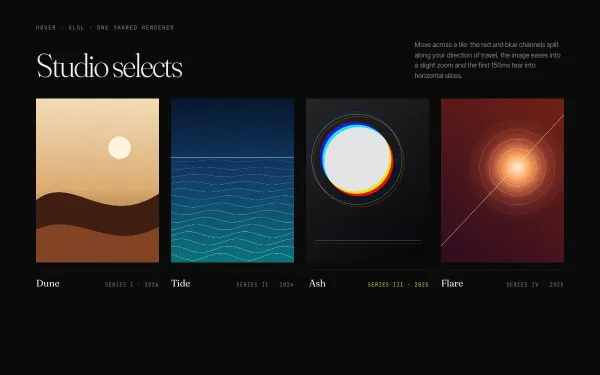 WebGL
WebGL RGB-Shift Image Hover
Four image tiles share one WebGL renderer; hovering a tile splits its red and blue channels along the pointer's direction (offset scales with velocity), zooms the UVs 1 → 1.08 over 0.8s and tears the first 150ms into glitched horizontal slices.
- threejs
- glsl
- gsap
- canvas2d
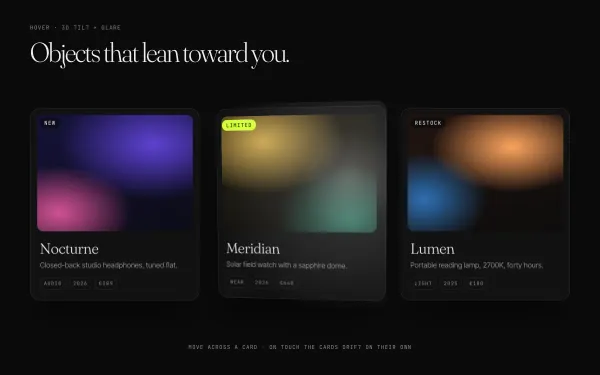 light
light 3D Tilt Card with Glare
Three product cards lean toward the pointer up to ±12° with quickTo-smoothed rotation, layered translateZ depth on image, title and badge, a specular glare that follows the pointer and a soft shadow that slides the opposite way; they relax flat on leave.
- gsap
 Featured light
 Fullscreen Menu with Staggered Links
A burger morphs into a cross while a full-screen curtain drops via clip-path; five giant serif links rise from masks with a stagger, a contact column fades in and a background index number follows the hovered link. Close simply reverses the timeline.
- gsap
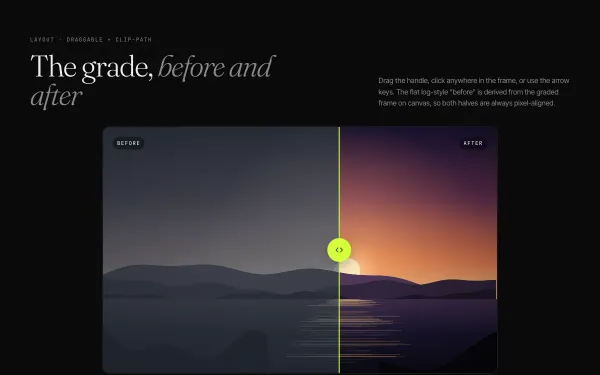 light
light Before / After Drag Slider
A 16:10 comparison frame with a warm graded 'after' and a flat, desaturated 'before' derived from it on canvas; a lime Draggable handle clips the top layer, with keyboard, click-to-jump and an intro sweep to 60% and back.
- gsap
- canvas2d