Variable-font Weight Wave
A single display word split into characters whose font weight (300 → 900) and SOFT axis follow the pointer with a Gaussian falloff; leaving sends a left-to-right ripple back to rest, and touch devices get an automatic looping wave.
- Text
- gsap
- splittext
- intermediate
- light perf
- mobile: full
- reduced-motion ✓
AI prompt
Recreate this effect with any AI tool
Paste into Claude, Cursor, v0, Lovable or Bolt. 1231 words of exact values — rewritten live as you tune the Playground.
### EFFECT: Variable-font Weight Wave
**What it does (visual):** A full-height, centred stage with a mono eyebrow ("Text · Variable font · wght 100–900 · SOFT 0–100"), one enormous serif word — "Resonance" — set light (weight 300) in a variable serif, and a mono readout "wght 300" below it. The cursor becomes a crosshair over the stage. As the pointer moves horizontally across the word, the letters nearest the cursor swell to weight 900 and — when the SOFT axis is driven (true) — their terminals soften (the font's SOFT axis goes to 100), with neighbours swelling less in a smooth bell curve about 1.1 characters wide: the letter under the cursor is bold, the ones either side medium, the rest still light. Each letter eases toward its new weight over 0.4s, so the bulge lags the cursor like liquid. The readout shows the heaviest current weight. When the pointer leaves the stage, a ripple runs left → right through the word: each letter in turn briefly swells to 900 (0.28s) and relaxes back to 300 (0.6s), 0.03s after the previous one, and the readout returns to 300. On touch devices the same ripple plays automatically on a loop every ~2s.

**Tech stack:**
- GSAP 3.13+ with SplitText (free since 3.13). No ScrollTrigger.
- CDN: `<script src="https://cdn.jsdelivr.net/npm/gsap@3/dist/gsap.min.js"></script>` + `<script src="https://cdn.jsdelivr.net/npm/gsap@3/dist/SplitText.min.js"></script>`
- npm: `import gsap from "gsap"; import { SplitText } from "gsap/SplitText"; gsap.registerPlugin(SplitText);`
- A variable font with a wide weight axis. The demo uses Fraunces (axes `wght` 100–900, `opsz` 9–144, `SOFT` 0–100, `WONK` 0/1); with another font drop the `SOFT` term and drive `wght` only.

**HTML structure:**
```html
<section class="vfw">
  <div class="vfw__inner">
    <p class="vfw__eyebrow">Text · Variable font<span class="vfw__axes"> · wght 100–900 · SOFT 0–100</span></p>
    <h1 class="vfw__word">Resonance</h1>
    <div class="vfw__meta">
      <span class="vfw__read">wght <b class="vfw__read-w">300</b></span>
      <span class="vfw__hint">Move across the word</span>
    </div>
  </div>
</section>
```
SplitText wraps each character in `<div class="vfw__char">` at runtime.

**CSS requirements:**
- `.vfw`: `min-height: 100vh; display: grid; place-items: center; padding: 8vw 4vw; background: var(--bg, #0a0a0a); color: var(--text, #ededed); cursor: crosshair; touch-action: pan-y;`
- `.vfw__inner`: `width: 100%; max-width: 1400px; text-align: center;` (centring makes the width-breathing symmetric).
- `.vfw__word`: `font-family: var(--font-display); font-size: clamp(3rem, 14vw, 13rem); line-height: 1; letter-spacing: -0.03em; white-space: nowrap; --wght: 300; --soft: 0; font-variation-settings: 'wght' var(--wght), 'SOFT' var(--soft), 'opsz' 144;`
- `.vfw__char`: `display: inline-block; --wght: 300; --soft: 0; font-variation-settings: 'wght' var(--wght), 'SOFT' var(--soft), 'opsz' 144; will-change: font-variation-settings;` — JS writes `--wght` and `--soft` per character; do not set `font-weight` (it is overridden by `font-variation-settings`).
- `.vfw__eyebrow`, `.vfw__meta`: mono 11px uppercase `letter-spacing: .12–.14em; color: var(--muted);` meta is `display: flex; justify-content: center; gap: 3rem; margin-top: 3rem;` readout number `font-variant-numeric: tabular-nums; min-width: 3ch; color: var(--text)`.
- `@media (hover: none) { .vfw { cursor: default; } .vfw__hint { display: none; } }`; under 480px hide `.vfw__axes` so the eyebrow stays on one line.

**Animation spec (exact values):**
Constants: `REST = 300`, `PEAK = 900`, `SIGMA_CHARS = 1.1`, `FOLLOW = 0.4`, `LEAVE_STAGGER = 0.03`, `SOFT = true` (drive the SOFT axis; when false `s` stays 0).
1. After `document.fonts.ready`: `split = SplitText.create('.vfw__word', { type: 'chars', charsClass: 'vfw__char', aria: 'auto' })`; `chars = split.chars`.
2. State: one proxy per character `states[i] = { w: 300, s: 0 }`; `apply(i)` writes `chars[i].style.setProperty('--wght', states[i].w)` and `setProperty('--soft', states[i].s)`.
3. Geometry (on load and on resize, debounced 100ms): `centers[i] = rect.left + rect.width / 2`; `sigma = 1.1 × average character width` (px).
4. Setters: `wTo[i] = gsap.quickTo(states[i], 'w', { duration: 0.4, ease: 'power2.out', onUpdate: () => apply(i) })` and the same for `'s'` → `sTo[i]`.
5. `pointermove` on `.vfw` (hover-capable devices only):
   ```js
   const d = e.clientX - centers[i];
   const g = Math.exp(-(d * d) / (2 * sigma * sigma));   // Gaussian, 1 at the pointer → 0 far away
   wTo[i](300 + (900 - 300) * g, states[i].w);   // target, start-from-current
   sTo[i](SOFT ? 100 * g : 0, states[i].s);                 // SOFT = true
   readout.textContent = Math.round(max weight);
   ```
   Also `leaveTl?.kill()` so a re-entry interrupts the ripple.
6. `pointerleave`: pause every quickTo tween, then
   ```js
   leaveTl = gsap.timeline({ onUpdate: applyAll })   // applyAll also writes the current peak weight to the readout
     .to(states, { w: 900, s: SOFT ? 100 : 0, duration: 0.28, ease: 'sine.in', stagger: 0.03 }, 0)
     .to(states, { w: 300, s: 0, duration: 0.6, ease: 'power2.out', stagger: 0.03 }, 0.28);
   ```
   — target: every state proxy, left → right; bump to 900 then settle to 300; the second tween is positioned at 0.28 so each character's settle begins exactly when its bump ends.
7. Touch branch (`gsap.matchMedia('(hover: none), (pointer: coarse)')`): `autoTl = gsap.timeline({ repeat: -1, repeatDelay: 0.8, onUpdate: applyAll }).to(states, { w: 900, s: SOFT ? 100 : 0, duration: 0.45, ease: 'sine.inOut', stagger: 0.06 }, 0).to(states, { w: 300, s: 0, duration: 0.7, ease: 'power2.out', stagger: 0.06 }, 0.45)`.

**Interaction:** Pointer position (x only) drives the weight field; the response lags 0.4s (`power2.out`). Leaving the stage triggers the left-to-right ripple; re-entering kills it and resumes following. Clicking does nothing. The readout updates on every move and resets on the ripple's completion.

**Responsive behavior:** `gsap.matchMedia()` with `'(hover: hover) and (pointer: fine)'` attaches the pointer listeners; `'(hover: none), (pointer: coarse)'` runs the automatic loop instead and hides the hint. Word size is `clamp(3rem, 14vw, 13rem)` with `white-space: nowrap` — "Resonance" (9 characters) fits a 375px viewport at ~52px. Character centres are re-measured on resize.

**Accessibility:** `aria: 'auto'` gives the heading an `aria-label` with the whole word and hides the character pieces from assistive tech. With `prefers-reduced-motion: reduce`: split once, then set a frozen wave — `w = 300 + (900 − 300)·sin(i/(n−1)·π)`, `s = (SOFT ? 100 : 0)·sin(…)` — with no listeners or loops, so the page still shows the idea statically. The stage has no interactive controls, so no focus management is needed.

**Performance rules:** Nothing animates per frame unless the pointer moves or a ripple is running; each move retargets 2 × 9 existing quickTo tweens (no tween creation). Writing `font-variation-settings` re-shapes text (layout + paint) — keep this to a single short word, never a paragraph. `will-change: font-variation-settings` on the characters. Everything lives in `gsap.context()`; `ctx.revert()` on unmount reverts the split and kills tweens; remove the resize listener in the same cleanup.

**Customization knobs:**
- `REST` / `PEAK` (300 / 900) — e.g. 200 / 700 for a subtler swell.
- `SIGMA_CHARS` (1.1) — width of the bulge in characters; 0.6 is a sharp point, 2.5 a broad wave.
- `FOLLOW` (0.4) — lag; 0.15 feels snappy, 0.8 feels syrupy.
- `LEAVE_STAGGER` (0.03) and the bump/settle durations (0.28 / 0.6).
- `SOFT` (true) — drive the Fraunces SOFT axis alongside weight; turn off for fonts without it.
- Drive other axes the same way (`'opsz'`, `'slnt'`, or Fraunces' `'WONK'` as a 0/1 toggle at g > 0.5).

**Acceptance criteria:**
- [ ] At rest every character is weight 300; the readout says 300.
- [ ] Moving the pointer swells the nearest letter to ~900 with a smooth bell-shaped falloff over neighbours; the bulge visibly lags the cursor by a few hundred ms.
- [ ] Leaving the stage produces a clean left-to-right ripple (bump then settle, 0.03s cascade) ending at 300 everywhere, with no pop at the hand-off.
- [ ] On touch devices the ripple loops automatically; the hint is hidden.
- [ ] Reduced-motion users see a static weight wave across the word.
- [ ] Resizing keeps the bulge aligned with the cursor; no console errors.Add this effect to my existing site/section: **Variable-font Weight Wave**. Target my existing display heading (it must use a variable font with a `wght` axis) inside a `.vfw` stage with `cursor: crosshair`. Load GSAP 3.13+ and SplitText; after `document.fonts.ready` split it with `type: 'chars'` and give each char `font-variation-settings: 'wght' var(--wght)` with `--wght: 300` (if the font has a SOFT axis and SOFT = true is true, drive `'SOFT' var(--soft)` 0 → 100 the same way). Create a proxy `{ w: 300 }` and `gsap.quickTo(proxy, 'w', { duration: 0.4, ease: 'power2.out', onUpdate })` per character that writes `--wght`. On `pointermove` compute, per character, `g = exp(-d² / 2σ²)` from the horizontal distance `d` to its centre with `σ = 1.1 × average char width`, and call the quickTo with `300 + (900 − 300)·g` (pass the current value as the start argument). On `pointerleave` pause the quickTos and run a timeline: `.to(states, { w: 900, duration: 0.28, ease: 'sine.in', stagger: 0.03 })` then `.to(states, { w: 300, duration: 0.6, ease: 'power2.out', stagger: 0.03 }, 0.28)`. Use `gsap.matchMedia()` so touch devices (`hover: none`) run that ripple on a `repeat: -1` loop instead. Under `prefers-reduced-motion` set a static weight wave and add no listeners. Wrap in `gsap.context()`, revert on unmount, and keep my colours and layout.### EFFECT (React / Next.js): Variable-font Weight Wave
Build **Variable-font Weight Wave** as a self-contained React component for a Next.js App Router project (also valid in Vite + React). Follow the specification below exactly; the vanilla reference implementation at the end is the source of truth for values and structure.
**Setup**
- `npm i gsap @gsap/react`
- File: `components/VariableFontWeightWave.tsx`, first line `"use client";` (GSAP touches the DOM).
- Imports:
```tsx
"use client";
import { useRef } from "react";
import gsap from "gsap";
import { SplitText } from "gsap/SplitText";
import { useGSAP } from "@gsap/react";
gsap.registerPlugin(useGSAP, SplitText);
export default function VariableFontWeightWave() {
const scope = useRef<HTMLDivElement>(null);
useGSAP(() => {
// 1. query elements inside `scope.current` (never document-wide)
// 2. wait for document.fonts.ready before any SplitText
// 3. build the timeline / ScrollTriggers exactly as in the specification
// 4. return nothing — useGSAP reverts everything automatically on unmount
}, { scope });
return (
<div ref={scope} className="vfw">
{/* markup from the HTML structure section, class → className */}
</div>
);
}
```
**React-specific rules**
- Everything GSAP-related lives inside `useGSAP(() => {...}, { scope })`; it handles cleanup (`ctx.revert()`) on unmount and in React Strict Mode double-invocation.
- Use refs or `gsap.utils.selector(scope)` instead of `document.querySelector`.
- Event listeners added inside useGSAP must use `contextSafe` (`const { contextSafe } = useGSAP({ scope })`) so their tweens are reverted too.
- ScrollTrigger: call `ScrollTrigger.refresh()` after images/fonts load; if the page uses Lenis, sync it once at the app root (`lenis.on('scroll', ScrollTrigger.update)`).
- Styles: copy the CSS requirements into a CSS Module (`VariableFontWeightWave.module.css`) or Tailwind; keep the class names so the spec maps 1:1.
- Respect `prefers-reduced-motion` with `gsap.matchMedia()` as in the spec.
---
### EFFECT: Variable-font Weight Wave
**What it does (visual):** A full-height, centred stage with a mono eyebrow ("Text · Variable font · wght 100–900 · SOFT 0–100"), one enormous serif word — "Resonance" — set light (weight 300) in a variable serif, and a mono readout "wght 300" below it. The cursor becomes a crosshair over the stage. As the pointer moves horizontally across the word, the letters nearest the cursor swell to weight 900 and — when the SOFT axis is driven (true) — their terminals soften (the font's SOFT axis goes to 100), with neighbours swelling less in a smooth bell curve about 1.1 characters wide: the letter under the cursor is bold, the ones either side medium, the rest still light. Each letter eases toward its new weight over 0.4s, so the bulge lags the cursor like liquid. The readout shows the heaviest current weight. When the pointer leaves the stage, a ripple runs left → right through the word: each letter in turn briefly swells to 900 (0.28s) and relaxes back to 300 (0.6s), 0.03s after the previous one, and the readout returns to 300. On touch devices the same ripple plays automatically on a loop every ~2s.
**Tech stack:**
- GSAP 3.13+ with SplitText (free since 3.13). No ScrollTrigger.
- CDN: `<script src="https://cdn.jsdelivr.net/npm/gsap@3/dist/gsap.min.js"></script>` + `<script src="https://cdn.jsdelivr.net/npm/gsap@3/dist/SplitText.min.js"></script>`
- npm: `import gsap from "gsap"; import { SplitText } from "gsap/SplitText"; gsap.registerPlugin(SplitText);`
- A variable font with a wide weight axis. The demo uses Fraunces (axes `wght` 100–900, `opsz` 9–144, `SOFT` 0–100, `WONK` 0/1); with another font drop the `SOFT` term and drive `wght` only.
**HTML structure:**
```html
<section class="vfw">
<div class="vfw__inner">
<p class="vfw__eyebrow">Text · Variable font<span class="vfw__axes"> · wght 100–900 · SOFT 0–100</span></p>
<h1 class="vfw__word">Resonance</h1>
<div class="vfw__meta">
<span class="vfw__read">wght <b class="vfw__read-w">300</b></span>
<span class="vfw__hint">Move across the word</span>
</div>
</div>
</section>
```
SplitText wraps each character in `<div class="vfw__char">` at runtime.
**CSS requirements:**
- `.vfw`: `min-height: 100vh; display: grid; place-items: center; padding: 8vw 4vw; background: var(--bg, #0a0a0a); color: var(--text, #ededed); cursor: crosshair; touch-action: pan-y;`
- `.vfw__inner`: `width: 100%; max-width: 1400px; text-align: center;` (centring makes the width-breathing symmetric).
- `.vfw__word`: `font-family: var(--font-display); font-size: clamp(3rem, 14vw, 13rem); line-height: 1; letter-spacing: -0.03em; white-space: nowrap; --wght: 300; --soft: 0; font-variation-settings: 'wght' var(--wght), 'SOFT' var(--soft), 'opsz' 144;`
- `.vfw__char`: `display: inline-block; --wght: 300; --soft: 0; font-variation-settings: 'wght' var(--wght), 'SOFT' var(--soft), 'opsz' 144; will-change: font-variation-settings;` — JS writes `--wght` and `--soft` per character; do not set `font-weight` (it is overridden by `font-variation-settings`).
- `.vfw__eyebrow`, `.vfw__meta`: mono 11px uppercase `letter-spacing: .12–.14em; color: var(--muted);` meta is `display: flex; justify-content: center; gap: 3rem; margin-top: 3rem;` readout number `font-variant-numeric: tabular-nums; min-width: 3ch; color: var(--text)`.
- `@media (hover: none) { .vfw { cursor: default; } .vfw__hint { display: none; } }`; under 480px hide `.vfw__axes` so the eyebrow stays on one line.
**Animation spec (exact values):**
Constants: `REST = 300`, `PEAK = 900`, `SIGMA_CHARS = 1.1`, `FOLLOW = 0.4`, `LEAVE_STAGGER = 0.03`, `SOFT = true` (drive the SOFT axis; when false `s` stays 0).
1. After `document.fonts.ready`: `split = SplitText.create('.vfw__word', { type: 'chars', charsClass: 'vfw__char', aria: 'auto' })`; `chars = split.chars`.
2. State: one proxy per character `states[i] = { w: 300, s: 0 }`; `apply(i)` writes `chars[i].style.setProperty('--wght', states[i].w)` and `setProperty('--soft', states[i].s)`.
3. Geometry (on load and on resize, debounced 100ms): `centers[i] = rect.left + rect.width / 2`; `sigma = 1.1 × average character width` (px).
4. Setters: `wTo[i] = gsap.quickTo(states[i], 'w', { duration: 0.4, ease: 'power2.out', onUpdate: () => apply(i) })` and the same for `'s'` → `sTo[i]`.
5. `pointermove` on `.vfw` (hover-capable devices only):
```js
const d = e.clientX - centers[i];
const g = Math.exp(-(d * d) / (2 * sigma * sigma)); // Gaussian, 1 at the pointer → 0 far away
wTo[i](300 + (900 - 300) * g, states[i].w); // target, start-from-current
sTo[i](SOFT ? 100 * g : 0, states[i].s); // SOFT = true
readout.textContent = Math.round(max weight);
```
Also `leaveTl?.kill()` so a re-entry interrupts the ripple.
6. `pointerleave`: pause every quickTo tween, then
```js
leaveTl = gsap.timeline({ onUpdate: applyAll }) // applyAll also writes the current peak weight to the readout
.to(states, { w: 900, s: SOFT ? 100 : 0, duration: 0.28, ease: 'sine.in', stagger: 0.03 }, 0)
.to(states, { w: 300, s: 0, duration: 0.6, ease: 'power2.out', stagger: 0.03 }, 0.28);
```
— target: every state proxy, left → right; bump to 900 then settle to 300; the second tween is positioned at 0.28 so each character's settle begins exactly when its bump ends.
7. Touch branch (`gsap.matchMedia('(hover: none), (pointer: coarse)')`): `autoTl = gsap.timeline({ repeat: -1, repeatDelay: 0.8, onUpdate: applyAll }).to(states, { w: 900, s: SOFT ? 100 : 0, duration: 0.45, ease: 'sine.inOut', stagger: 0.06 }, 0).to(states, { w: 300, s: 0, duration: 0.7, ease: 'power2.out', stagger: 0.06 }, 0.45)`.
**Interaction:** Pointer position (x only) drives the weight field; the response lags 0.4s (`power2.out`). Leaving the stage triggers the left-to-right ripple; re-entering kills it and resumes following. Clicking does nothing. The readout updates on every move and resets on the ripple's completion.
**Responsive behavior:** `gsap.matchMedia()` with `'(hover: hover) and (pointer: fine)'` attaches the pointer listeners; `'(hover: none), (pointer: coarse)'` runs the automatic loop instead and hides the hint. Word size is `clamp(3rem, 14vw, 13rem)` with `white-space: nowrap` — "Resonance" (9 characters) fits a 375px viewport at ~52px. Character centres are re-measured on resize.
**Accessibility:** `aria: 'auto'` gives the heading an `aria-label` with the whole word and hides the character pieces from assistive tech. With `prefers-reduced-motion: reduce`: split once, then set a frozen wave — `w = 300 + (900 − 300)·sin(i/(n−1)·π)`, `s = (SOFT ? 100 : 0)·sin(…)` — with no listeners or loops, so the page still shows the idea statically. The stage has no interactive controls, so no focus management is needed.
**Performance rules:** Nothing animates per frame unless the pointer moves or a ripple is running; each move retargets 2 × 9 existing quickTo tweens (no tween creation). Writing `font-variation-settings` re-shapes text (layout + paint) — keep this to a single short word, never a paragraph. `will-change: font-variation-settings` on the characters. Everything lives in `gsap.context()`; `ctx.revert()` on unmount reverts the split and kills tweens; remove the resize listener in the same cleanup.
**Customization knobs:**
- `REST` / `PEAK` (300 / 900) — e.g. 200 / 700 for a subtler swell.
- `SIGMA_CHARS` (1.1) — width of the bulge in characters; 0.6 is a sharp point, 2.5 a broad wave.
- `FOLLOW` (0.4) — lag; 0.15 feels snappy, 0.8 feels syrupy.
- `LEAVE_STAGGER` (0.03) and the bump/settle durations (0.28 / 0.6).
- `SOFT` (true) — drive the Fraunces SOFT axis alongside weight; turn off for fonts without it.
- Drive other axes the same way (`'opsz'`, `'slnt'`, or Fraunces' `'WONK'` as a 0/1 toggle at g > 0.5).
**Acceptance criteria:**
- [ ] At rest every character is weight 300; the readout says 300.
- [ ] Moving the pointer swells the nearest letter to ~900 with a smooth bell-shaped falloff over neighbours; the bulge visibly lags the cursor by a few hundred ms.
- [ ] Leaving the stage produces a clean left-to-right ripple (bump then settle, 0.03s cascade) ending at 300 everywhere, with no pop at the hand-off.
- [ ] On touch devices the ripple loops automatically; the hint is hidden.
- [ ] Reduced-motion users see a static weight wave across the word.
- [ ] Resizing keeps the bulge aligned with the cursor; no console errors.
---
**Reference implementation (vanilla, converts 1:1 — same class names, same values):**
```html
<section class="vfw">
<div class="vfw__inner">
<p class="vfw__eyebrow">Text · Variable font<span class="vfw__axes"> · wght 100–900 · SOFT 0–100</span></p>
<h1 class="vfw__word">Resonance</h1>
<div class="vfw__meta">
<span class="vfw__read">wght <b class="vfw__read-w">300</b></span>
<span class="vfw__hint">Move across the word</span>
</div>
</div>
</section>
```
```css
.vfw { min-height: 100vh; display: grid; place-items: center; padding: 8vw 4vw; background: var(--bg); color: var(--text); cursor: crosshair; touch-action: pan-y; }
.vfw__inner { width: 100%; max-width: 1400px; text-align: center; }
.vfw__eyebrow { font-family: var(--font-mono); font-size: 11px; text-transform: uppercase; letter-spacing: .14em; color: var(--muted); margin-bottom: 3rem; }
.vfw__word {
font-family: var(--font-display); font-size: clamp(3rem, 14vw, 13rem); line-height: 1; letter-spacing: -0.03em; white-space: nowrap;
--wght: var(--knob-rest, 300); --soft: 0; font-variation-settings: 'wght' var(--wght), 'SOFT' var(--soft), 'opsz' 144;
}
.vfw__char { display: inline-block; --wght: var(--knob-rest, 300); --soft: 0; font-variation-settings: 'wght' var(--wght), 'SOFT' var(--soft), 'opsz' 144; will-change: font-variation-settings; }
.vfw__meta { display: flex; justify-content: center; gap: 3rem; margin-top: 3rem; font-family: var(--font-mono); font-size: 11px; text-transform: uppercase; letter-spacing: .12em; color: var(--muted); }
.vfw__read b { font-weight: 500; color: var(--text); font-variant-numeric: tabular-nums; display: inline-block; min-width: 3ch; text-align: left; }
@media (hover: none) { .vfw { cursor: default; } .vfw__hint { display: none; } }
@media (max-width: 480px) { .vfw__axes { display: none; } .vfw__eyebrow { margin-bottom: 2rem; } .vfw__meta { margin-top: 2rem; } }
@media (prefers-reduced-motion: reduce) { .vfw__hint { display: none; } .vfw__char { will-change: auto; } }
```
```js
// Variable-font Weight Wave — each character's weight follows the pointer with a Gaussian falloff.
gsap.registerPlugin(SplitText);
// Defaults — overridable from the MOTION/LAB Playground via MotionLab.knob()
const DEFAULTS = { rest: 300, peak: 900, sigma: 1.1, follow: 0.4, leaveStagger: 0.03, soft: true };
const K = (id) => window.MotionLab?.knob(id, DEFAULTS[id]) ?? DEFAULTS[id];
const reduced = matchMedia('(prefers-reduced-motion: reduce)').matches;
const section = document.querySelector('.vfw');
const word = document.querySelector('.vfw__word');
const readout = document.querySelector('.vfw__read-w');
// Per-build parameters (read from the knobs in build())
let REST = DEFAULTS.rest; // wght far from the pointer
let PEAK = DEFAULTS.peak; // wght under the pointer
let SIGMA_CHARS = DEFAULTS.sigma; // falloff width, in average character widths
let FOLLOW = DEFAULTS.follow; // seconds for a char to reach its new weight
let LEAVE_STAGGER = DEFAULTS.leaveStagger;
let SOFT = DEFAULTS.soft; // drive the SOFT axis alongside wght
let chars = [], states = [], centers = [], sigma = 80, wTo = [], sTo = [], leaveTl, autoTl;
const apply = (i) => { chars[i].style.setProperty('--wght', states[i].w.toFixed(1)); chars[i].style.setProperty('--soft', states[i].s.toFixed(1)); };
const applyAll = () => { let peak = REST; states.forEach((st, i) => { apply(i); peak = Math.max(peak, st.w); }); readout.textContent = Math.round(peak); };
const measure = () => {
if (!chars.length) return;
const rects = chars.map((c) => c.getBoundingClientRect());
centers = rects.map((r) => r.left + r.width / 2);
sigma = SIGMA_CHARS * (rects.reduce((a, r) => a + r.width, 0) / rects.length);
};
const onMove = (e) => {
leaveTl?.kill();
let peak = REST;
for (let i = 0; i < chars.length; i++) {
const d = e.clientX - centers[i];
const g = Math.exp(-(d * d) / (2 * sigma * sigma)); // Gaussian falloff
const w = REST + (PEAK - REST) * g;
peak = Math.max(peak, w);
wTo[i](w, states[i].w); // start from the real current value, not the tween's internal one
sTo[i](SOFT ? 100 * g : 0, states[i].s);
}
readout.textContent = Math.round(peak);
};
const onLeave = () => {
wTo.forEach((fn) => fn.tween.pause()); sTo.forEach((fn) => fn.tween.pause());
leaveTl = gsap.timeline({ onUpdate: applyAll })
.to(states, { w: PEAK, s: SOFT ? 100 : 0, duration: 0.28, ease: 'sine.in', stagger: LEAVE_STAGGER }, 0)
.to(states, { w: REST, s: 0, duration: 0.6, ease: 'power2.out', stagger: LEAVE_STAGGER }, 0.28);
};
let ctx;
function build() {
ctx?.revert(); // reverts the split and kills the quickTos / loops
leaveTl?.kill(); leaveTl = null; // created in an event handler, so not owned by the context
REST = K('rest'); PEAK = K('peak'); SIGMA_CHARS = K('sigma'); FOLLOW = K('follow'); LEAVE_STAGGER = K('leaveStagger'); SOFT = !!K('soft');
section.style.setProperty('--knob-rest', REST);
chars = []; states = []; centers = []; wTo = []; sTo = [];
readout.textContent = REST;
ctx = gsap.context(() => {});
// The split happens after fonts load; ctx.add() records it in this build's context so a rebuild reverts it.
const mine = ctx;
document.fonts.ready.then(() => {
if (mine !== ctx) return; // a newer build replaced this one while fonts were loading
mine.add(() => {
const split = SplitText.create(word, { type: 'chars', charsClass: 'vfw__char', aria: 'auto' });
chars = split.chars;
states = chars.map(() => ({ w: REST, s: 0 }));
measure();
applyAll();
if (reduced) {
// Final state: a frozen wave of weight across the word.
const n = chars.length - 1;
states.forEach((st, i) => { st.w = REST + (PEAK - REST) * Math.sin((i / n) * Math.PI); st.s = (SOFT ? 100 : 0) * Math.sin((i / n) * Math.PI); });
applyAll();
readout.textContent = PEAK;
return;
}
wTo = states.map((st, i) => gsap.quickTo(st, 'w', { duration: FOLLOW, ease: 'power2.out', onUpdate: () => apply(i) }));
sTo = states.map((st, i) => gsap.quickTo(st, 's', { duration: FOLLOW, ease: 'power2.out', onUpdate: () => apply(i) }));
const mm = gsap.matchMedia();
mm.add('(hover: hover) and (pointer: fine)', () => {
section.addEventListener('pointermove', onMove);
section.addEventListener('pointerleave', onLeave);
return () => { section.removeEventListener('pointermove', onMove); section.removeEventListener('pointerleave', onLeave); leaveTl?.kill(); };
});
mm.add('(hover: none), (pointer: coarse)', () => {
// Touch: an automatic wave rolls through the word on a loop.
autoTl = gsap.timeline({ repeat: -1, repeatDelay: 0.8, onUpdate: applyAll })
.to(states, { w: PEAK, s: SOFT ? 100 : 0, duration: 0.45, ease: 'sine.inOut', stagger: 0.06 }, 0)
.to(states, { w: REST, s: 0, duration: 0.7, ease: 'power2.out', stagger: 0.06 }, 0.45);
return () => autoTl.kill();
});
});
});
}
build();
// Playground: rebuild with the new values
window.addEventListener('ml:knobs', build);
let resizeT;
const onResize = () => { clearTimeout(resizeT); resizeT = setTimeout(measure, 100); };
window.addEventListener('resize', onResize);
window.MotionLab?.onCleanup(() => {
window.removeEventListener('resize', onResize);
clearTimeout(resizeT);
leaveTl?.kill();
ctx?.revert();
});
```
### EFFECT (single HTML file): Variable-font Weight Wave
Produce **one self-contained `index.html`** (inline `<style>` and `<script type="module">`, no build step) that implements **Variable-font Weight Wave** exactly as specified below. Libraries load from jsDelivr:

```html
<!doctype html>
<html lang="en">
<head>
  <meta charset="utf-8">
  <meta name="viewport" content="width=device-width, initial-scale=1">
  <title>Variable-font Weight Wave</title>
  <link href="https://fonts.googleapis.com/css2?family=Fraunces:ital,opsz,wght@0,9..144,300..600;1,9..144,300..600&family=Inter+Tight:wght@300..700&family=JetBrains+Mono:wght@400;500&display=swap" rel="stylesheet">
  <style>
    :root{--bg:#0a0a0a;--surface:#121212;--line:rgba(255,255,255,.08);--text:#ededed;--muted:#8a8a8a;--accent:#d4ff3a;--font-display:"Fraunces",Georgia,serif;--font-sans:"Inter Tight",system-ui,sans-serif;--font-mono:"JetBrains Mono",ui-monospace,monospace}
    *,*::before,*::after{box-sizing:border-box;margin:0;padding:0}
    body{background:var(--bg);color:var(--text);font-family:var(--font-sans);-webkit-font-smoothing:antialiased;overflow-x:hidden}
    /* + the CSS requirements below */
  </style>
  <script src="https://cdn.jsdelivr.net/npm/gsap@3/dist/gsap.min.js"></script>
  <script src="https://cdn.jsdelivr.net/npm/gsap@3/dist/SplitText.min.js"></script>
</head>
<body>
  <!-- markup from the HTML structure section -->
  <script type="module">
    // the JS from the animation spec (window.MotionLab is optional — keep the ?. guards or remove them)
  </script>
</body>
</html>
```

The file must open directly from a local server (`npx serve .`) with zero console errors, work at 375px and 1440px, and honour `prefers-reduced-motion`.

---

### EFFECT: Variable-font Weight Wave
**What it does (visual):** A full-height, centred stage with a mono eyebrow ("Text · Variable font · wght 100–900 · SOFT 0–100"), one enormous serif word — "Resonance" — set light (weight 300) in a variable serif, and a mono readout "wght 300" below it. The cursor becomes a crosshair over the stage. As the pointer moves horizontally across the word, the letters nearest the cursor swell to weight 900 and — when the SOFT axis is driven (true) — their terminals soften (the font's SOFT axis goes to 100), with neighbours swelling less in a smooth bell curve about 1.1 characters wide: the letter under the cursor is bold, the ones either side medium, the rest still light. Each letter eases toward its new weight over 0.4s, so the bulge lags the cursor like liquid. The readout shows the heaviest current weight. When the pointer leaves the stage, a ripple runs left → right through the word: each letter in turn briefly swells to 900 (0.28s) and relaxes back to 300 (0.6s), 0.03s after the previous one, and the readout returns to 300. On touch devices the same ripple plays automatically on a loop every ~2s.

**Tech stack:**
- GSAP 3.13+ with SplitText (free since 3.13). No ScrollTrigger.
- CDN: `<script src="https://cdn.jsdelivr.net/npm/gsap@3/dist/gsap.min.js"></script>` + `<script src="https://cdn.jsdelivr.net/npm/gsap@3/dist/SplitText.min.js"></script>`
- npm: `import gsap from "gsap"; import { SplitText } from "gsap/SplitText"; gsap.registerPlugin(SplitText);`
- A variable font with a wide weight axis. The demo uses Fraunces (axes `wght` 100–900, `opsz` 9–144, `SOFT` 0–100, `WONK` 0/1); with another font drop the `SOFT` term and drive `wght` only.

**HTML structure:**
```html
<section class="vfw">
  <div class="vfw__inner">
    <p class="vfw__eyebrow">Text · Variable font<span class="vfw__axes"> · wght 100–900 · SOFT 0–100</span></p>
    <h1 class="vfw__word">Resonance</h1>
    <div class="vfw__meta">
      <span class="vfw__read">wght <b class="vfw__read-w">300</b></span>
      <span class="vfw__hint">Move across the word</span>
    </div>
  </div>
</section>
```
SplitText wraps each character in `<div class="vfw__char">` at runtime.

**CSS requirements:**
- `.vfw`: `min-height: 100vh; display: grid; place-items: center; padding: 8vw 4vw; background: var(--bg, #0a0a0a); color: var(--text, #ededed); cursor: crosshair; touch-action: pan-y;`
- `.vfw__inner`: `width: 100%; max-width: 1400px; text-align: center;` (centring makes the width-breathing symmetric).
- `.vfw__word`: `font-family: var(--font-display); font-size: clamp(3rem, 14vw, 13rem); line-height: 1; letter-spacing: -0.03em; white-space: nowrap; --wght: 300; --soft: 0; font-variation-settings: 'wght' var(--wght), 'SOFT' var(--soft), 'opsz' 144;`
- `.vfw__char`: `display: inline-block; --wght: 300; --soft: 0; font-variation-settings: 'wght' var(--wght), 'SOFT' var(--soft), 'opsz' 144; will-change: font-variation-settings;` — JS writes `--wght` and `--soft` per character; do not set `font-weight` (it is overridden by `font-variation-settings`).
- `.vfw__eyebrow`, `.vfw__meta`: mono 11px uppercase `letter-spacing: .12–.14em; color: var(--muted);` meta is `display: flex; justify-content: center; gap: 3rem; margin-top: 3rem;` readout number `font-variant-numeric: tabular-nums; min-width: 3ch; color: var(--text)`.
- `@media (hover: none) { .vfw { cursor: default; } .vfw__hint { display: none; } }`; under 480px hide `.vfw__axes` so the eyebrow stays on one line.

**Animation spec (exact values):**
Constants: `REST = 300`, `PEAK = 900`, `SIGMA_CHARS = 1.1`, `FOLLOW = 0.4`, `LEAVE_STAGGER = 0.03`, `SOFT = true` (drive the SOFT axis; when false `s` stays 0).
1. After `document.fonts.ready`: `split = SplitText.create('.vfw__word', { type: 'chars', charsClass: 'vfw__char', aria: 'auto' })`; `chars = split.chars`.
2. State: one proxy per character `states[i] = { w: 300, s: 0 }`; `apply(i)` writes `chars[i].style.setProperty('--wght', states[i].w)` and `setProperty('--soft', states[i].s)`.
3. Geometry (on load and on resize, debounced 100ms): `centers[i] = rect.left + rect.width / 2`; `sigma = 1.1 × average character width` (px).
4. Setters: `wTo[i] = gsap.quickTo(states[i], 'w', { duration: 0.4, ease: 'power2.out', onUpdate: () => apply(i) })` and the same for `'s'` → `sTo[i]`.
5. `pointermove` on `.vfw` (hover-capable devices only):
   ```js
   const d = e.clientX - centers[i];
   const g = Math.exp(-(d * d) / (2 * sigma * sigma));   // Gaussian, 1 at the pointer → 0 far away
   wTo[i](300 + (900 - 300) * g, states[i].w);   // target, start-from-current
   sTo[i](SOFT ? 100 * g : 0, states[i].s);                 // SOFT = true
   readout.textContent = Math.round(max weight);
   ```
   Also `leaveTl?.kill()` so a re-entry interrupts the ripple.
6. `pointerleave`: pause every quickTo tween, then
   ```js
   leaveTl = gsap.timeline({ onUpdate: applyAll })   // applyAll also writes the current peak weight to the readout
     .to(states, { w: 900, s: SOFT ? 100 : 0, duration: 0.28, ease: 'sine.in', stagger: 0.03 }, 0)
     .to(states, { w: 300, s: 0, duration: 0.6, ease: 'power2.out', stagger: 0.03 }, 0.28);
   ```
   — target: every state proxy, left → right; bump to 900 then settle to 300; the second tween is positioned at 0.28 so each character's settle begins exactly when its bump ends.
7. Touch branch (`gsap.matchMedia('(hover: none), (pointer: coarse)')`): `autoTl = gsap.timeline({ repeat: -1, repeatDelay: 0.8, onUpdate: applyAll }).to(states, { w: 900, s: SOFT ? 100 : 0, duration: 0.45, ease: 'sine.inOut', stagger: 0.06 }, 0).to(states, { w: 300, s: 0, duration: 0.7, ease: 'power2.out', stagger: 0.06 }, 0.45)`.

**Interaction:** Pointer position (x only) drives the weight field; the response lags 0.4s (`power2.out`). Leaving the stage triggers the left-to-right ripple; re-entering kills it and resumes following. Clicking does nothing. The readout updates on every move and resets on the ripple's completion.

**Responsive behavior:** `gsap.matchMedia()` with `'(hover: hover) and (pointer: fine)'` attaches the pointer listeners; `'(hover: none), (pointer: coarse)'` runs the automatic loop instead and hides the hint. Word size is `clamp(3rem, 14vw, 13rem)` with `white-space: nowrap` — "Resonance" (9 characters) fits a 375px viewport at ~52px. Character centres are re-measured on resize.

**Accessibility:** `aria: 'auto'` gives the heading an `aria-label` with the whole word and hides the character pieces from assistive tech. With `prefers-reduced-motion: reduce`: split once, then set a frozen wave — `w = 300 + (900 − 300)·sin(i/(n−1)·π)`, `s = (SOFT ? 100 : 0)·sin(…)` — with no listeners or loops, so the page still shows the idea statically. The stage has no interactive controls, so no focus management is needed.

**Performance rules:** Nothing animates per frame unless the pointer moves or a ripple is running; each move retargets 2 × 9 existing quickTo tweens (no tween creation). Writing `font-variation-settings` re-shapes text (layout + paint) — keep this to a single short word, never a paragraph. `will-change: font-variation-settings` on the characters. Everything lives in `gsap.context()`; `ctx.revert()` on unmount reverts the split and kills tweens; remove the resize listener in the same cleanup.

**Customization knobs:**
- `REST` / `PEAK` (300 / 900) — e.g. 200 / 700 for a subtler swell.
- `SIGMA_CHARS` (1.1) — width of the bulge in characters; 0.6 is a sharp point, 2.5 a broad wave.
- `FOLLOW` (0.4) — lag; 0.15 feels snappy, 0.8 feels syrupy.
- `LEAVE_STAGGER` (0.03) and the bump/settle durations (0.28 / 0.6).
- `SOFT` (true) — drive the Fraunces SOFT axis alongside weight; turn off for fonts without it.
- Drive other axes the same way (`'opsz'`, `'slnt'`, or Fraunces' `'WONK'` as a 0/1 toggle at g > 0.5).

**Acceptance criteria:**
- [ ] At rest every character is weight 300; the readout says 300.
- [ ] Moving the pointer swells the nearest letter to ~900 with a smooth bell-shaped falloff over neighbours; the bulge visibly lags the cursor by a few hundred ms.
- [ ] Leaving the stage produces a clean left-to-right ripple (bump then settle, 0.03s cascade) ending at 300 everywhere, with no pop at the hand-off.
- [ ] On touch devices the ripple loops automatically; the hint is hidden.
- [ ] Reduced-motion users see a static weight wave across the word.
- [ ] Resizing keeps the bulge aligned with the cursor; no console errors.

---

**Reference implementation (use these exact values and class names):**

```html
<section class="vfw">
  <div class="vfw__inner">
    <p class="vfw__eyebrow">Text · Variable font<span class="vfw__axes"> · wght 100–900 · SOFT 0–100</span></p>
    <h1 class="vfw__word">Resonance</h1>
    <div class="vfw__meta">
      <span class="vfw__read">wght <b class="vfw__read-w">300</b></span>
      <span class="vfw__hint">Move across the word</span>
    </div>
  </div>
</section>
```

```css
.vfw { min-height: 100vh; display: grid; place-items: center; padding: 8vw 4vw; background: var(--bg); color: var(--text); cursor: crosshair; touch-action: pan-y; }
.vfw__inner { width: 100%; max-width: 1400px; text-align: center; }
.vfw__eyebrow { font-family: var(--font-mono); font-size: 11px; text-transform: uppercase; letter-spacing: .14em; color: var(--muted); margin-bottom: 3rem; }
.vfw__word {
  font-family: var(--font-display); font-size: clamp(3rem, 14vw, 13rem); line-height: 1; letter-spacing: -0.03em; white-space: nowrap;
  --wght: var(--knob-rest, 300); --soft: 0; font-variation-settings: 'wght' var(--wght), 'SOFT' var(--soft), 'opsz' 144;
}
.vfw__char { display: inline-block; --wght: var(--knob-rest, 300); --soft: 0; font-variation-settings: 'wght' var(--wght), 'SOFT' var(--soft), 'opsz' 144; will-change: font-variation-settings; }
.vfw__meta { display: flex; justify-content: center; gap: 3rem; margin-top: 3rem; font-family: var(--font-mono); font-size: 11px; text-transform: uppercase; letter-spacing: .12em; color: var(--muted); }
.vfw__read b { font-weight: 500; color: var(--text); font-variant-numeric: tabular-nums; display: inline-block; min-width: 3ch; text-align: left; }

@media (hover: none) { .vfw { cursor: default; } .vfw__hint { display: none; } }
@media (max-width: 480px) { .vfw__axes { display: none; } .vfw__eyebrow { margin-bottom: 2rem; } .vfw__meta { margin-top: 2rem; } }
@media (prefers-reduced-motion: reduce) { .vfw__hint { display: none; } .vfw__char { will-change: auto; } }
```

```js
// Variable-font Weight Wave — each character's weight follows the pointer with a Gaussian falloff.
gsap.registerPlugin(SplitText);

// Defaults — overridable from the MOTION/LAB Playground via MotionLab.knob()
const DEFAULTS = { rest: 300, peak: 900, sigma: 1.1, follow: 0.4, leaveStagger: 0.03, soft: true };
const K = (id) => window.MotionLab?.knob(id, DEFAULTS[id]) ?? DEFAULTS[id];

const reduced = matchMedia('(prefers-reduced-motion: reduce)').matches;
const section = document.querySelector('.vfw');
const word = document.querySelector('.vfw__word');
const readout = document.querySelector('.vfw__read-w');

// Per-build parameters (read from the knobs in build())
let REST = DEFAULTS.rest;          // wght far from the pointer
let PEAK = DEFAULTS.peak;          // wght under the pointer
let SIGMA_CHARS = DEFAULTS.sigma;  // falloff width, in average character widths
let FOLLOW = DEFAULTS.follow;      // seconds for a char to reach its new weight
let LEAVE_STAGGER = DEFAULTS.leaveStagger;
let SOFT = DEFAULTS.soft;          // drive the SOFT axis alongside wght

let chars = [], states = [], centers = [], sigma = 80, wTo = [], sTo = [], leaveTl, autoTl;
const apply = (i) => { chars[i].style.setProperty('--wght', states[i].w.toFixed(1)); chars[i].style.setProperty('--soft', states[i].s.toFixed(1)); };
const applyAll = () => { let peak = REST; states.forEach((st, i) => { apply(i); peak = Math.max(peak, st.w); }); readout.textContent = Math.round(peak); };
const measure = () => {
  if (!chars.length) return;
  const rects = chars.map((c) => c.getBoundingClientRect());
  centers = rects.map((r) => r.left + r.width / 2);
  sigma = SIGMA_CHARS * (rects.reduce((a, r) => a + r.width, 0) / rects.length);
};

const onMove = (e) => {
  leaveTl?.kill();
  let peak = REST;
  for (let i = 0; i < chars.length; i++) {
    const d = e.clientX - centers[i];
    const g = Math.exp(-(d * d) / (2 * sigma * sigma)); // Gaussian falloff
    const w = REST + (PEAK - REST) * g;
    peak = Math.max(peak, w);
    wTo[i](w, states[i].w);        // start from the real current value, not the tween's internal one
    sTo[i](SOFT ? 100 * g : 0, states[i].s);
  }
  readout.textContent = Math.round(peak);
};
const onLeave = () => {
  wTo.forEach((fn) => fn.tween.pause()); sTo.forEach((fn) => fn.tween.pause());
  leaveTl = gsap.timeline({ onUpdate: applyAll })
    .to(states, { w: PEAK, s: SOFT ? 100 : 0, duration: 0.28, ease: 'sine.in', stagger: LEAVE_STAGGER }, 0)
    .to(states, { w: REST, s: 0, duration: 0.6, ease: 'power2.out', stagger: LEAVE_STAGGER }, 0.28);
};

let ctx;
function build() {
  ctx?.revert(); // reverts the split and kills the quickTos / loops
  leaveTl?.kill(); leaveTl = null; // created in an event handler, so not owned by the context
  REST = K('rest'); PEAK = K('peak'); SIGMA_CHARS = K('sigma'); FOLLOW = K('follow'); LEAVE_STAGGER = K('leaveStagger'); SOFT = !!K('soft');
  section.style.setProperty('--knob-rest', REST);
  chars = []; states = []; centers = []; wTo = []; sTo = [];
  readout.textContent = REST;

  ctx = gsap.context(() => {});
  // The split happens after fonts load; ctx.add() records it in this build's context so a rebuild reverts it.
  const mine = ctx;
  document.fonts.ready.then(() => {
    if (mine !== ctx) return; // a newer build replaced this one while fonts were loading
    mine.add(() => {
      const split = SplitText.create(word, { type: 'chars', charsClass: 'vfw__char', aria: 'auto' });
      chars = split.chars;
      states = chars.map(() => ({ w: REST, s: 0 }));
      measure();
      applyAll();

      if (reduced) {
        // Final state: a frozen wave of weight across the word.
        const n = chars.length - 1;
        states.forEach((st, i) => { st.w = REST + (PEAK - REST) * Math.sin((i / n) * Math.PI); st.s = (SOFT ? 100 : 0) * Math.sin((i / n) * Math.PI); });
        applyAll();
        readout.textContent = PEAK;
        return;
      }

      wTo = states.map((st, i) => gsap.quickTo(st, 'w', { duration: FOLLOW, ease: 'power2.out', onUpdate: () => apply(i) }));
      sTo = states.map((st, i) => gsap.quickTo(st, 's', { duration: FOLLOW, ease: 'power2.out', onUpdate: () => apply(i) }));

      const mm = gsap.matchMedia();
      mm.add('(hover: hover) and (pointer: fine)', () => {
        section.addEventListener('pointermove', onMove);
        section.addEventListener('pointerleave', onLeave);
        return () => { section.removeEventListener('pointermove', onMove); section.removeEventListener('pointerleave', onLeave); leaveTl?.kill(); };
      });
      mm.add('(hover: none), (pointer: coarse)', () => {
        // Touch: an automatic wave rolls through the word on a loop.
        autoTl = gsap.timeline({ repeat: -1, repeatDelay: 0.8, onUpdate: applyAll })
          .to(states, { w: PEAK, s: SOFT ? 100 : 0, duration: 0.45, ease: 'sine.inOut', stagger: 0.06 }, 0)
          .to(states, { w: REST, s: 0, duration: 0.7, ease: 'power2.out', stagger: 0.06 }, 0.45);
        return () => autoTl.kill();
      });
    });
  });
}
build();

// Playground: rebuild with the new values
window.addEventListener('ml:knobs', build);

let resizeT;
const onResize = () => { clearTimeout(resizeT); resizeT = setTimeout(measure, 100); };
window.addEventListener('resize', onResize);

window.MotionLab?.onCleanup(() => {
  window.removeEventListener('resize', onResize);
  clearTimeout(resizeT);
  leaveTl?.kill();
  ctx?.revert();
});
```
### EFFECT (Framer & Webflow notes): Variable-font Weight Wave

**Framer**
- Implement as a **Code Component** (Assets → Code → New component) when the effect owns its own markup (hero, gallery, section), or as a **Code Override** when it should animate existing Framer layers.
- Code Component: paste the React version (`"use client"` is not needed in Framer; keep `useGSAP` with a `scope` ref). Install `gsap` and `@gsap/react` from the package panel. Expose the customization knobs as `addPropertyControls` (numbers/colors/enums) so they are editable on the canvas.
- Code Override: `export function withVariablefontWeightWave(Component) { return (props) => { const ref = useRef(null); useGSAP(() => { /* spec */ }, { scope: ref }); return <Component ref={ref} {...props} /> } }` and apply it to the layer in the right-hand panel.
- Framer already smooth-scrolls; do **not** add Lenis.
- Preview in the Framer preview window, not the canvas (GSAP runs at runtime only).

**Webflow**
- Build the markup in the Designer with **exactly the class names from the HTML structure section** (prefix `vfw`), so the script finds the elements.
- Styles: either recreate the CSS requirements as Webflow classes or paste the CSS in **Page settings → Custom code → Inside <head>** inside `<style>`.
- Scripts: **Page settings → Before </body>**:
```html
<script src="https://cdn.jsdelivr.net/npm/gsap@3/dist/gsap.min.js"></script>
<script src="https://cdn.jsdelivr.net/npm/gsap@3/dist/SplitText.min.js"></script>
<script type="module">
  // paste the JS from the animation spec; remove the optional window.MotionLab?.… lines
</script>
```
- Native alternative: parts that are pure show/hide, fade or move can be Webflow Interactions (IX2); keep the timeline sequencing in code — IX2 cannot do stagger/ease control at this precision.
- Custom code only runs on the **published** site or in Preview, never on the Designer canvas.
- Webflow's own smooth scroll is off by default; if you add Lenis, sync it: `lenis.on('scroll', ScrollTrigger.update)`.

---

### EFFECT: Variable-font Weight Wave
**What it does (visual):** A full-height, centred stage with a mono eyebrow ("Text · Variable font · wght 100–900 · SOFT 0–100"), one enormous serif word — "Resonance" — set light (weight 300) in a variable serif, and a mono readout "wght 300" below it. The cursor becomes a crosshair over the stage. As the pointer moves horizontally across the word, the letters nearest the cursor swell to weight 900 and — when the SOFT axis is driven (true) — their terminals soften (the font's SOFT axis goes to 100), with neighbours swelling less in a smooth bell curve about 1.1 characters wide: the letter under the cursor is bold, the ones either side medium, the rest still light. Each letter eases toward its new weight over 0.4s, so the bulge lags the cursor like liquid. The readout shows the heaviest current weight. When the pointer leaves the stage, a ripple runs left → right through the word: each letter in turn briefly swells to 900 (0.28s) and relaxes back to 300 (0.6s), 0.03s after the previous one, and the readout returns to 300. On touch devices the same ripple plays automatically on a loop every ~2s.

**Tech stack:**
- GSAP 3.13+ with SplitText (free since 3.13). No ScrollTrigger.
- CDN: `<script src="https://cdn.jsdelivr.net/npm/gsap@3/dist/gsap.min.js"></script>` + `<script src="https://cdn.jsdelivr.net/npm/gsap@3/dist/SplitText.min.js"></script>`
- npm: `import gsap from "gsap"; import { SplitText } from "gsap/SplitText"; gsap.registerPlugin(SplitText);`
- A variable font with a wide weight axis. The demo uses Fraunces (axes `wght` 100–900, `opsz` 9–144, `SOFT` 0–100, `WONK` 0/1); with another font drop the `SOFT` term and drive `wght` only.

**HTML structure:**
```html
<section class="vfw">
  <div class="vfw__inner">
    <p class="vfw__eyebrow">Text · Variable font<span class="vfw__axes"> · wght 100–900 · SOFT 0–100</span></p>
    <h1 class="vfw__word">Resonance</h1>
    <div class="vfw__meta">
      <span class="vfw__read">wght <b class="vfw__read-w">300</b></span>
      <span class="vfw__hint">Move across the word</span>
    </div>
  </div>
</section>
```
SplitText wraps each character in `<div class="vfw__char">` at runtime.

**CSS requirements:**
- `.vfw`: `min-height: 100vh; display: grid; place-items: center; padding: 8vw 4vw; background: var(--bg, #0a0a0a); color: var(--text, #ededed); cursor: crosshair; touch-action: pan-y;`
- `.vfw__inner`: `width: 100%; max-width: 1400px; text-align: center;` (centring makes the width-breathing symmetric).
- `.vfw__word`: `font-family: var(--font-display); font-size: clamp(3rem, 14vw, 13rem); line-height: 1; letter-spacing: -0.03em; white-space: nowrap; --wght: 300; --soft: 0; font-variation-settings: 'wght' var(--wght), 'SOFT' var(--soft), 'opsz' 144;`
- `.vfw__char`: `display: inline-block; --wght: 300; --soft: 0; font-variation-settings: 'wght' var(--wght), 'SOFT' var(--soft), 'opsz' 144; will-change: font-variation-settings;` — JS writes `--wght` and `--soft` per character; do not set `font-weight` (it is overridden by `font-variation-settings`).
- `.vfw__eyebrow`, `.vfw__meta`: mono 11px uppercase `letter-spacing: .12–.14em; color: var(--muted);` meta is `display: flex; justify-content: center; gap: 3rem; margin-top: 3rem;` readout number `font-variant-numeric: tabular-nums; min-width: 3ch; color: var(--text)`.
- `@media (hover: none) { .vfw { cursor: default; } .vfw__hint { display: none; } }`; under 480px hide `.vfw__axes` so the eyebrow stays on one line.

**Animation spec (exact values):**
Constants: `REST = 300`, `PEAK = 900`, `SIGMA_CHARS = 1.1`, `FOLLOW = 0.4`, `LEAVE_STAGGER = 0.03`, `SOFT = true` (drive the SOFT axis; when false `s` stays 0).
1. After `document.fonts.ready`: `split = SplitText.create('.vfw__word', { type: 'chars', charsClass: 'vfw__char', aria: 'auto' })`; `chars = split.chars`.
2. State: one proxy per character `states[i] = { w: 300, s: 0 }`; `apply(i)` writes `chars[i].style.setProperty('--wght', states[i].w)` and `setProperty('--soft', states[i].s)`.
3. Geometry (on load and on resize, debounced 100ms): `centers[i] = rect.left + rect.width / 2`; `sigma = 1.1 × average character width` (px).
4. Setters: `wTo[i] = gsap.quickTo(states[i], 'w', { duration: 0.4, ease: 'power2.out', onUpdate: () => apply(i) })` and the same for `'s'` → `sTo[i]`.
5. `pointermove` on `.vfw` (hover-capable devices only):
   ```js
   const d = e.clientX - centers[i];
   const g = Math.exp(-(d * d) / (2 * sigma * sigma));   // Gaussian, 1 at the pointer → 0 far away
   wTo[i](300 + (900 - 300) * g, states[i].w);   // target, start-from-current
   sTo[i](SOFT ? 100 * g : 0, states[i].s);                 // SOFT = true
   readout.textContent = Math.round(max weight);
   ```
   Also `leaveTl?.kill()` so a re-entry interrupts the ripple.
6. `pointerleave`: pause every quickTo tween, then
   ```js
   leaveTl = gsap.timeline({ onUpdate: applyAll })   // applyAll also writes the current peak weight to the readout
     .to(states, { w: 900, s: SOFT ? 100 : 0, duration: 0.28, ease: 'sine.in', stagger: 0.03 }, 0)
     .to(states, { w: 300, s: 0, duration: 0.6, ease: 'power2.out', stagger: 0.03 }, 0.28);
   ```
   — target: every state proxy, left → right; bump to 900 then settle to 300; the second tween is positioned at 0.28 so each character's settle begins exactly when its bump ends.
7. Touch branch (`gsap.matchMedia('(hover: none), (pointer: coarse)')`): `autoTl = gsap.timeline({ repeat: -1, repeatDelay: 0.8, onUpdate: applyAll }).to(states, { w: 900, s: SOFT ? 100 : 0, duration: 0.45, ease: 'sine.inOut', stagger: 0.06 }, 0).to(states, { w: 300, s: 0, duration: 0.7, ease: 'power2.out', stagger: 0.06 }, 0.45)`.

**Interaction:** Pointer position (x only) drives the weight field; the response lags 0.4s (`power2.out`). Leaving the stage triggers the left-to-right ripple; re-entering kills it and resumes following. Clicking does nothing. The readout updates on every move and resets on the ripple's completion.

**Responsive behavior:** `gsap.matchMedia()` with `'(hover: hover) and (pointer: fine)'` attaches the pointer listeners; `'(hover: none), (pointer: coarse)'` runs the automatic loop instead and hides the hint. Word size is `clamp(3rem, 14vw, 13rem)` with `white-space: nowrap` — "Resonance" (9 characters) fits a 375px viewport at ~52px. Character centres are re-measured on resize.

**Accessibility:** `aria: 'auto'` gives the heading an `aria-label` with the whole word and hides the character pieces from assistive tech. With `prefers-reduced-motion: reduce`: split once, then set a frozen wave — `w = 300 + (900 − 300)·sin(i/(n−1)·π)`, `s = (SOFT ? 100 : 0)·sin(…)` — with no listeners or loops, so the page still shows the idea statically. The stage has no interactive controls, so no focus management is needed.

**Performance rules:** Nothing animates per frame unless the pointer moves or a ripple is running; each move retargets 2 × 9 existing quickTo tweens (no tween creation). Writing `font-variation-settings` re-shapes text (layout + paint) — keep this to a single short word, never a paragraph. `will-change: font-variation-settings` on the characters. Everything lives in `gsap.context()`; `ctx.revert()` on unmount reverts the split and kills tweens; remove the resize listener in the same cleanup.

**Customization knobs:**
- `REST` / `PEAK` (300 / 900) — e.g. 200 / 700 for a subtler swell.
- `SIGMA_CHARS` (1.1) — width of the bulge in characters; 0.6 is a sharp point, 2.5 a broad wave.
- `FOLLOW` (0.4) — lag; 0.15 feels snappy, 0.8 feels syrupy.
- `LEAVE_STAGGER` (0.03) and the bump/settle durations (0.28 / 0.6).
- `SOFT` (true) — drive the Fraunces SOFT axis alongside weight; turn off for fonts without it.
- Drive other axes the same way (`'opsz'`, `'slnt'`, or Fraunces' `'WONK'` as a 0/1 toggle at g > 0.5).

**Acceptance criteria:**
- [ ] At rest every character is weight 300; the readout says 300.
- [ ] Moving the pointer swells the nearest letter to ~900 with a smooth bell-shaped falloff over neighbours; the bulge visibly lags the cursor by a few hundred ms.
- [ ] Leaving the stage produces a clean left-to-right ripple (bump then settle, 0.03s cascade) ending at 300 everywhere, with no pop at the hand-off.
- [ ] On touch devices the ripple loops automatically; the hint is hidden.
- [ ] Reduced-motion users see a static weight wave across the word.
- [ ] Resizing keeps the bulge aligned with the cursor; no console errors.
Source
Full source code
<section class="vfw">
  <div class="vfw__inner">
    <p class="vfw__eyebrow">Text · Variable font<span class="vfw__axes"> · wght 100–900 · SOFT 0–100</span></p>
    <h1 class="vfw__word">Resonance</h1>
    <div class="vfw__meta">
      <span class="vfw__read">wght <b class="vfw__read-w">300</b></span>
      <span class="vfw__hint">Move across the word</span>
    </div>
  </div>
</section>
.vfw { min-height: 100vh; display: grid; place-items: center; padding: 8vw 4vw; background: var(--bg); color: var(--text); cursor: crosshair; touch-action: pan-y; }
.vfw__inner { width: 100%; max-width: 1400px; text-align: center; }
.vfw__eyebrow { font-family: var(--font-mono); font-size: 11px; text-transform: uppercase; letter-spacing: .14em; color: var(--muted); margin-bottom: 3rem; }
.vfw__word {
  font-family: var(--font-display); font-size: clamp(3rem, 14vw, 13rem); line-height: 1; letter-spacing: -0.03em; white-space: nowrap;
  --wght: var(--knob-rest, 300); --soft: 0; font-variation-settings: 'wght' var(--wght), 'SOFT' var(--soft), 'opsz' 144;
}
.vfw__char { display: inline-block; --wght: var(--knob-rest, 300); --soft: 0; font-variation-settings: 'wght' var(--wght), 'SOFT' var(--soft), 'opsz' 144; will-change: font-variation-settings; }
.vfw__meta { display: flex; justify-content: center; gap: 3rem; margin-top: 3rem; font-family: var(--font-mono); font-size: 11px; text-transform: uppercase; letter-spacing: .12em; color: var(--muted); }
.vfw__read b { font-weight: 500; color: var(--text); font-variant-numeric: tabular-nums; display: inline-block; min-width: 3ch; text-align: left; }

@media (hover: none) { .vfw { cursor: default; } .vfw__hint { display: none; } }
@media (max-width: 480px) { .vfw__axes { display: none; } .vfw__eyebrow { margin-bottom: 2rem; } .vfw__meta { margin-top: 2rem; } }
@media (prefers-reduced-motion: reduce) { .vfw__hint { display: none; } .vfw__char { will-change: auto; } }
// Variable-font Weight Wave — each character's weight follows the pointer with a Gaussian falloff.
gsap.registerPlugin(SplitText);

// Defaults — overridable from the MOTION/LAB Playground via MotionLab.knob()
const DEFAULTS = { rest: 300, peak: 900, sigma: 1.1, follow: 0.4, leaveStagger: 0.03, soft: true };
const K = (id) => window.MotionLab?.knob(id, DEFAULTS[id]) ?? DEFAULTS[id];

const reduced = matchMedia('(prefers-reduced-motion: reduce)').matches;
const section = document.querySelector('.vfw');
const word = document.querySelector('.vfw__word');
const readout = document.querySelector('.vfw__read-w');

// Per-build parameters (read from the knobs in build())
let REST = DEFAULTS.rest;          // wght far from the pointer
let PEAK = DEFAULTS.peak;          // wght under the pointer
let SIGMA_CHARS = DEFAULTS.sigma;  // falloff width, in average character widths
let FOLLOW = DEFAULTS.follow;      // seconds for a char to reach its new weight
let LEAVE_STAGGER = DEFAULTS.leaveStagger;
let SOFT = DEFAULTS.soft;          // drive the SOFT axis alongside wght

let chars = [], states = [], centers = [], sigma = 80, wTo = [], sTo = [], leaveTl, autoTl;
const apply = (i) => { chars[i].style.setProperty('--wght', states[i].w.toFixed(1)); chars[i].style.setProperty('--soft', states[i].s.toFixed(1)); };
const applyAll = () => { let peak = REST; states.forEach((st, i) => { apply(i); peak = Math.max(peak, st.w); }); readout.textContent = Math.round(peak); };
const measure = () => {
  if (!chars.length) return;
  const rects = chars.map((c) => c.getBoundingClientRect());
  centers = rects.map((r) => r.left + r.width / 2);
  sigma = SIGMA_CHARS * (rects.reduce((a, r) => a + r.width, 0) / rects.length);
};

const onMove = (e) => {
  leaveTl?.kill();
  let peak = REST;
  for (let i = 0; i < chars.length; i++) {
    const d = e.clientX - centers[i];
    const g = Math.exp(-(d * d) / (2 * sigma * sigma)); // Gaussian falloff
    const w = REST + (PEAK - REST) * g;
    peak = Math.max(peak, w);
    wTo[i](w, states[i].w);        // start from the real current value, not the tween's internal one
    sTo[i](SOFT ? 100 * g : 0, states[i].s);
  }
  readout.textContent = Math.round(peak);
};
const onLeave = () => {
  wTo.forEach((fn) => fn.tween.pause()); sTo.forEach((fn) => fn.tween.pause());
  leaveTl = gsap.timeline({ onUpdate: applyAll })
    .to(states, { w: PEAK, s: SOFT ? 100 : 0, duration: 0.28, ease: 'sine.in', stagger: LEAVE_STAGGER }, 0)
    .to(states, { w: REST, s: 0, duration: 0.6, ease: 'power2.out', stagger: LEAVE_STAGGER }, 0.28);
};

let ctx;
function build() {
  ctx?.revert(); // reverts the split and kills the quickTos / loops
  leaveTl?.kill(); leaveTl = null; // created in an event handler, so not owned by the context
  REST = K('rest'); PEAK = K('peak'); SIGMA_CHARS = K('sigma'); FOLLOW = K('follow'); LEAVE_STAGGER = K('leaveStagger'); SOFT = !!K('soft');
  section.style.setProperty('--knob-rest', REST);
  chars = []; states = []; centers = []; wTo = []; sTo = [];
  readout.textContent = REST;

  ctx = gsap.context(() => {});
  // The split happens after fonts load; ctx.add() records it in this build's context so a rebuild reverts it.
  const mine = ctx;
  document.fonts.ready.then(() => {
    if (mine !== ctx) return; // a newer build replaced this one while fonts were loading
    mine.add(() => {
      const split = SplitText.create(word, { type: 'chars', charsClass: 'vfw__char', aria: 'auto' });
      chars = split.chars;
      states = chars.map(() => ({ w: REST, s: 0 }));
      measure();
      applyAll();

      if (reduced) {
        // Final state: a frozen wave of weight across the word.
        const n = chars.length - 1;
        states.forEach((st, i) => { st.w = REST + (PEAK - REST) * Math.sin((i / n) * Math.PI); st.s = (SOFT ? 100 : 0) * Math.sin((i / n) * Math.PI); });
        applyAll();
        readout.textContent = PEAK;
        return;
      }

      wTo = states.map((st, i) => gsap.quickTo(st, 'w', { duration: FOLLOW, ease: 'power2.out', onUpdate: () => apply(i) }));
      sTo = states.map((st, i) => gsap.quickTo(st, 's', { duration: FOLLOW, ease: 'power2.out', onUpdate: () => apply(i) }));

      const mm = gsap.matchMedia();
      mm.add('(hover: hover) and (pointer: fine)', () => {
        section.addEventListener('pointermove', onMove);
        section.addEventListener('pointerleave', onLeave);
        return () => { section.removeEventListener('pointermove', onMove); section.removeEventListener('pointerleave', onLeave); leaveTl?.kill(); };
      });
      mm.add('(hover: none), (pointer: coarse)', () => {
        // Touch: an automatic wave rolls through the word on a loop.
        autoTl = gsap.timeline({ repeat: -1, repeatDelay: 0.8, onUpdate: applyAll })
          .to(states, { w: PEAK, s: SOFT ? 100 : 0, duration: 0.45, ease: 'sine.inOut', stagger: 0.06 }, 0)
          .to(states, { w: REST, s: 0, duration: 0.7, ease: 'power2.out', stagger: 0.06 }, 0.45);
        return () => autoTl.kill();
      });
    });
  });
}
build();

// Playground: rebuild with the new values
window.addEventListener('ml:knobs', build);

let resizeT;
const onResize = () => { clearTimeout(resizeT); resizeT = setTimeout(measure, 100); };
window.addEventListener('resize', onResize);

window.MotionLab?.onCleanup(() => {
  window.removeEventListener('resize', onResize);
  clearTimeout(resizeT);
  leaveTl?.kill();
  ctx?.revert();
});
 Featured light
 SplitText Character Reveal
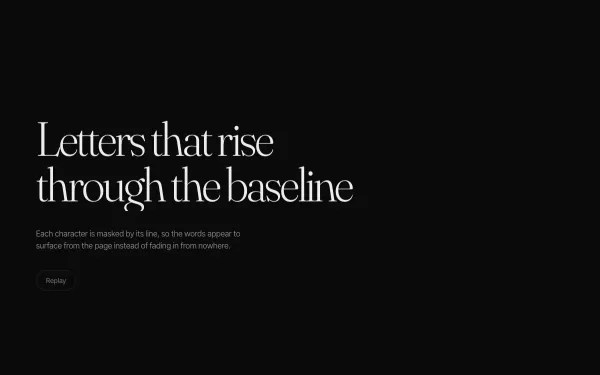
A headline is split into characters that rise out of a masked line one after another, followed by a soft fade-in of the supporting copy and a replay button.
- gsap
- splittext
 light
light Kinetic Typography Loop
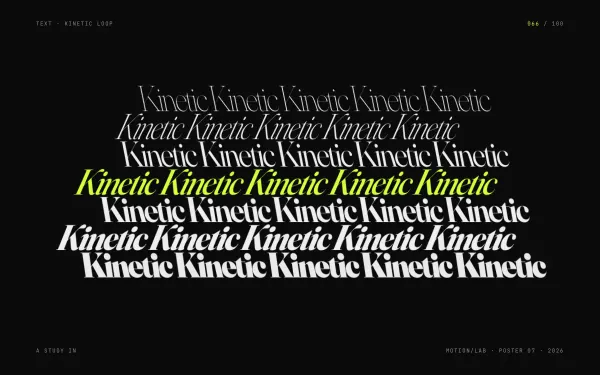
A self-running motion poster: seven stacked rows of the same word, from hairline to black, shear and slide in alternating directions on a yoyo loop while a secondary word flips over in 3D every 1.6 seconds.
- gsap
 light
light Line Mask Reveal
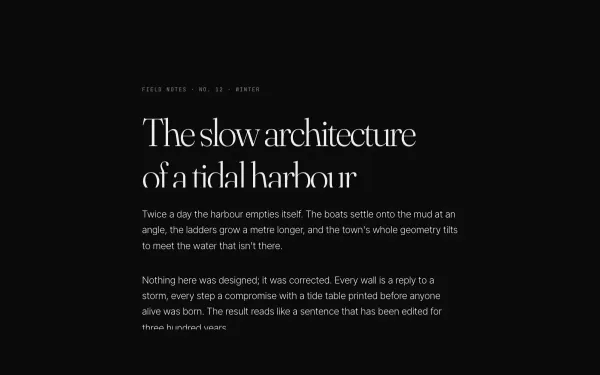
An editorial block — kicker, headline, three paragraphs and a byline — where every line rises out of an overflow mask as its block scrolls into view (SplitText lines, yPercent 100 → 0, 1.1s power4.out, 0.07s stagger).
- gsap
- scrolltrigger
- splittext
 Featured light
 Scramble / Decode Text
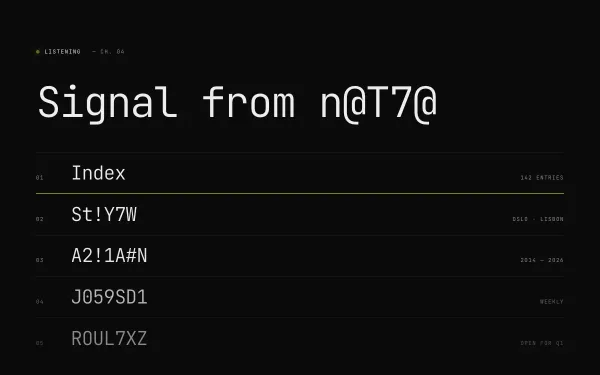
A mono headline and five nav-style rows decode from random glyphs (A–Z, 0–9, #@%&!) into real words on load and re-scramble on hover, while a status line decodes a new word every three seconds.
- gsap